
Control how recipients sign your Documents & Contracts by allowing Draw, Type, or Both. Setting up this control keeps the signer experience consistent, reduces confusion and helps teams meet policy or regulatory requirements across every document you send.
TABLE OF CONTENTS
- What are Signature Types?
- Key Benefits of Signature Type Control
- Signature Type Options
- How To Set Signature Type Controls
- Frequently Asked Questions
- Related Articles
What are Signature Types?
Signature types define the methods a recipient can use to apply their signature to a document sent from SourCherry. Choosing which methods are allowed (Draw, Type, or Both) shapes the signer experience and ensures it aligns with your brand and compliance needs. This is a global, sub-account level control, meaning your changes apply to all documents sent from the sub-account.
Key Benefits of Signature Type Control
Signature type control allows you to select a configuration that balances compliance, brand control and convenience:
Compliance: Meet hand‑drawn requirements by disabling typed signatures when regulations or policies demand a handwritten‑style mark
Consistency: Provide a uniform signer experience across all documents sent out
Speed: Allow typed signatures for faster turnaround when permitted
Administrative Control: Manage signer methods centrally without the need for per‑document toggles
Signature Type Options
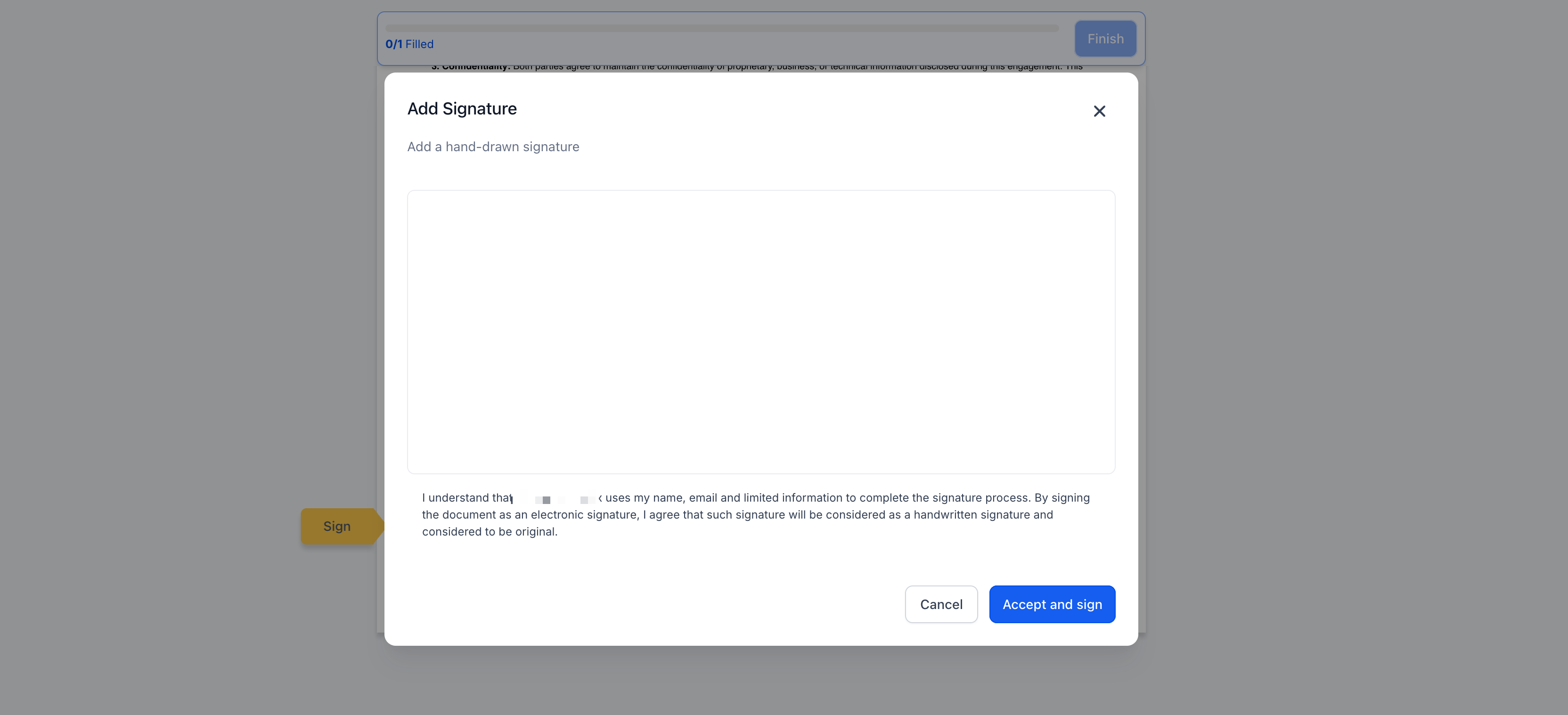
- Draw Signatures: Restricts signers to a hand‑drawn signature
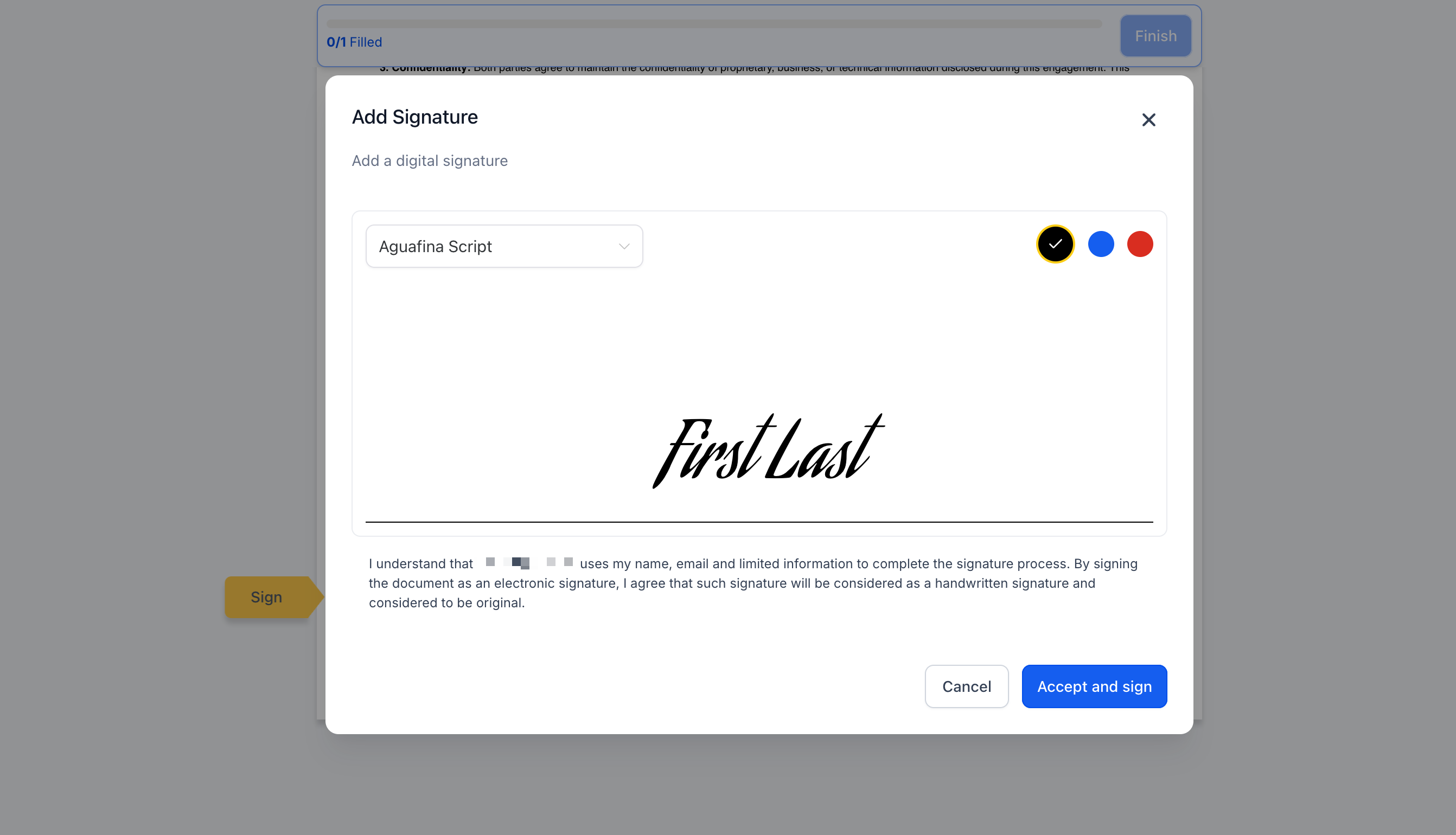
- Type Signature: Restricts signers to typing their name, rendered in a script font
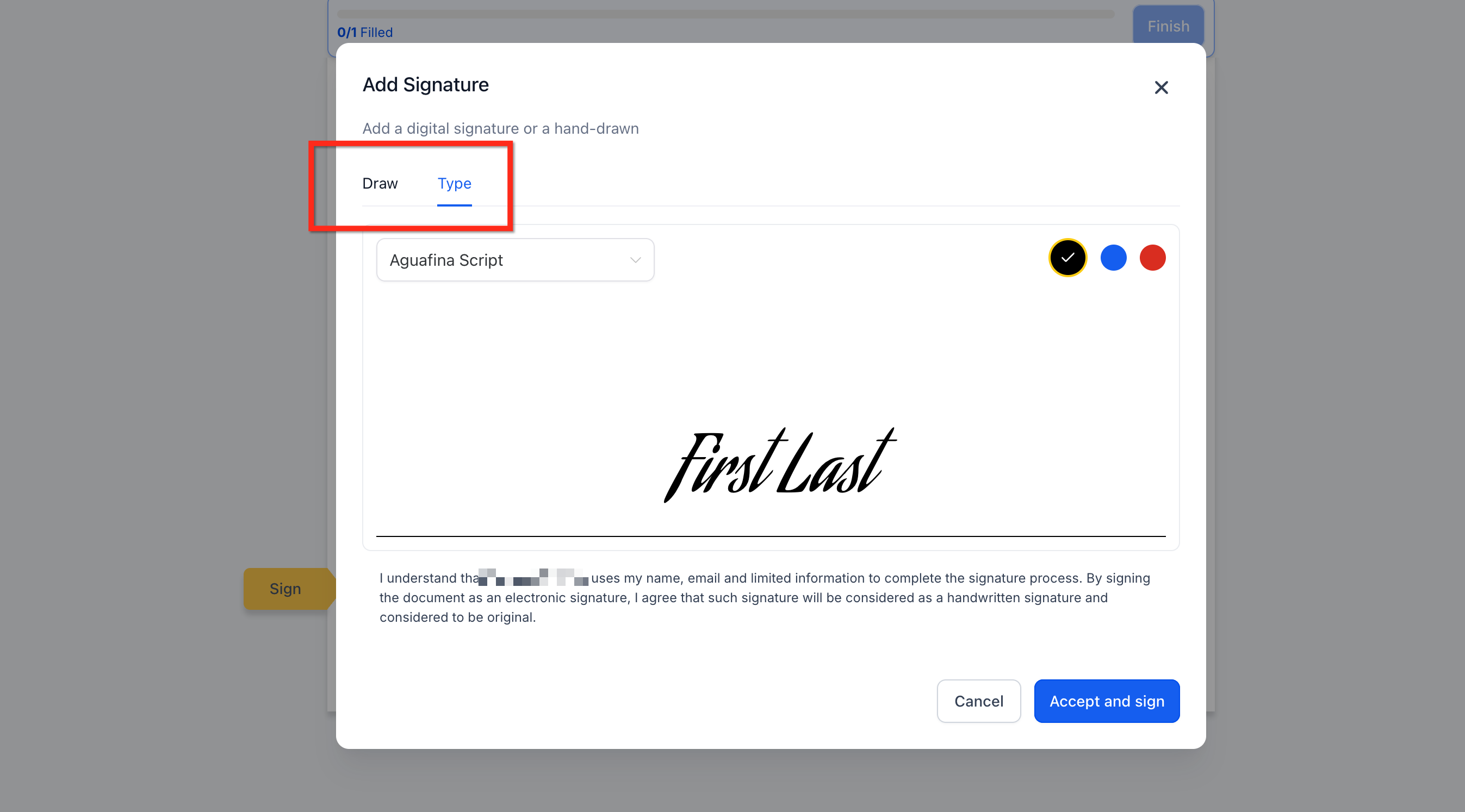
- Both: Offers maximum flexibility; signers can choose either method
How To Set Signature Type Controls
Proper setup ensures every document sent from your account follows the same, compliant signing method without additional per-document configuration.
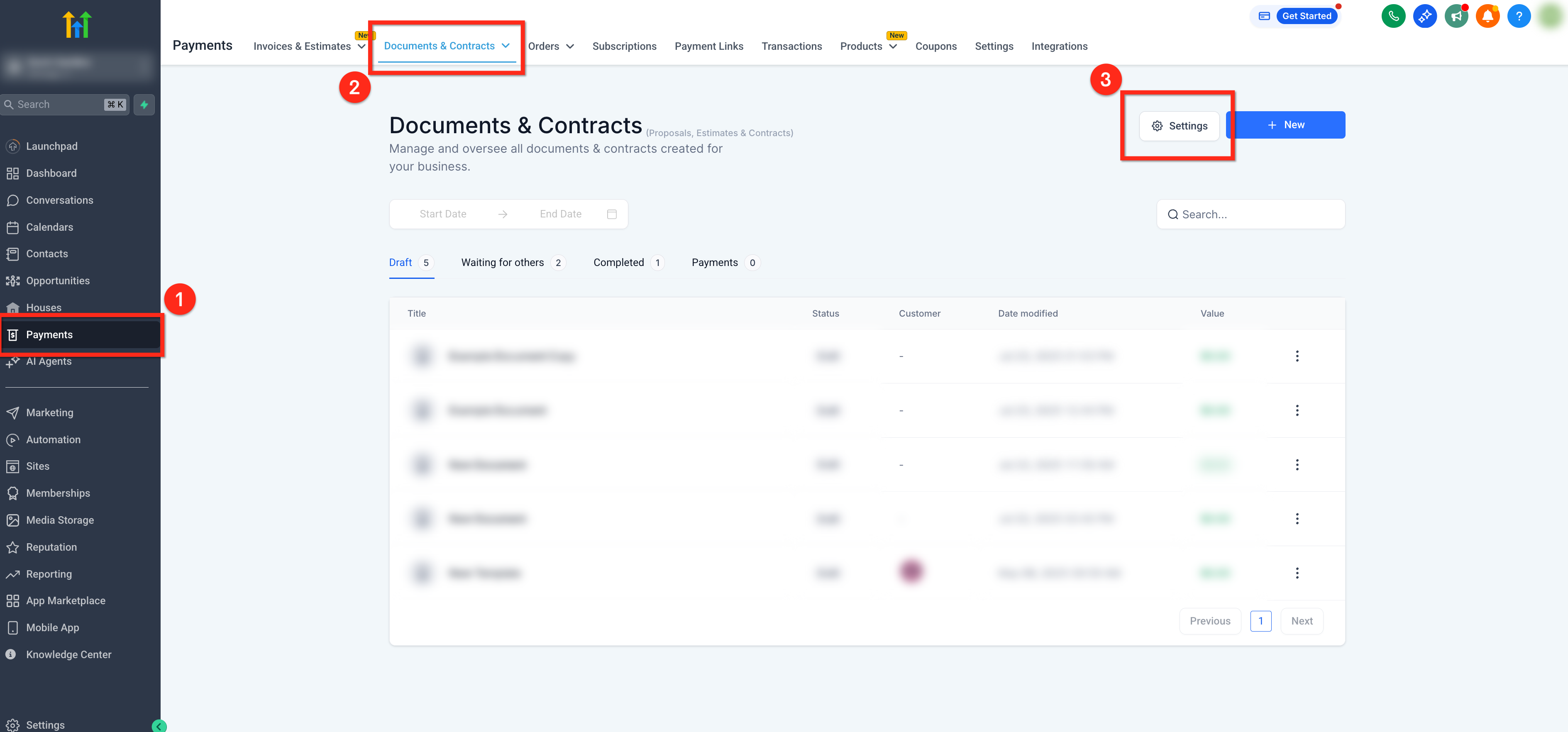
Step 1: Navigate to Document & Contracts Settings
- In the main left-side navigation bar, select Payments
- Click the Documents & Contracts tab in the upper navigation ribbon
- Select the Settings button in the upper right corner
Step 2: Open Document Settings
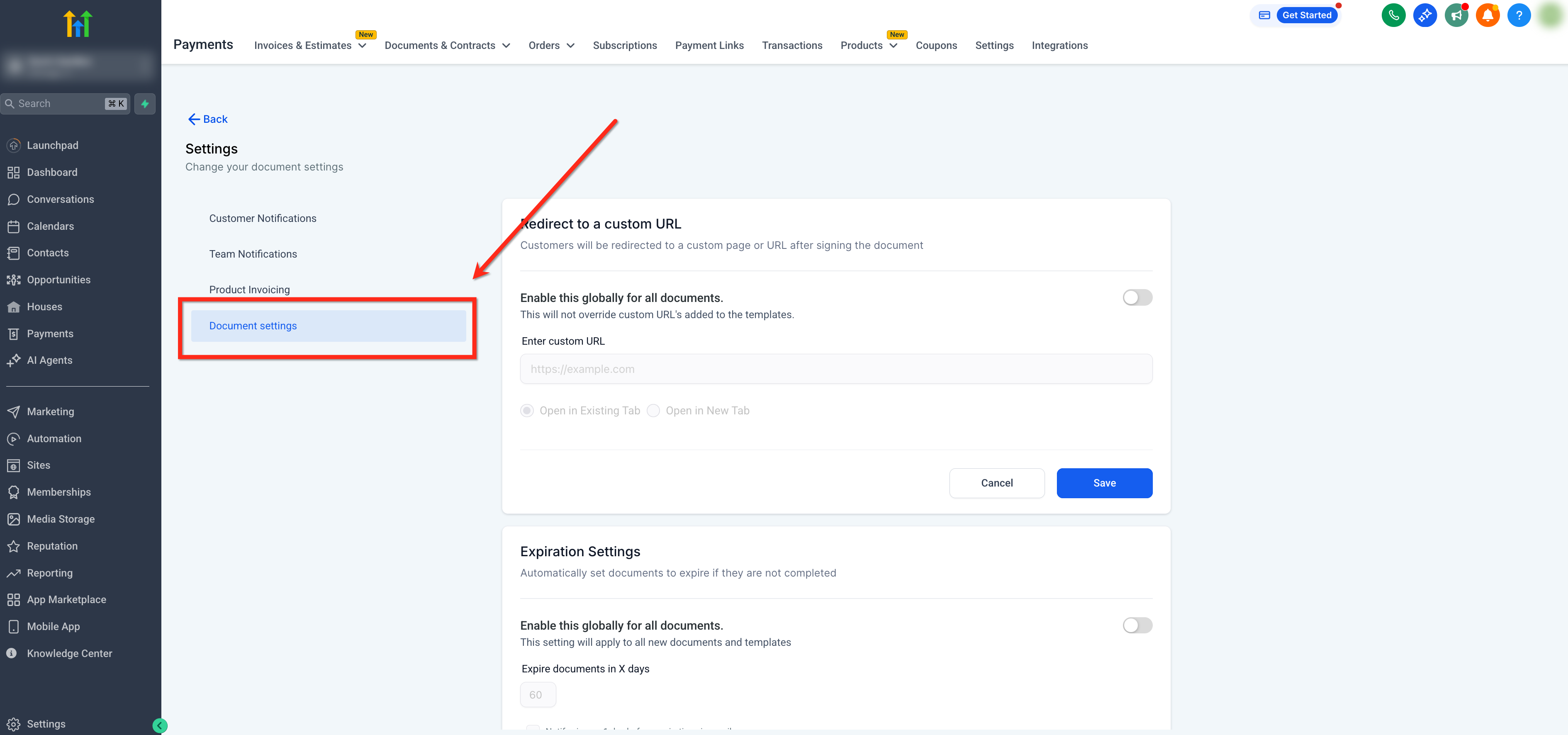
Using the secondary navigation bar on the left, select Document Settings
Step 3: Set Control Signature Settings
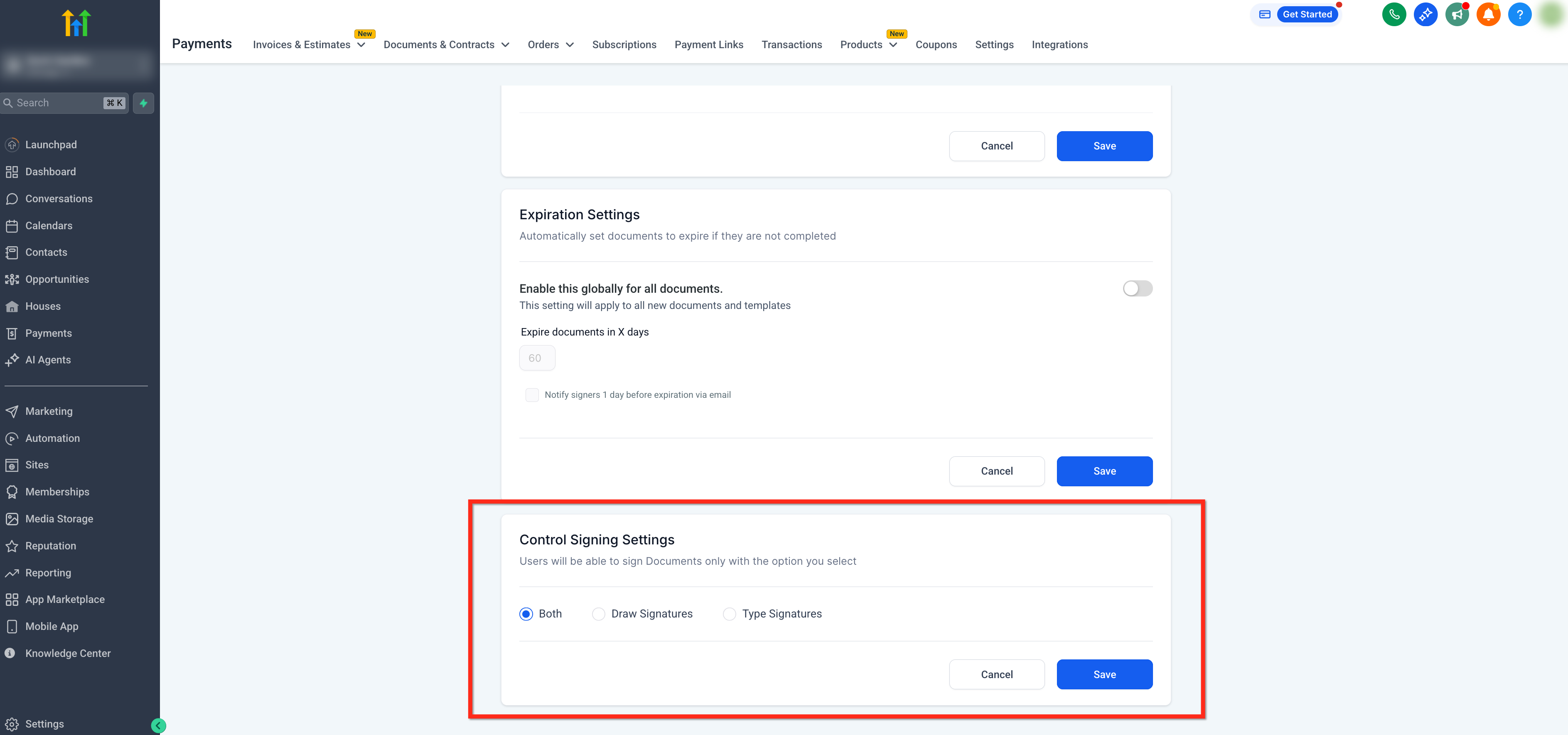
- Scroll down to the Control Signature Settings panel
- Select between Draw Signatures, Type Signatures and Both
- Click the blue Save button to confirm your selection
Frequently Asked Questions
Q: Is this setting global or per-document?
It’s configured globally for the sub‑account in Document Settings and applies to all documents sent from that sub‑account.
Q: If I change the setting after sending a document, what happens?
A: New or refreshed signing sessions reflect the latest setting. If someone already has the document open, ask them to refresh before signing and signature options will update to reflect the change in settings.
Q: Does the chosen method affect audit trail, status, or automations?
No. Tracking (viewed/signed/completed) and workflow triggers function the same regardless of whether the signer draws or types.
Related Articles
- How to use Documents & Contracts?
- How to Use Documents and Contracts in the Mobile App
- Documents & Contracts: How to Automate Collection of Payments at the Time of Signing
- How to Set Signing Order for Recipients in Documents and Contracts
- Automatically Generate Invoices from Signed Documents & Contracts