
Overview
Subscriptions can be updated to reflect changes in products, quantities, or subscription start / end dates. This helps manage customer needs without cancelling and recreating subscriptions, while keeping billing dates consistent.
Table of Contents
- Overview
- What does this feature do?
- What do I need to use this feature?
- How to modify a subscription
- Frequently Asked Questions
What does this feature do?
The Modify Subscription option allows businesses to:
Add additional products to an existing subscription, provided they share the same billing frequency and currency.
Remove products so they no longer appear in future billing cycles.
Adjust the quantity of any product in the subscription (between 1–1000).
Edit subscription dates:
Change the start date if the subscription is scheduled but not yet active.
Update the end date for active subscriptions.
Preview all changes and updated totals before saving.
The feature currently doesn't allow to prorate the charges, that functionality is coming soon.
What do I need to use this feature?
Access to Payments → Subscriptions.
A subscription that is in scheduled, trialing or active status.
Supported payment providers: Stripe, Square, NMI, Authorize
How to modify a subscription
Step 1: Access the subscription
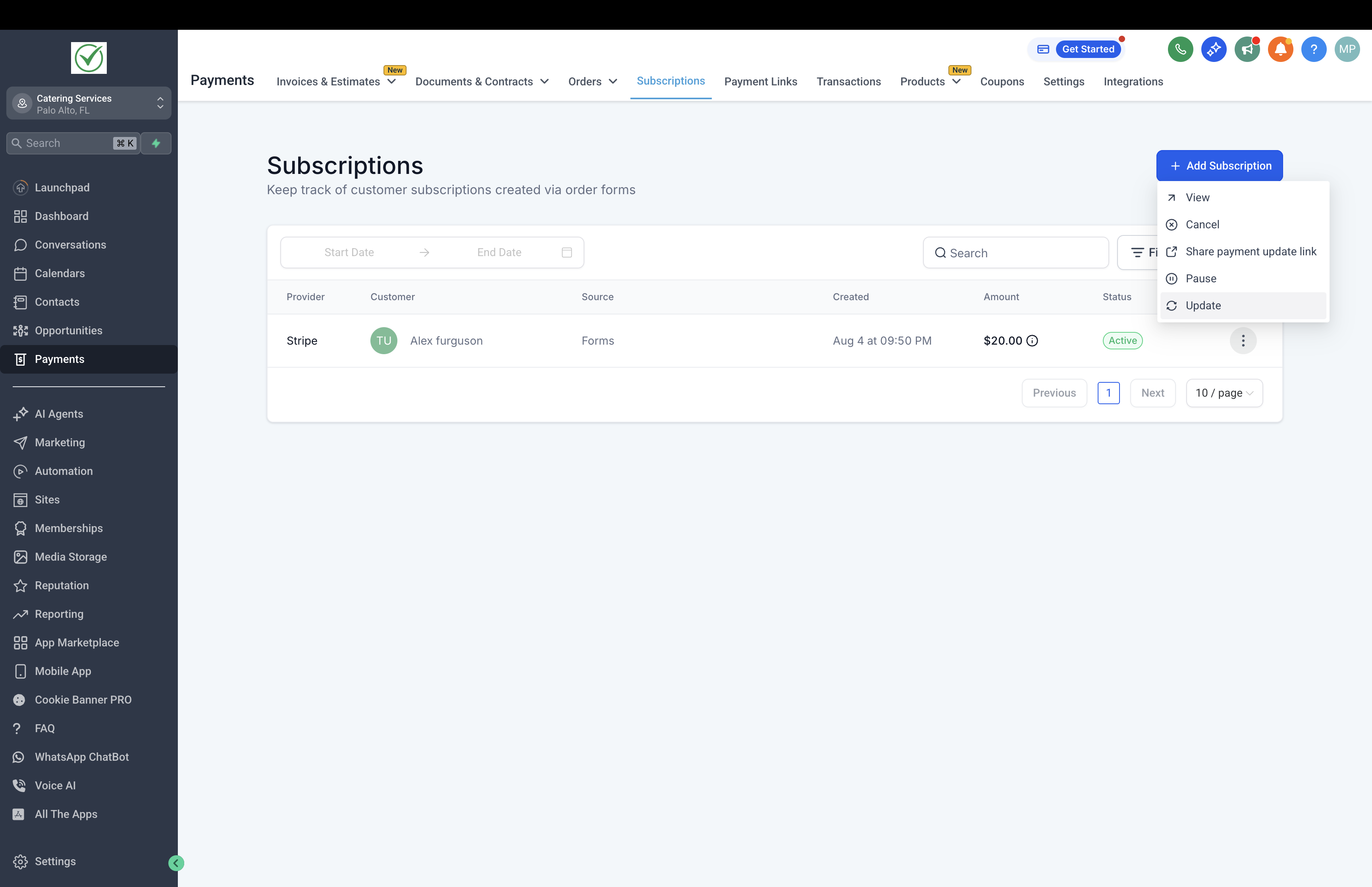
Go to Payments → Subscriptions.
Select the subscription to be modified.
Open the menu and click Update.
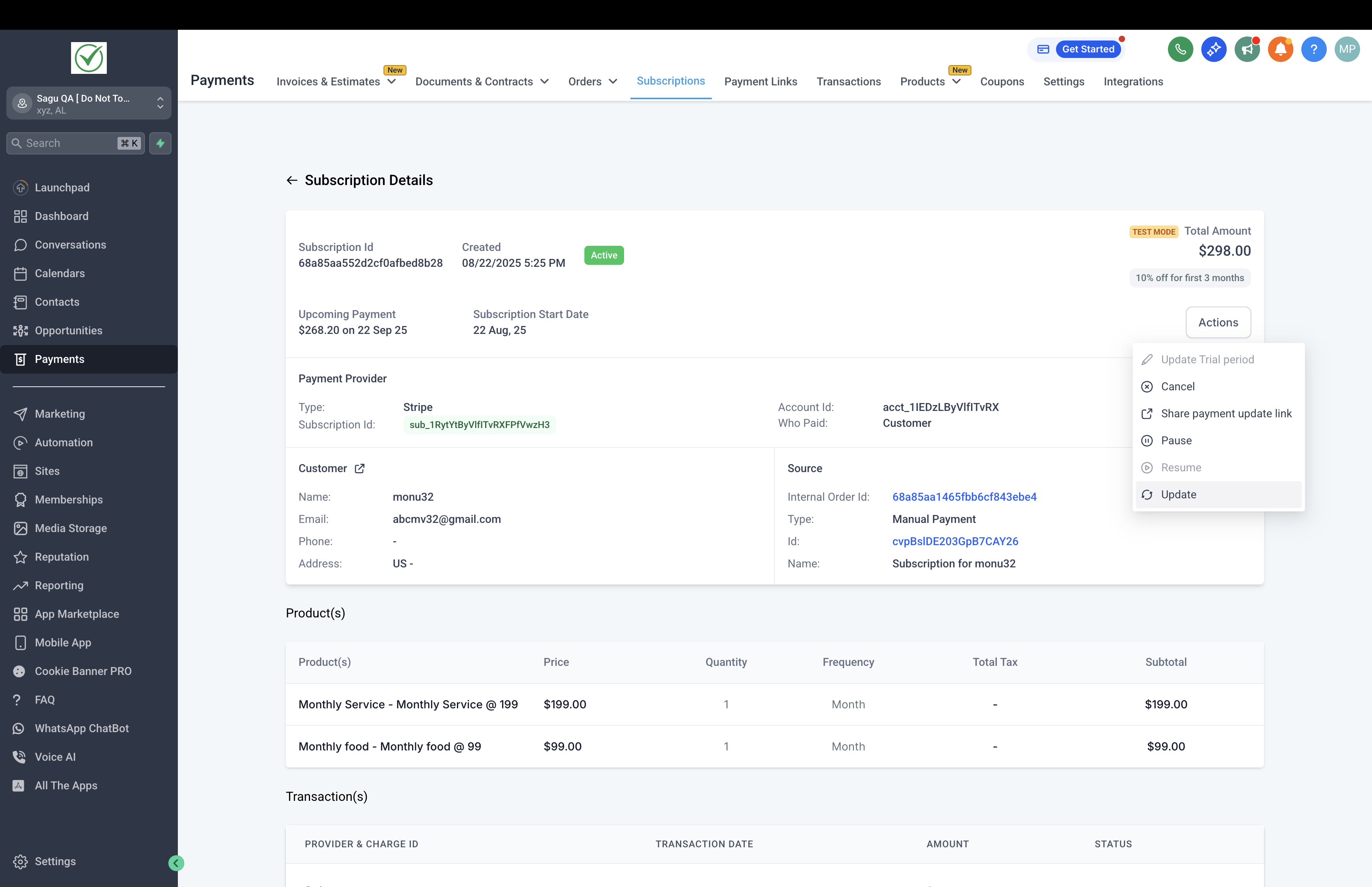
Alternatively, you can also open the Subscription Details page and view the Update option under Actions
Step 2: Make changes
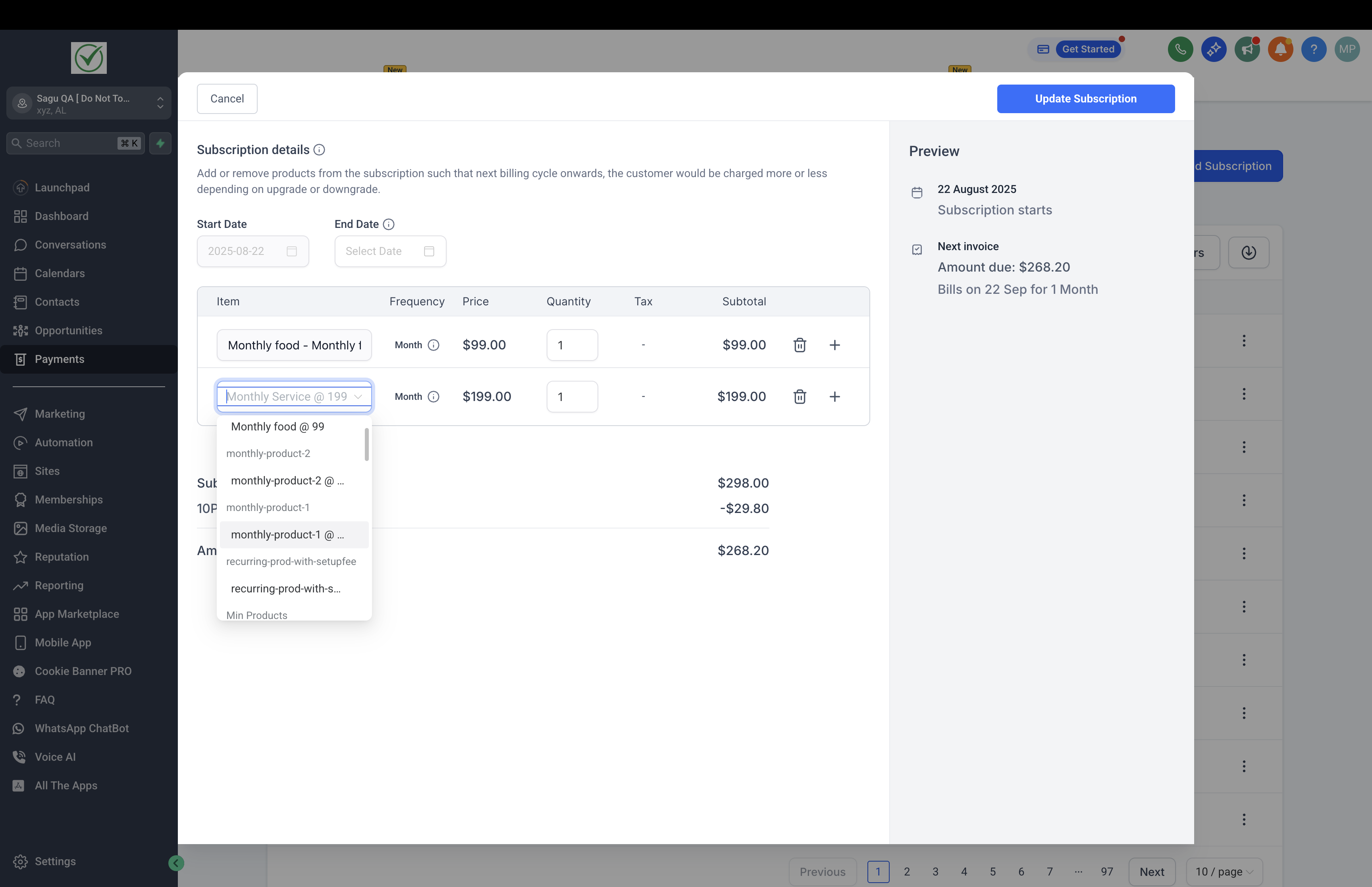
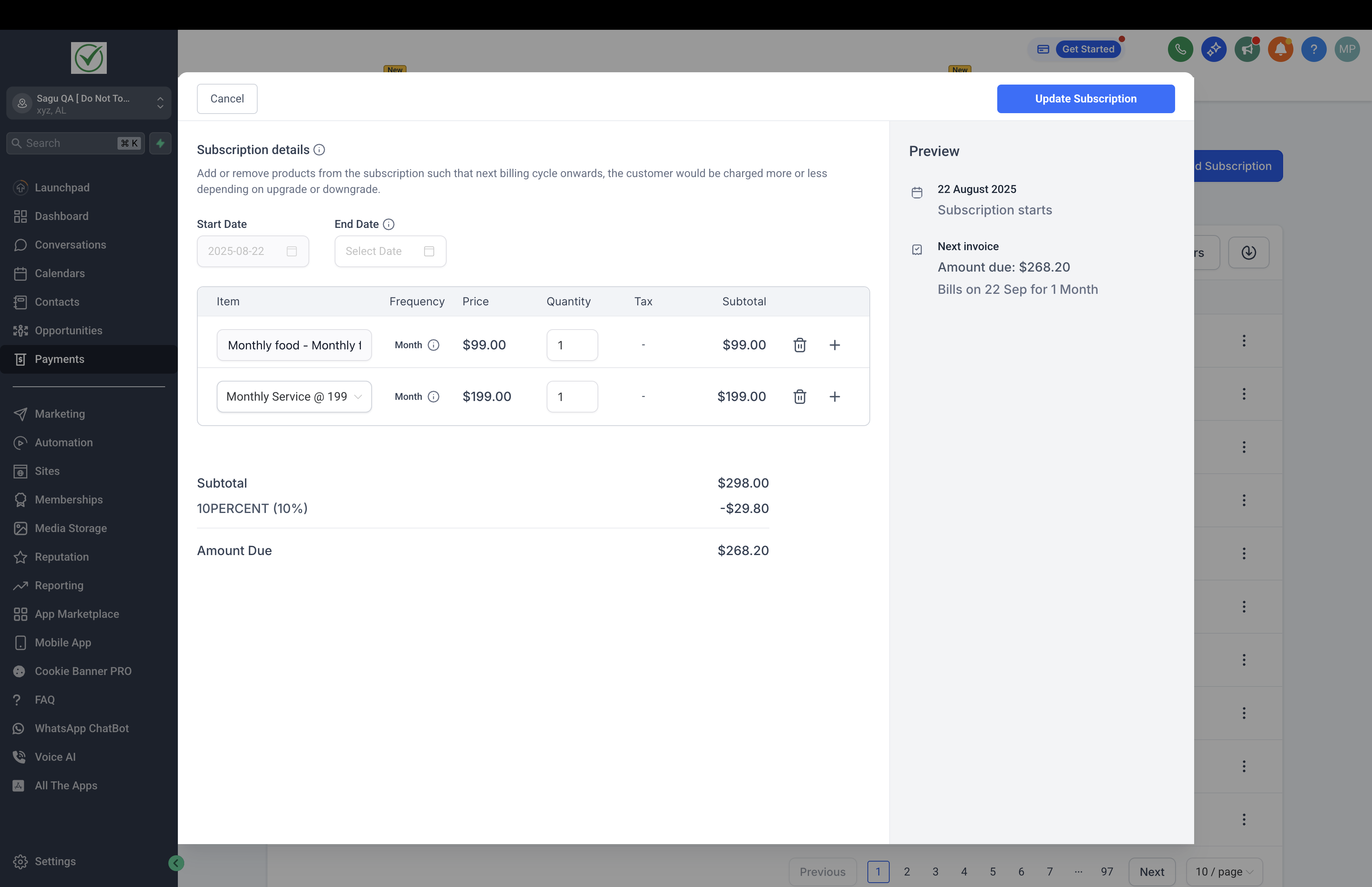
To add a product, click the '+' button. Products available will match the billing frequency of the subscription.
To remove a product, use the delete icon next to the product name.
To update quantities, adjust the number in the Quantity field.
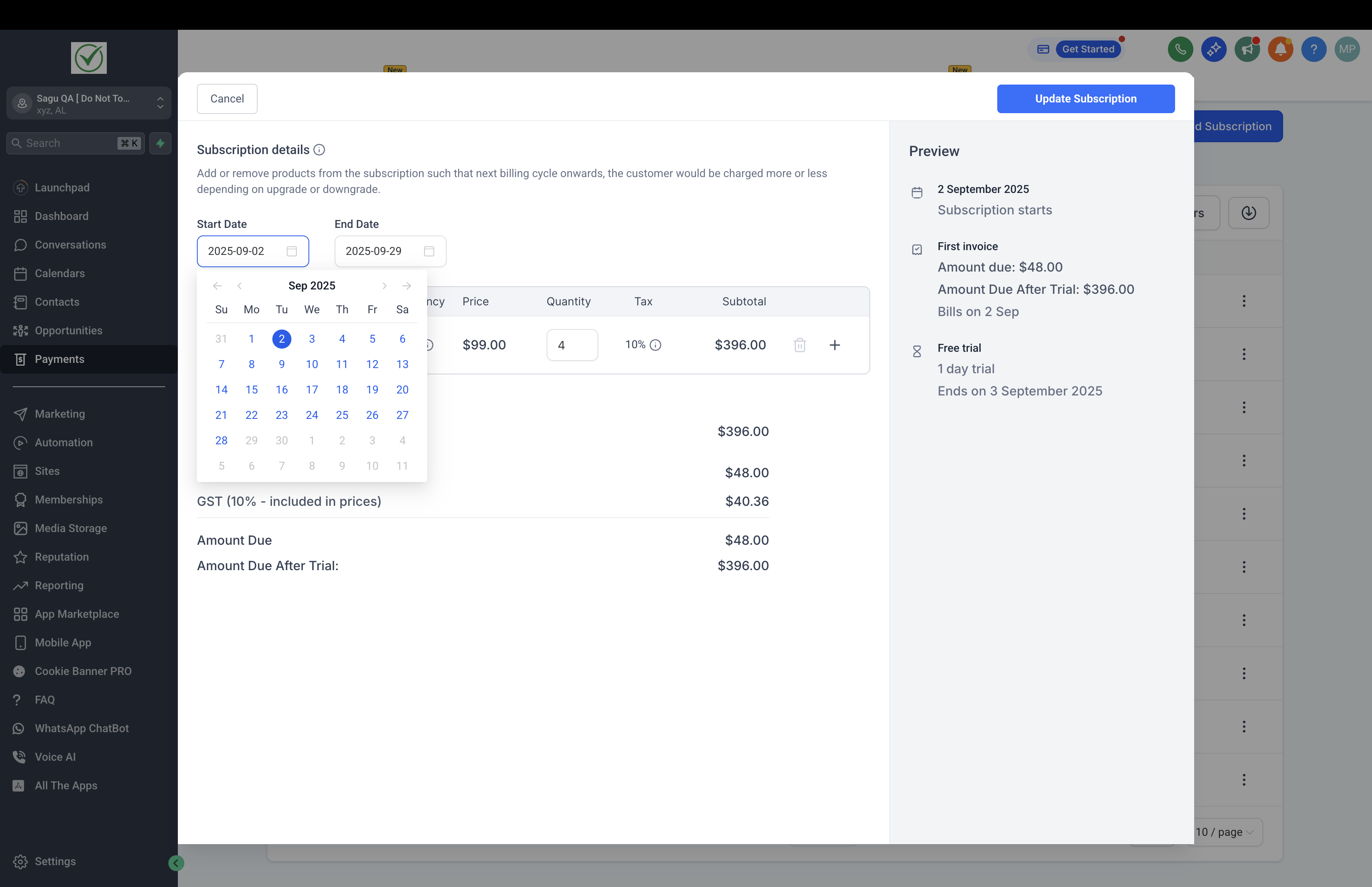
To edit dates, select the Start Date (for Scheduled subscriptions) or update the End Date (for Active subscriptions).
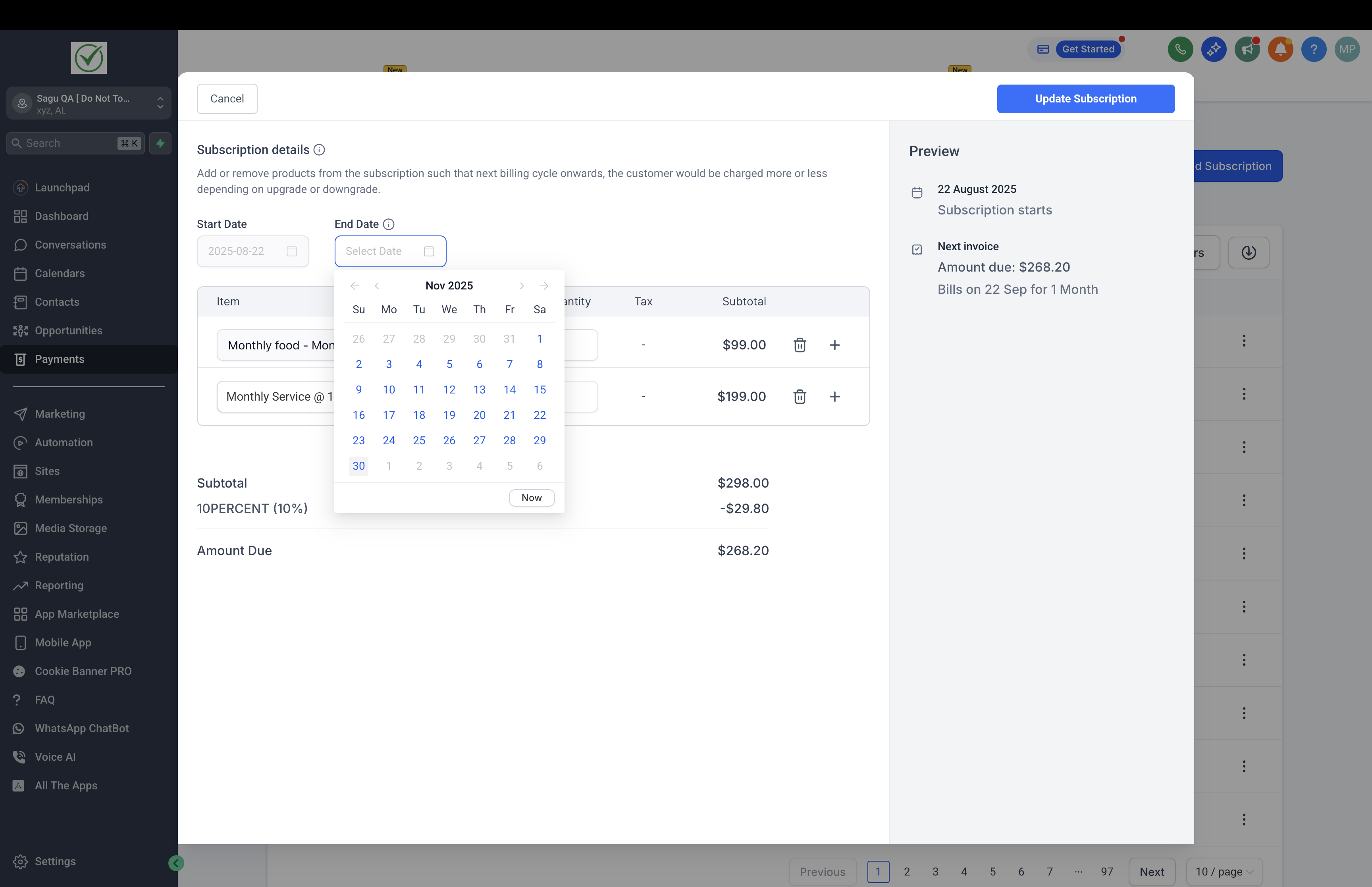
Step 3: Review and save
A preview will display updated products, quantities, dates, and new total amounts.
Confirm the changes to update the subscription.
The new settings will apply from the next billing cycle onwards.
Note: Functionality to prorate charges is coming soon. Currently the new total would apply on the next charge date.
Frequently Asked Questions
Does changing a product or quantity affect past transactions?
No, past transactions remain unchanged. Updates only apply to future billing cycles.
What happens to the charge date when changes are made?
The charge date does not change. All updates take effect on the same billing schedule.
Can multiple products be added at once?
Yes, as long as they share the same billing frequency.
Where can modification history be found?
All changes are logged under the Subscription Details page for reference and auditing.
What happens if the product has a trial period and is now being added to a Subscription?
- Trial periods would be skipped or not considered if a product is added to an ongoing 'Active' Subscription or if Quantities of the product are changed for an ongoing 'Active' Subscription.
- If the Subscription is in 'Trial' state, the new product will also trial till the original Subscription's trial date and all the charges would apply on the next billing cycle, after the trial ends.
What happens if the product has a trial period and is now being added to a Subscription?
- Set-up fee would apply to the total as a one-time charge, applicable on the next billing cycle, if the newly added product has a set-up fee associated with it. Also, if quantities of an existing product are increased and the product has set-up fees, these would be charged for the additional quantities on the next billing cycle.
- If the Subscription is in 'Trial' state, the new product's set-up fee will be charged on the next billing cycle i.e. when the trial ends.
What happens if the Subscription has an ongoing Coupon?
If the Subscription has an ongoing Coupon, if the coupon is applicable on the newly added product, it would apply on the new product from the next billing cycle.
Note: An option to change coupons from an ongoing Subscription is coming soon.
Can I modify a Subscription with Cancelled or Overdue or Unpaid statuses?
No, only the following Subscription statuses allow modification - Scheduled, Active and Trialing
How can I update a customer’s credit card details in a subscription?
You can update a customer’s credit card by sharing a secure payment update link from their subscription.
Go to Payments > Subscriptions in your sub-account.
Find and select the customer’s subscription.
Click the three dots (⋮) on the right.
Select Share Payment Update Link.
Send the link to the customer by:
Copying and sharing it via chat/message, or
Using the Email option to send it directly from the platform.
The customer can use this secure link to update their card details on their own.