
Experience faster, more consistent workflow building with the ability to Copy Workflow Actions Across Workflows in SourCherry. Reuse single actions or entire action blocks across workflows in the same sub-account, paste with a click, and maintain standardized setups—no rebuilding required.
TABLE OF CONTENTS
- What is Copy Workflow Actions Across Workflows?
- Key Benefits of Copy Workflow Actions Between Workflows
- How To Use Copy Workflow Actions Between Workflows
- Clipboard & Retention Rules
- Frequently Asked Questions
- Related Articles
What is Copy Workflow Actions Across Workflows?
Copying actions between workflows lets you duplicate existing steps—either a single action or a sequence—into another workflow in the same sub-account. This accelerates building, reduces repetitive configuration, and helps maintain consistent automation standards across projects.
Key Benefits of Copy Workflow Actions Between Workflows
Speed: Paste preconfigured steps in seconds instead of rebuilding from scratch.
Multi-paste window: Reuse copied actions across multiple workflows during the 15-minute clipboard window.
Consistency: Keep naming, settings, and logic uniform across workflows to reduce errors.
Cross-tab convenience: Copy in one tab and paste in another without losing your place.
Same sub-account scope: Ensure compatibility because assets exist in the same environment.
Lower error risk: Start from proven steps and tweak only what’s unique.
How To Use Copy Workflow Actions Between Workflows
These steps outline where to click and how to paste efficiently so you can reuse existing logic with minimal rework.
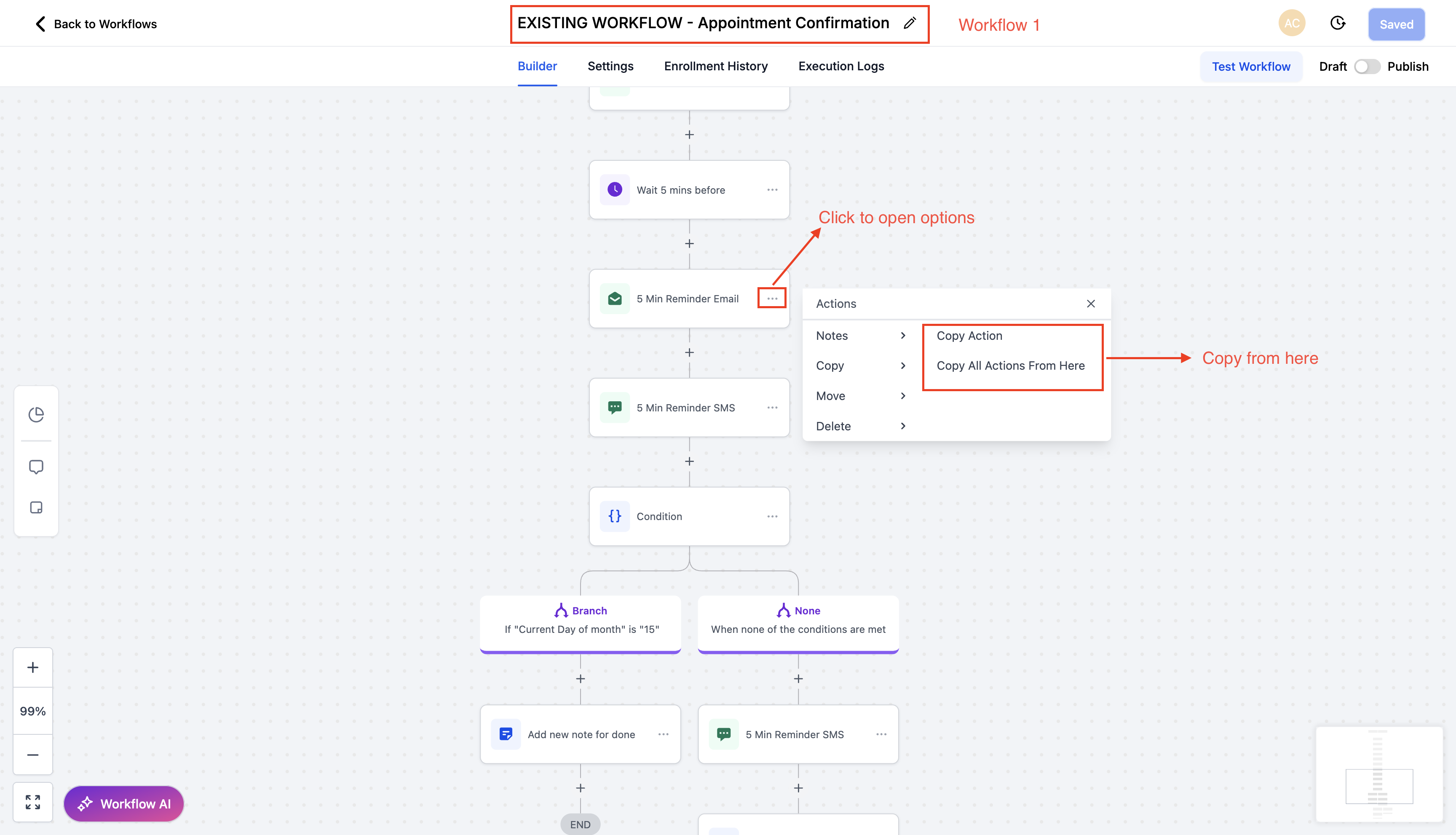
Step 1: Open Automation → Workflows : to find the Copy Option Feature
Select your source workflow, and locate the action you want to reuse. Click the action’s three-dot menu and choose Copy Action (single step) or Copy All Actions From Here (selects a block starting at that action).
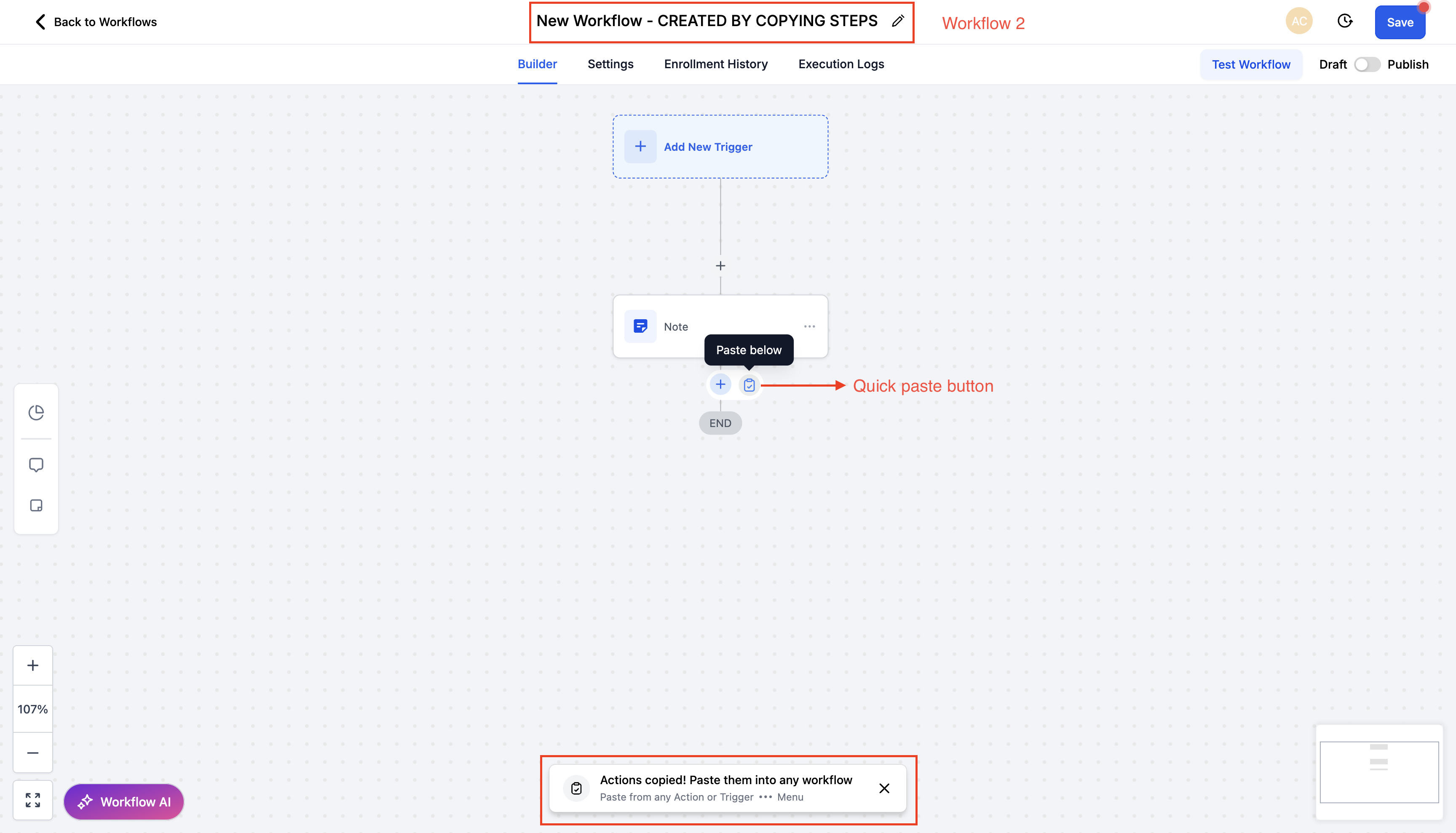
Step 2: Navigate to your target workflow (same tab or a different tab within the same sub-account).
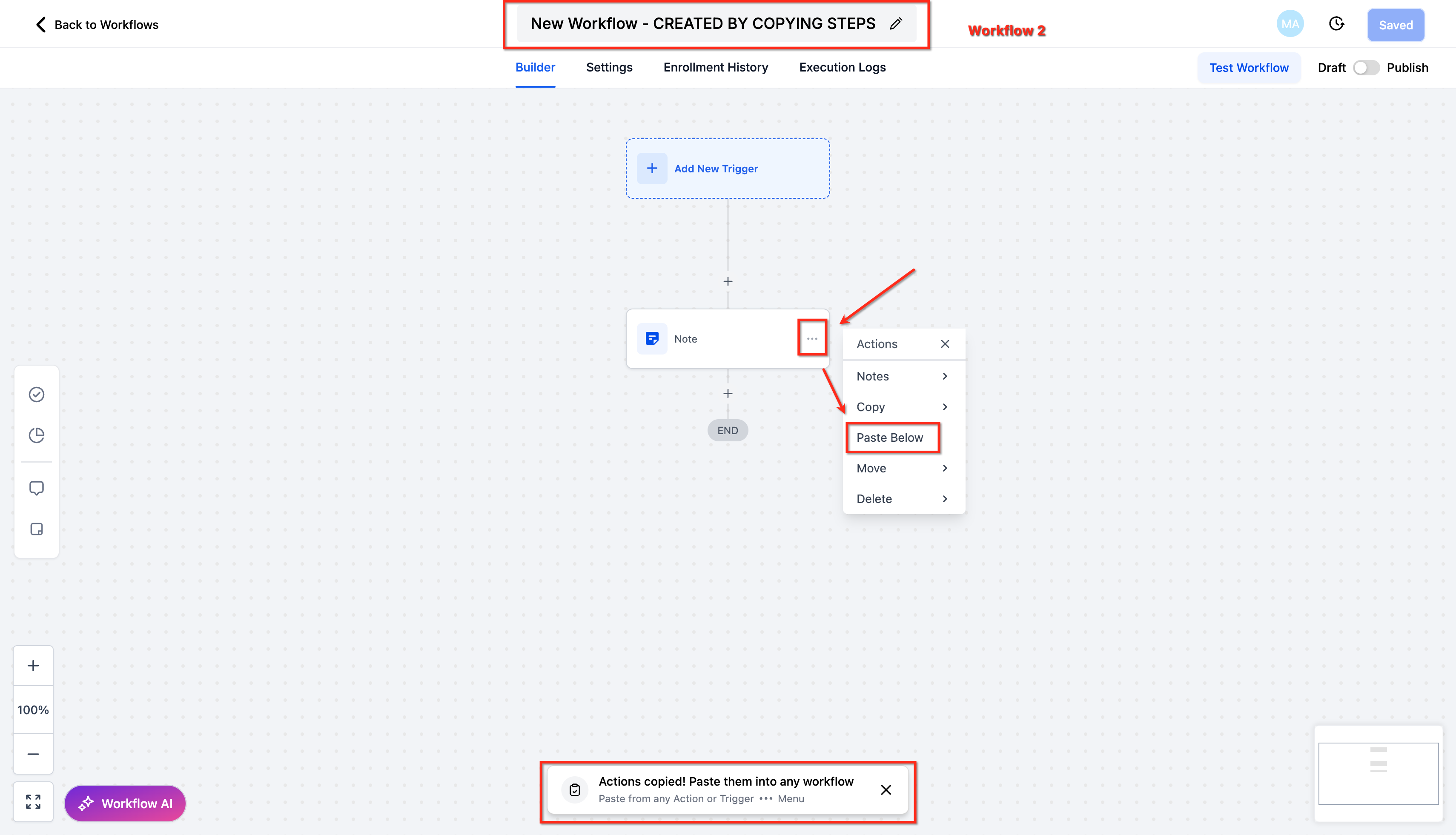
To paste, either:
Click Quick Paste next to the + button where you add new actions
OR Open any action’s three-dot menu and choose Paste Below.
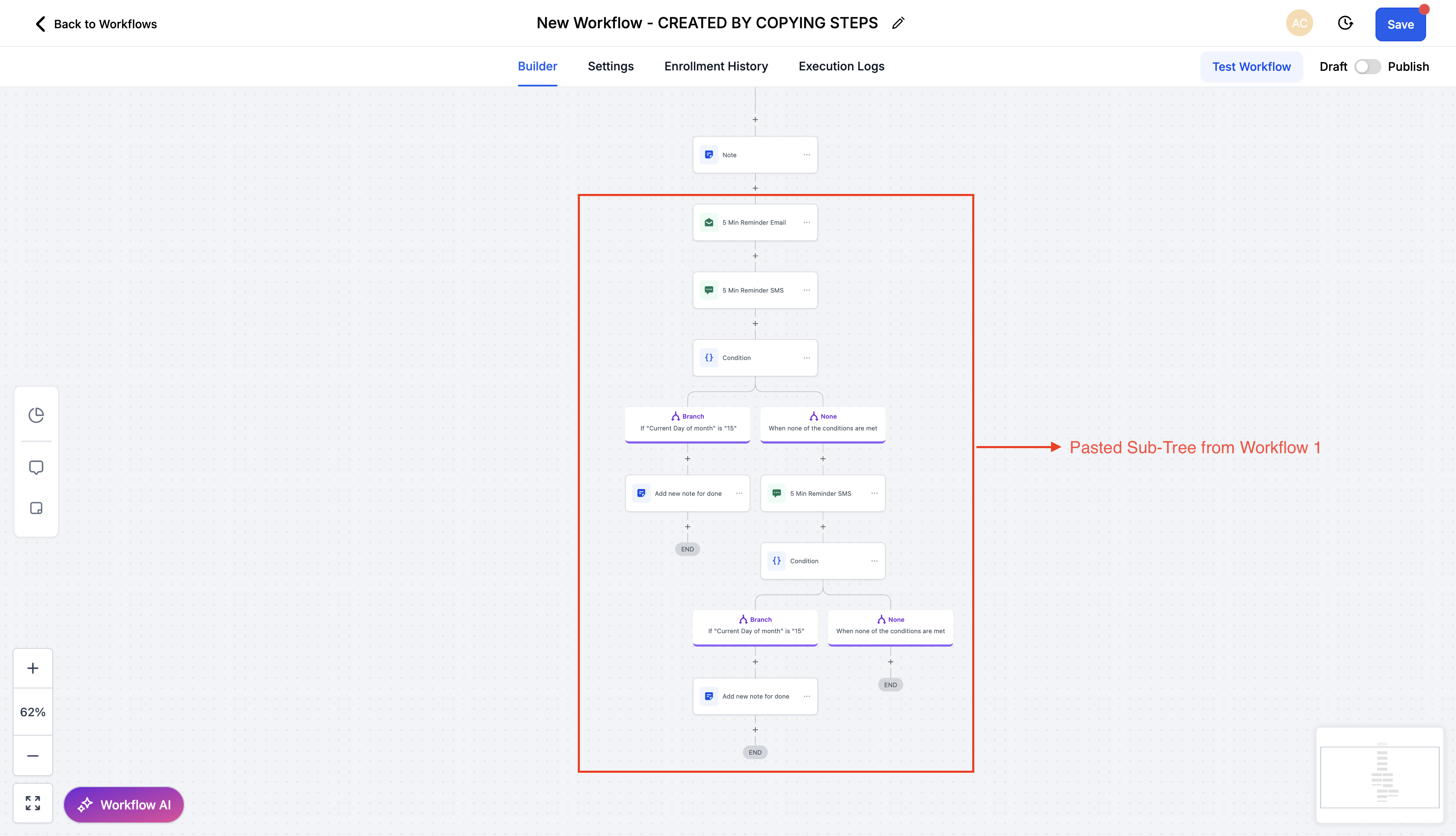
Step 3: Review the pasted actions to confirm assets and logic are correct, then Save your workflow.
Clipboard & Retention Rules
Copied actions remain available to paste for 15 minutes.
You can paste multiple times during the retention window—even into different workflows within the same sub-account.
When the window expires, the paste options will no longer insert the copied content; copy again to continue working.
Navigating between tabs is supported; just ensure you remain signed in and within the same sub-account.
Frequently Asked Questions
Q: Can I copy multiple actions at once?
Yes. Use Copy All Actions From Here to copy a block starting at the selected action.
Q: Can I paste in another tab?
Yes. Copy in one tab and paste in another tab within the same sub-account during the 15-minute window.
Q: Are triggers copied?
No. Copying actions doesn’t include triggers. Use trigger duplication tools when you need to reuse triggers.
Q: Will asset references (emails, forms, calendars) carry over?
If those assets exist in the same sub-account, the references persist. Always review after pasting.
Q: How long are copied actions available?
15 minutes. You can paste multiple times during this window without copying again.
Q: Can I undo a paste?
Before saving, you can delete or move the pasted actions. Confirm placement and settings, then save.
Q: Does this work across sub-accounts?
No. Action copy works within the same sub-account. For cross-sub-account needs, see the related article on copying entire workflows.