
If you are unable to view your Chart of Accounts in your CRM after connecting with Xero, follow the steps below to enable it.
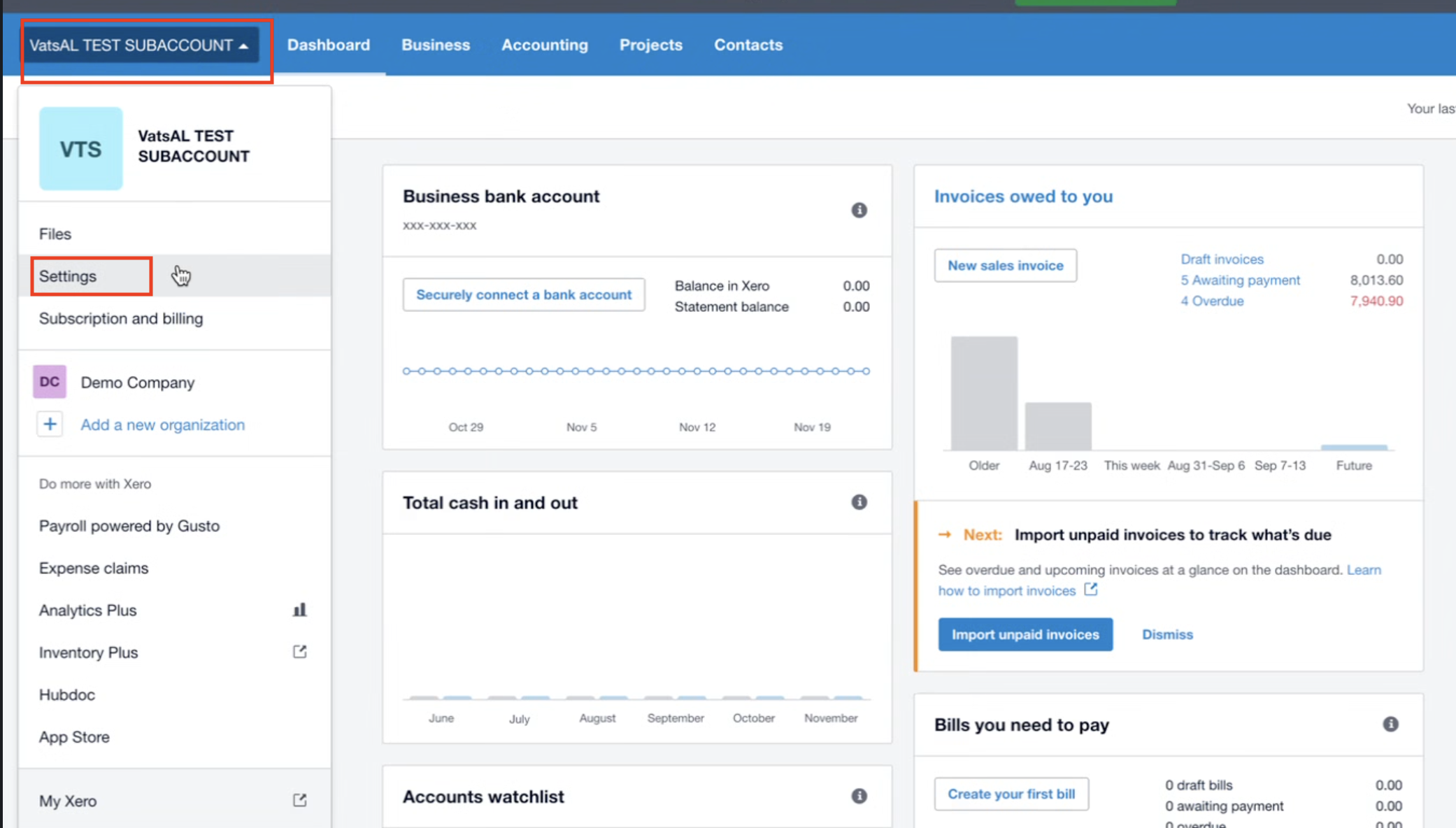
Step 1: Go to Settings in Xero
From your Xero dashboard, select your organization.
Click Settings from the dropdown menu.
Step 2: Open Advanced Settings
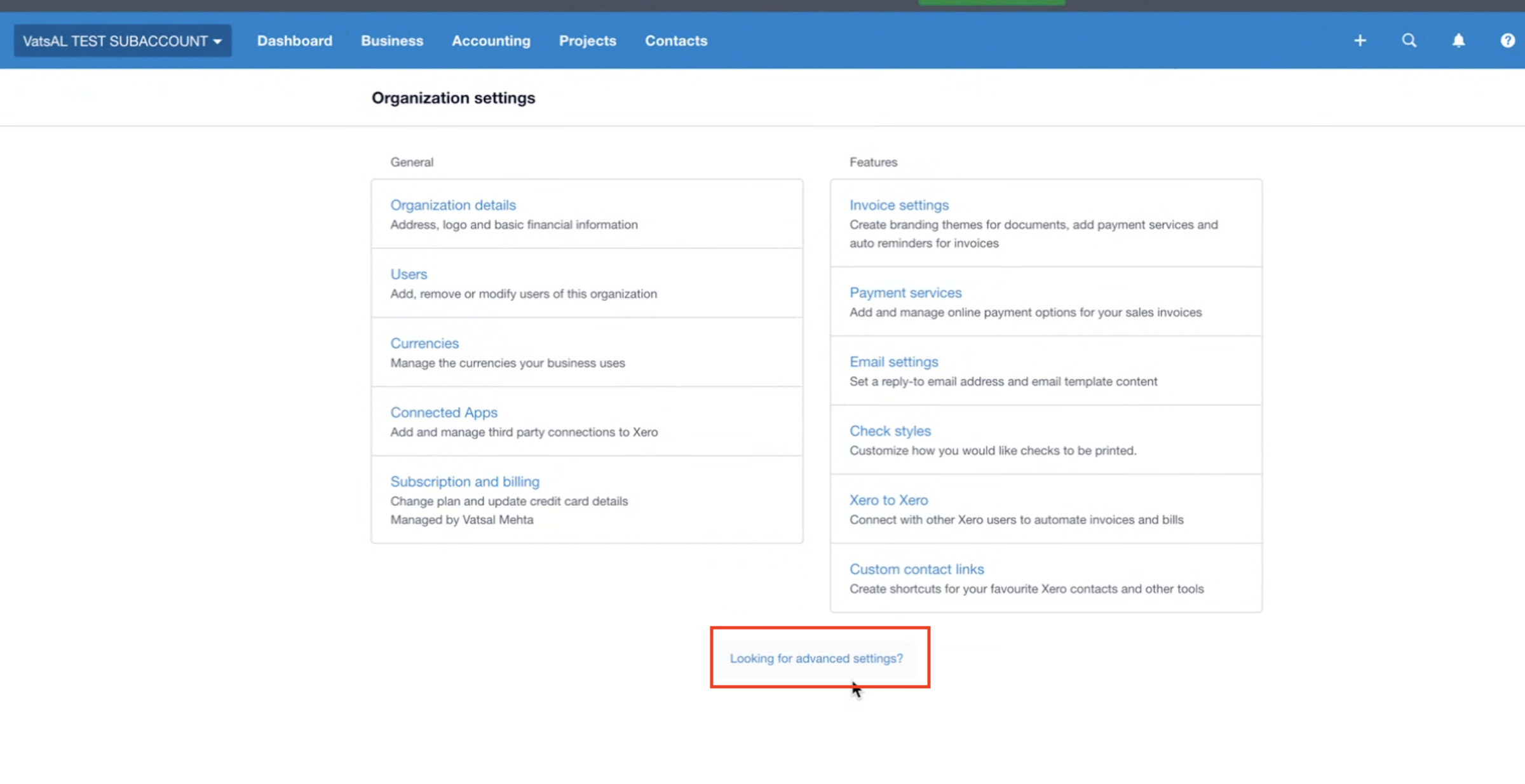
In Organization settings, scroll down and click Looking for advanced settings?
Step 3: Access Chart of Accounts
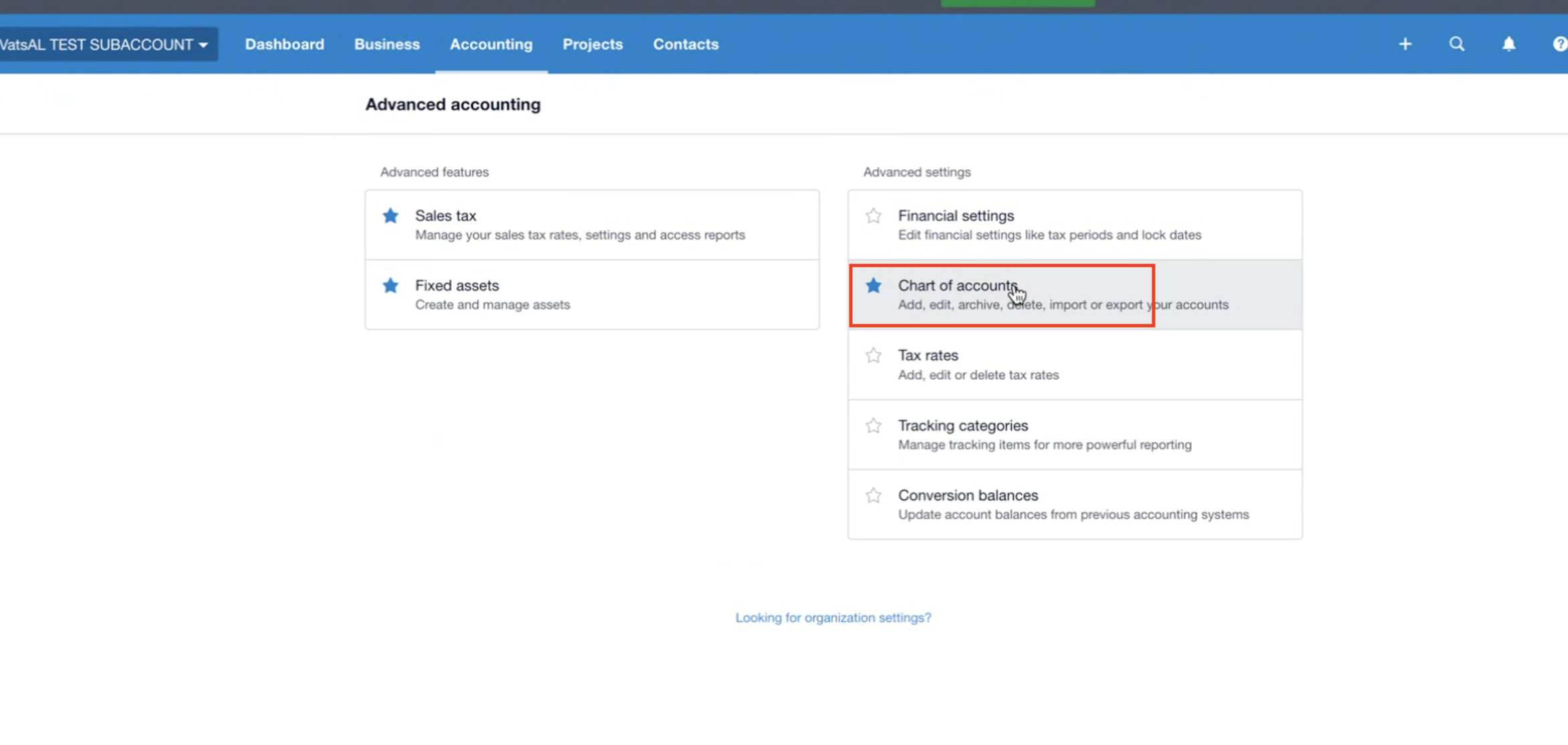
Under Advanced Accounting, click Chart of accounts.
Step 4: Select the Relevant Account
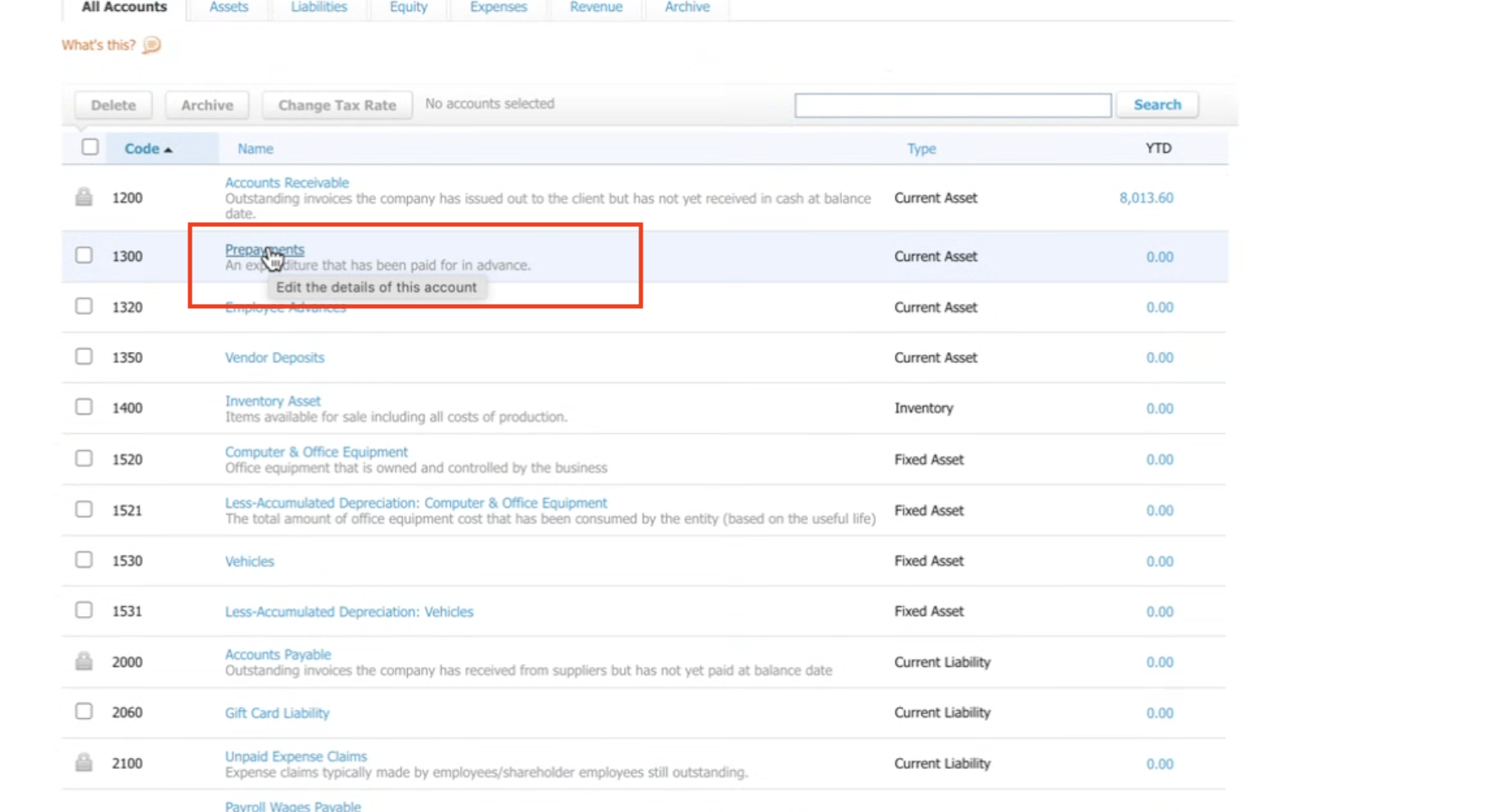
From the list of accounts, choose the account you want to connect (e.g., Prepayments).
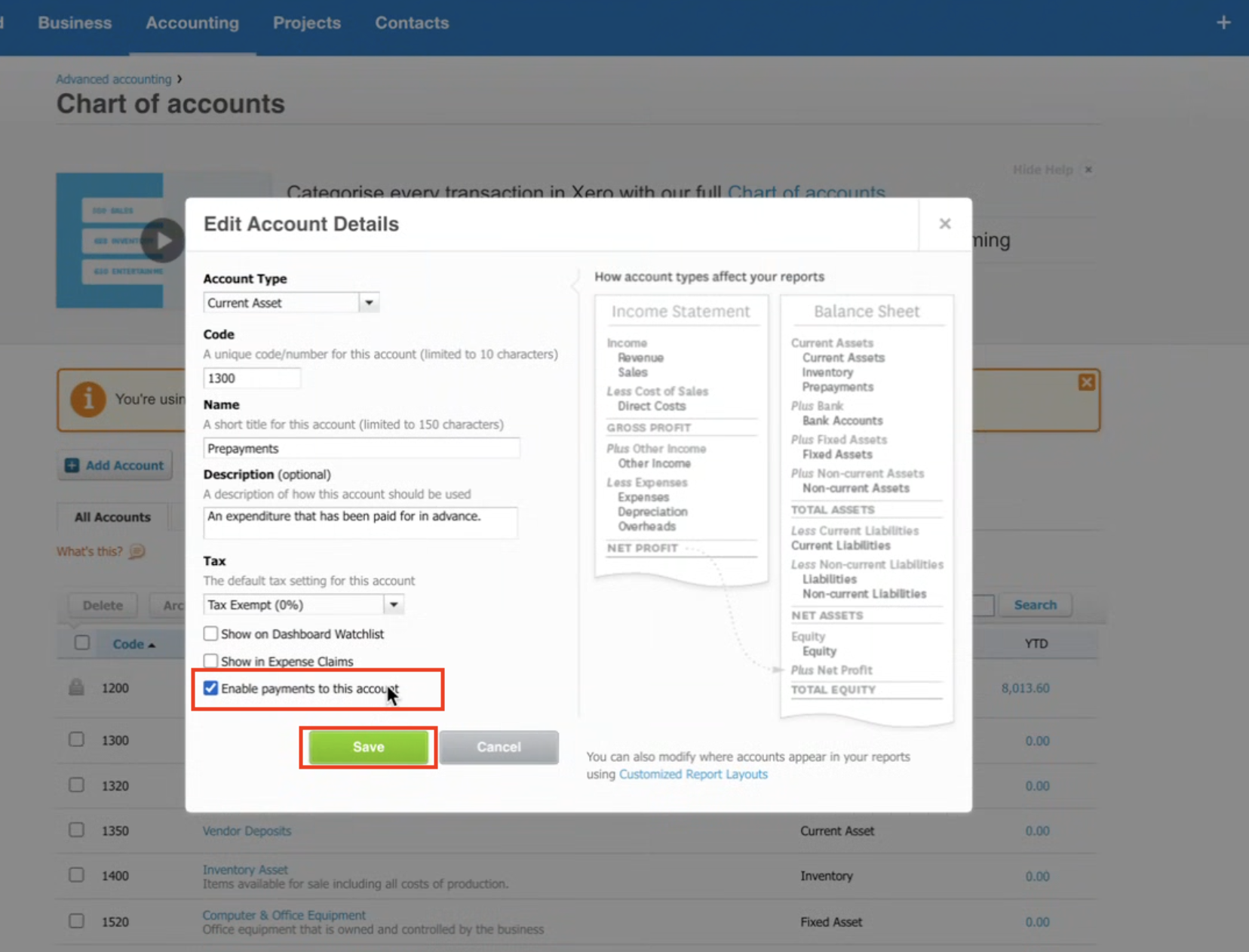
Click to Edit the details of this account.
Step 5: Enable Payments for the Account
In the edit popup:
Tick ✅ Enable payments to this account.
Click Save.
Step 6: Connect in CRM
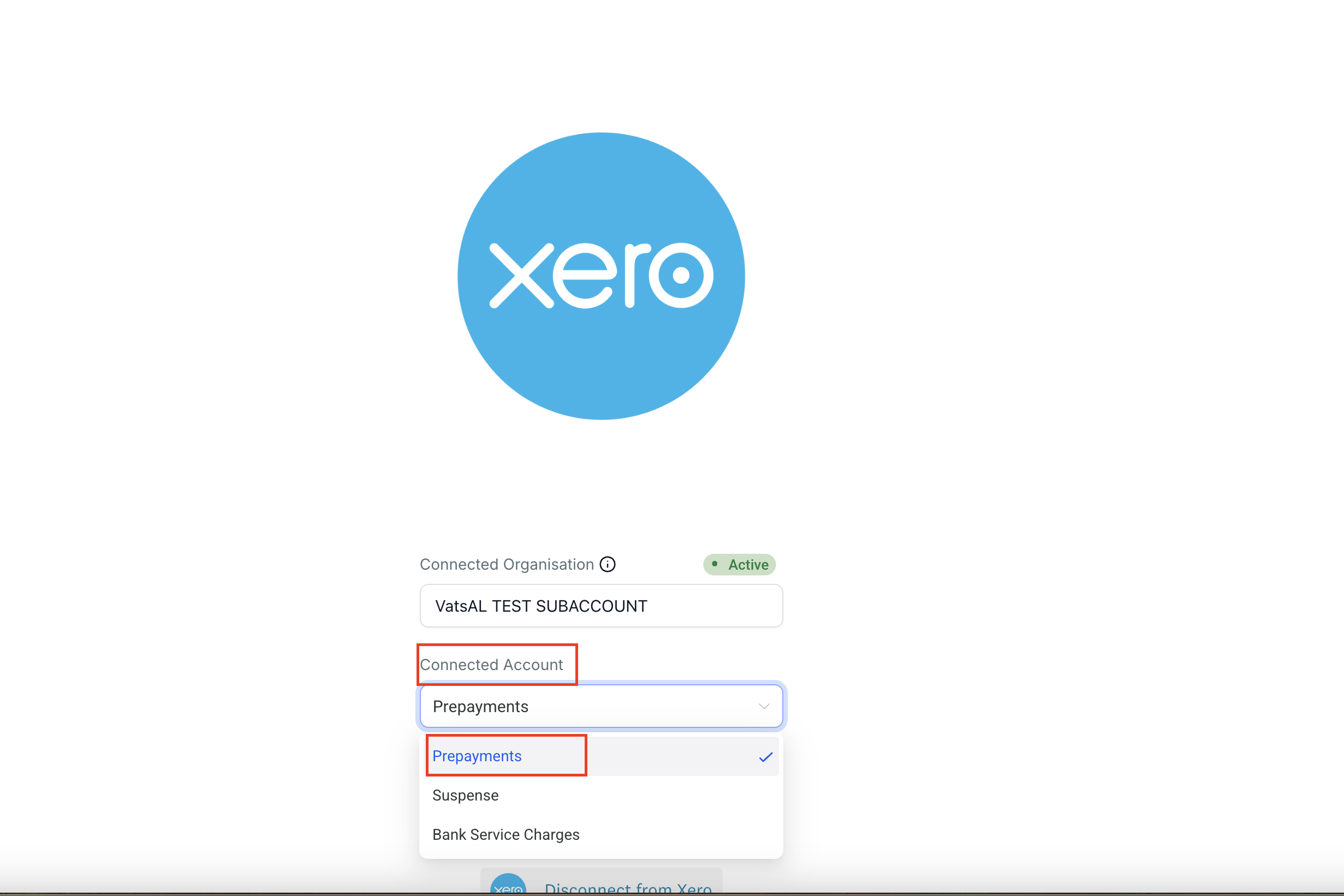
Go back to your CRM Xero integration.
Under Connected Account, select the account you just enabled (e.g., Prepayments).
✅ Once done, your Chart of Accounts will now be visible and ready to use in your CRM.