
Chats in SourCherry’s GoKollab enable direct, member-to-member messaging inside your communities. By keeping conversations in-platform, you can collaborate faster, follow up efficiently, and keep discussion history in one place. Use Chats to connect with peers you share a community with—without switching tools.
TABLE OF CONTENTS
- What is GoKollab Chats?
- Key Benefits of using GoKollab Chats
- How To Use GoKollab Chats
- In-Platform Messaging
- Privacy & Safety
- Frequently Asked Questions
- Related Articles
What is GoKollab Chats?
Chats is GoKollab’s built-in direct messaging experience for members who share a community. It keeps collaboration close to where discussion and learning happen so you can move from a public thread to a focused conversation when needed.
Chats allows you to start a private conversation with another member directly from your community discussion page. Messages live inside GoKollab, helping you keep context, continuity, and momentum across your work.
Key Benefits of using GoKollab Chats
These benefits focus on speed, context, and simplicity—helping members stay engaged and organized while reducing the need for external messaging tools.
Direct messaging: Start one-to-one conversations with members who share your community.
Centralized inbox: View and manage all conversations in a single place.
Searchable history: Find past conversations quickly when you need to reference decisions or details.
In-app notifications: Get notified inside GoKollab when a new message arrives so you can respond promptly.
Context preserved: Begin a chat from the community discussion page to keep conversations tied to where collaboration started.
Simple and intuitive: Lightweight, approachable design that’s easy for any member to use.
How To Use GoKollab Chats
A quick setup process ensures members can start collaborating immediately while admins keep expectations clear.
Sign in to SourCherry and open GoKollab.
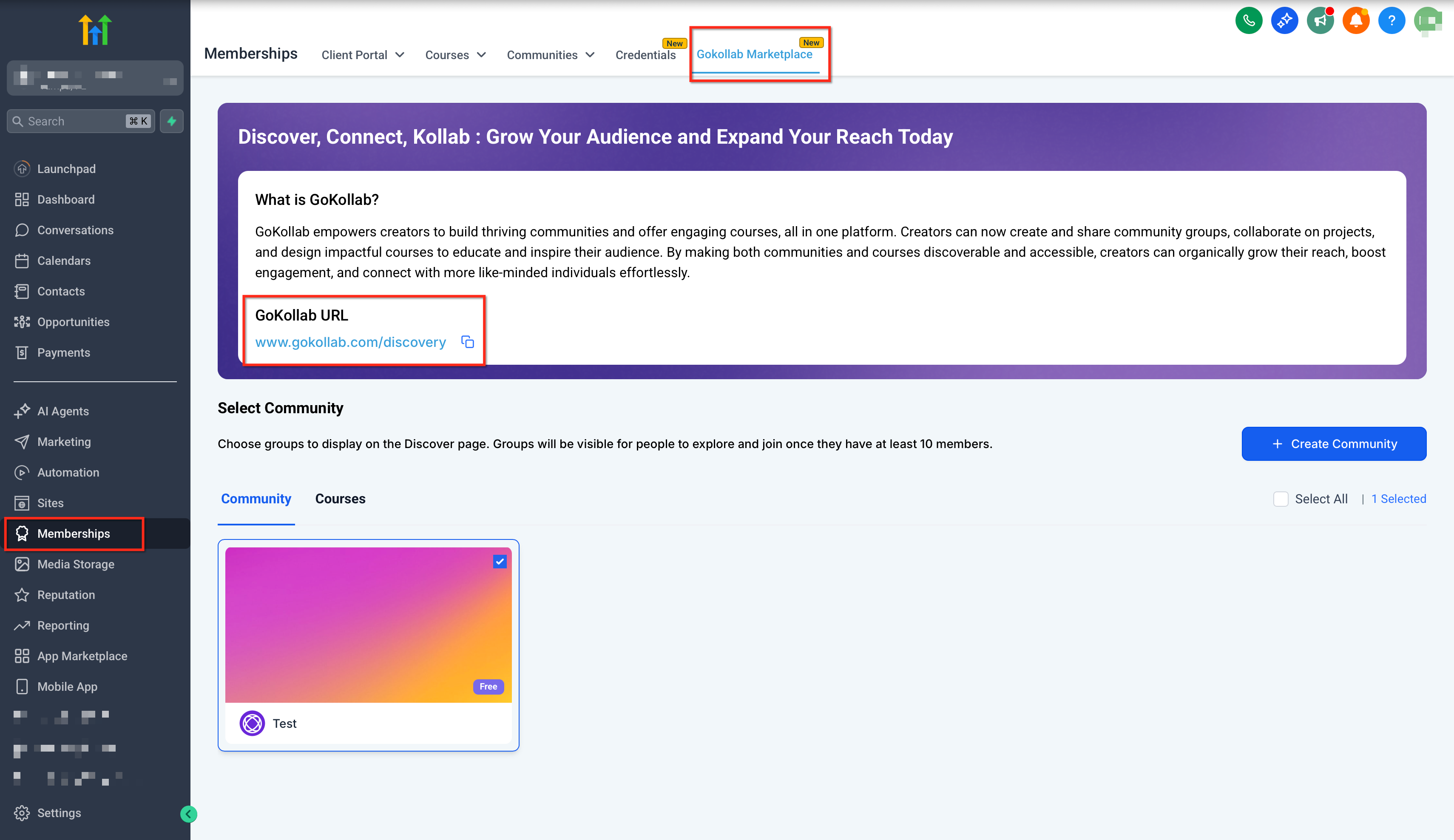
OR Login directly from GoKollab website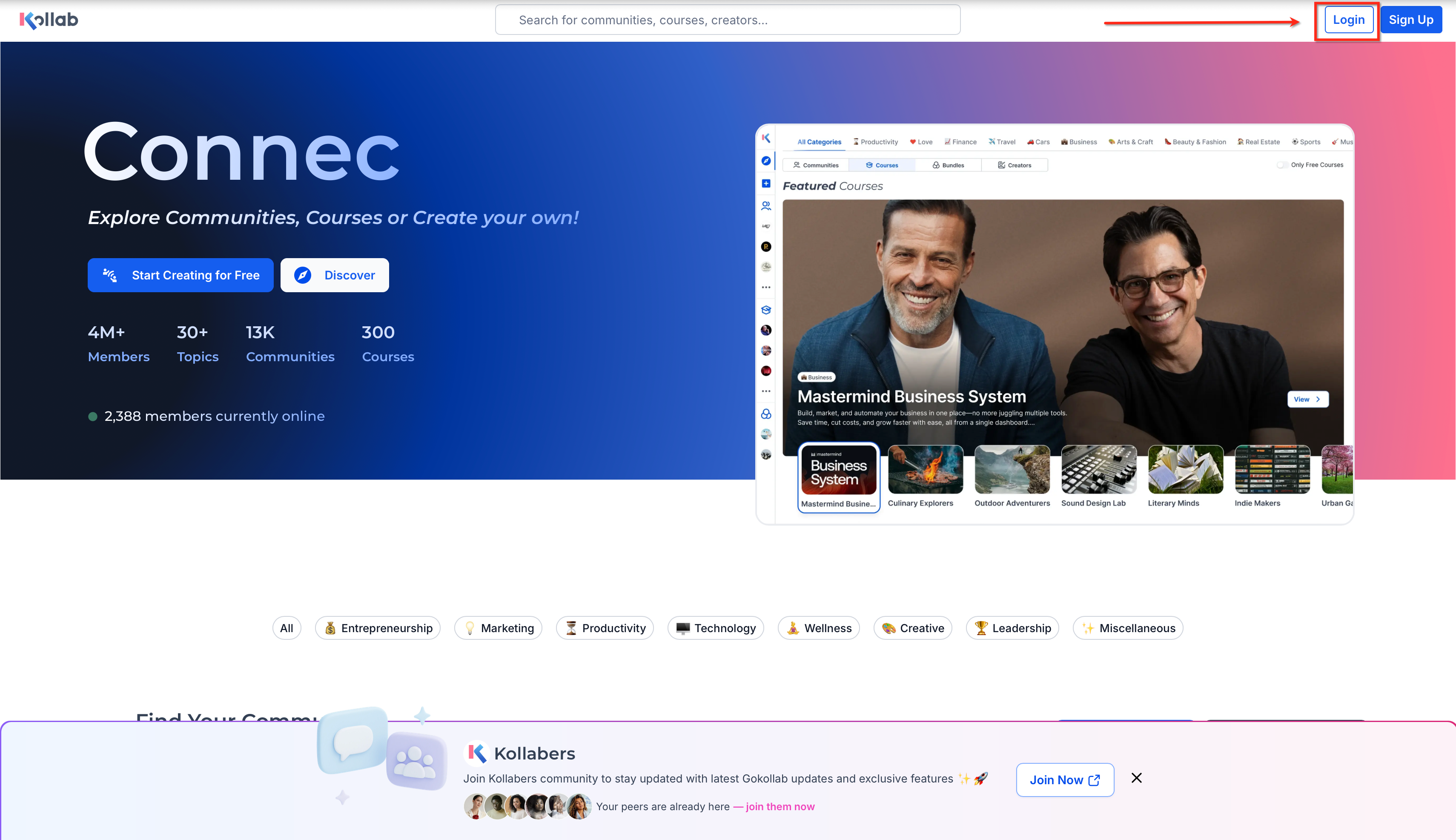
Go to your community discussion page.
Click the Chat button on the top right and start a conversation with any community member.
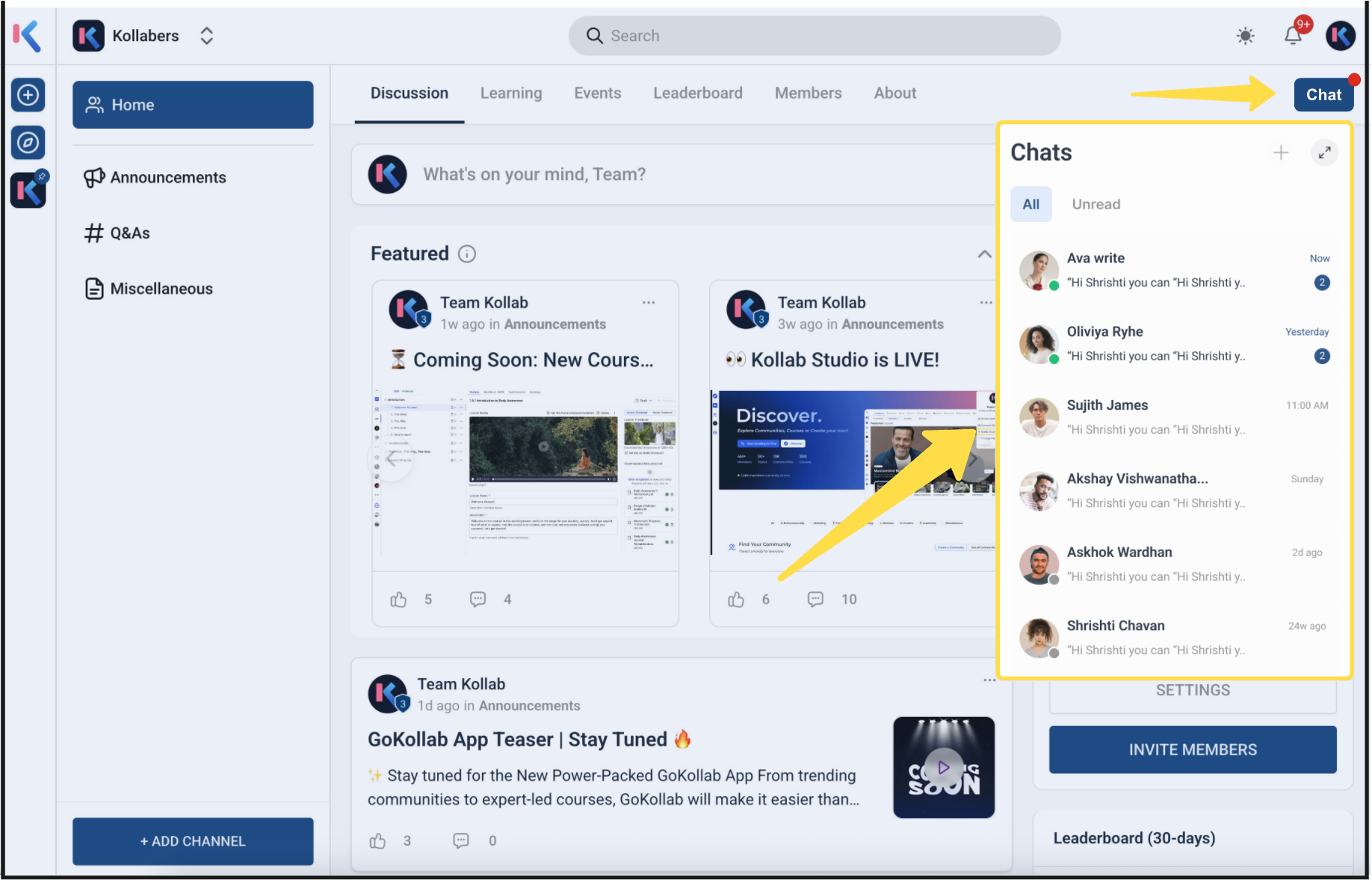
Open your Chats inbox to view, search, and continue conversations.
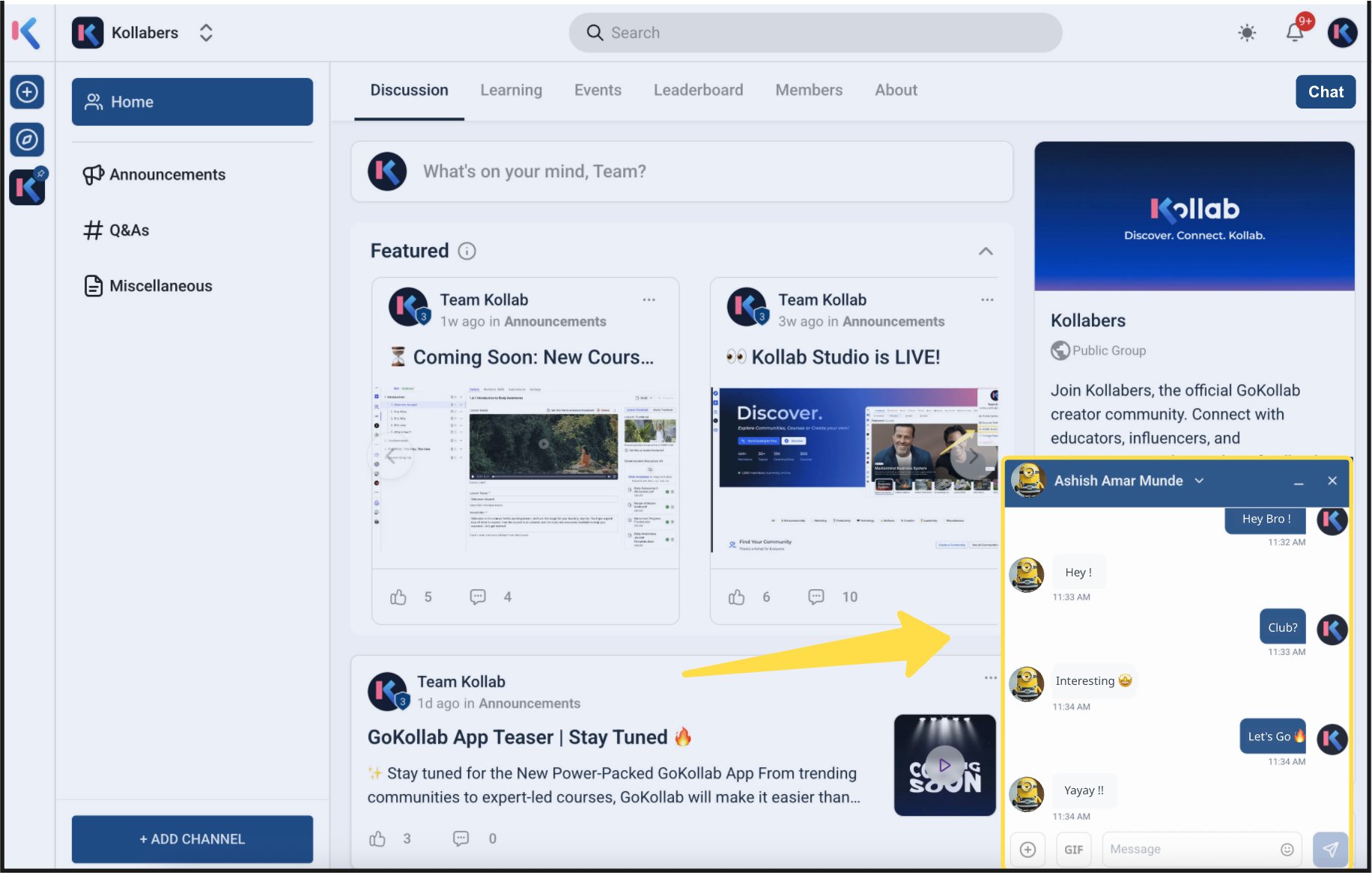
Confirm that in-app notifications are enabled so you don’t miss new messages.
In-Platform Messaging
Starting conversations from within the community keeps work in context and encourages timely, focused collaboration.
Chats is available to members who share a community in GoKollab.
Access Chats from your community discussion page and from your conversations list (your Chats inbox).
Move from a public post to a private exchange without leaving GoKollab.
See all your ongoing chats in one place.
Use search to quickly locate prior conversations and details.
For broader community concepts, roles, and member management, see How to Setup, Customize, and Manage Your Communities and How to Manage Members Inside Groups
Privacy & Safety
Clear boundaries between product areas help members choose the right messaging tool and avoid confusion.
GoKollab Chats vs. Internal Chat: GoKollab Chats are member-to-member messages in communities. Internal Chat is team communication inside your SourCherry account. See Internal Chat: Private Team Communication
GoKollab Chats vs. Chat Widget: The Chat Widget is a website widget for lead/customer messaging—not member DMs. See Chat Widget Integration with the Client Portal
Direct messages are designed for participant-to-participant communication within your shared community. For workspace policies or compliance needs, check with your workspace admin.
Frequently Asked Questions
Q: Who can I message using Chats?
You can start direct messages with members who share a community with you in GoKollab.
Q: Where do I find all my chats?
Open your Chats inbox to view and manage all ongoing conversations in one place.
Q: Can I create a group chat?
The current documentation focuses on direct (one-to-one) messaging between members who share a community.
Q: How are notifications delivered for Chats?
You’ll receive in-app notifications for new messages. For general notification preferences, see Set Up Custom Notifications
Q: Is Chats the same as Internal Chat or the Chat Widget?
No. Internal Chat is for your team inside SourCherry, and the Chat Widget is a website tool for lead/customermessaging. GoKollab Chats is for member-to-member messaging inside communities.
Q: Is Chats available on mobile?
GoKollab experiences surface chat and notifications in the community header on mobile; availability and interface can vary by app version. Use in-app notifications to stay informed.