
1. Introduction
The Typeform integration in SourCherry enables seamless automation between your CRM workflows and Typeform’s interactive form platform. Whether you’re capturing leads, collecting survey data, or tracking customer feedback, this integration connects Typeform submissions directly with SourCherry automations — ensuring instant data sync and workflow execution.
Why It Matters
With this integration, agencies, marketers, and businesses can:
Automatically capture and use Typeform responses in SourCherry workflows.
Create personalized follow-ups, CRM entries, or notifications based on new submissions.
Save time by automating repetitive data-entry and response-handling tasks.
2. Triggers and Actions
Triggers (Typeform → SourCherry)
These are events in Typeform that can initiate workflows inside SourCherry.
| Trigger Name | Description |
|---|---|
| New Entry ⚡ Instant | Fires instantly when a new response is submitted in Typeform. |
? This is an instant trigger — meaning SourCherry captures new form submissions in real time as soon as they occur.
Actions (SourCherry → Typeform)
These are actions that SourCherry can execute in Typeform through workflows.
| Action Name | Description |
|---|---|
| Create Empty Form | Create a new blank form in Typeform. |
| Duplicate Existing Form | Make a copy of an existing form, preserving its structure and questions. |
| Search Responses In A Form | Search for and retrieve existing responses from a selected Typeform form. |
? These are premium actions and are billed according to SourCherry’s standard action pricing.
3. Getting Started
Follow these steps to start using Typeform triggers and actions in your workflows:
Search in Workflows
Open your SourCherry workflow builder.
Search for “Typeform” in the trigger or action menu.
Connect Your Typeform Account
If your Typeform account is already connected, you’ll see configuration options right away.
If not, click Connect Now and complete the OAuth setup to link your Typeform account.
Alternative Method
You can also connect from Settings → Integrations.
Locate Typeform and complete the authorization process.
Once connected, you can seamlessly add Typeform triggers or actions to your automation workflows.
4. How Typeform Triggers Work
Typeform triggers rely on webhooks through the Typeform API. When a new entry (form submission) occurs, SourCherry instantly receives that data and triggers the defined workflow.
Setup Instructions:
Choose the trigger New Entry (Instant).
Select the form you want to connect.
Click Test Trigger — SourCherry will fetch a sample entry to map fields.
Map the Typeform fields (e.g., name, email, responses) to SourCherry workflow variables.
5. Common Use Cases
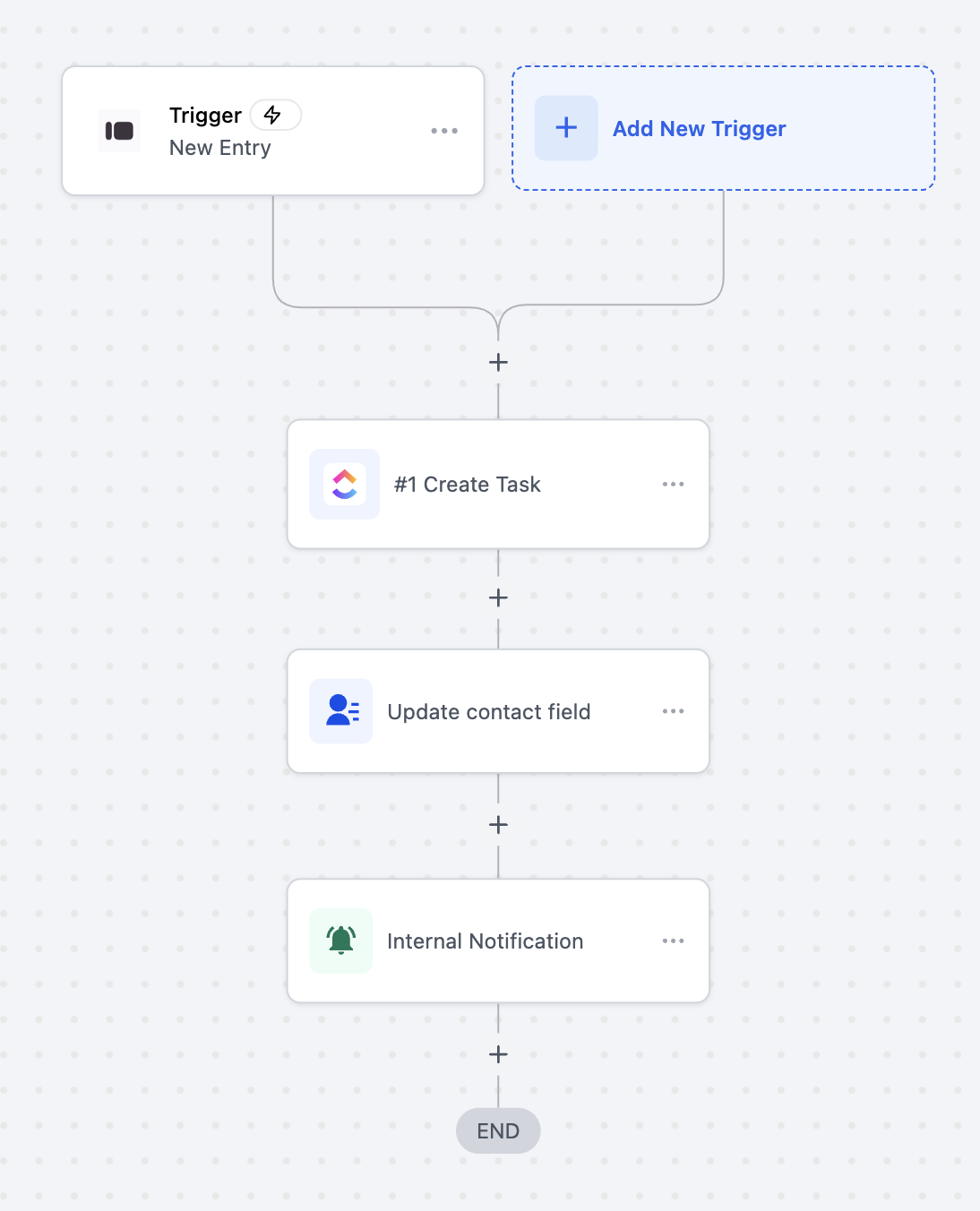
Use Case 1: Create Tasks and Notify Team from Typeform Submissions
Goal: Automatically create a ClickUp task, update the contact field, and send an internal notification when someone submits a Typeform entry.
- Workflow Setup:
Trigger: Typeform → New Entry (Instant) - Filter: Form Name = “Client Onboarding Form”
- Actions:
- Create Task (ClickUp)
- Update Contact Field (SourCherry)
- Send Internal Notification (SourCherry)
Example:
A new client fills out your “Client Onboarding Form” in Typeform. Instantly, a ClickUp task is created with the client’s details, their contact field in SourCherry is updated with the latest information, and your internal team receives a notification to begin the onboarding process.
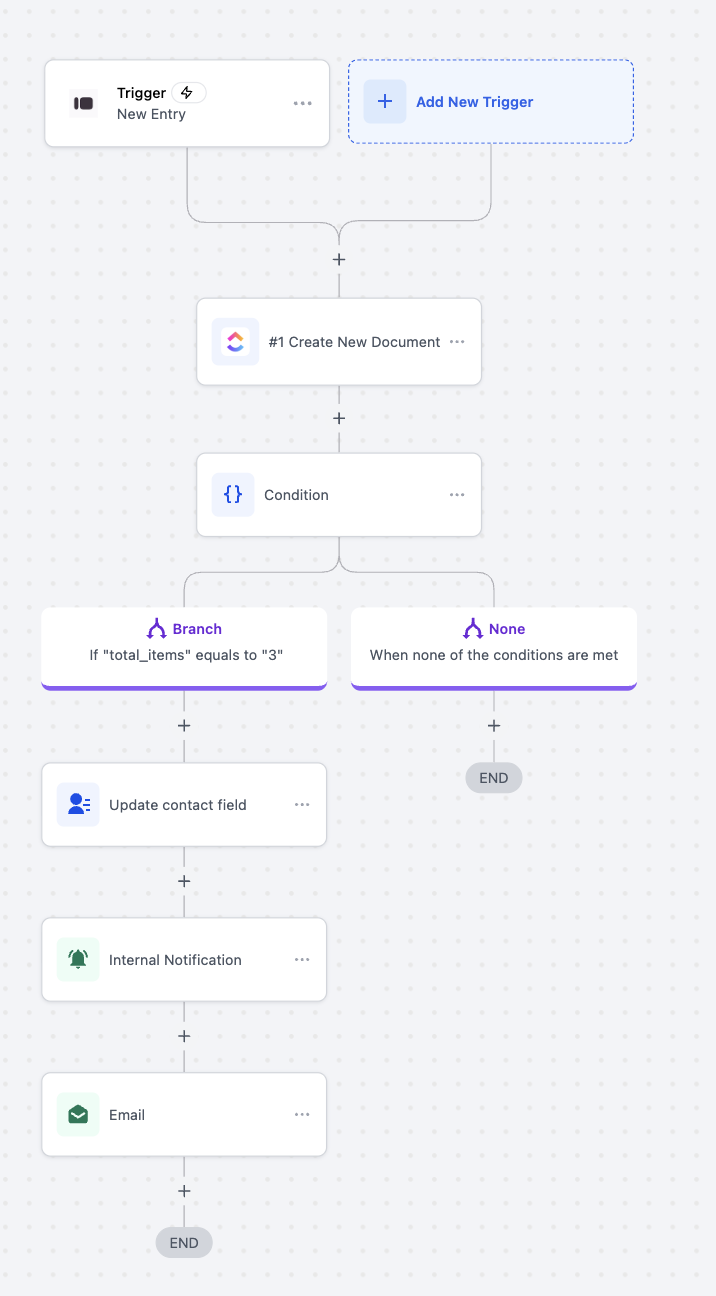
Use Case 2: Create Conditional Tasks and Send Notifications from Typeform Submissions
Goal: Automatically create a new document, check form response values, and trigger different follow-up actions based on the number of items submitted in a Typeform entry.
Workflow Setup:
- Trigger: Typeform → New Entry (Instant)
- Filter: Form Name = “Order Submission Form”
- Actions:
- Create New Document (ClickUp)
- Condition: Check if “total_items” equals “3”
- Branch (If True):
- Update Contact Field (SourCherry)
- Send Internal Notification (SourCherry)
- Send Email (SourCherry)
- Branch (If False):
- End Workflow
Example:
A customer submits an order through your “Order Submission Form” on Typeform. The workflow creates a new document in ClickUp with their order details. If the customer ordered exactly three items, the contact record in SourCherry is updated, the operations team is notified internally, and a confirmation email is sent to the customer. If the total items are not three, the workflow ends without additional actions.
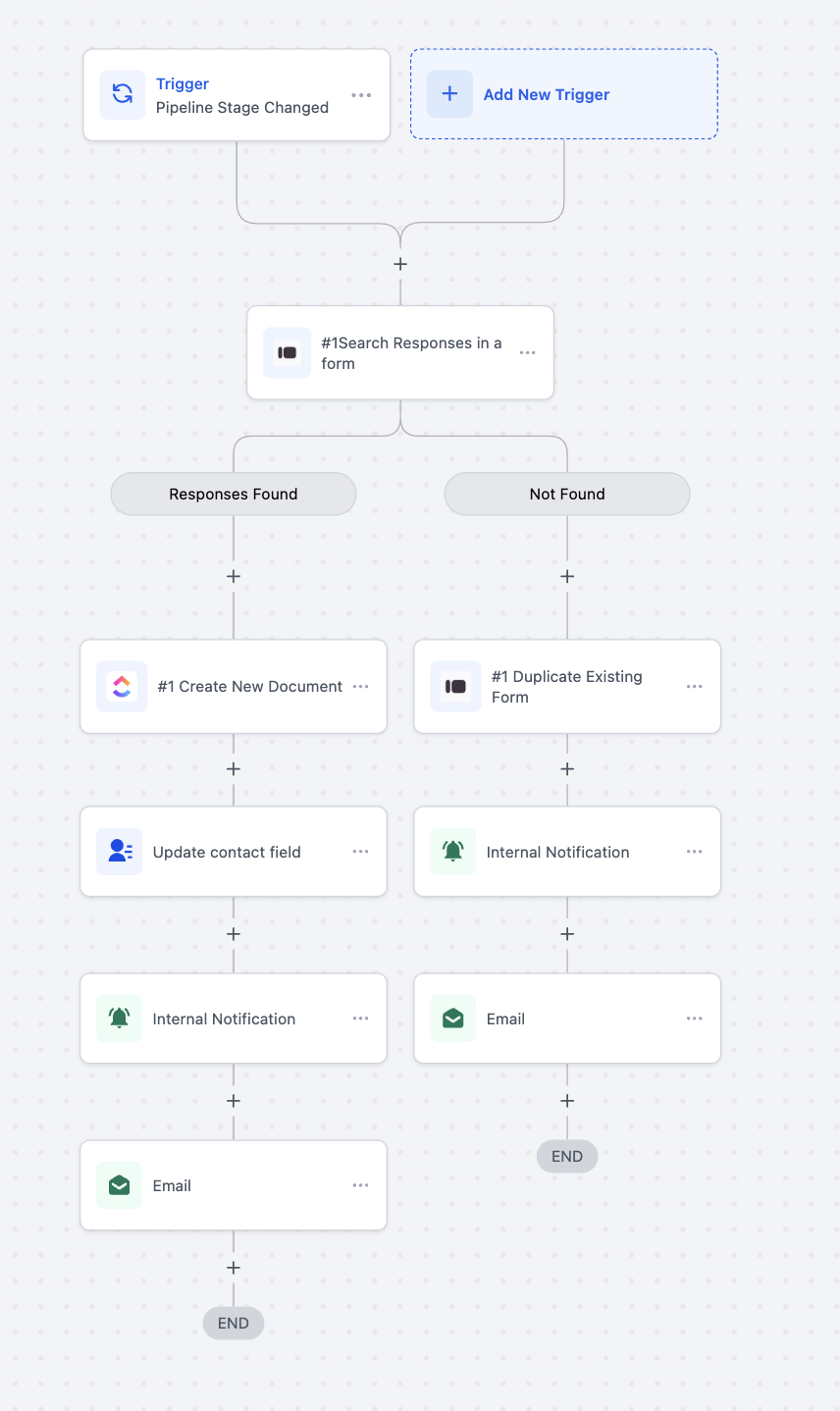
Use Case 3: Automate Document Creation and Notifications on Pipeline Stage Change
Goal: Automatically check for existing form responses when a deal’s pipeline stage changes, create or duplicate documents accordingly, and notify the team or contact based on the outcome.
Workflow Setup:
- Trigger: Pipeline Stage Changed (SourCherry CRM)
- Filter: Pipeline = “Client Onboarding Pipeline”
- Actions:
- Search Responses in a Form (Typeform)
- Branch(Responses Found):
- Create New Document (ClickUp)
- Update Contact Field (SourCherry)
- Send Internal Notification (SourCherry)
- Send Email (SourCherry)
- Branch(Responses Not Found):
- Duplicate Existing Form (Typeform)
- Send Internal Notification (SourCherry)
- Send Email (SourCherry)
Example:
When a deal moves to the “Onboarding” stage in your CRM pipeline, the workflow searches for existing Typeform responses linked to the client.
If a response is found, a new document is created in ClickUp with the client’s data, their contact record is updated, and both your team and the client are notified.
If no response is found, a new copy of the onboarding form is created for the client to fill out, followed by an internal notification to your team and an email prompt sent to the client.
6. FAQs
Q: Do I need a paid Typeform account to use this integration?
A: No. The integration works with both free and paid Typeform accounts. However, certain features (like response limits or branding removal) depend on your Typeform plan.
Q: Is this integration available to all SourCherry users?
A: Yes, it’s available to all accounts that have access to workflows and integrations.
Q: Are these actions and triggers premium?
A: Yes. The Typeform trigger and actions are premium and billed at the standard rate per execution.
Q: How fast does the trigger respond?
A: The New Entry trigger is instant, meaning data flows to your workflow within seconds of a Typeform submission.