
Skip the inventory hassle and still sell branded merch. Connect your SourCherry store to Printify’s catalog of 1,000+ products and 85+ global print providers, and every order is made on demand—no boxes, no bulk buys.
TABLE OF CONTENTS
- What is Printify Integration?
- Key Benefits of Printify Integration
- Important Notes & Limitations
- How To Generate Printify API Token
- How To Connect Printify with SourCherry
- Frequently Asked Questions
- Related Articles
What is Printify Integration?
Printify Integration connects your SourCherry Ecommerce store to Printify’s print-on-demand (POD) platform. Once connected, you can import products you designed in Printify, automatically forward customer orders for production, and receive real-time fulfillment updates—so you can sell custom goods with zero upfront stock risk. Print-on-demand lets items be printed only after a sale is made, freeing you from inventory costs and bulk-order commitments.
Key Benefits of Printify Integration
- Fast launches: Access 1,000+ customizable products to spin up new lines quickly.
- Regional speed & pricing: Tap 85+ print providers for competitive rates and quicker local delivery.
- Always accurate listings: Variants, prices, and images sync automatically.
- Hands-off fulfillment: Orders auto-push to Printify and go to production—no manual re-entry.
- End-to-end tracking: Get automatic partial and complete fulfillment updates.
- Multi-store control: Manage multiple storefronts from one Printify account and view performance by location.
Important Notes & Limitations
- Imported products publish live by default—double-check before you launch sales.
- Uninstalling the integration does NOT delete previously imported products.
- Printify only creates an order if a print provider can fulfill the destination country, variant, and shipping method you selected.
- All design work happens inside Printify; SourCherry only manages inventory and orders for already-synced items.
- You’ll need a Printify API token to authenticate the connection.
How To Generate Printify API Token
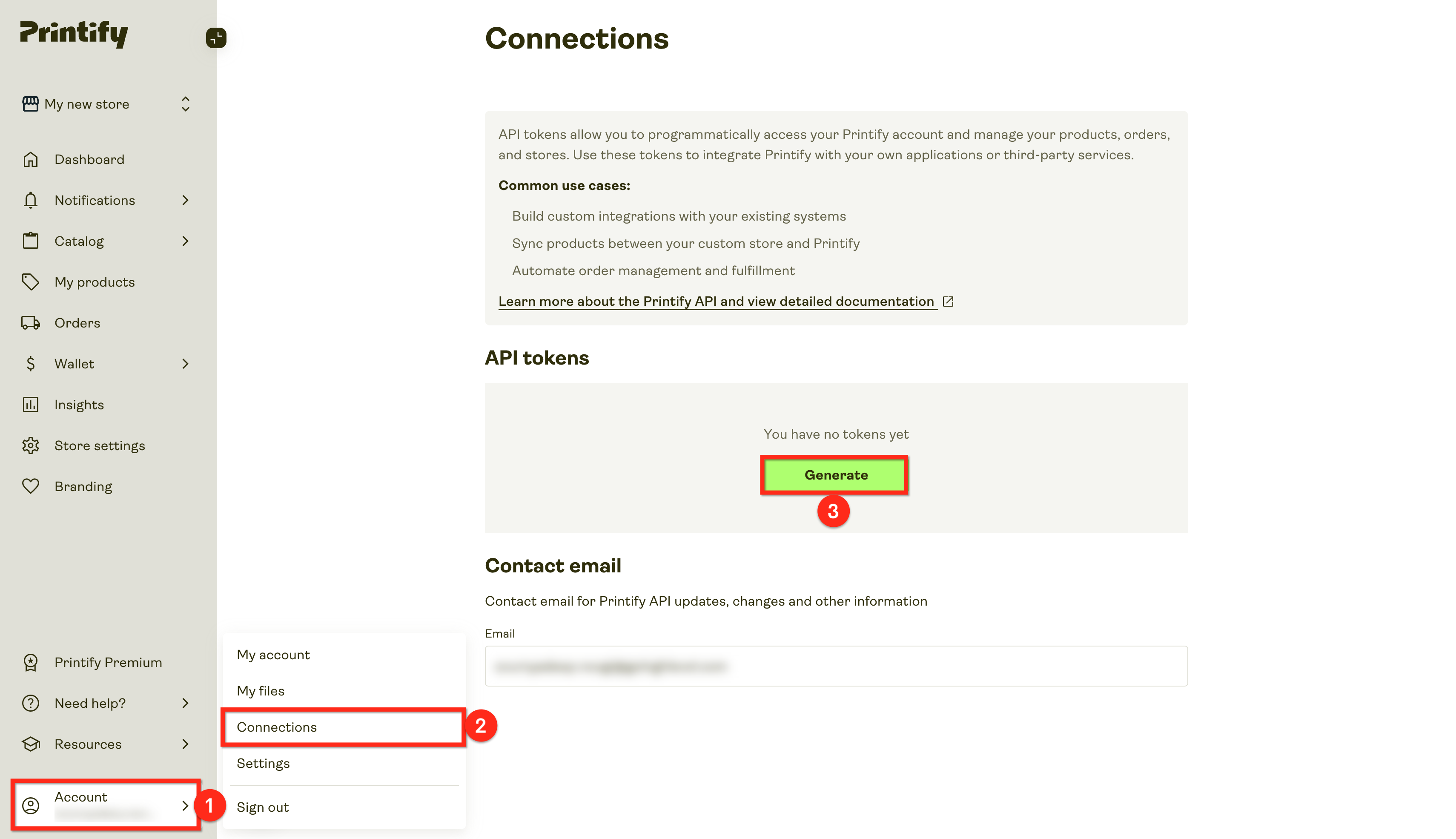
- Log in to Printify and click on Account.
- Click on Connections.
- Click on the Generate button under API Tokens.
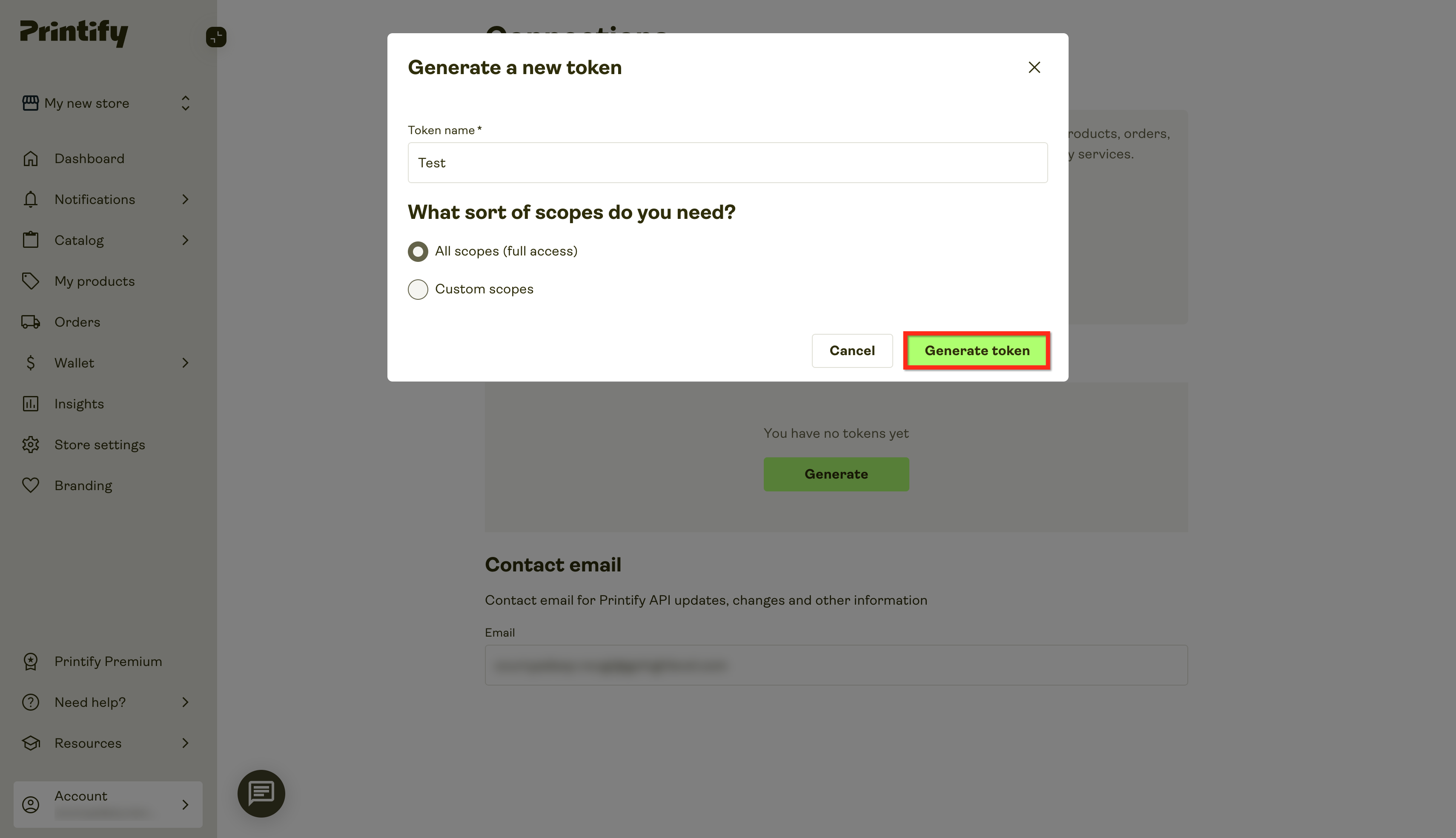
- Name the token, select scopes, and click on Generate.
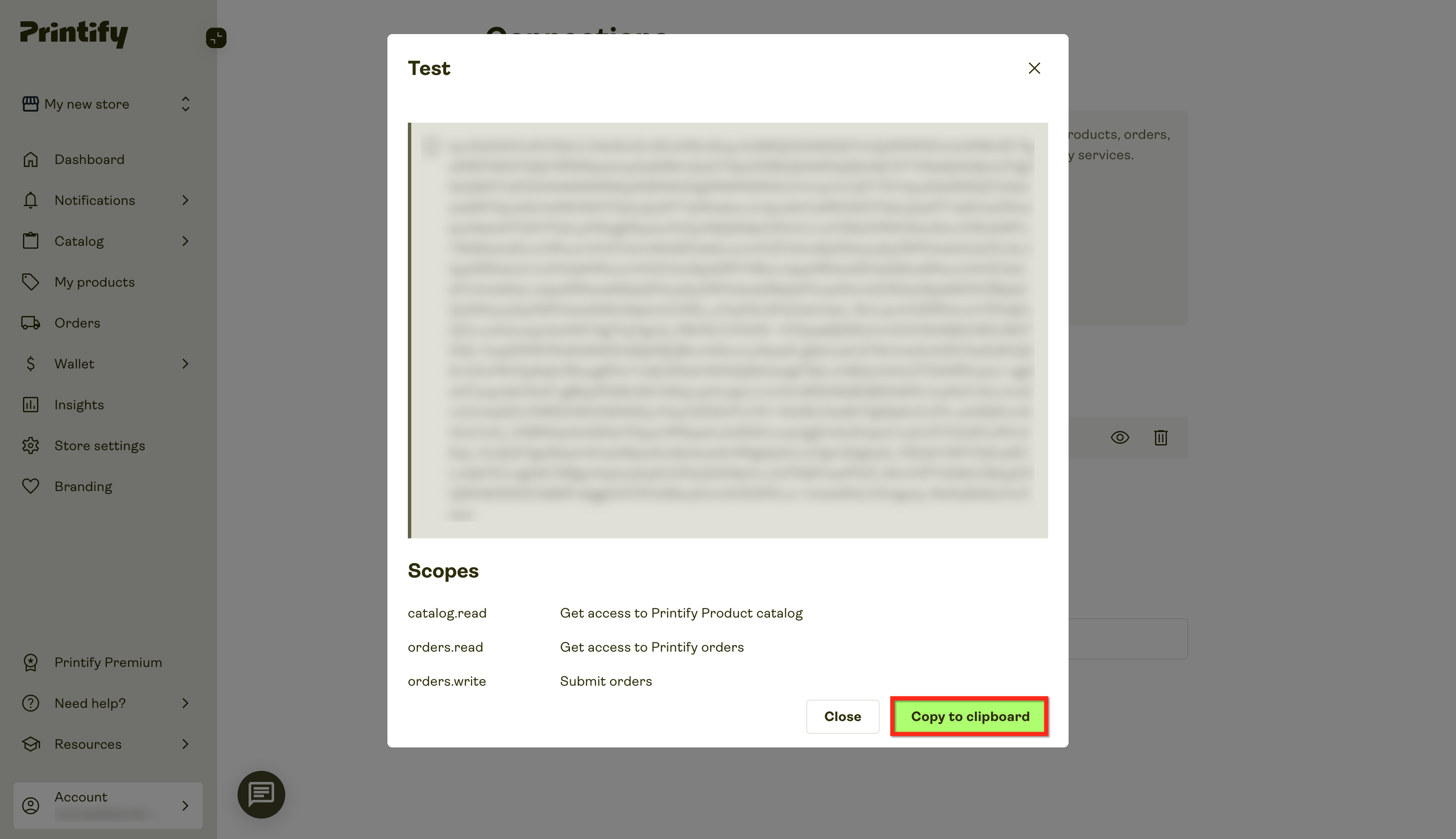
- Copy the key by clicking on Copy to Clipboard.
How To Connect Printify with SourCherry
Connecting takes just a few minutes, correct setup ensures orders flow smoothly:
- In your sub-account, open App Marketplace.
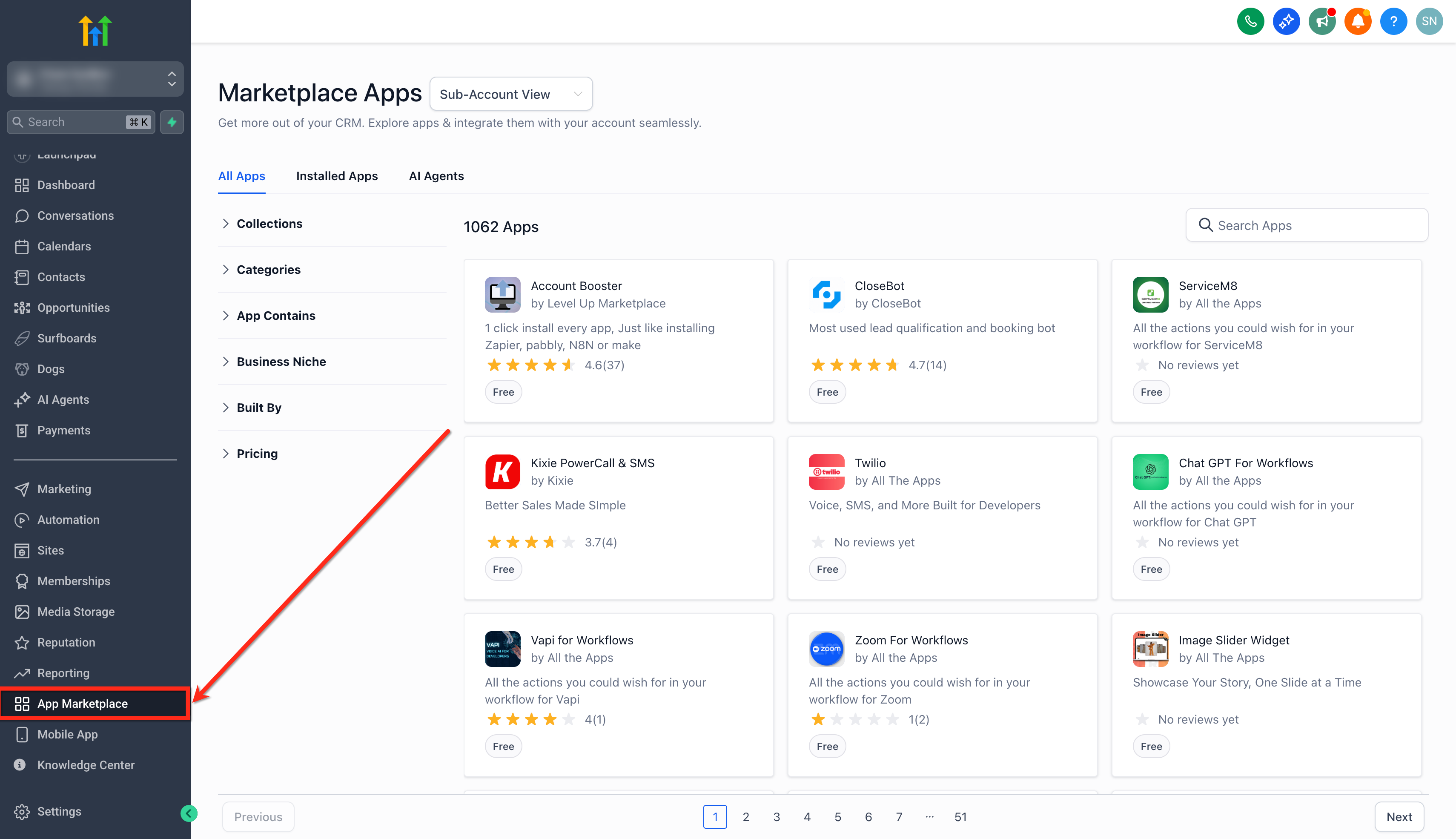
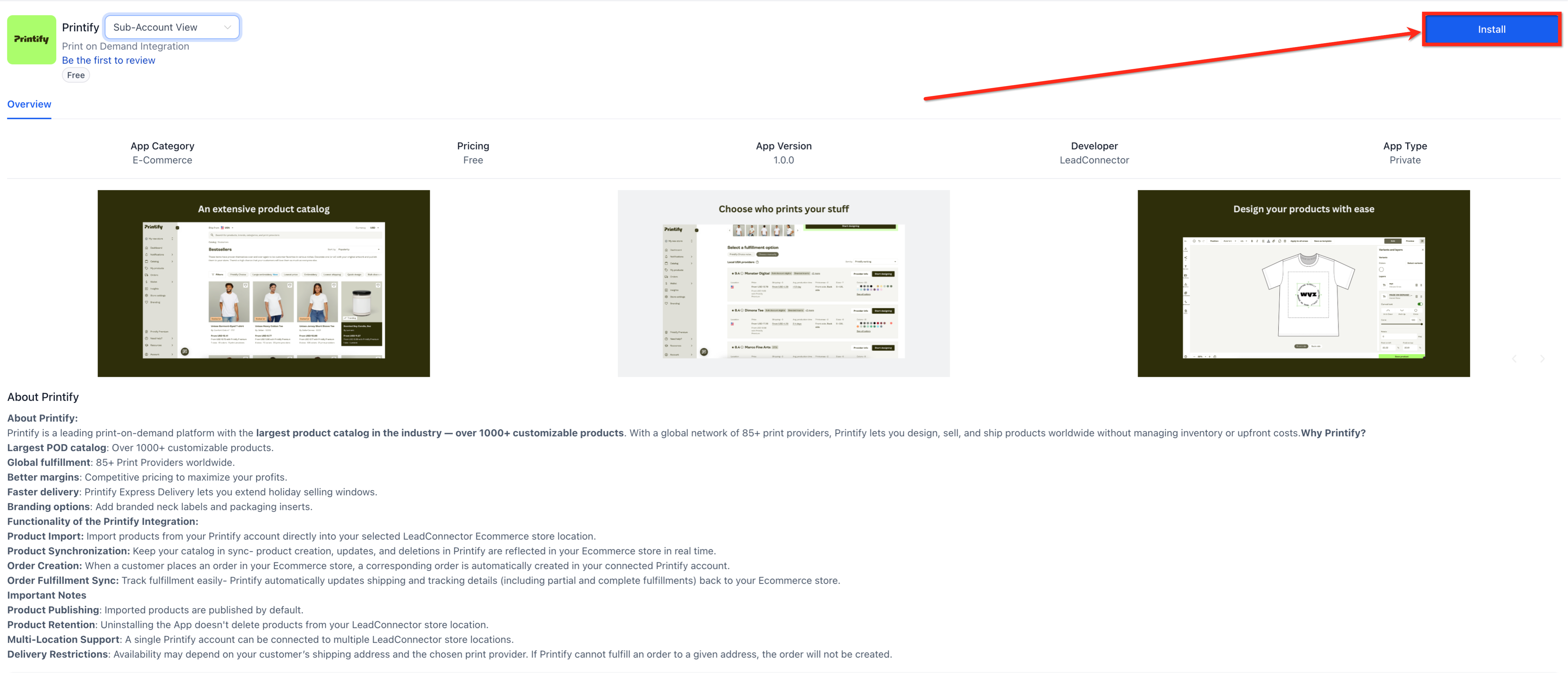
- Search Printify and click on the Install button.
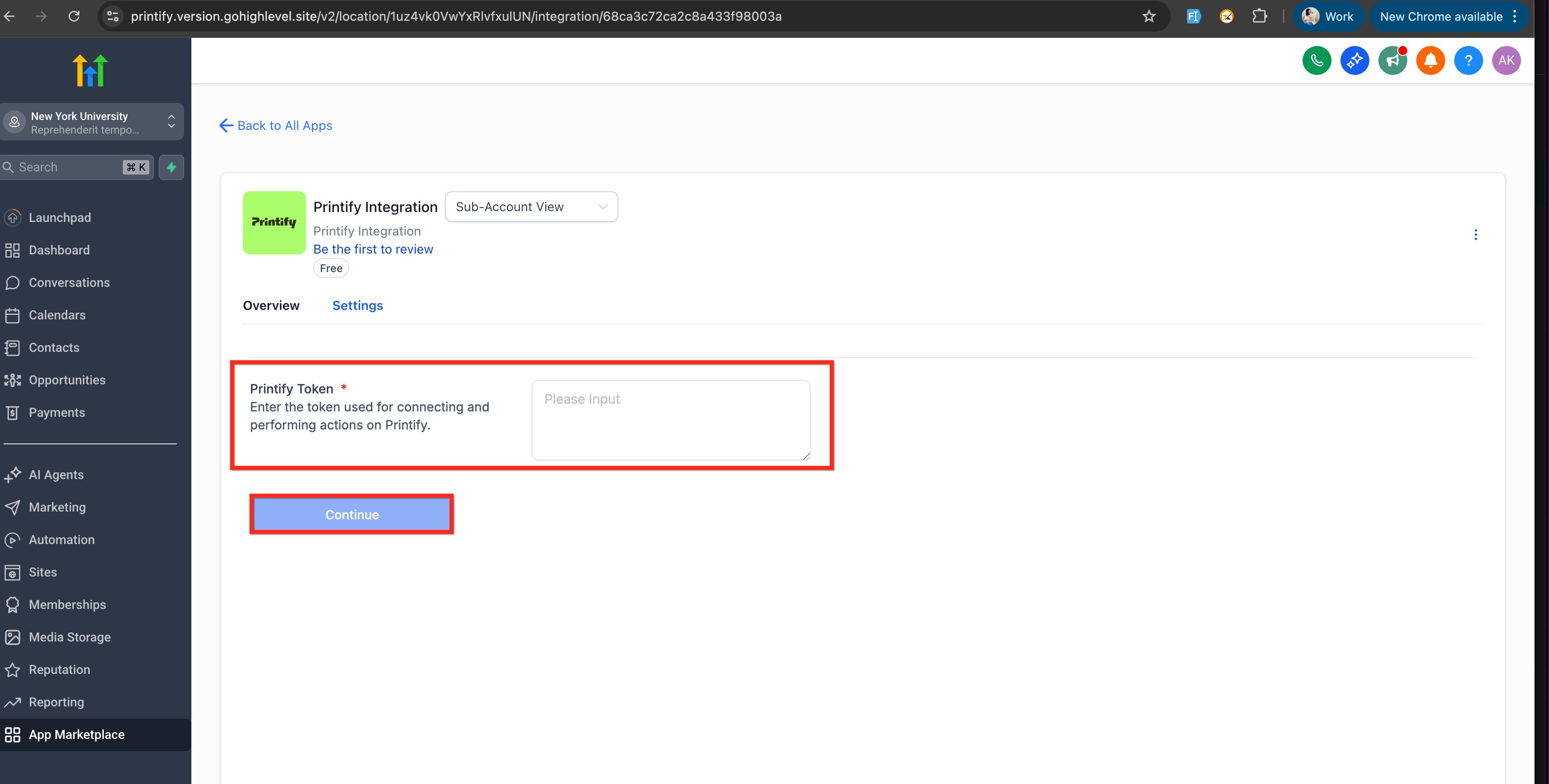
- Paste your Printify API token in the Printify Token box and click on Continue.
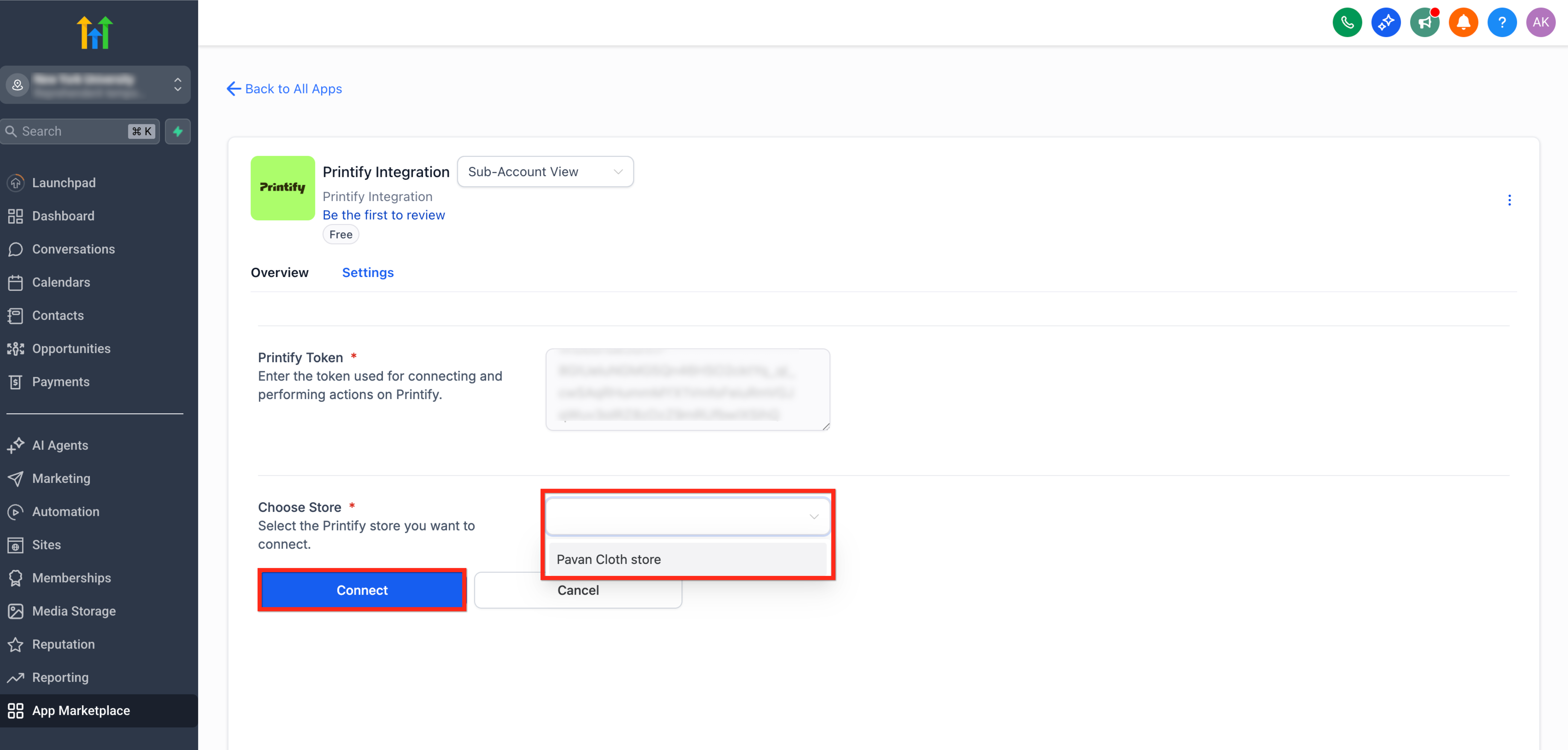
- Choose an existing Printify store or create a new one and click on Connect.
- Import products and publish them directly into your store.
- Start selling — orders will sync automatically to Printify for fulfillment. Enable the automatic fulfilment in Printify.
Frequently Asked Questions
Q: Can I design products inside SourCherry?
No, design and mockups are created in Printify. SourCherry mirrors what you import.
Q: What happens if I delete a product in Printify?
It’s disabled in your SourCherry catalog on the next sync.
Q: Does Printify automatically choose the closest print provider?
If your chosen provider has multiple facilities, Printify routes to the nearest one.
Q: Can I manually fulfill an order instead of using Printify?
Yes. Disable automatic fulfillment and fulfill in Printify; SourCherry will still receive status updates.
Q: Is there an extra fee from SourCherry for using Printify Integration?
No, fees come only from Printify for production and shipping.
Q: How do refunds work?
Process the refund in SourCherry; a refund request is sent to Printify for any unshipped items.
Q: What if a customer’s address isn’t serviceable by my provider?
Printify rejects the order. SourCherry shows “Unfulfilled – No provider available.” Edit the order and choose a deliverable variant/provider.
Q: Do product changes in Printify sync to SourCherry?
Yes, descriptions, mockups, variants, prices, and images sync automatically.
Q: Are orders created in Printify automatically?
Yes, each checkout in SourCherry creates a matching Printify order.
Q: Are taxes and shipping preferences passed through?
Yes, tax and shipping details are included in the synced order.
Q: Do I need to re-enter order details manually?
No, automation removes double entry and speeds fulfillment.
Q: Are shipping and production statuses synced back?
Yes, Printify pushes real-time updates (in production, shipped, delivered).
Q: Are partial shipments supported?
Yes, line-item tracking and status updates sync as items ship.
Q: Can one Printify account connect to multiple stores?
Yes, connect one Printify account to multiple SourCherry store locations.
Q: Will orders stay separated by location?
Yes, orders and metrics are grouped per store while product creation/billing stay centralized.