
Maintaining brand consistency across all your designs can be time-consuming. With Global Custom Colors, you can define your brand colors once and use them everywhere. Any updates to these colors instantly reflect across all your assets, saving you time and effort.
TABLE OF CONTENTS
- What Are Global Custom Colors?
- How Are They Different from Design Kit Colors?
- Benefits of Global Custom Colors
- How to Use Global Custom Colors
- FAQs
What Are Global Custom Colors?
Global Custom Colors are brand colors stored in Global Settings under Brand Boards.
They are two-way synced, meaning if you update a color, it automatically updates in all the places it was used (emails, funnels, forms, pages, etc.).
By default, they appear in every color picker across the platform.
How Are They Different from Design Kit Colors?
Design Kit Colors: Quick-access colors available in the design builder. They do not sync, so updating them won’t change existing designs.
Global Custom Colors: Stored at the brand level with two-way sync. Update once, and the change applies everywhere that color is used.
In short: Design Kit = static quick access. Global Custom Colors = dynamic, synced brand consistency.
Benefits of Global Custom Colors
Consistency Across Assets – Maintain the same look and feel in all designs.
Time-Saving – Update a color once, and it reflects everywhere.
Easy Rebranding – Agencies can clone/share funnels, emails, and quickly rebrand new locations just by updating the global colors.
Always Accessible – Global colors show up in every color picker.
Quick Import – Bring in your existing custom values for faster setup.
How to Use Global Custom Colors
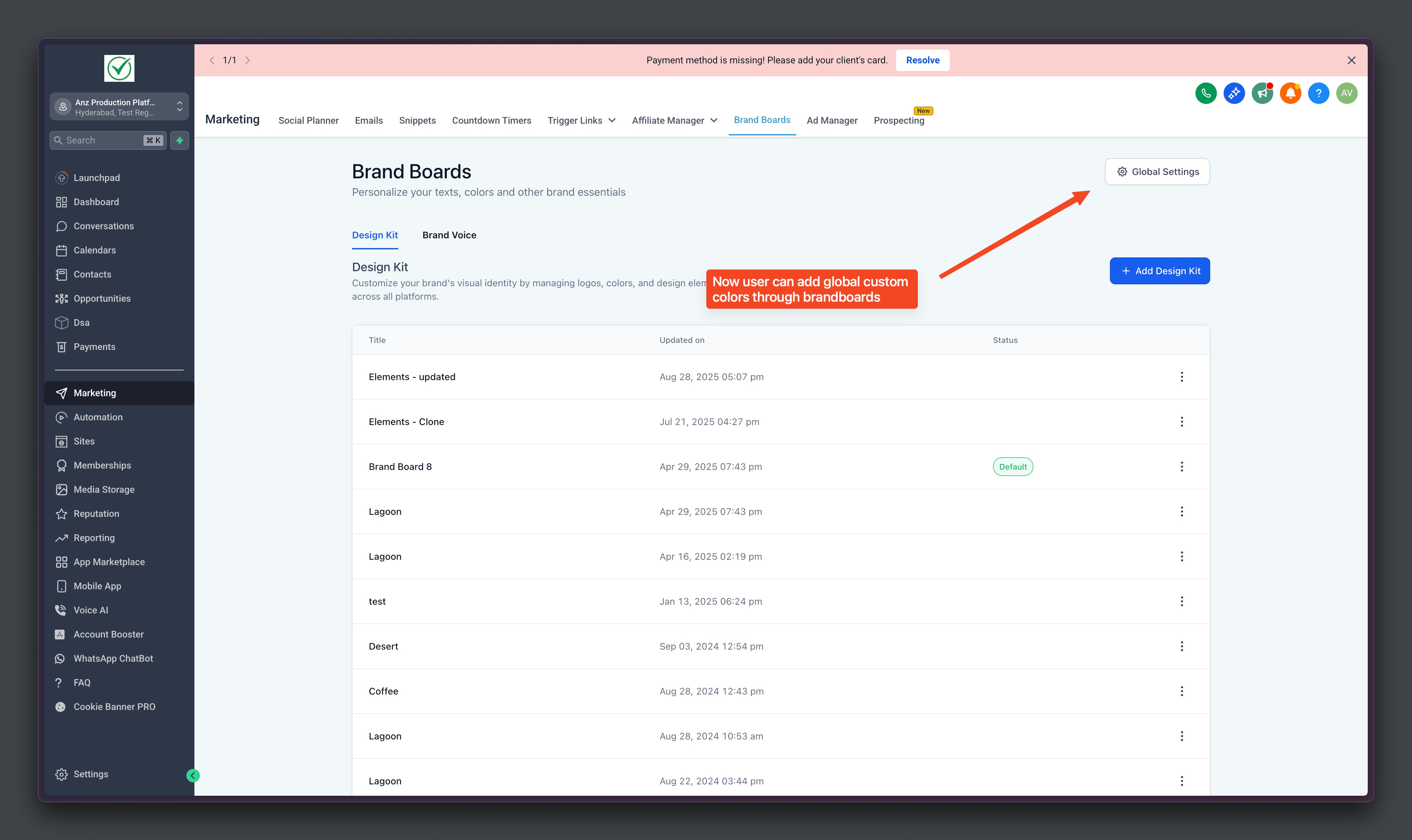
Step 1: Open Global Settings
Navigate to Marketing → Brand Boards → Global Settings.
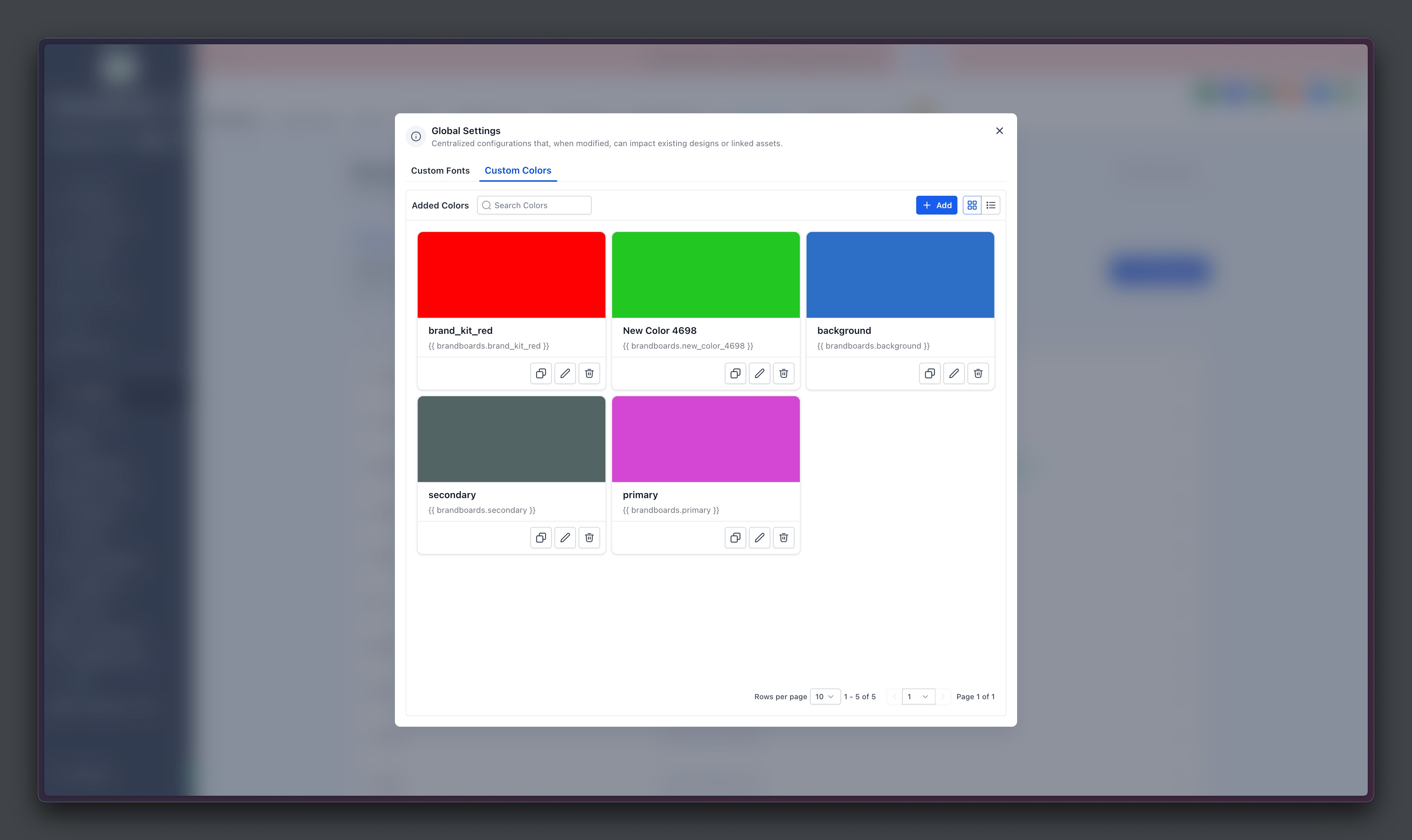
Step 2: Add or Manage Colors
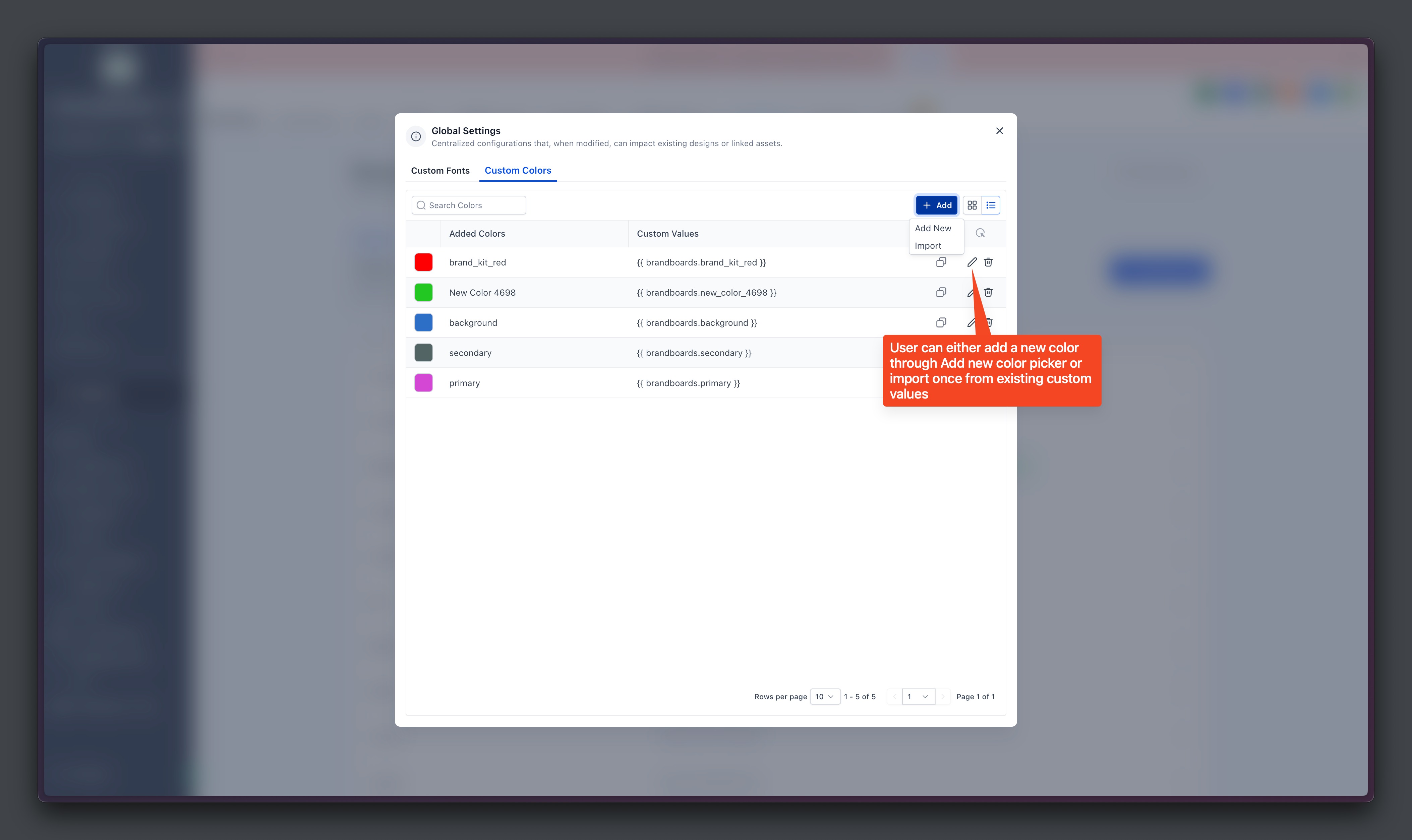
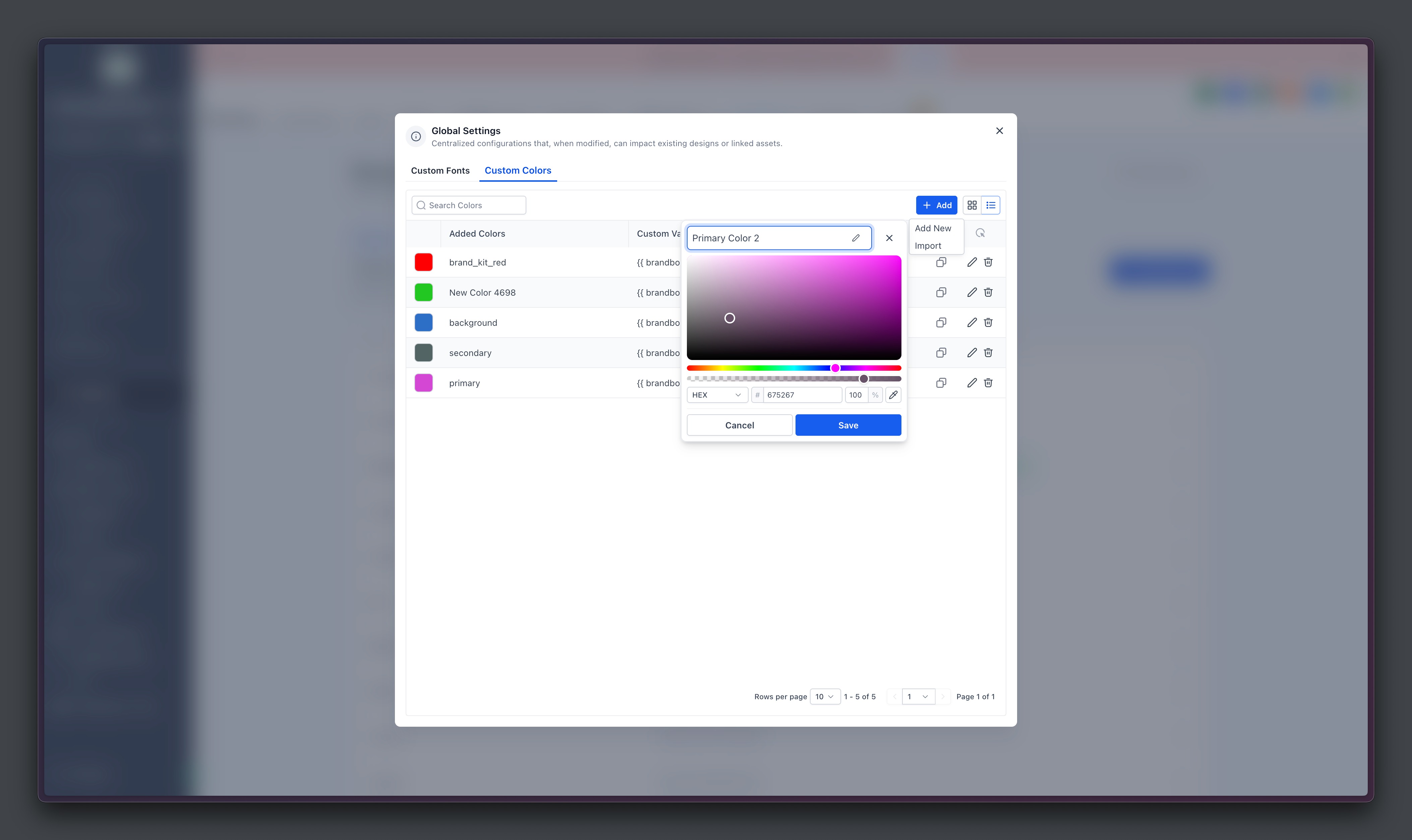
Add New Color → Give it a name and hex code.
Edit → Update color details anytime.
Delete → Remove unused colors.
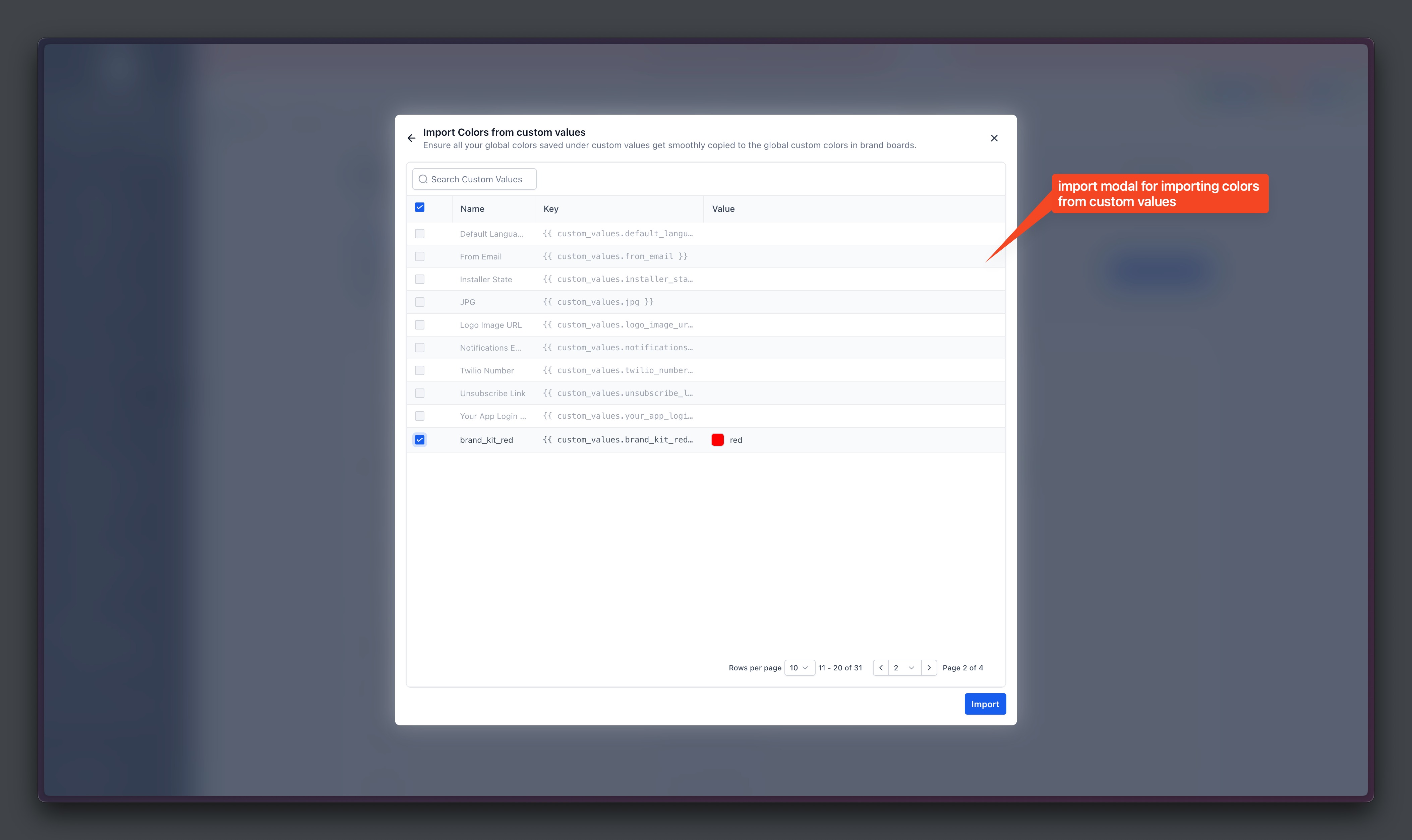
Step 3: Import Colors
Click on New and then choose Import
Select the colors to import and proceed
Step 3: Use in Builders
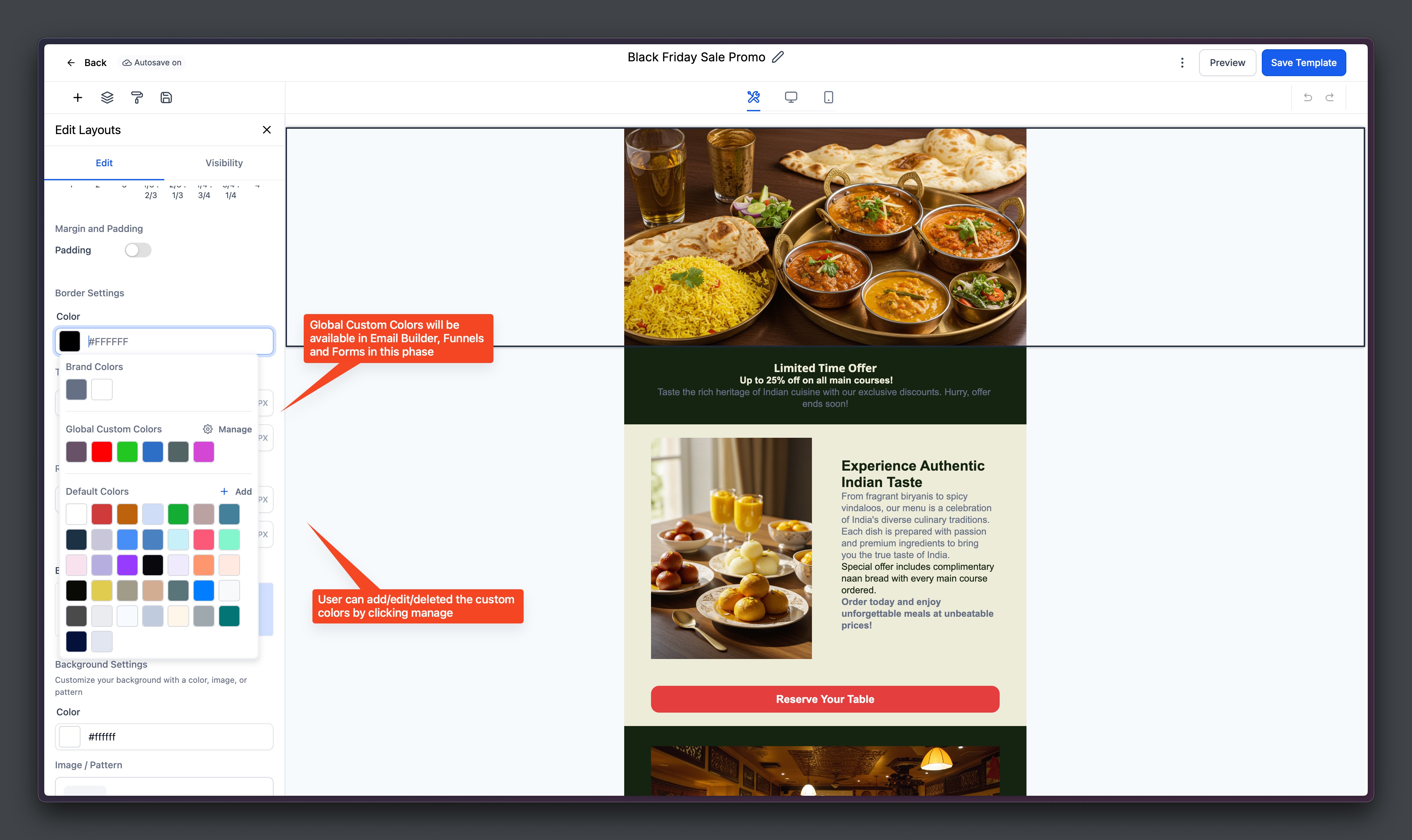
Open the Color Picker in emails, funnels, forms, or pages.
Your Global Custom Colors will appear automatically.
Use Manage inside the picker to add/edit colors on the fly.
FAQs
Q: Will changing a Global Color update my existing assets?
A: Yes. Global Custom Colors are two-way synced. Any change reflects instantly across all designs where that color is applied.
Q: Why don’t I see Global Colors in the color picker?
A: The section only appears if you’ve added at least one color in Global Settings.
Q: Can I import my existing custom value based colors?
A: Yes. You can import them from the Custom Values section into Global Settings. This only creates a copy and does not lift and shift the custom value based colors.
Q: How is this different from Design Kit colors?
A: Design Kit colors are for quick access only and do not sync. Global Custom Colors sync across all assets.
Q: Can agencies use this for client onboarding?
A: Absolutely! Agencies can clone funnels/emails and simply update the Global Colors to instantly rebrand for new clients.