
Launch polished, data‑driven broadcasts in minutes with SourCherry’s Email Campaign Agent (Beta). This AI‑guided builder streamlines copywriting, subject‑line testing, audience targeting, and sending‑domain setup so you can send smarter campaigns—faster. Use it to generate on‑brand content with Ask AI, run A/B tests, target Segments or Smart Lists, and verify a dedicated sending domain for stronger deliverability.
TABLE OF CONTENTS
- What is Email Campaign Agent?
- Key Benefits of Email Campaign Agent
- On‑Brand Email Copy with Ask AI
- Subject Line A/B Testing
- Audience Targeting Options
- How To Setup Email Campaign Agent
- Frequently Asked Questions
- Related Articles
What is Email Campaign Agent?
Email Campaign Agent is an Ask AI–powered flow you access by prompting Ask AI with phrases like “Create an email campaign” or “Email to promote my product.” Ask AI then launches a guided, step‑by‑step builder that assembles your campaign—on‑brand copy, subject‑line tests, audience selection, and sending‑domain checks—directly inside the Campaign Builder.
Key Benefits of Email Campaign Agent
A focused overview of why teams use this tool and how it accelerates results. Use these benefits to align on value, set expectations, and help stakeholders understand what improves deliverability and engagement.
- On‑brand copy: Draft complete emails with Ask AI and your Brand Voice to reduce blank‑page time while staying consistent.
- Faster experimentation: Generate multiple subject lines and run a built‑in A/B test to improve opens and clicks.
- Accurate targeting: Pick from dynamic Segments, Smart Lists, tags, or pre‑built segments to reach the right audience.
- Deliverability safeguards: Guided setup for a dedicated sending domain with auto‑configure or manual DNS, plus Default Headers for DMARC alignment fallback.
- Clear performance tracking: View results in the All‑in‑One Dashboard for Email Marketing and related statistics pages.
On‑Brand Email Copy with Ask AI
- This capability uses Content AI and your Brand Voice to convert a short brief into complete email copy. You can fine‑tune tone and intent, regenerate, or edit directly—so AI speeds you up without locking you in.
- Launch Ask AI from the campaign draft to generate body copy based on your prompt and tone.
- Connect your Brand Voice in Brand Boards to keep output consistent across emails, funnels, and social. (Create Emails with Content AI, Brand Voice in Brand Boards, Brand Voice in Content AI)
Subject Line A/B Testing
Split testing removes guesswork from subject‑line performance. Define the number of variations, test duration, and winning metric; the winner sends to the remainder automatically.
- Test up to 6 variations; require at least 10 contacts per variation and 40 contacts total.
- Choose winner by Unique Open Rate or Unique Click Rate.
- A/B testing is supported only for Send Now and Schedule delivery—not Batch or RSS Schedule.
Audience Targeting Options
Selecting the right audience is as important as the message. Email Campaign Agent supports multiple targeting methods so you can balance speed with precision.
• Segments (campaign builder) – Real‑time, logic‑based groups built from engagement, tags, and fields; evaluated dynamically and reusable across campaigns.
• Pre‑Built Segments – One‑click picks like “Engaged last 7/30/60 days” or “Interacted with last 5 campaigns.” These snapshot at creation/scheduling time.
• Smart Lists (Contacts → Smart Lists) – Dynamic CRM views that update at send time; new matches are included and non‑matches are excluded.
• Tags – Use existing tags or add on the Send/Schedule page to organize audiences and automate downstream.
How To Setup Email Campaign Agent
A concise, step-by-step path to launch a campaign using Ask AI. You’ll start by prompting Ask AI (not hunting menus), then follow a guided flow that can handle domain setup, copy generation, A/B testing, audience selection, and scheduling—so everything lands in the Campaign Builder ready to send.
Open Ask AI and prompt it to create your campaign
Example prompts: “Create an email campaign”, “Email to promote my product.”
Ask AI will recognize the task and start the Email Campaign Agent guided flow in the builder.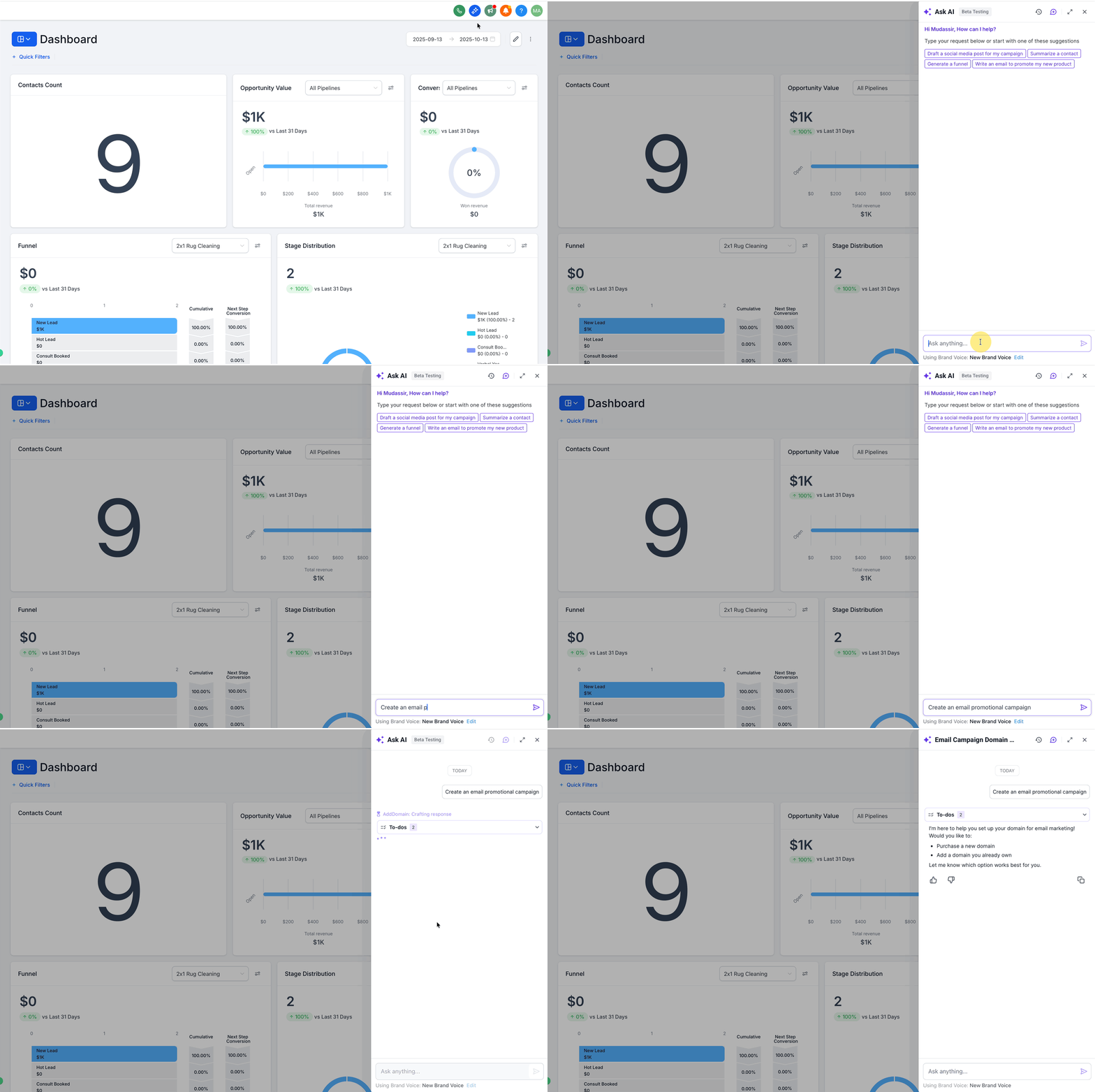
Review dedicated sending domain check (optional to skip)
The flow first checks if a dedicated sending domain is set up.
You can complete the guided domain setup now (recommended for deliverability) or skip and finish later.
If setup is needed, you’ll be shown the required DNS records (auto-configure where supported; manual copy/paste otherwise).Answer Ask AI’s brief questions
Provide your name of Campaign, offer/topic, audience intent, and tone.
Ask AI builds a refined prompt, uses the information to generate the email body, and pre-fills scheduling details.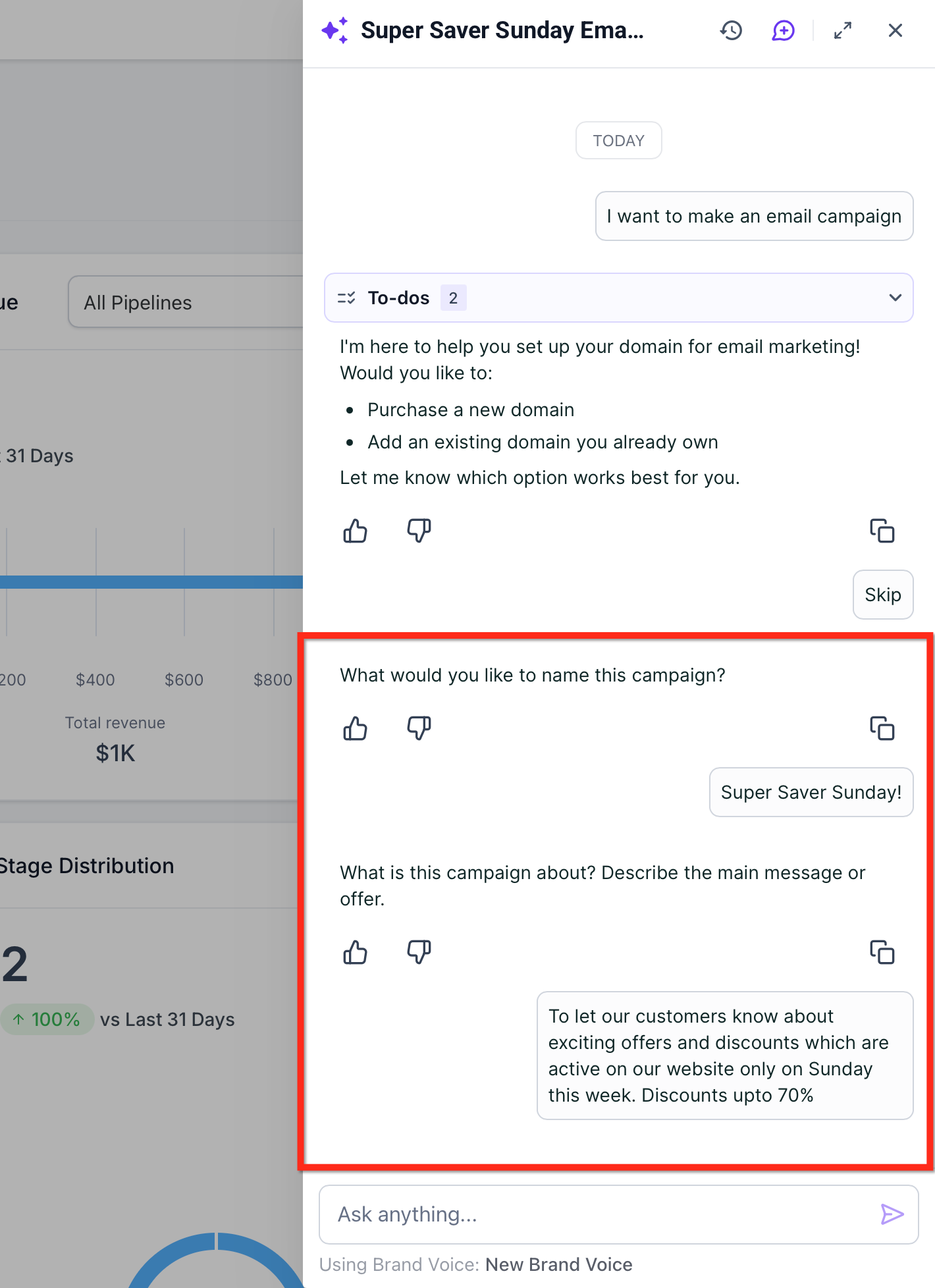
Connect your brand kit for consistent styling (Optional)
Ask AI can link to your Brand Board/Brand Voice so the copy and formatting match your brand guidelines.
You can adjust tone or regenerate content as needed.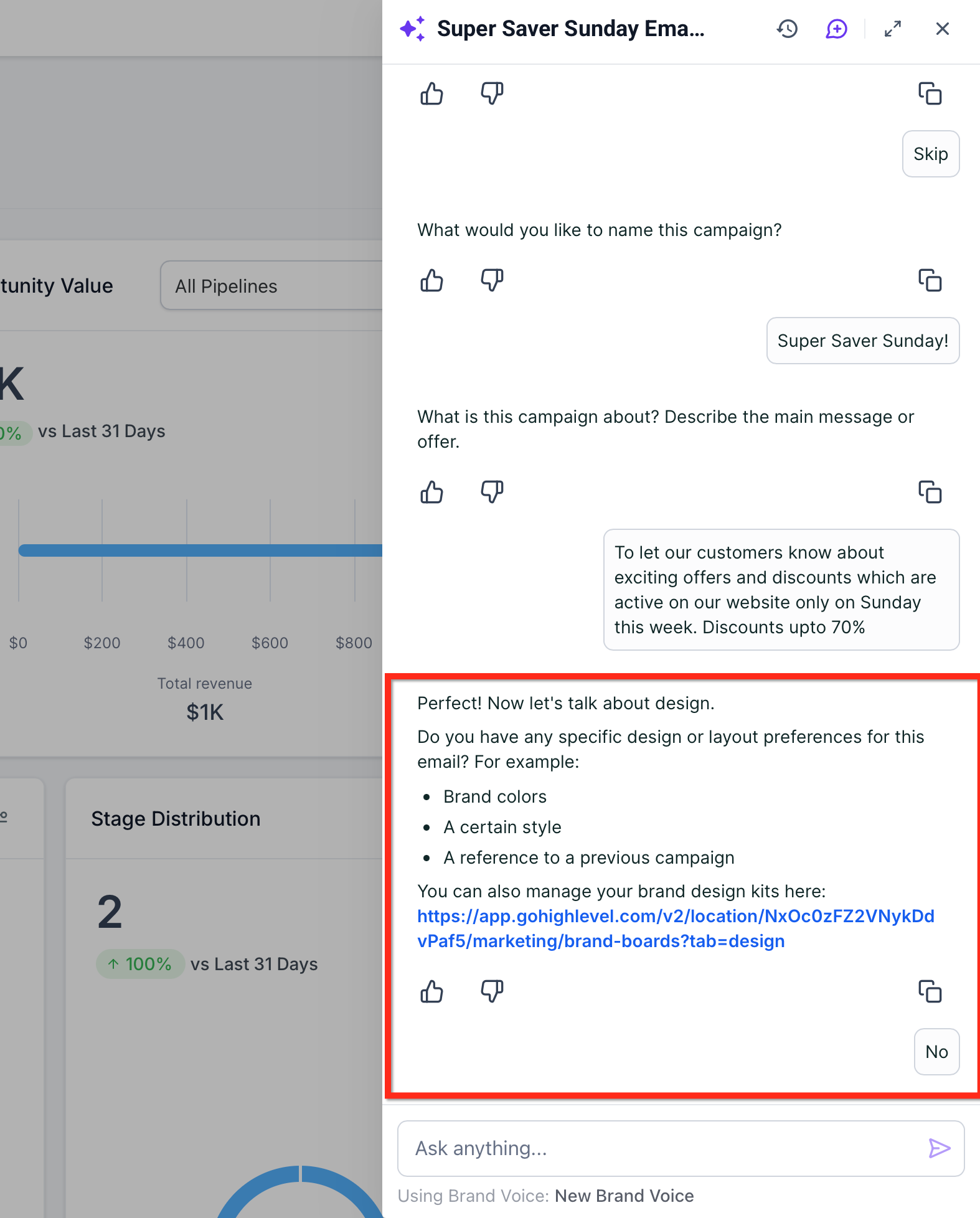
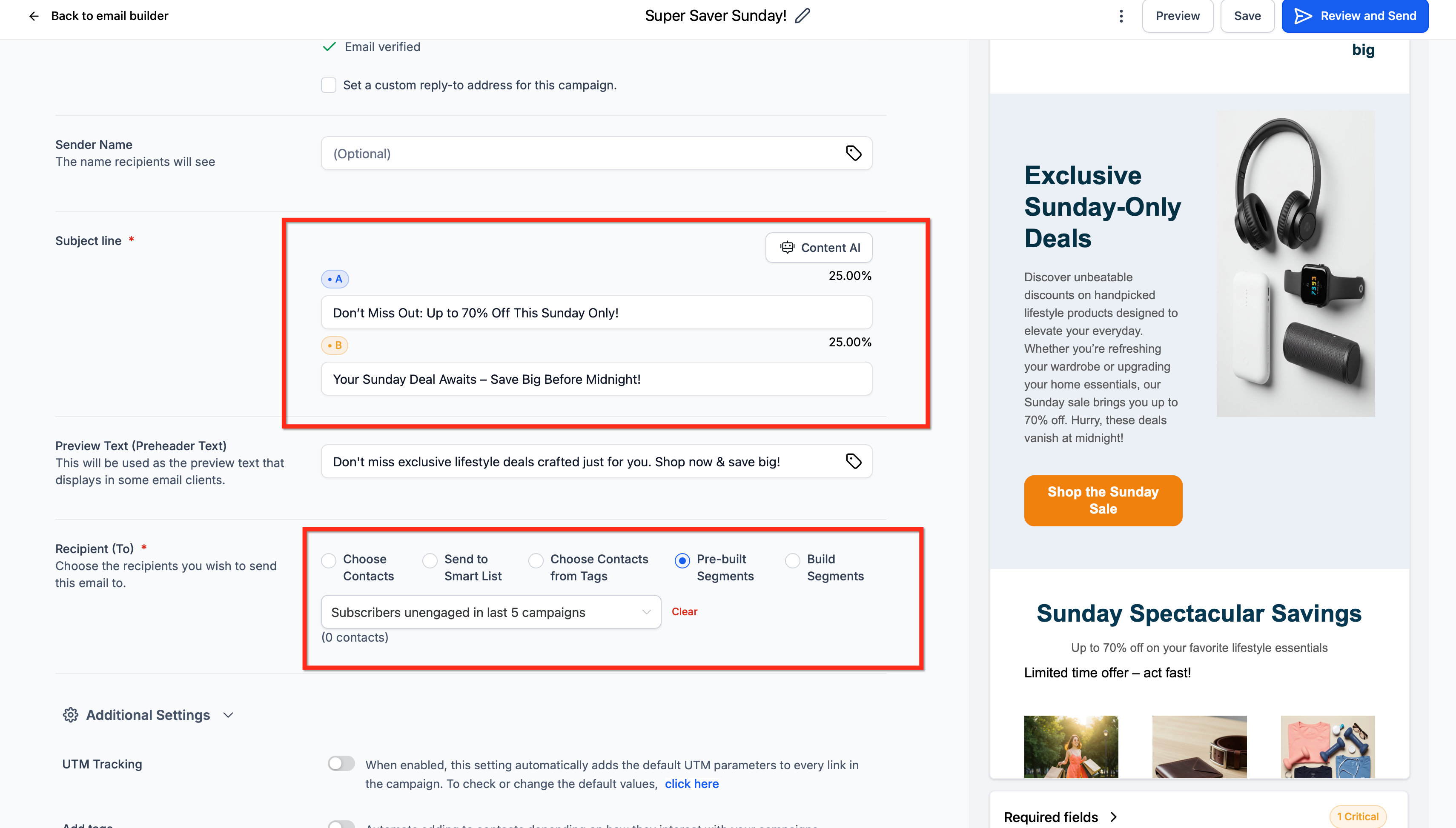
Enable subject-line A/B testing (recommended)
Turn on Subject Line Test to generate multiple titles
Choose number of variations (up to 6), sample size, test duration, and the winning metric (Unique Opens or Unique Clicks).
There is an Option to use "Default settings"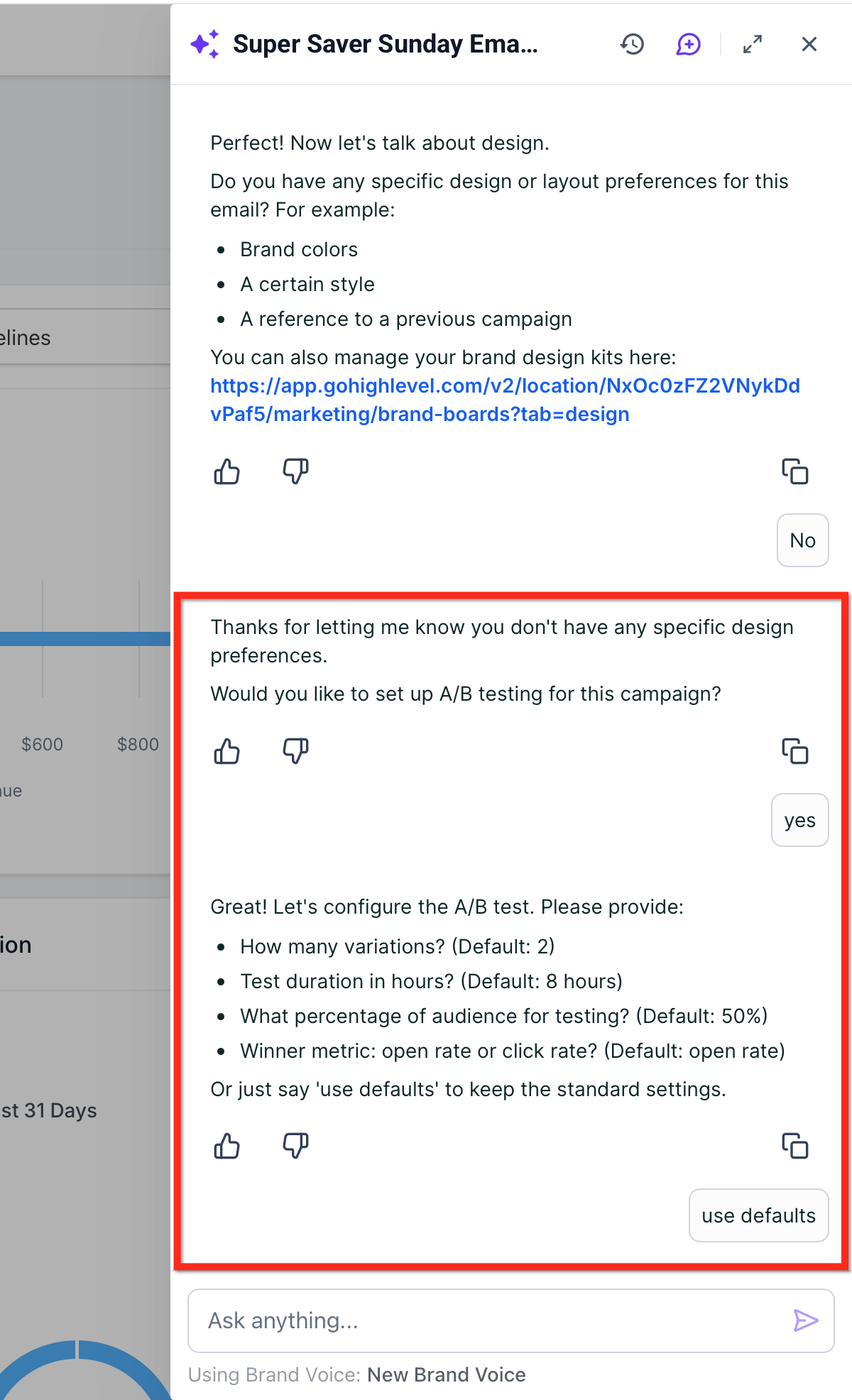
Choose your audience
Use Pre-Built Segments, Tags, or Smart Lists to target recipients now.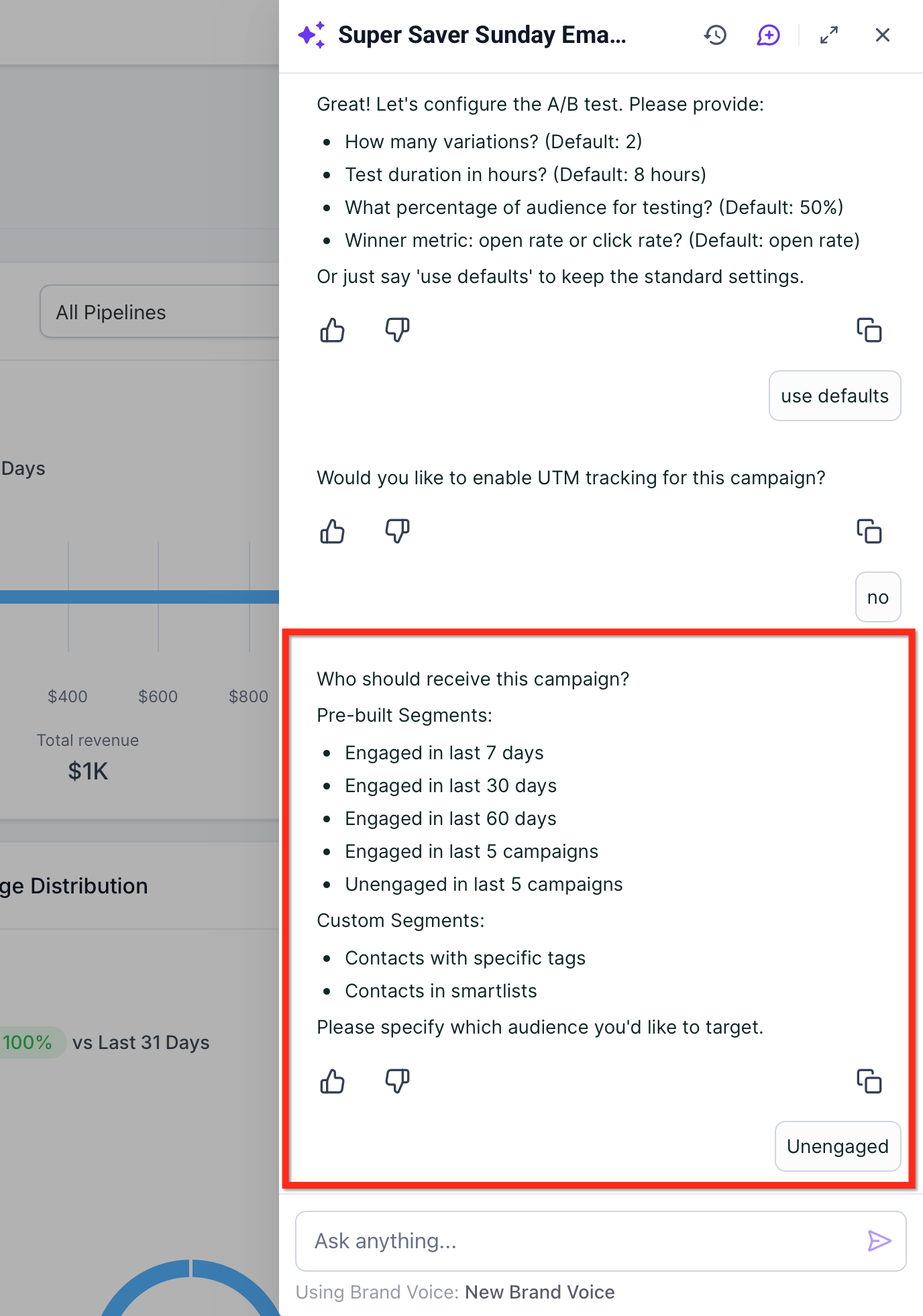
Review and confirm the Ask AI summary
Ask AI displays a quick summary card with your Campaign name, Description, Goal, Audience and Send status.
You’ll be prompted: “Does this look correct? (Yes/No/Edit)”.
Choose Yes to let the agent create the campaign and post “All set! I’ve created the campaign.” with a Review & schedule here link that opens the campaign in the Campaign Builder.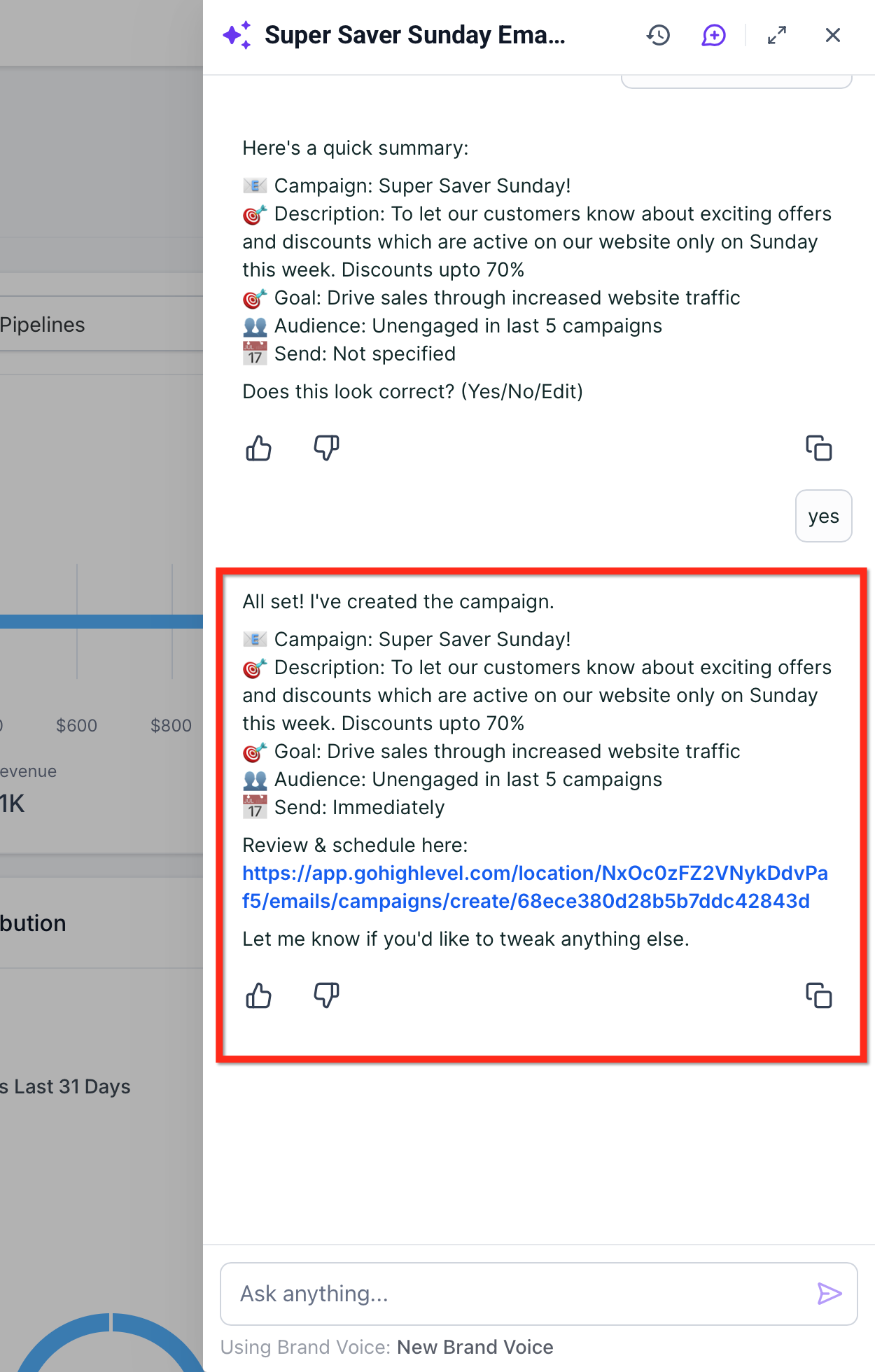
Launch and monitor results
Click Launch Campaign when ready.
After send, track engagement in your email dashboards; follow up as needed (e.g., resend to unopens where applicable).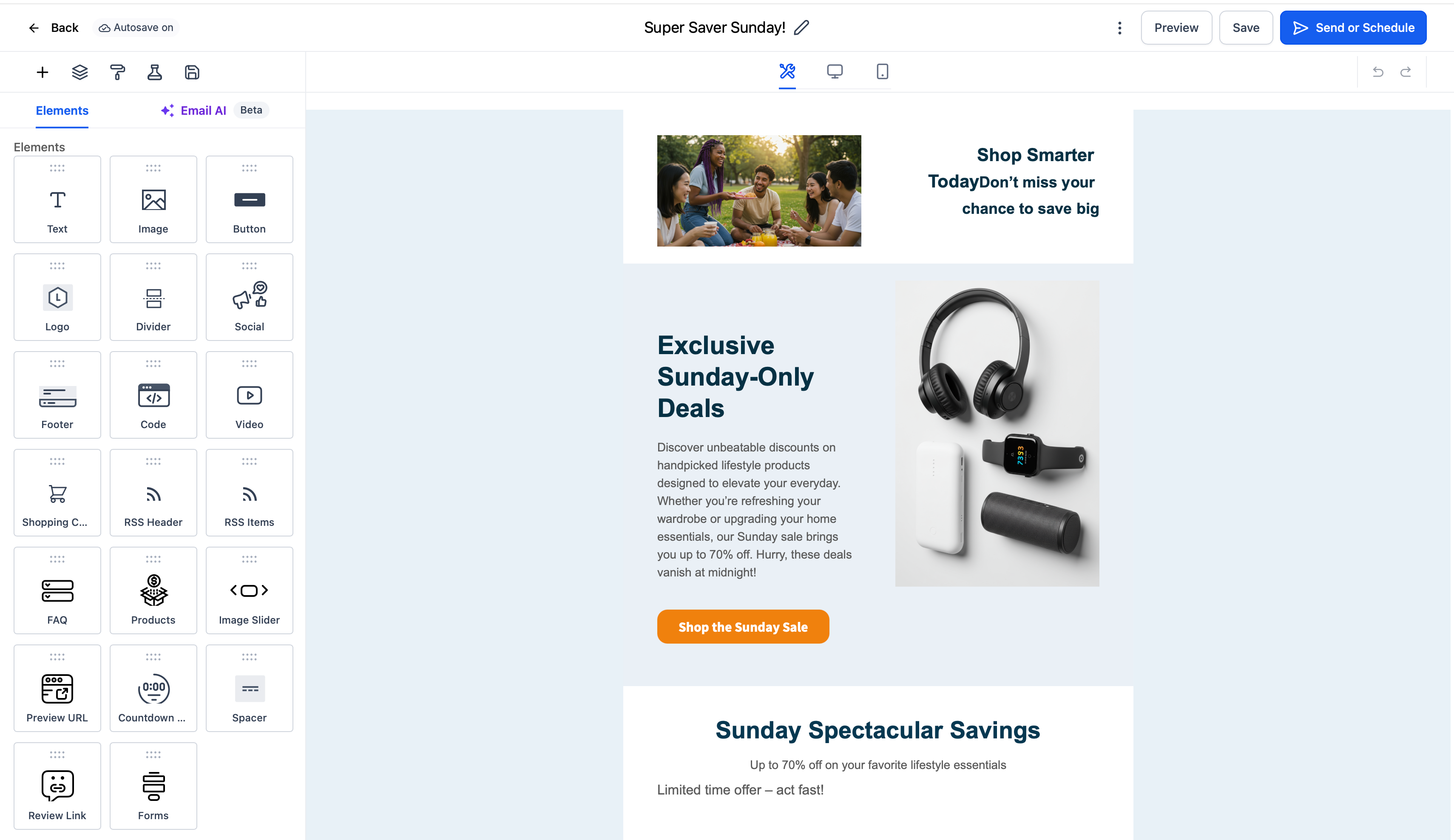
Frequently Asked Questions
Q: Can I edit the AI‑written content before sending?
Yes. You can freely edit, re‑generate, and format the output from Ask AI prior to launch.
Q: How many subject‑line variations can I test, and what are the rules?
Up to 6 variations; minimum 10 contacts per variation and 40 total contacts. A/B tests support Send Now and Schedule only (not Batch/RSS).
Q: Do Smart Lists or Segments update after I schedule?
Smart Lists are evaluated at send time and update dynamically; Pre‑Built Segments snapshot at create/schedule; Segments in the builder are dynamic by design.
Q: Where do I see results after I send?
Use Marketing → Emails → Statistics (All‑in‑One Email Dashboard) for unified metrics across Campaigns, Workflows, and Bulk Actions.
Q: I’m using SMTP instead of LC Email/Mailgun—why are some stats missing?
SMTP integrations typically only show opens and clicks; delivered/bounced require Mailgun/LC Email. (Troubleshooting Email Statistics)
Q: Can I resend to contacts who didn’t open my email?
Yes, Resend to Unopened is supported for RSS and Batch scheduled campaigns (as well as Send Now).
Q: Which delivery methods can I use with campaigns?
Choose Send Now, Schedule, Batch Schedule, or RSS Schedule depending on your goal and list size.