
Temporarily disable any action in a workflow without deleting or disconnecting it. This makes testing, debugging, and iterating safer and faster, then re-enable the step when you’re ready.
TABLE OF CONTENTS
- What are Pause Workflow Actions?
- Key Benefits of Pause Workflow Actions
- Enable/Disable Toggle
- Visual Indicators & Execution Behavior
- How does the Pause Workflow Action Work
- Frequently Asked Questions
- Related Articles
What are Pause Workflow Actions?
Pause Workflow Actions lets you temporarily turn workflow nodes on or off inside the Advanced Builder and Standard Builder. Disabled nodes are skipped during execution, allowing you to debug, A/B-test, or iterate without losing your original setup.
- Pause without breaking: Turn off individual nodes to test variations or isolate issues.
- Non-destructive: Your wiring stays intact—no need to remove or rebuild connections.
- Clear visuals: Disabled steps are dimmed on the canvas and are skipped at run time.
Key Benefits of Pause Workflow Actions
Pause Workflow Actions delivers powerful quality-of-life upgrades:
- Works in both builders: Pause Workflow Actions is available in both the Advanced Builder and the Standard Builder, so you can use the same testing and troubleshooting workflow no matter which builder you prefer.
- Faster testing: Disable a step, run the workflow, and re-enable instantly.
- Zero rebuilds: Your configurations stay intact; no need to re-map paths.
- Clean execution: SourCherry automatically skips disabled nodes so contacts never stall.
- Safer iteration: Debug or A/B-test without affecting production logic.
Enable/Disable Toggle
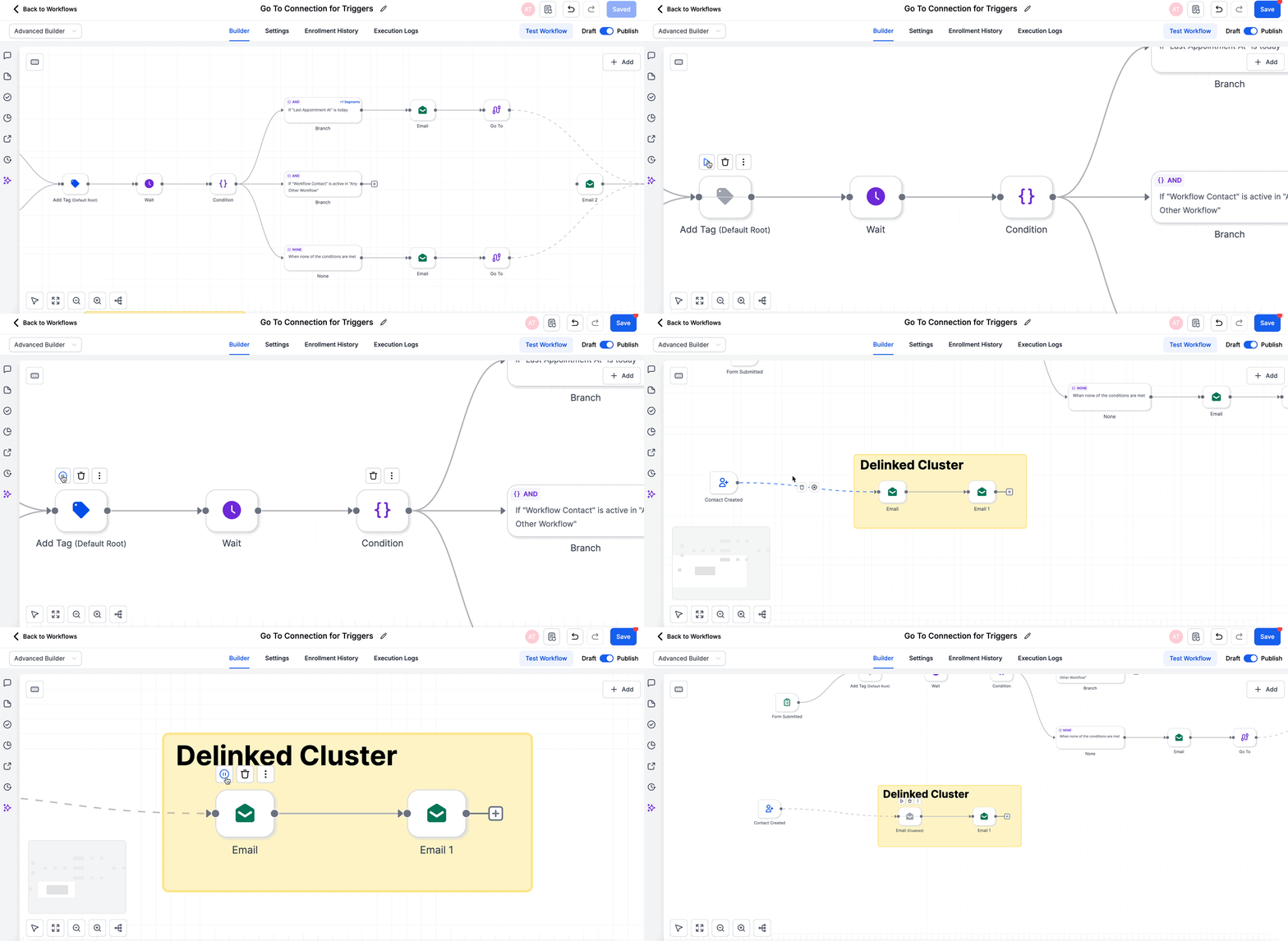
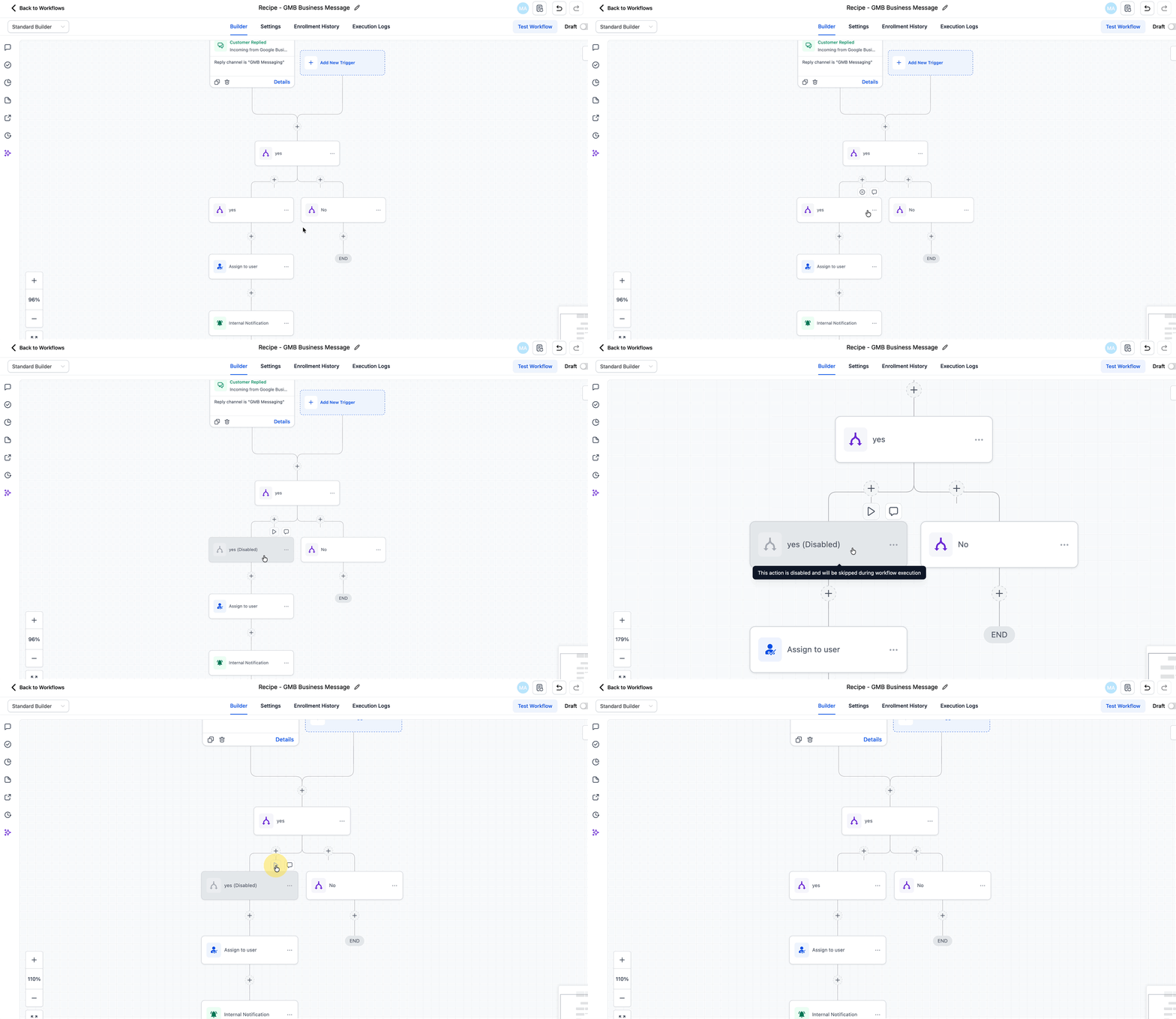
Hover over any node in the Advanced or Standard Builder to reveal an Enable/Disable switch. Toggling it off greys-out the node and adds a “Disabled” label; toggling back on restores normal color and execution. Disabled nodes are fully ignored during live runs.
Visual Indicators & Execution Behavior
- Appears greyed out with a Disabled tag.
- Disabled nodes: Are skipped automatically even when they’re the only forward path—so downstream actions still fire.
- Enabled nodes: Execute exactly as configured after reactivation.
How does the Pause Workflow Action Work
- Enable/Disable toggle: Hover a node and click on the pause icon.
- Canvas cues: Disabled nodes appear dimmed to signal they won’t run.
- Execution: Disabled nodes are skipped during workflow execution.
- Downstream logic: If a disabled node is part of the only path to later actions, the workflow will skip the disabled node(s) and continue executing any active downstream nodes reachable by the current path.
Frequently Asked Questions
Q: Will contacts get stuck at a disabled node?
No. SourCherry automatically skips disabled nodes and continues down any active path.
Q: Can I disable an entire branch?
Yes, toggle off each node in that branch. All disabled nodes will be skipped until re-enabled.
Q: Is this the same as the “Pause Workflows on Certain Dates” feature?
No. Pause Workflow Actions pauses individual steps inside a single workflow, while Pause Workflows on Certain Dates pauses entire published workflows for date ranges.
Q: What happens if I switch to the Standard Builder with disabled nodes still present?
You’ll be prompted to delete or re-enable those nodes before the builder can load.
Q: Do disabled nodes count toward execution limits?
No, because they’re skipped, they do not consume executions.
Q: Can I bulk-enable or disable nodes?
At launch, toggling is done one node at a time. Bulk actions are not yet supported.
Q: Will logs show skipped nodes?
Yes. Execution logs mark disabled nodes as Skipped, providing clear traceability during testing.