
Communities Automatic Newsletters in SourCherry enable you to consistently deliver curated updates, announcements, and content to your community members without manual effort. With flexible scheduling, you can control exactly when these newsletters are sent by selecting the preferred time, day, and timezone. This ensures your newsletters reach members at the right moment, helping improve visibility, engagement, and overall communication within your community.
TABLE OF CONTENTS
- What is Automatic Newsletters for Communities?
- Key Benefits of Newsletters for Communities
- Newsletter Content Rules
- Scheduling Options
- How To Setup Automatic Newsletters for Communities
- Desktop and Mobile View
- Frequently Asked Questions
- Related Articles
What is Automatic Newsletters for Communities?
Communities Automatic Newsletters in SourCherry are recurring messages automatically sent to community members to keep them informed, engaged, and up to date. These newsletters can include announcements, highlights, updates, or curated content from your community. With built-in scheduling controls, admins can define when these newsletters are delivered, ensuring consistent communication that aligns with member activity and expectations.
Key Benefits of Newsletters for Communities
- Consistent Communication: Automatically send newsletters to keep your community informed without manual effort.
- Flexible Scheduling: Choose daily, weekly, bi-weekly, or monthly delivery schedules that fit your content strategy.
- Timezone-Based Delivery: Ensure newsletters are sent at the correct local time for your selected audience.
- Improved Engagement: Deliver relevant updates when members are most likely to read and interact.
- Admin Control: Manage both content delivery and timing from a single, streamlined setup.
Newsletter Content Rules
These signals define what members see in their digest so you can set expectations and answer “why did/didn’t this appear?” questions.
Active Threads: Shows the last thread a member interacted with, plus the freshest replies from others.
Top Posts (public channels): Highlights trending content so members don’t miss what’s hot.
Posts from Followed Members: Includes updates from creators a member follows.
Upcoming Events: Surfaces the most relevant upcoming events.
Clickable Cards: Each item links back to the originating post, thread, or event for fast re‑engagement.
Permissions honored: Members only see items they’re allowed to access.
Scheduling Options
Choosing the right schedule ensures your newsletters align with your audience’s habits and expectations. SourCherry provides flexible scheduling options designed to support different communication styles and content strategies.
Daily Scheduling
Set a specific time and timezone for newsletters to be sent every day
Ideal for frequent updates or active communities
Example: Daily at 8:00 AM (New York time)
Weekly / Bi-weekly Scheduling
Select specific days along with time and timezone
Great for consistent content like weekly digests or announcements
Example: Every Tuesday at 10:00 AM (London time)
Monthly Scheduling
Choose a specific date (1–27 or last day of the month), along with time and timezone
Best for summaries, reports, or long-form updates
Example: 1st of every month at 9:00 AM (IST)
How To Setup Automatic Newsletters for Communities
Follow these steps to enable and configure newsletters for a specific group. Consistent configuration ensures members get the right digest on the cadence you choose.
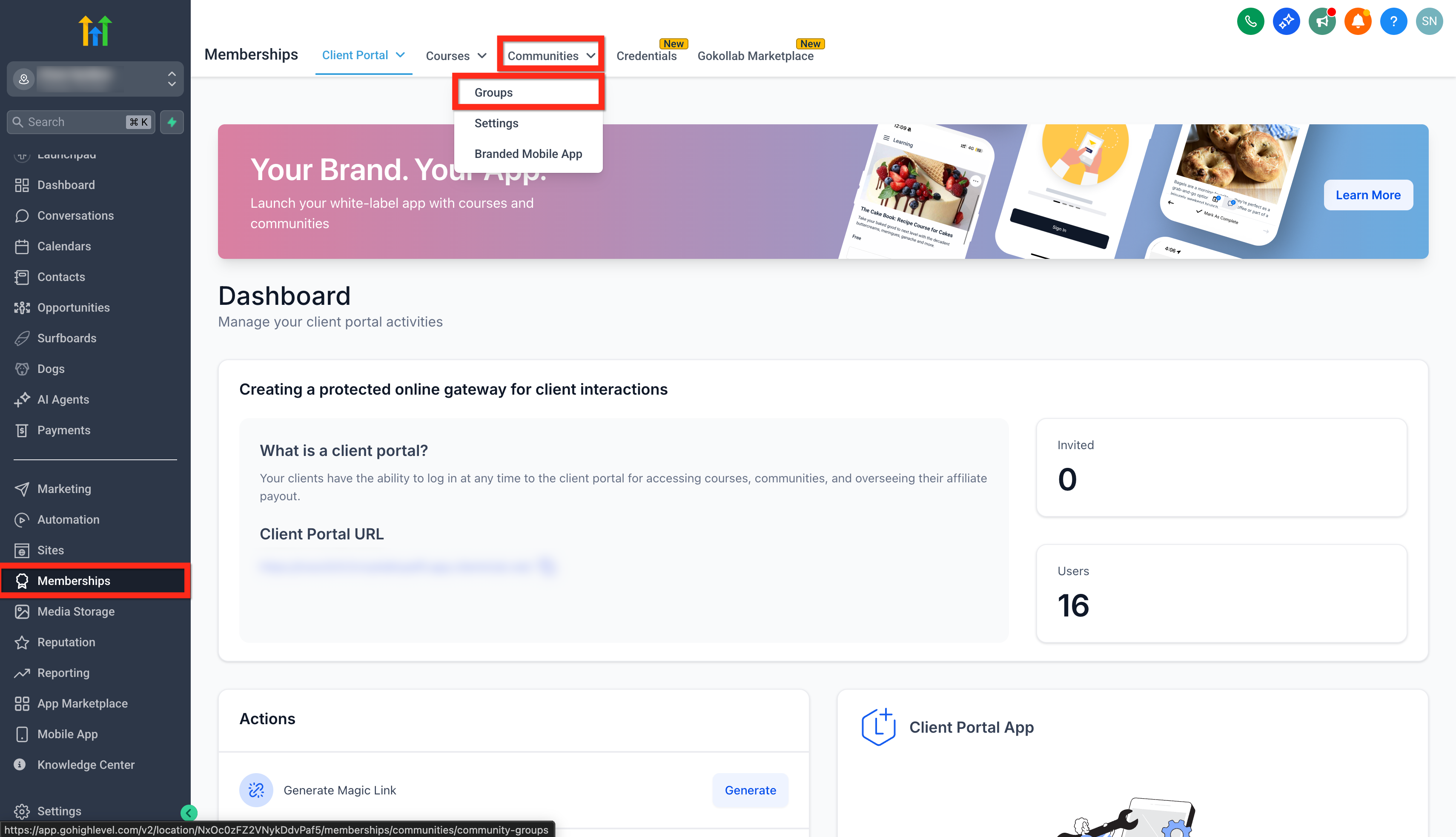
Go to Memberships > Communities > Groups.
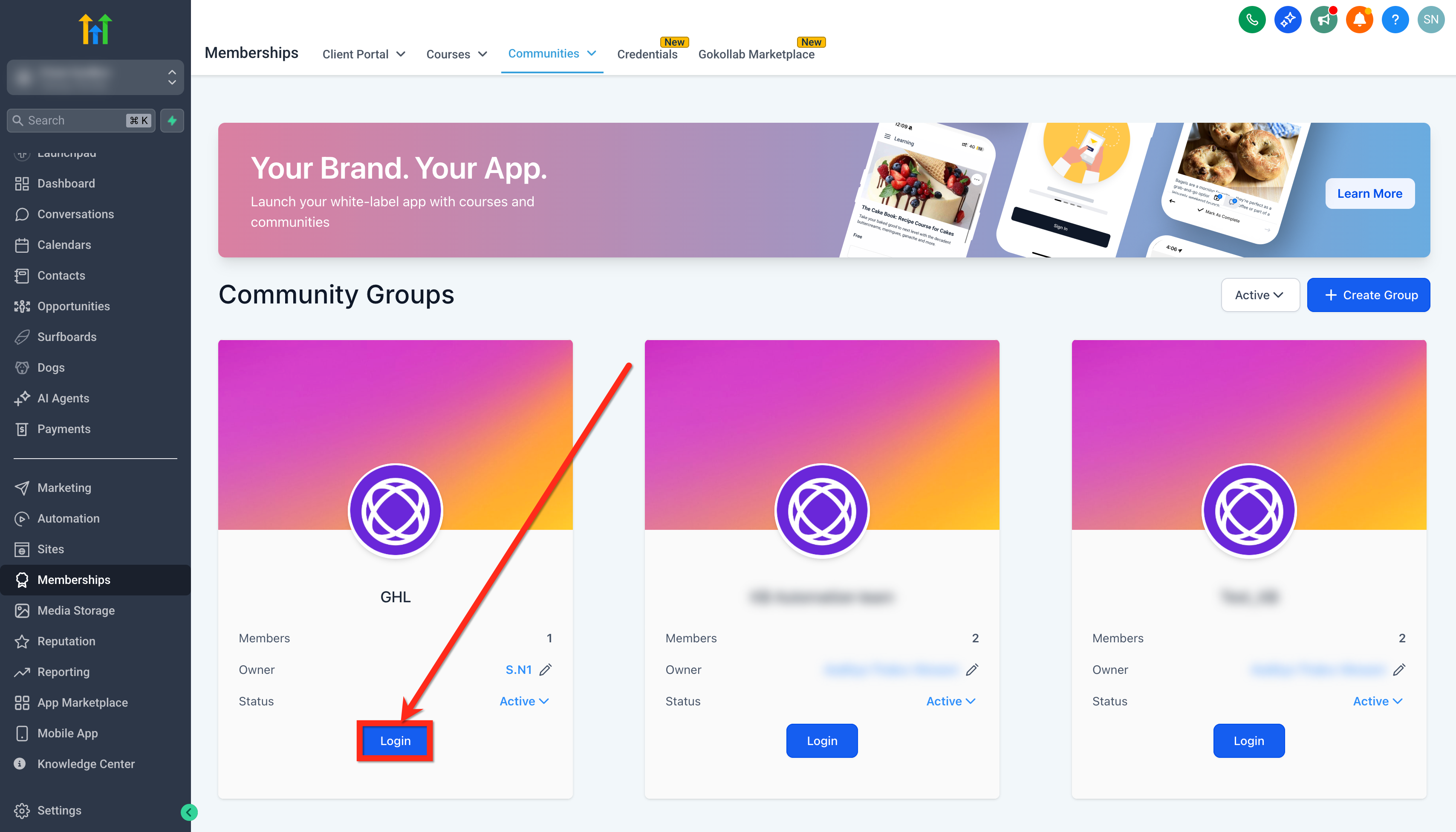
Log in to the group where you are Owner/Admin.
Navigate to Settings > Newsletter.
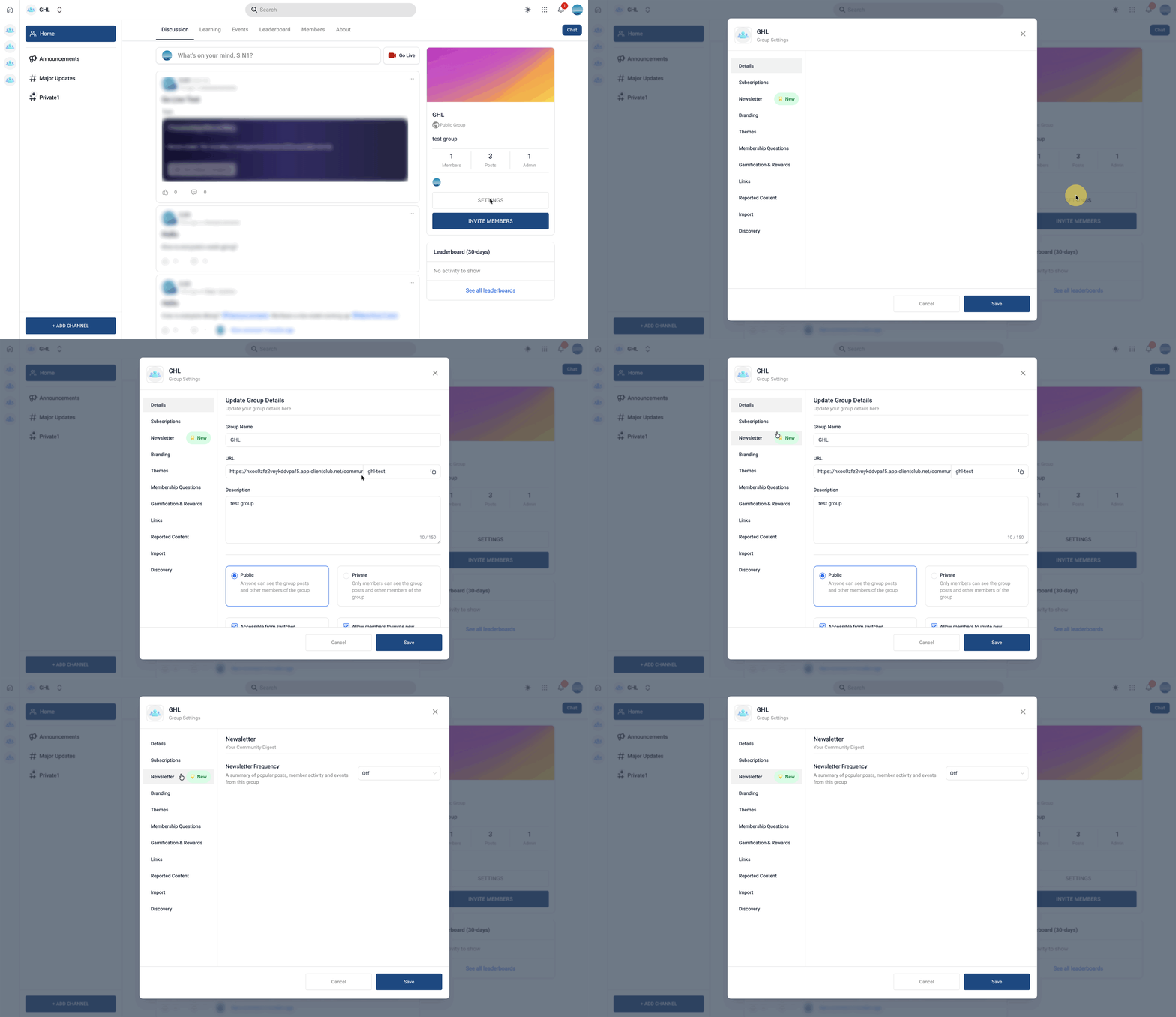
Click on the Newsletter tab.
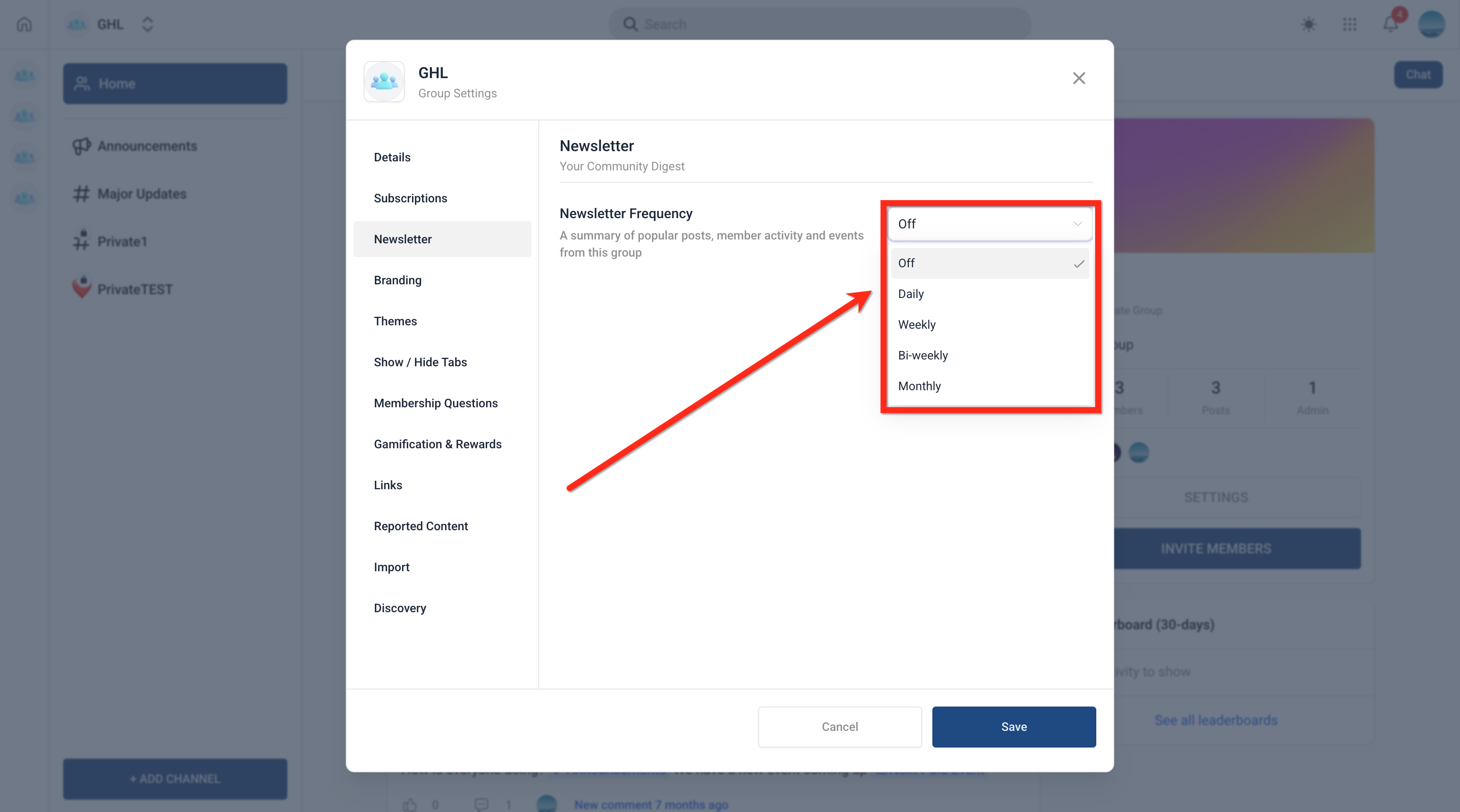
Choose your Frequency: Daily, Weekly, Bi‑Weekly, or Monthly.
- Configure the following based on your selection:
Time
Day or Date (depending on schedule type)
Timezone
Click Save.
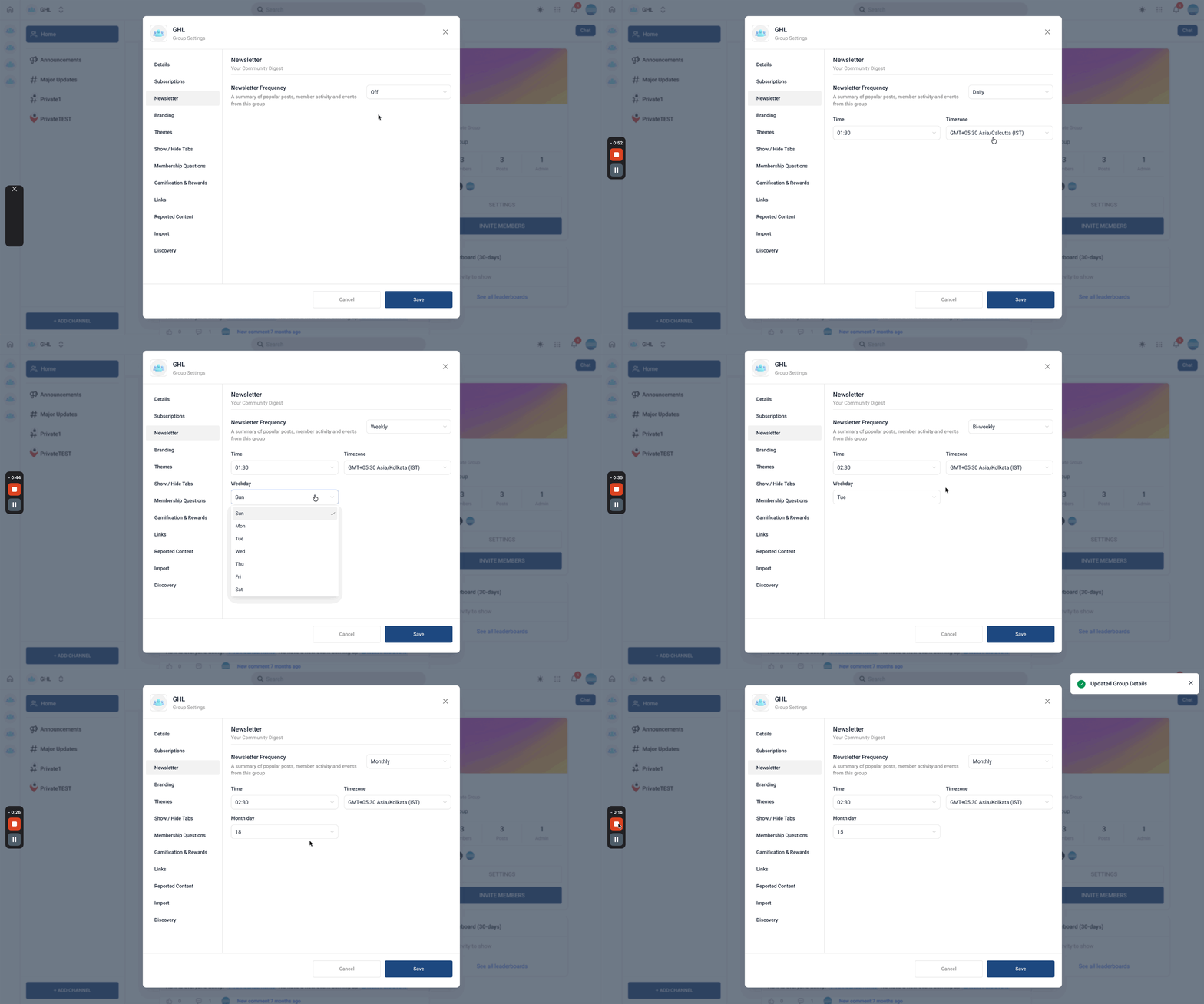
Desktop and Mobile View
Desktop View
Mobile View
Frequently Asked Questions
Q: Who can turn newsletters on?
Group Owners and Admins.
Q: Are newsletters on by default?
No. They are off by default until an Owner or Admin enables them per group.
Q: What content is included in newsletters?
Newsletters include curated community content such as posts, announcements, and updates. Members will only see content they have permission to access.
Q: Do newsletters include private or restricted content?
Members only see content they have permission to access.
Q: Can I choose the send cadence?
Yes. You can select Daily, Weekly, Bi-Weekly, or Monthly schedules.
Q: Can I customize the send time and timezone?
Yes. You can define the exact time and timezone to ensure
newsletters are delivered at the most relevant time for your audience.
Q: Can I change the newsletter schedule after setting it?
Yes. You can update the schedule at any time from the newsletter settings.
Q: Can I send newsletters at different times for different members?
No. The schedule is configured at the community level and applies to all members.
Q: Can members unsubscribe from newsletters?
Yes. Each email includes an “Update Preferences” link where members can manage their subscription.
Q: Is bi-weekly scheduling supported?
Yes. You can configure newsletters to be sent every two weeks on a selected day and time.