
SourCherry’s WordPress Setup Guide now includes three time‑saving Quick Links—Book a Call with WordPress Customer Success, join the Product Townhall, and open the WordPress Knowledge Base inside the app. These tools speed up troubleshooting, give you direct access to roadmap conversations, and keep help one click away. This article explains what each link does and how to use them to accelerate results.
Note: These Quick Links are only visible to Agency Admins.
TABLE OF CONTENTS
- What is the WordPress Customer Support Upgrade?
- Key Benefits of WordPress Customer Support Upgrade
- Where to Find the Quick Links for WordPress Customer Support
- Frequently Asked Questions
- Related Articles
What is the WordPress Customer Support Upgrade?
The WordPress Setup Guide now surfaces three support resources directly in your workflow so Agency Admins can get expert help, self‑serve answers, and real‑time product updates without leaving SourCherry. Each link focuses on a different need—guided help, product visibility, and instant knowledge access—to reduce delays and improve outcomes during site setup and beyond.
Book a Call with WordPress Customer Success: Schedule a guided call with the WordPress CS team. • Direct Access to Product Townhall: Join live townhalls to hear roadmap updates and share feedback. • WordPress Knowledge Base in‑App: Open the full WordPress KB from inside SourCherry to search and self‑serve. • Visibility:
Key Benefits of WordPress Customer Support Upgrade
- Faster Time to Value: jump from problem to solution by booking a CS call or opening the KB instantly.
- Proactive Empowerment: learn, self‑serve, and track product direction without leaving your workflow.
- Global Coverage: connect with support across most time zones for near‑always‑on help.
- Trust & Retention: combine expert guidance, transparent roadmap access, and reliable documentation to build confidence with your clients.
Where to Find the Quick Links for WordPress Customer Support
Use this path to reliably locate the quick links
Login to your sub-account.
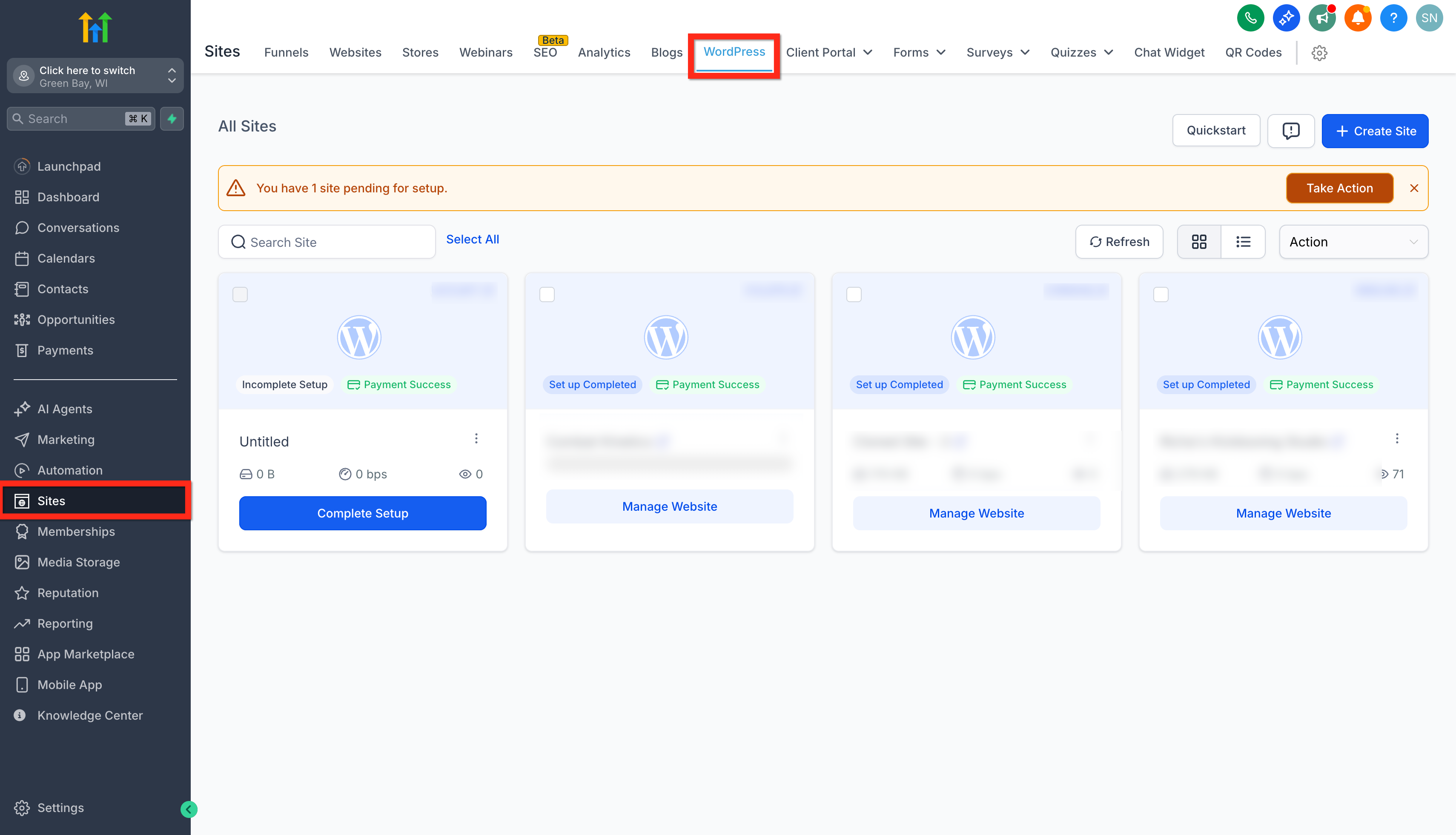
Go to Sites > WordPress.
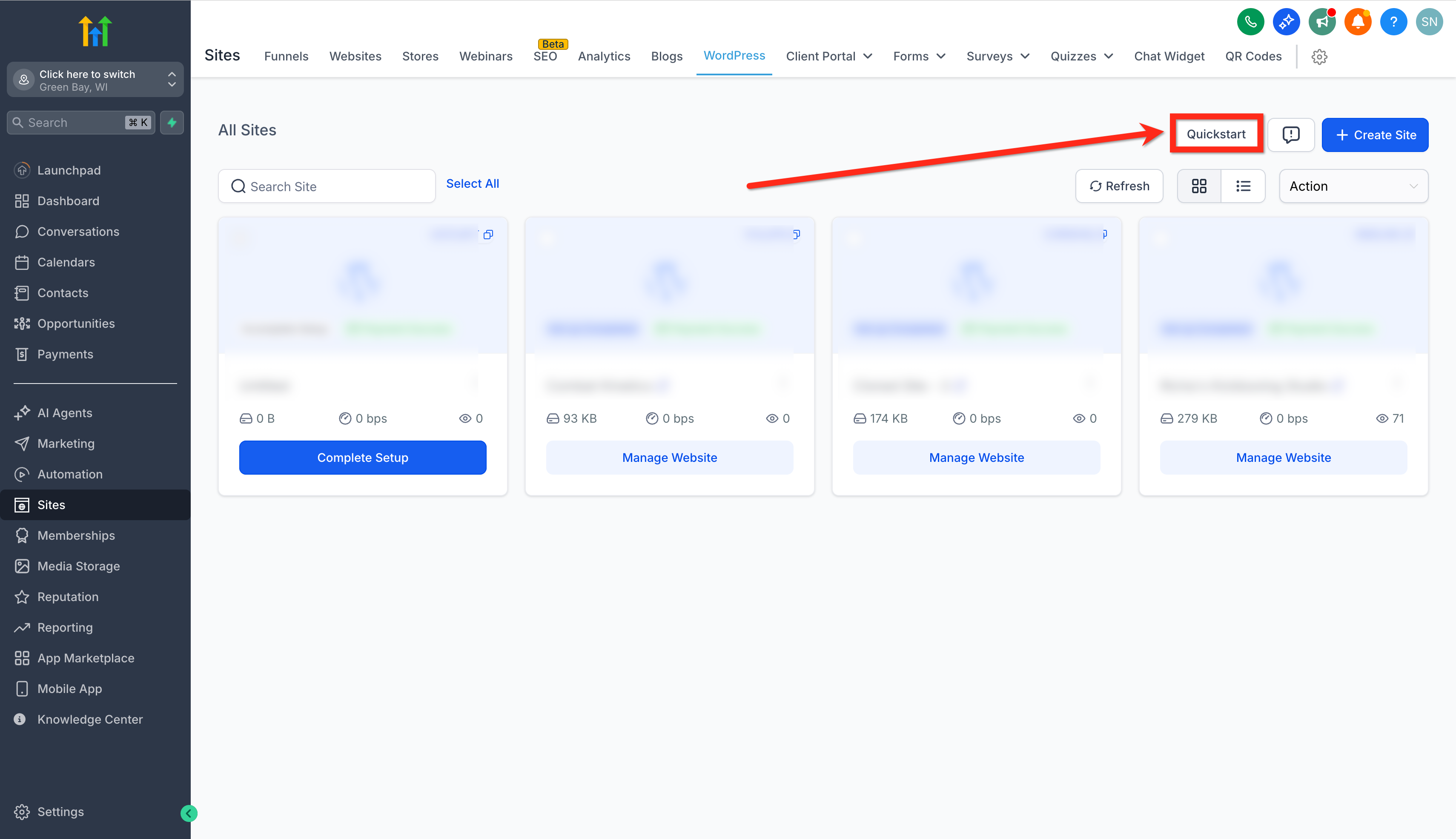
Click the Quickstart button.
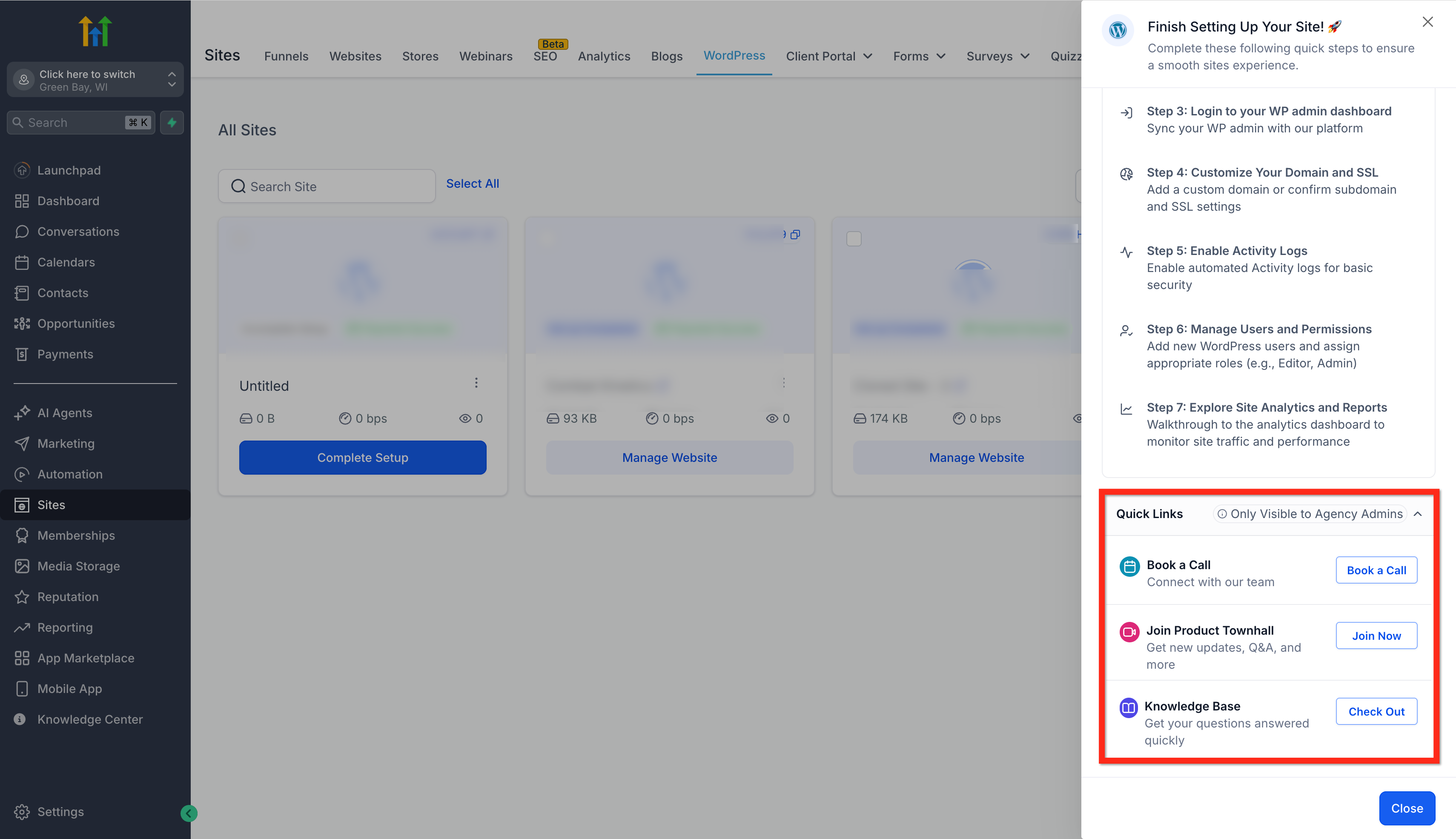
Scroll to Quick Links (visible to Agency Admins only).
Choose Book a Call, Join Product Townhall, or WordPress Knowledge Base.
Frequently Asked Questions
Q: Who can see these Quick Links?
Only Agency Admins can see the Quick Links inside the WordPress Setup Guide.
Q: What if I don’t see any available booking slots?
New time slots are added across most time zones. Check back soon and use the in‑app KB for immediate guidance.
Q: Is the in‑app KB the same as the web version?
The in‑app experience provides access to the full WordPress Knowledge Base so you can search and follow guides without leaving SourCherry.
Q: Does this feature require a specific plan or add‑on?
These features are a part of the WordPress experience in SourCherry. If you have access to WordPress, you should see them as an Agency Admin.