
When someone submits a Form, Survey, or Quiz with missing or invalid inputs, the screen automatically scrolls to the first error and highlights it. Surveys also display clearer inline messages right at the field. These updates reduce friction, especially on mobile and help increase successful submissions.
TABLE OF CONTENTS
- What is Auto-Scroll to First Error & Inline Error Handling?
- Key Benefits of Auto-Scroll & Inline Errors
- How the Auto-Scroll to First Error Works
- Inline Error Messages
- Frequently Asked Questions
- Related Articles
What is Auto-Scroll to First Error & Inline Error Handling?
Auto-Scroll to First Error automatically moves the viewport to the first invalid field after a submit attempt, so users can correct it immediately. Inline error handling surfaces context-aware guidance directly beneath or beside the problematic field (particularly in Surveys and multi-step experiences). Together they remove guesswork, streamline corrections, and improve completion rates.
Scope
Applies to: Forms, Surveys, Quizzes (including multi-field or multi-step/slide experiences).
Availability: Enabled by default for new and existing assets—no configuration required.
Devices: Optimized for mobile and desktop.
Key Benefits of Auto-Scroll & Inline Errors
Faster resolution: Users land exactly where the problem is—no manual scanning required.
Mobile-friendly: Especially helpful on smaller screens where errors can be hard to locate.
Clarity at the field: Inline guidance reduces confusion and back-and-forth attempts.
Fewer abandons: A smoother correction flow drives higher completion and conversion.
Zero configuration: No setup work—benefits apply instantly to your existing assets.
How the Auto-Scroll to First Error Works
This section explains how auto-scroll behaves when a submit attempt fails validation, including multi-step flows and common layouts.
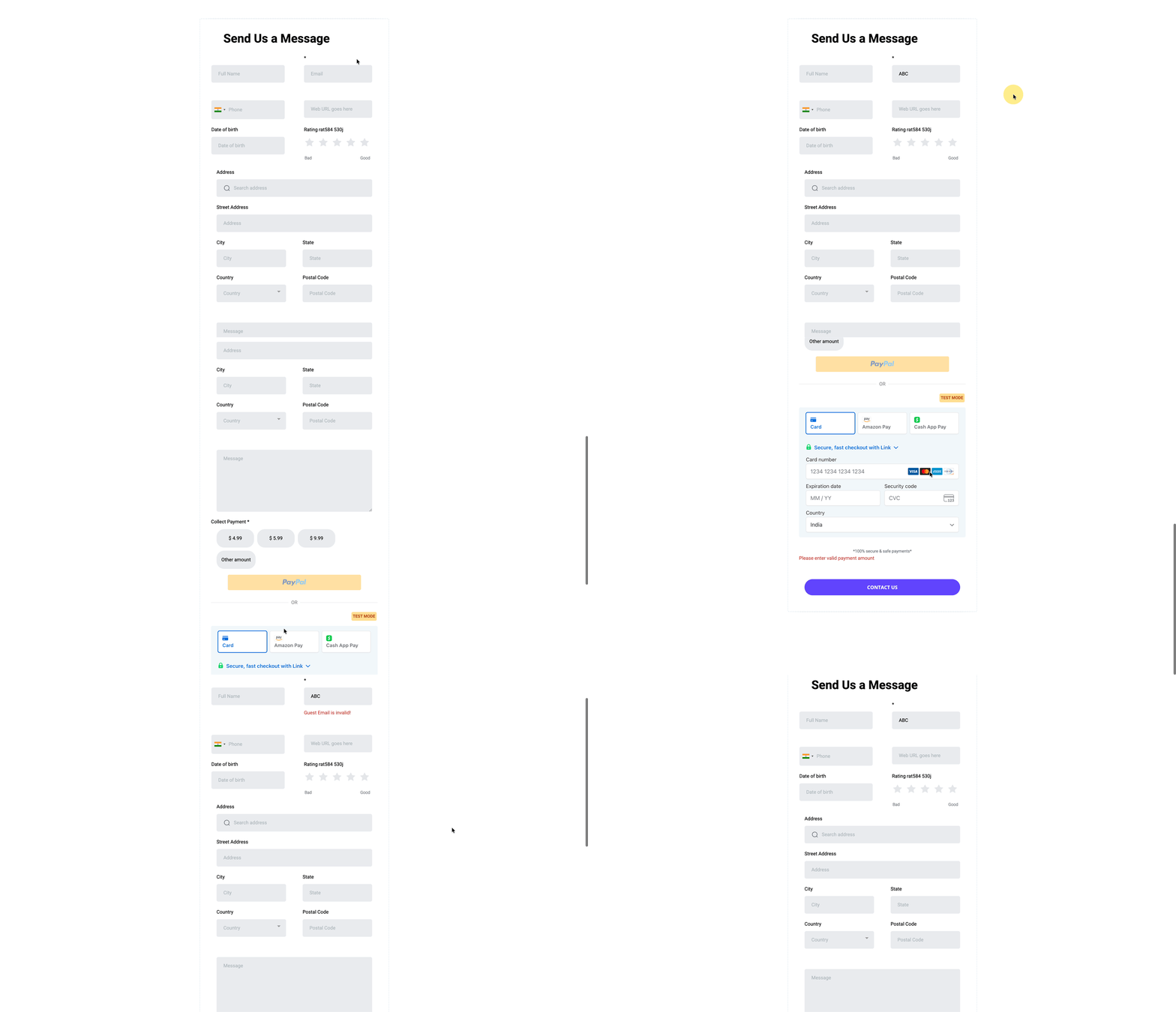
On submit, if any field is invalid, the page auto-scrolls to the first invalid field from the top and visually highlights it.
In multi-step Surveys/Quizzes, the experience navigates to the slide containing the first invalid field and positions the viewport for quick correction.
Works with common layouts (single column, two column, single line) and long pages with many inputs.
Designed to complement other validation features (e.g., Email Validation, Address Auto‑Complete).
Inline Error Messages
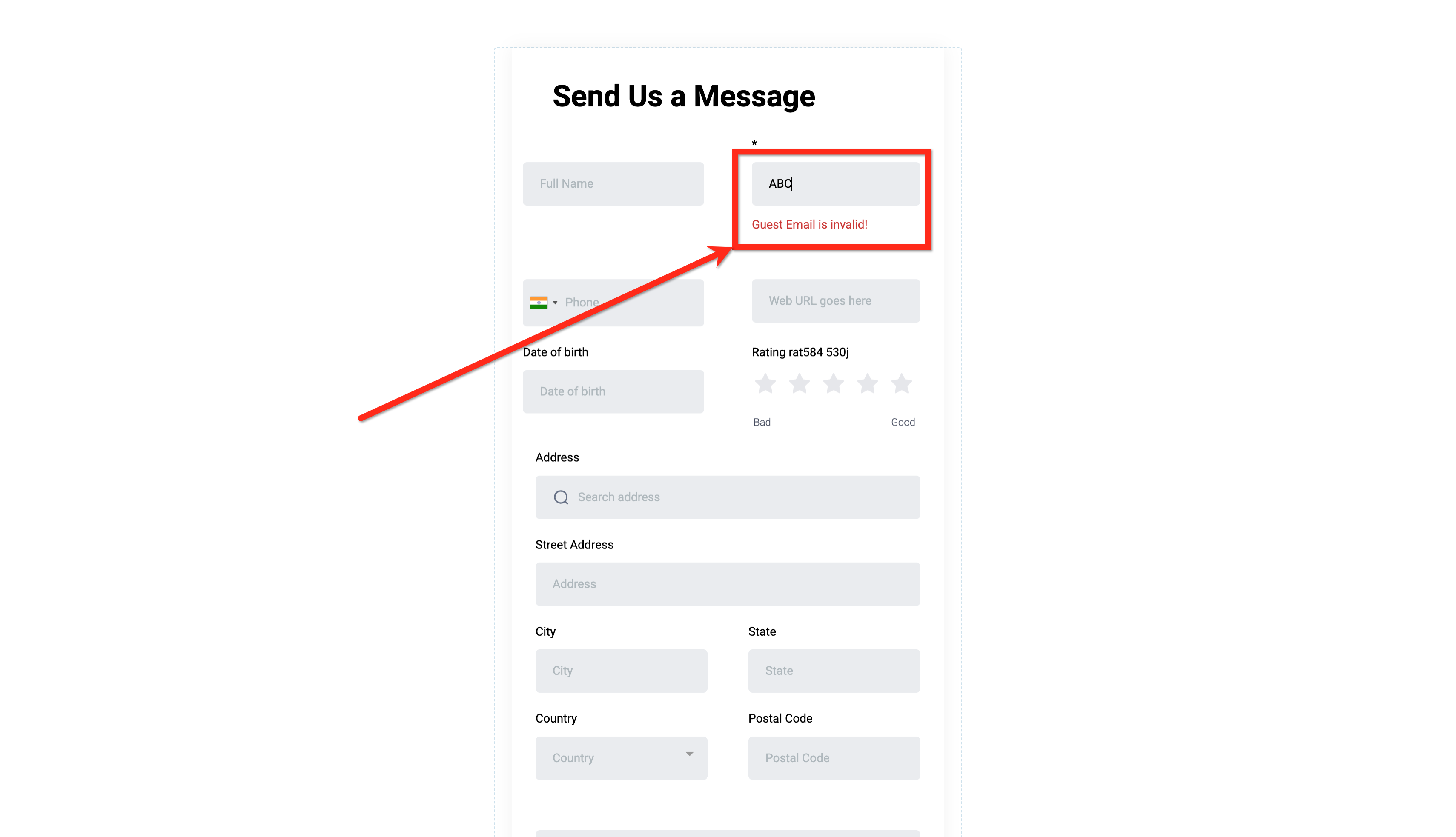
Inline messages reduce cognitive load by placing the explanation where the issue occurs, next to the field—rather than in a generic list far from the input.
Previously, Survey errors could appear as a bulk list at the top of a slide; users then had to hunt for fields.
Now, errors are inline and context-aware, shown directly at the field, with auto-scroll ensuring the user lands on the right spot.
The combination is especially impactful in mobile and long slide scenarios.
Frequently Asked Questions
Q. Do I need to enable a toggle to use auto-scroll or inline errors?
No. These improvements are enabled by default for new and existing Forms, Surveys, and Quizzes.
Q. Does this work in multi-step Surveys and Quizzes?
Yes. The experience navigates to the slide with the first invalid field and positions the viewport to assist correction.
Q. What happens with conditional logic?
Only visible required fields are validated. If new required fields appear after an answer changes, a new submit attempt will auto-scroll to the first invalid one.
Q. Does this affect analytics or conversion tracking?
You should see fewer abandons due to clearer guidance. Use your existing Forms/Surveys analytics to compare completion before vs. after.
Q. Does this work for embedded forms on my website or funnel pages?
Yes.