
The updated Trust Center introduces a cleaner, guided experience for A2P 10DLC registration—reducing errors, improving clarity, and helping teams submit compliant brand and campaign data with confidence. This article outlines what changed, why it matters, and how the new flow compares to the previous experience. Use it as a practical reference while preparing brands and campaigns for approval.
What is the Revamped Trust Center & A2P Registration Experience?
SourCherry’s Trust Center is the in-app workspace for registering U.S./Canadian long-code messaging (A2P 10DLC). The revamp focuses on a modern, step-by-step wizard with clearer guidance, smarter field checks, and a final Submission Review to validate details before sending—designed to reduce rework and improve submission quality.
Key Benefits of the Revamp
Understanding the improvements helps admins and implementers plan smoother registrations, reduce common rejection reasons, and standardize internal QA before submitting brands and campaigns.
Guided flow: A linear, step-by-step wizard reduces guesswork for first-time users.
Inline guidance: Contextual tooltips and examples clarify required fields and industry terms.
Real-time checks: Immediate validations surface formatting and completeness issues earlier.
Submission Review: A single read-only checklist enables quick spot fixes before sending.
Lower rework risk: Better inputs up front reduce avoidable re-submissions and delays.
Streamlined Guided Flow
A predictable sequence improves focus and accuracy. By unlocking each section only after required fields pass basic validation, teams can progress confidently without missing critical inputs.
What you’ll see
Sequential panels: Business Profile → Brand → Campaign → Consent.
Progressive validation: Required fields must be correct before the next panel opens.
Contextual help: Field-level tips, examples, and labels align expectations and reduce ambiguity.
Submission Review Screen
A final, consolidated checklist helps catch inconsistencies—such as incomplete sample messages or missing consent details - before submission, reducing back-and-forth and potential rejections.
All details in one place: Business info, brand attributes, use case, sample messages, and opt-in language collected in a read-only summary.
One-click edits: Jump directly to the field that needs correction and return to the review.
Preflight clarity: Encourages internal QA (legal name, IDs, consent text, and examples) prior to sending.
Smarter Validations
Early, in-context validations reduce the most common causes of failed reviews. While checks don’t guarantee approval, they help align data with known formatting and completeness expectations.
Examples of validations
Business identifiers: Format checks for tax IDs and business names.
Campaign examples: Required opt-out language and example structure prompts.
Consent clarity: Prompts to describe the opt-in method and confirmation language.
Upcoming Enhancements
Knowing what’s on the roadmap helps teams anticipate new guidance and support options that streamline submissions further.
Planned additions
Join a Support Call: Access live help from within the wizard.
Video Walkthrough: A model, compliant submission demo embedded alongside the steps.
Differences: Old vs. Revamped Experience
This side-by-side comparison clarifies how workflows and responsibilities shift. Use it to align internal SOPs, retrain teams, and update any screen-by-screen playbooks.
Navigation & Layout
Before: The Trust Center page was fragmented, with separate product cards and minimal context. Information about A2P, CNAM, SHAKEN/STIR, and Voice Integrity was spread across tabs, making it harder for users to understand which product applied to their business needs.
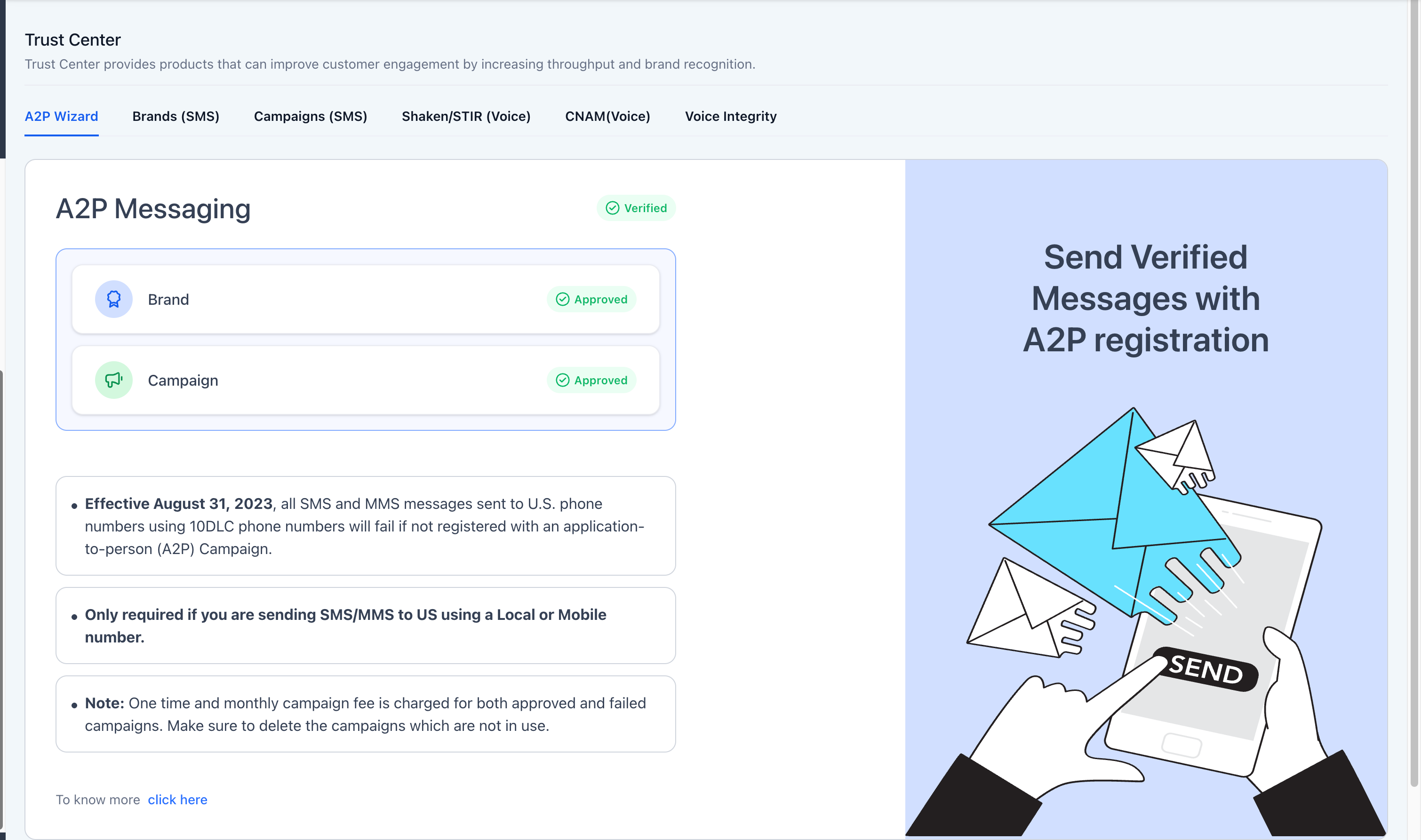
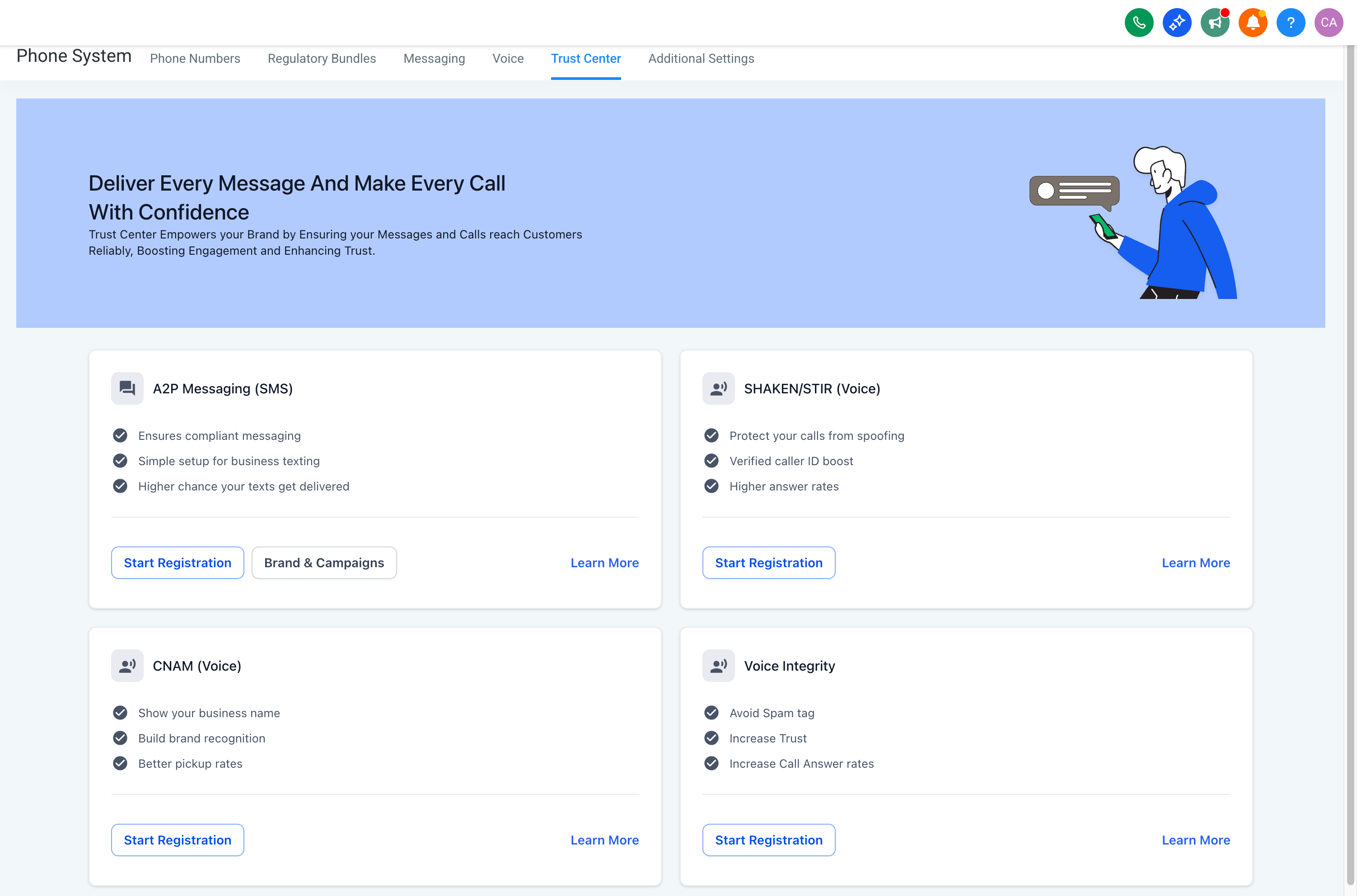
- Now: The redesigned Trust Center introduces a modern, unified interface that visually groups all trust products in one clear, well-structured view. Each product card now highlights its core value proposition (e.g., compliance, verification, or caller trust) with crisp descriptions, actionable “Start Registration” buttons, and links to detailed resources.
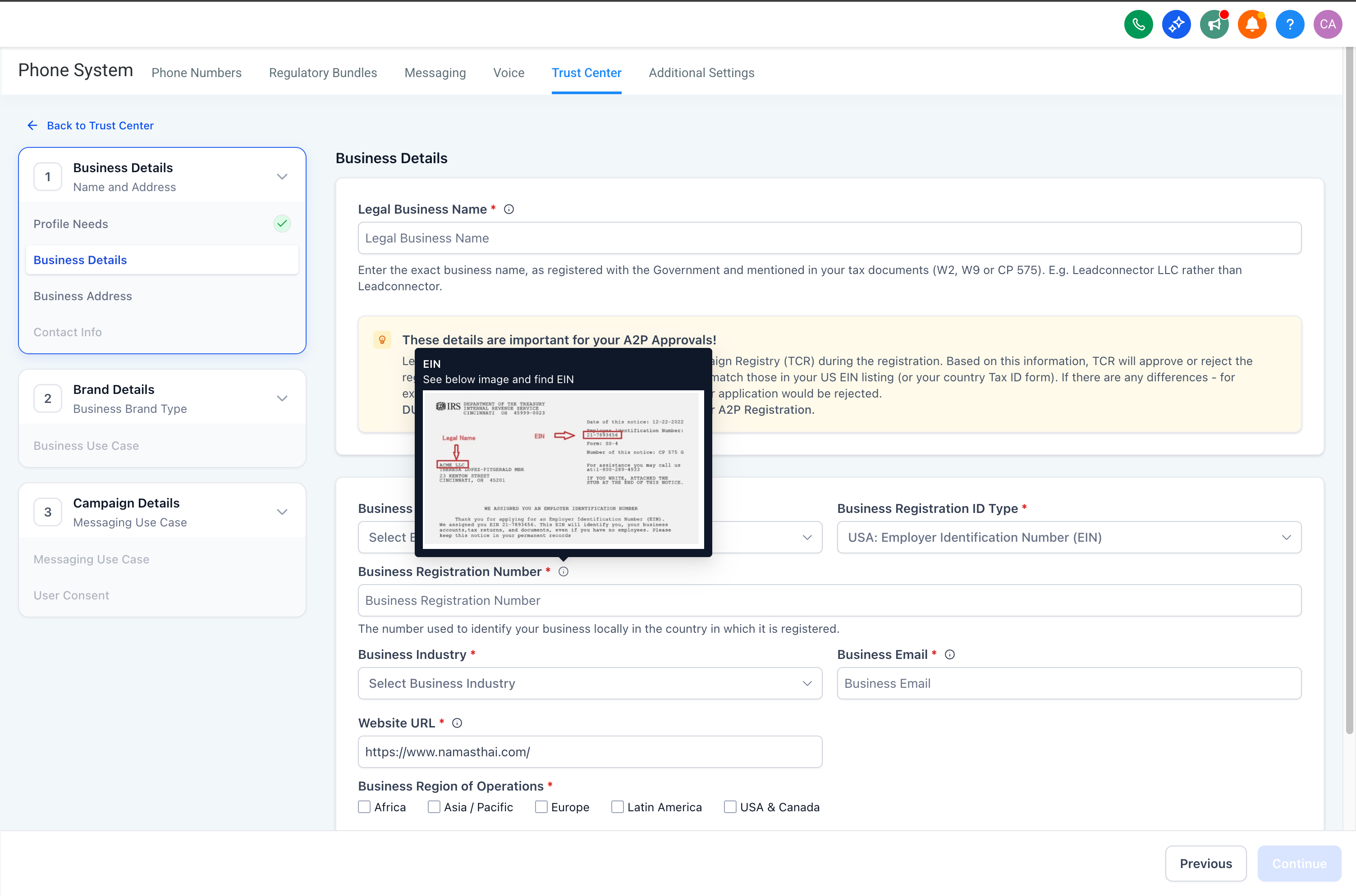
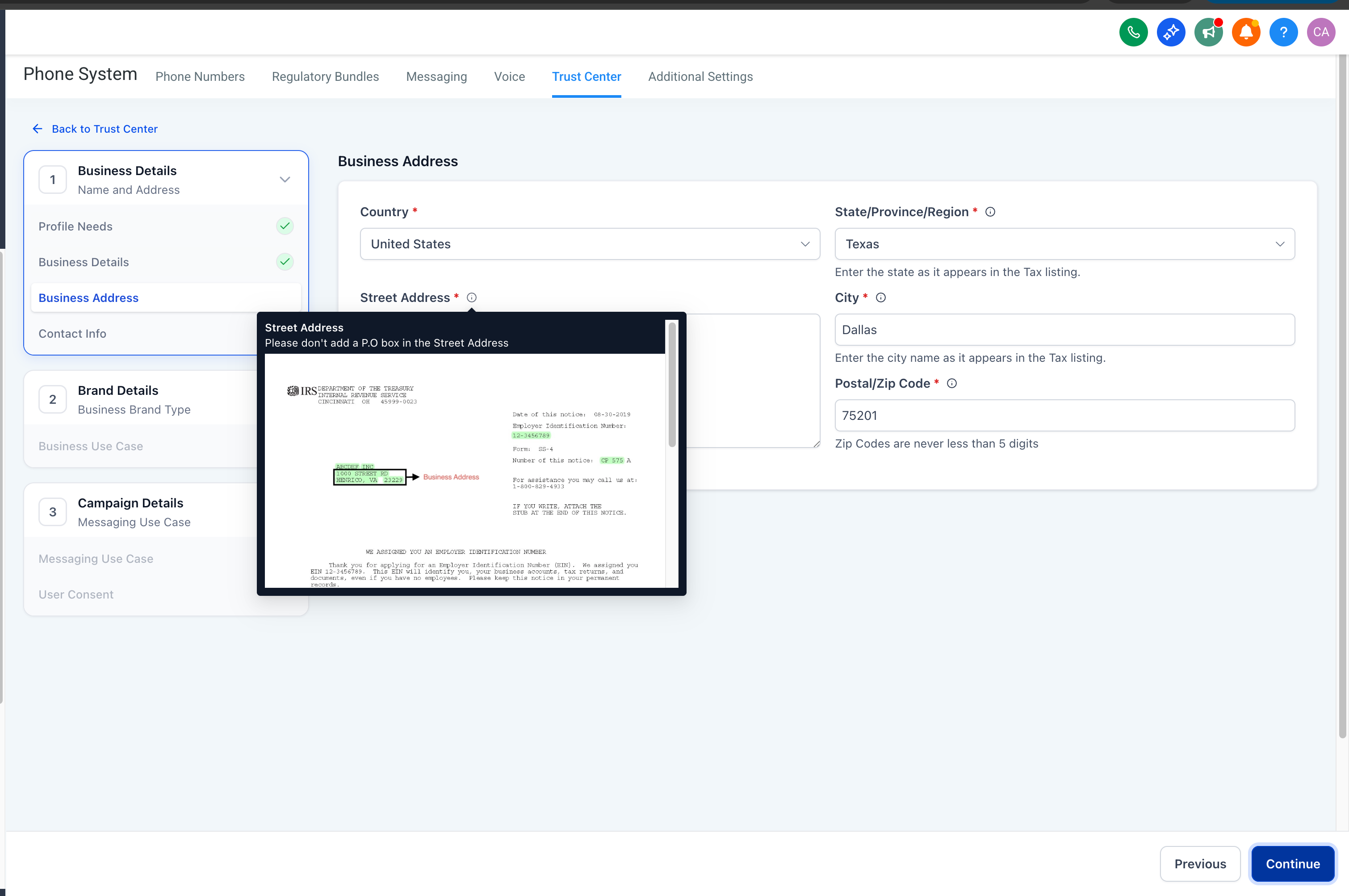
- Before: Dense forms with limited clarity, often causing incorrect submissions.
- Now: Structured sections with inline instructions, live tooltips, and visual reference examples for tax ID, address, and contact information — making compliant data entry simple and foolproof.
- Before: Static, text-heavy forms offering little clarity on compliance expectations.
- Now: Improved tooltips, visual best practices, check-list for best practises that guide users to complete TCR complaint A2P campaign submissions.
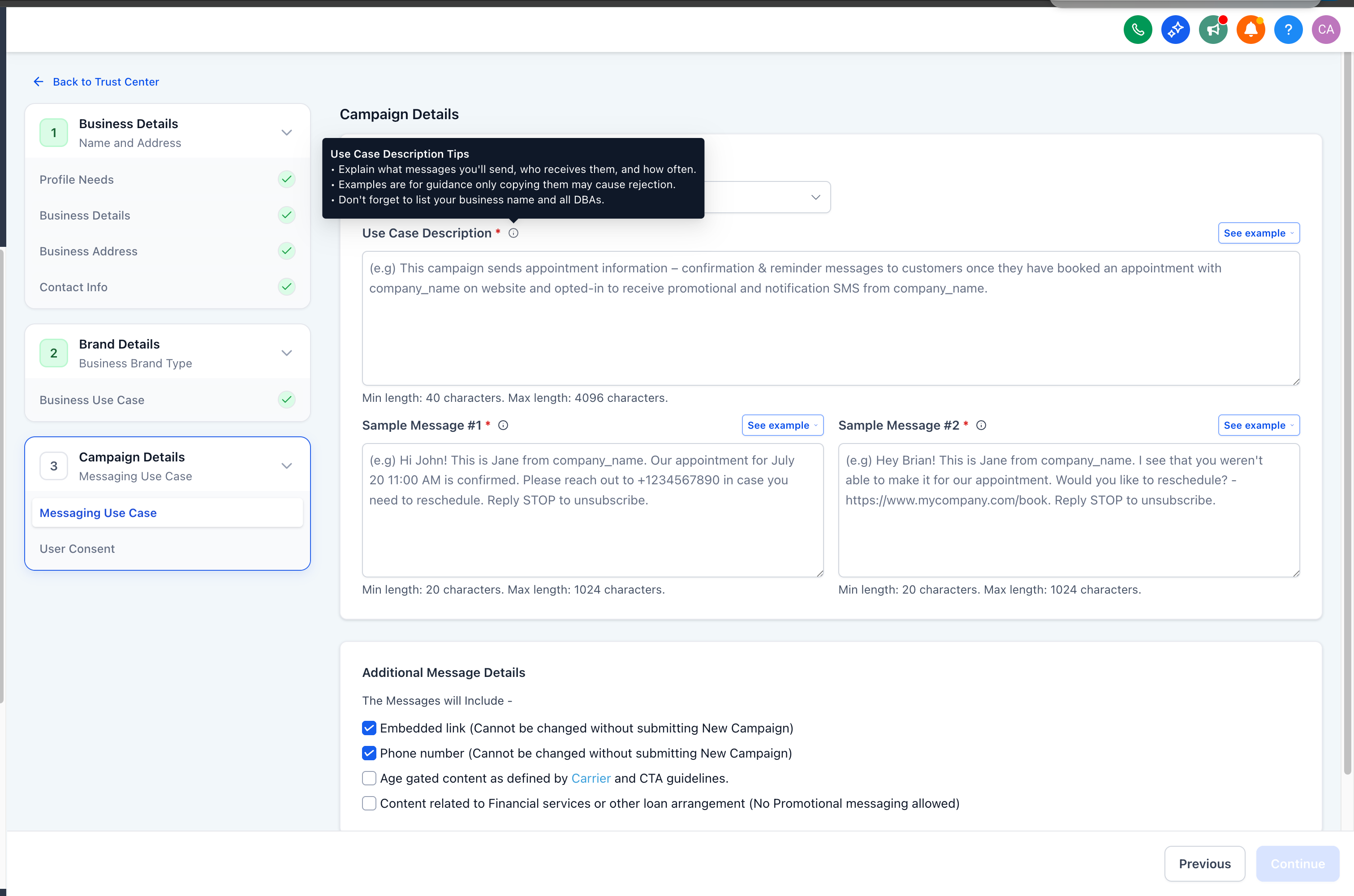
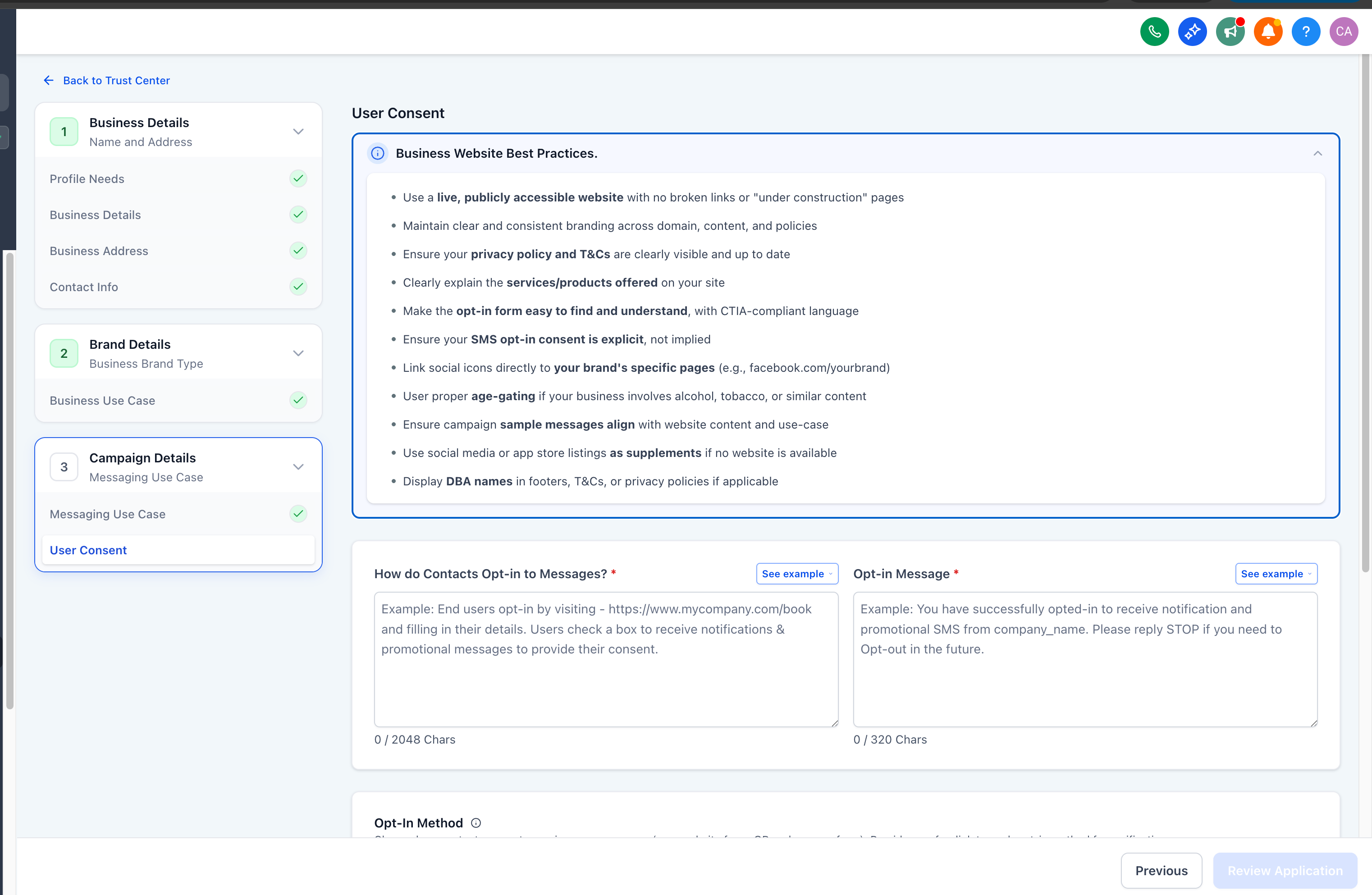
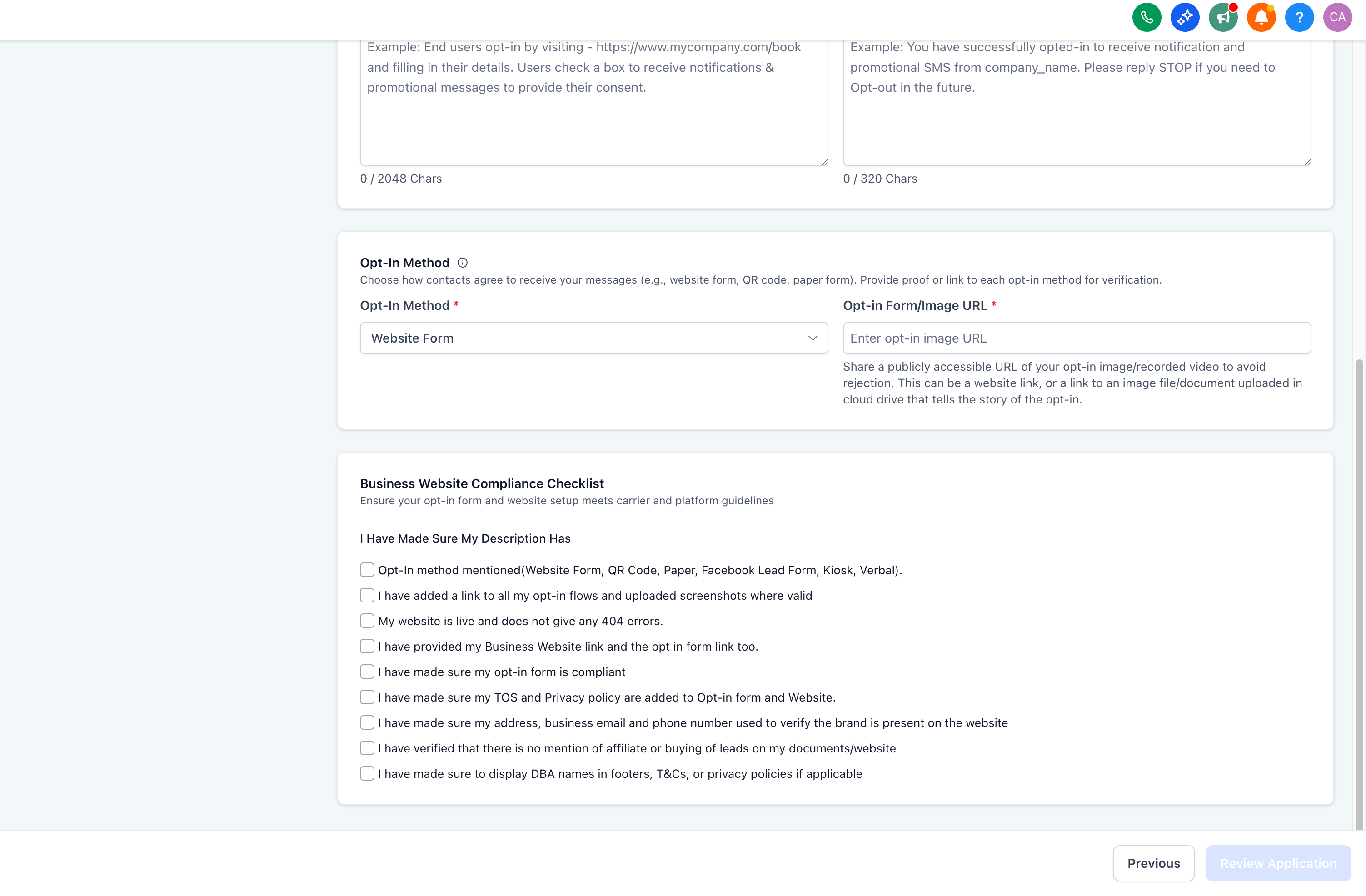
- Before: Users submitted directly after data entry with no way to verify accuracy.
- Now: A dedicated Submission Review screen lets users confirm every detail before submitting — reducing avoidable rejections and resubmissions.
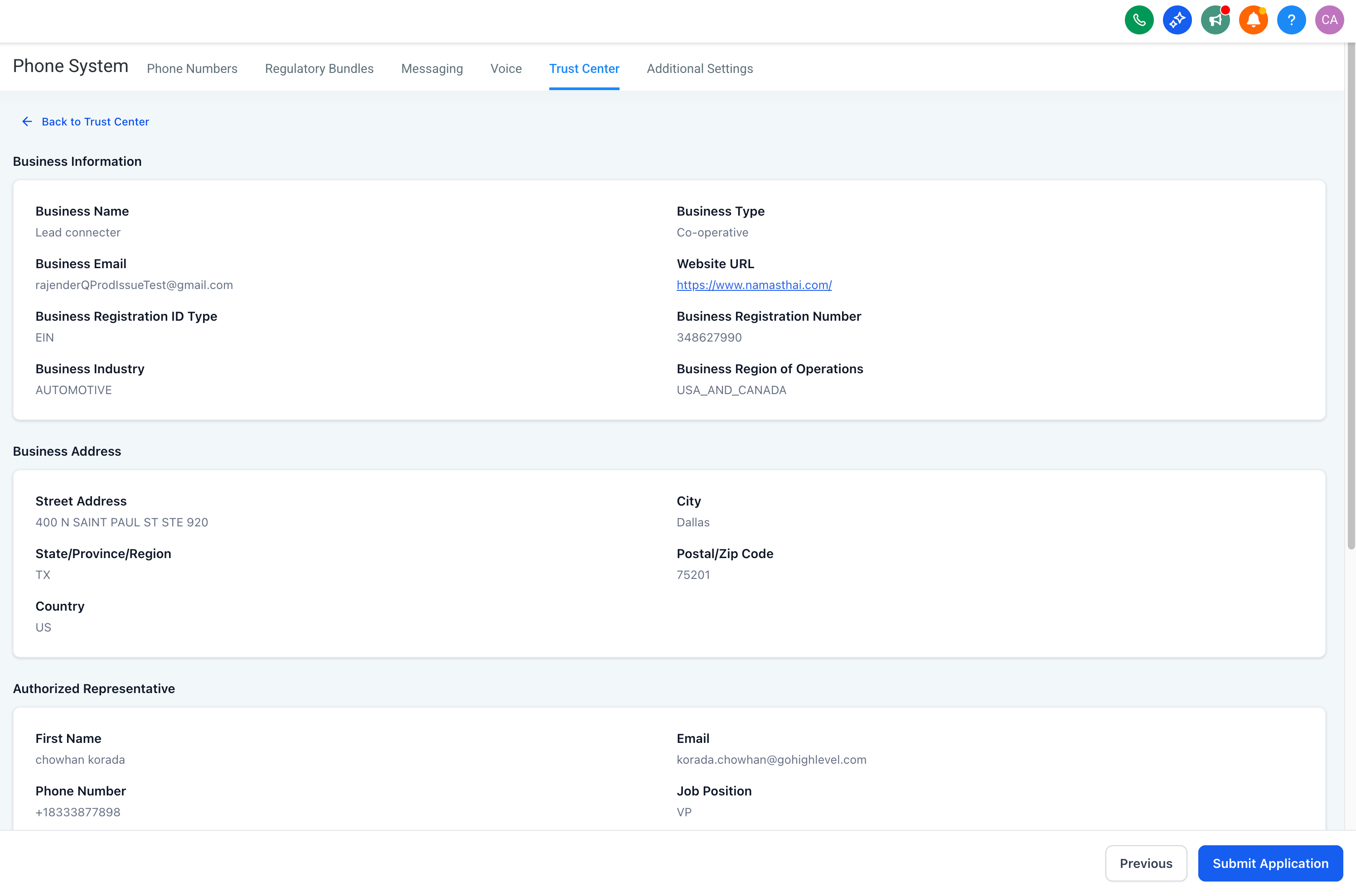
- Before: Limited tool-tips, no visual examples.
- Now: Contextual assistance baked into every step — inline tooltips, visual examples, and embedded best practices — plus upcoming access to Join a Support Call ? and Video Walkthrough ▶️ options directly within the flow.
How to Use the Trust Center for A2P
This overview shows exactly where to start, what to fill out, and how to verify everything before submission—so your team moves efficiently while maintaining compliance and data accuracy.
Open the Trust Center: Go to Settings → Phone Numbers → Trust Center to begin A2P registration.
Complete required details with guidance: Fill out Business, Brand, Campaign, and Consent sections. Use the inline tips and examples to format fields correctly and provide clear consent language.
Validate in Submission Review: Confirm all entries in a single, read-only checklist; use quick edit links to correct anything immediately.
Submit for approval: Send the finalized registration once all details are accurate and compliant.
Frequently Asked Questions
Q. Do existing approved brands and campaigns need re-registration?
No re-registration is required solely due to the UI revamp. Continue using existing approved entities unless you are updating details or creating new campaigns.
Q. Does the new UI change A2P or carrier pricing?
The interface change does not alter pricing.
Q. Does the new flow guarantee approval?
No. Validations improve input quality but don’t replace vetting by carriers and partners. Follow best practices and provide accurate, complete information.
Q. What should sample messages include?
Clear purpose, brand identification, expected content, and required HELP/STOP language. Align examples with your selected use case.
Q. How should I document consent?
Describe how contacts opt in (e.g., form checkbox, SMS keyword). Keep proof of consent and ensure the opt-in confirmation text is easy to understand.
Q. What are common reasons for delays or rejections?
Mismatched legal name/ID formats, incomplete consent descriptions, vague sample messages, prohibited content, or missing links/CTAs.