
Log every voice-call outcome in seconds and let SourCherry automate the follow-up for you. Custom Dispositions turn “what happened on that call?” into actionable data that fires workflows and fuels reporting.
TABLE OF CONTENTS
- What are Custom Dispositions for Voice Calls?
- Key Benefits of Custom Dispositions for Voice Calls
- Creating and Managing Dispositions
- Using Custom Call Disposition in Workflows
- How To Set Up Custom Dispositions for Voice Calls
- How does Call Disposition Work
- Using Dispositions in Reporting
- Custom Dispositions on Mobile
- Supported Call Types
- Limitations
- Migration Note: Call Status → Call Disposition
- User Roles and Permissions
- Frequently Asked Questions
What are Custom Dispositions for Voice Calls?
Custom Dispositions let agents (or the Power Dialer) choose a single outcome—like Follow Up, Requested Appointment, or Not Interested—immediately after each call. That selection is stored on the call record, can trigger automations, and appears in Call Reporting for analysis.
Key Benefits of Custom Dispositions for Voice Calls
Custom Dispositions make every call count by delivering:
- Faster wrap-up: agents pick an outcome in one click, so they can move to the next call sooner.
- Cleaner automation: workflows can start the moment a specific disposition is chosen (e.g., send SMS, re-enqueue in Power Dialer).
- Better visibility: standardized outcomes become filterable columns in Call Reporting
- Seamless migration: replaces legacy Call Status with zero data loss (update your Call Details triggers).
Creating and Managing Dispositions
Admins control the list their team will see in the dialer. Build concise, action-oriented outcomes that match your pipeline stages. Dispositions may be reordered for agent convenience and edited at any time—existing workflows keep working when a disposition is renamed.
Using Custom Call Disposition in Workflows
Dispositions feed directly into the Call Details workflow trigger via the new Custom Disposition filter. Combine dispositions with other filters (direction, duration, tags) to:
- Send personalized SMS/email sequences
- Re-enqueue leads in Power Dialer
- Apply or remove tags
- Create tasks or opportunities
- Link: Workflow Trigger – Call Details
How to Set Up:
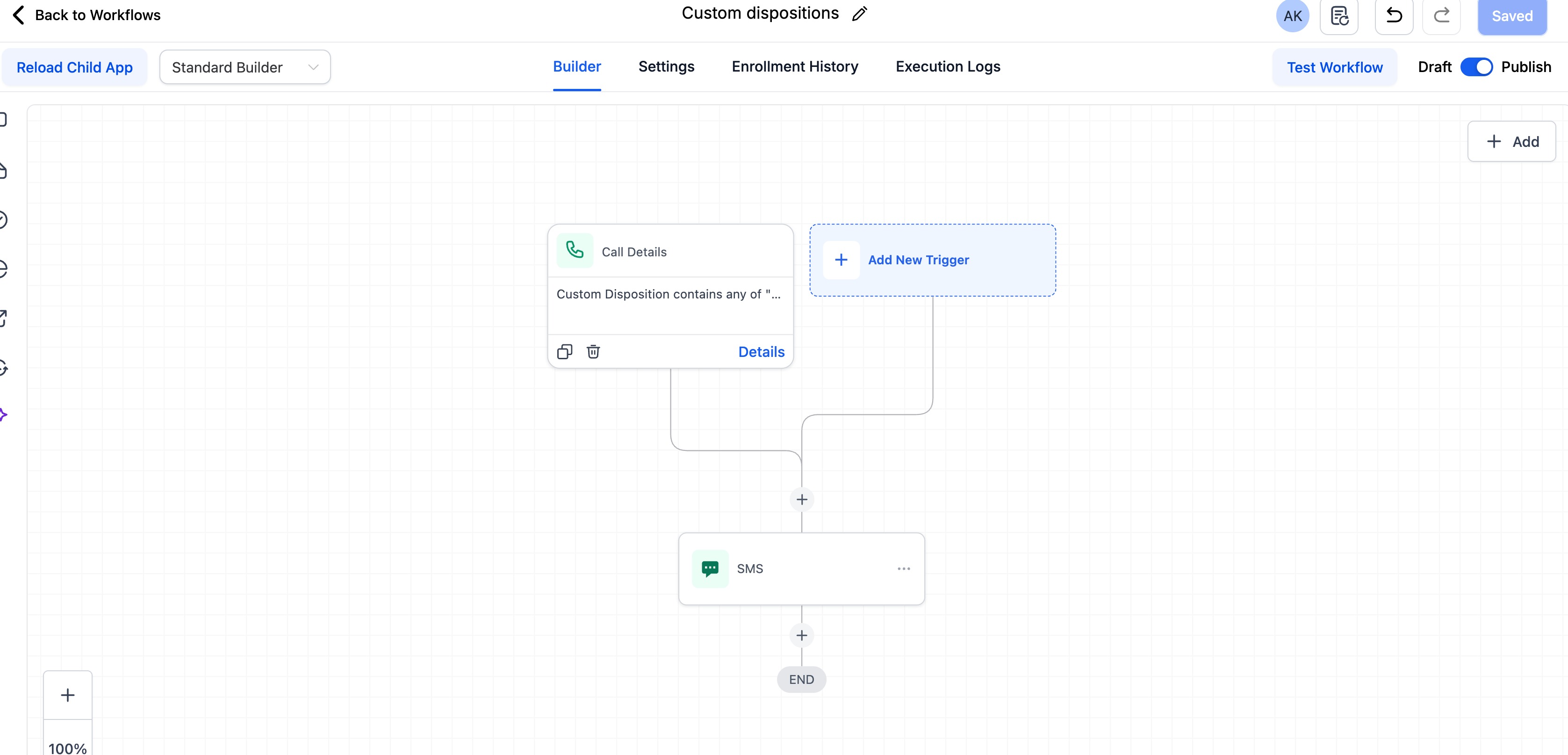
Step1: Under Automations, Add a trigger: Call Details.
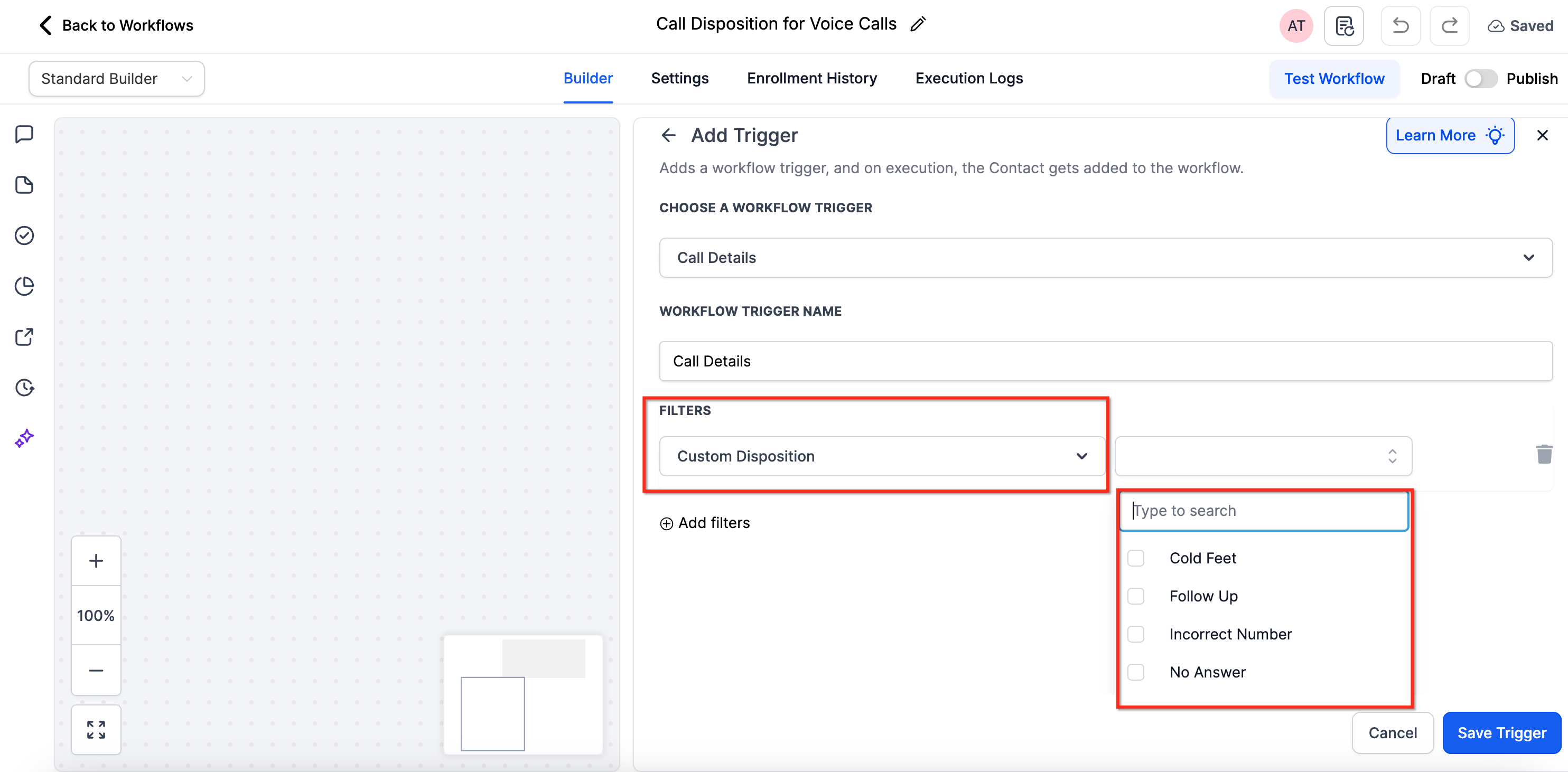
Step 2: Select the filter Custom Disposition.
Choose one or more dispositions to automate your desired follow-up actions.
Step 3: Your chosen disposition can automatically trigger workflows such as:
Sending a follow-up SMS or email
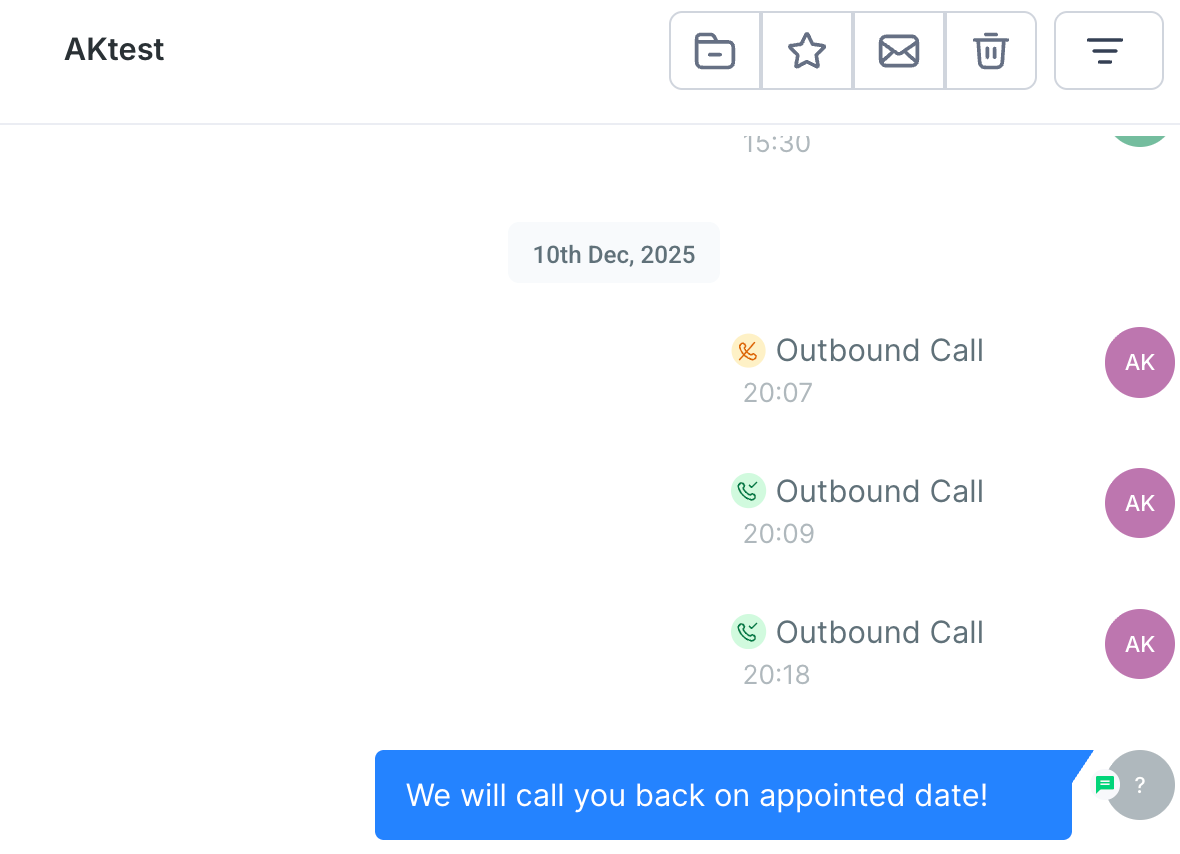
- Scheduling an appointment.
- Adding the contact to a specific pipeline or campaign.
How To Set Up Custom Dispositions for Voice Calls
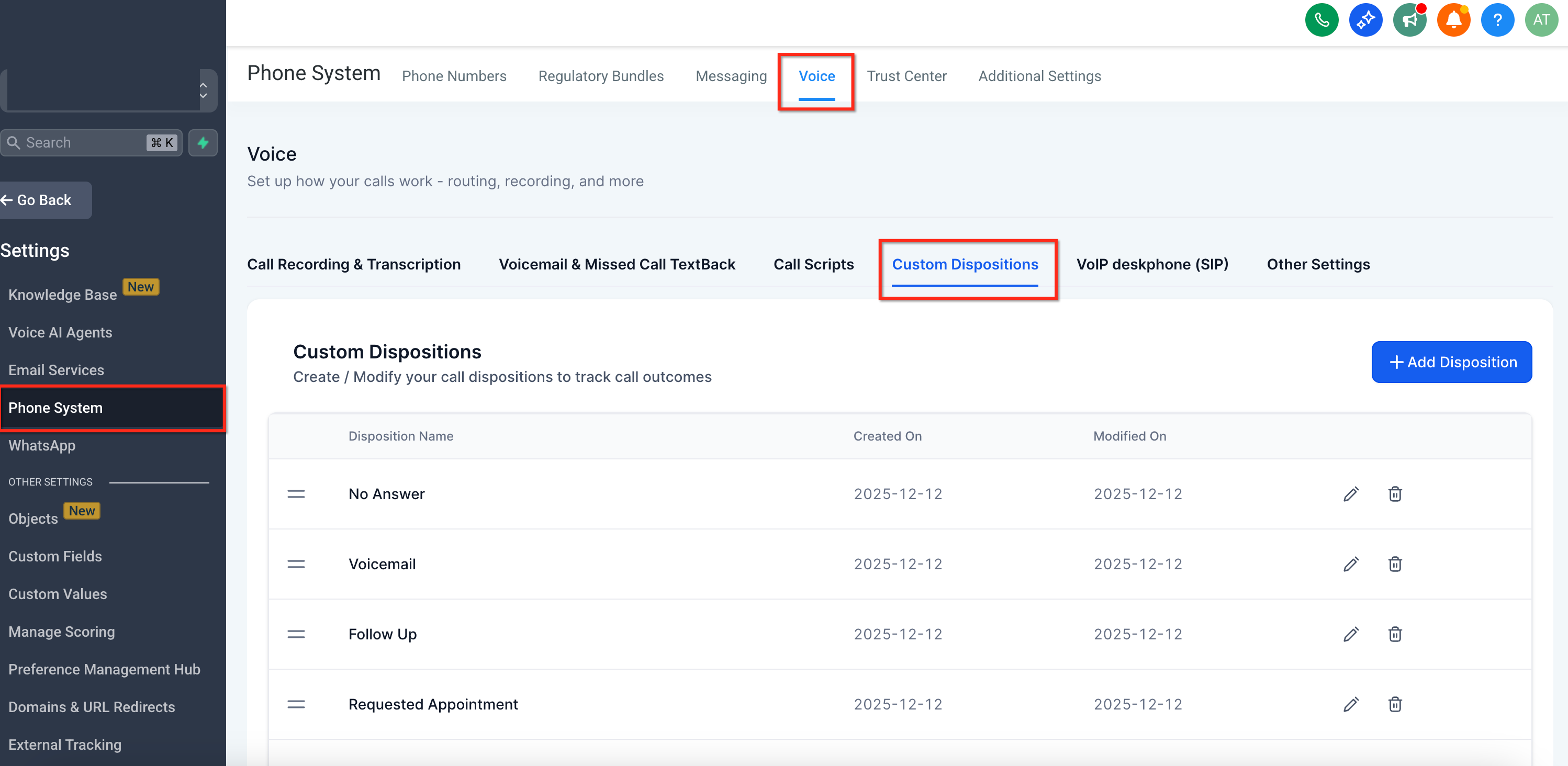
Default Dispositions: By default, every account starts with preset dispositions for visibility and ease of use. Admins can add or modify these.
Creating & Editing Dispositions: Only sub-account admins can create, edit, or delete dispositions. You can have up to 10 dispositions per sub-account.
For Set-up: Go to Sub-account Settings → Phone System → Voice → Call Dispositions. Edit the existing ones or add new ones.
How does Call Disposition Work
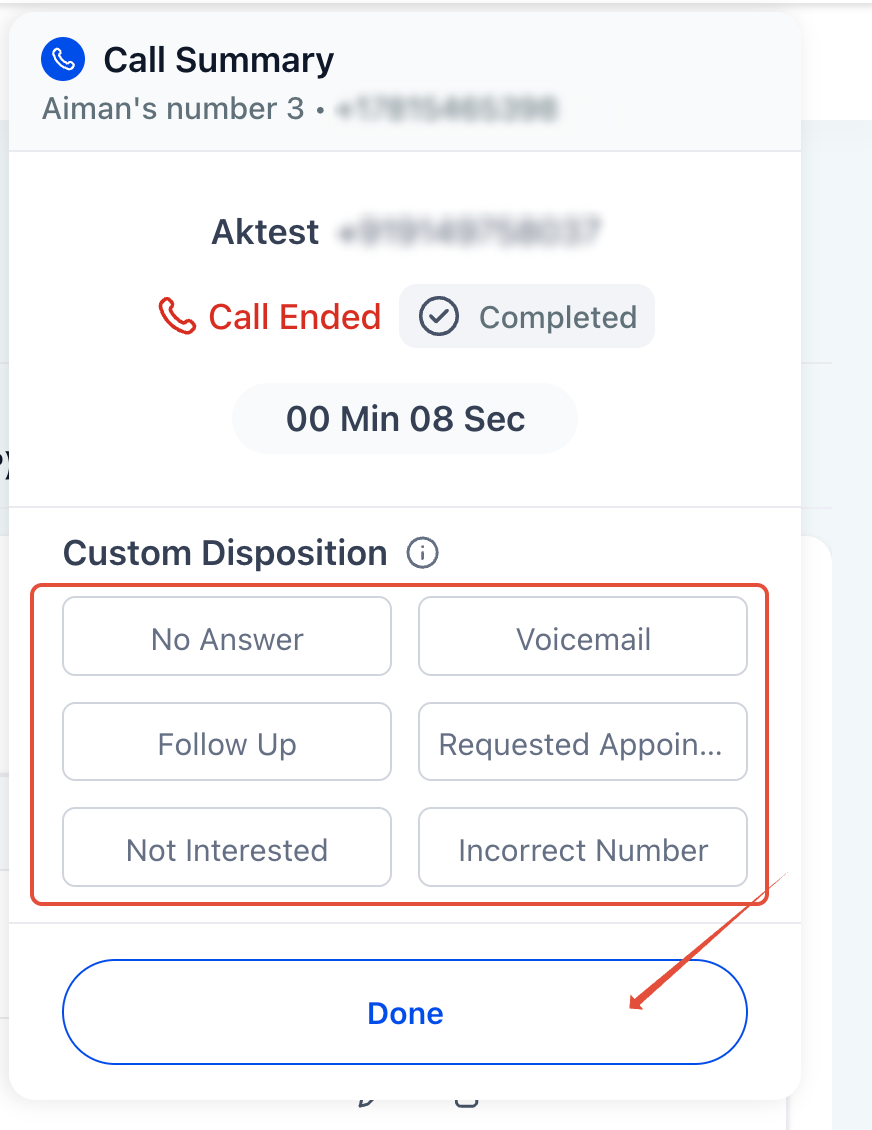
When a call ends in the web dialer, you’ll see up to 10 call dispositions to choose from, for example, Follow Up or Requested Appointment. You simply select the appropriate one to log the outcome.
Using Dispositions in Reporting
Reporting: All selected dispositions are stored and can be viewed in: Reporting → Call Reporting
This lets you track patterns like call outcomes per user or team performance. In the Call Reporting table, you’ll now see a new column for Call Disposition. You can also use it as a filter to analyze performance by disposition, for example, how many calls resulted in “Requested Callback”.
IMPORTANT: This feature is coming soon!
Custom Dispositions on Mobile
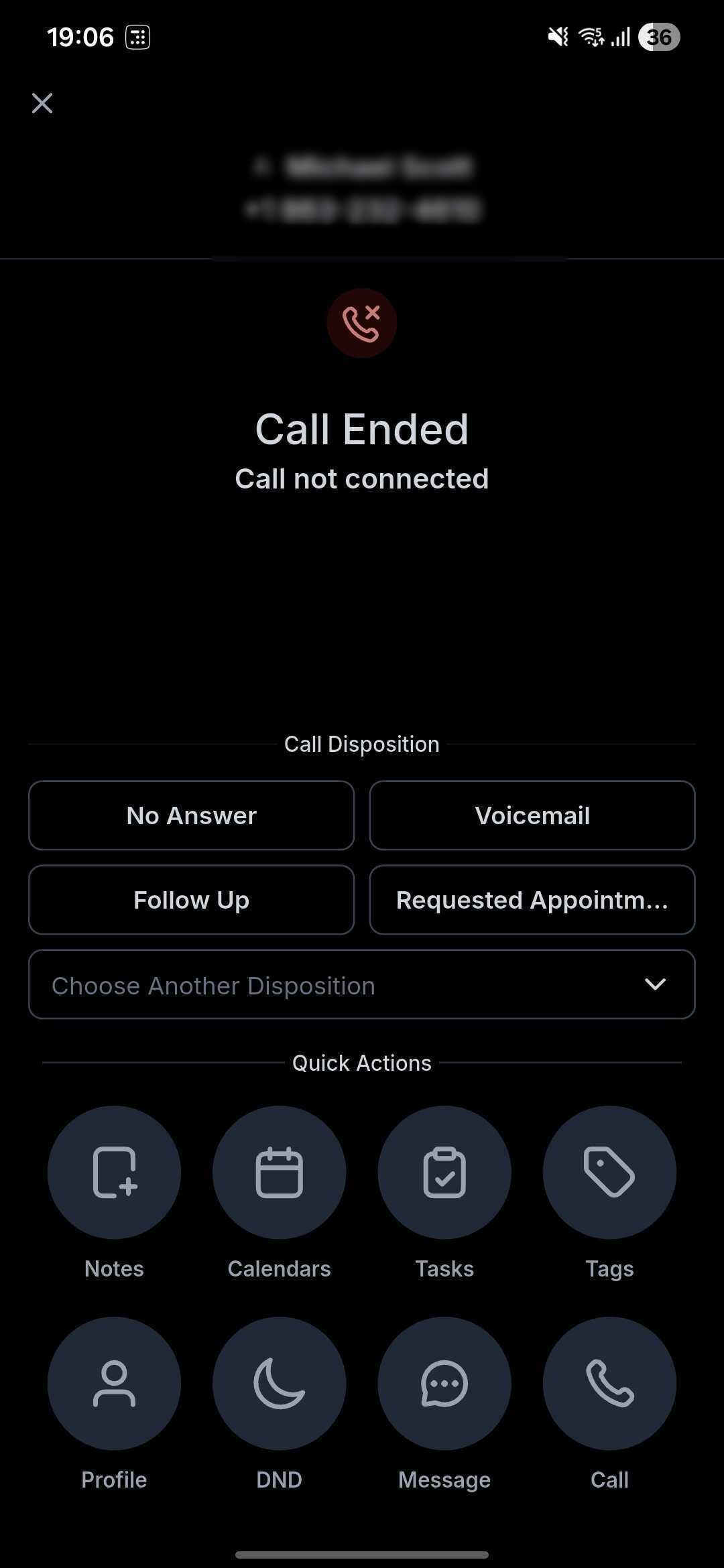
Custom Dispositions are now fully supported on mobile, making it easy to log clear call outcomes and trigger next steps instantly—right from your phone. This feature is live across SourCherry, SourCherry, and Whitelabelled mobile apps on both iOS and Android.
What's New
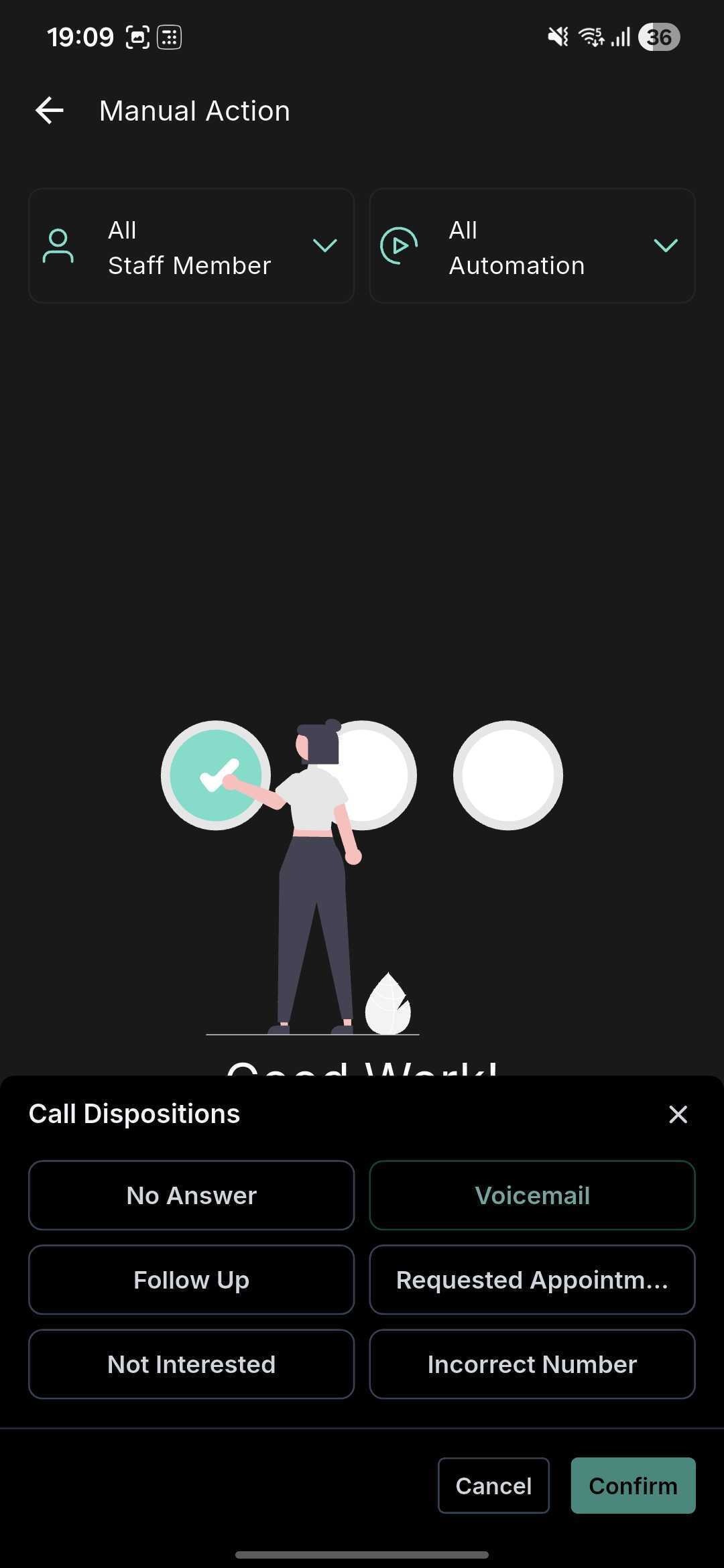
- Call End Screen Support: Select a disposition immediately when a call ends or from the post-call view, no desktop required.
- Single Disposition per Call: Log one definitive outcome (e.g., Follow Up, Qualified) to ensure clean data and consistent reporting.
- Workflow-Ready: Use the Custom Disposition filter in workflows to automatically trigger follow-ups, tasks, pipeline movements, and more.
Mobile-Specific Notes
Sub-Account Matching Required: Dispositions only appear when the selected sub-account matches the call’s location. Since mobile apps can receive calls across multiple sub-accounts, cross-sub-account dispositions are not supported. Use the Switch option if needed.
Supported Call Types
1. Call Dispositions work for:
- All calls made or received via the web or mobile app
- Both LC Phone and Twilio sub-accounts
2. Not supported for: Calls answered via personal number or desk phone.
Limitations
- Only one disposition per call
- Maximum 10 dispositions per account
- Sub-dispositions (nested outcomes) are not available
- Multiple selections are not supported
Migration Note: Call Status → Call Disposition
If you were previously using Call Status in the Power Dialer (Manual Actions):
- The manual call status selection option has been replaced by Call Disposition.
- Existing workflows using “Call Status” triggers should be updated to use the Custom Disposition filter in Call Details Trigger instead.
- Your older data will remain visible, but new automations should use the new system
User Roles and Permissions
| Role | Action |
|---|---|
| Admin | Create, Edit, and Delete dispositions |
| User | Select disposition after call |
Frequently Asked Questions
Q: Do agents have to pick a disposition after every call?
No. Selecting a disposition is optional, but highly recommended for accurate reporting and automation.
Q: What happens if I rename a disposition that’s used in workflows?
Workflows continue to fire; the system tracks the disposition’s internal ID.
Q: What happens if I delete a disposition?
Associated workflows will stop triggering until you remove or replace that filter.
Q: Are multiple dispositions per call supported?
Not at this time—only one disposition can be selected per call.
Q: Which call types support dispositions?
All web- or mobile-app calls on LC Phone or Twilio numbers. Calls answered on a personal or desk phone are excluded.
Q: Will historical Call Status data remain visible?
Yes, but new automations should switch to the Custom Disposition filter.