
Overview
Coupons help you offer discounts on your products and increase conversions across your checkouts. You can create coupons that apply to one-time and recurring products and control how, where, and how often they can be used.
Coupons can be used across:
Funnels (Order Forms)
Stores
Websites
Payment Links
Calendars
Services
Gift Card Sell Page
Business Facing - Create Subscription
⚠️ Coupons are not supported on Estimates and Invoices. Certain types of coupon settings are not supported for subscription payments made with PayPal.
TABLE OF CONTENTS
- Overview
- What Does This Feature Do?
- What Do I Need to Use Coupons?
- How to Create a Coupon
- Coupon Currency
- Step 4: Set Validity (Optional)
- Step 5: Configure Usage Restrictions
- Step 6: Configure Subscription Behavior (If Applicable)
- Step 7: Create the Coupon
- How Coupons Work at Checkout
- Important Behaviors & Limitations
- FAQs
- Can I create a free product using coupons?
- Can I edit or delete coupons later?
- Can a coupon be applied to both one-time and subscription products in the same order?
- What happens if a coupon is applied to a product with multiple quantities?
- Can I change a coupon after it has already been used?
- Does the coupon apply on Set-up Fees?
- Which coupon configurations are not supported with PayPal?
What Does This Feature Do?
Coupons allow you to:
Offer percentage or fixed discounts
Apply discounts on entire carts or specific products
Control usage through limits and restrictions
Apply discounts on subscriptions (with duration controls)
Track usage and redemption
What Do I Need to Use Coupons?
Access to Payments → Coupons
A checkout, selling products, where coupons are supported
How to Create a Coupon
Step 1: Navigate to Coupons
Go to:
Payments → Coupons → Create Coupon

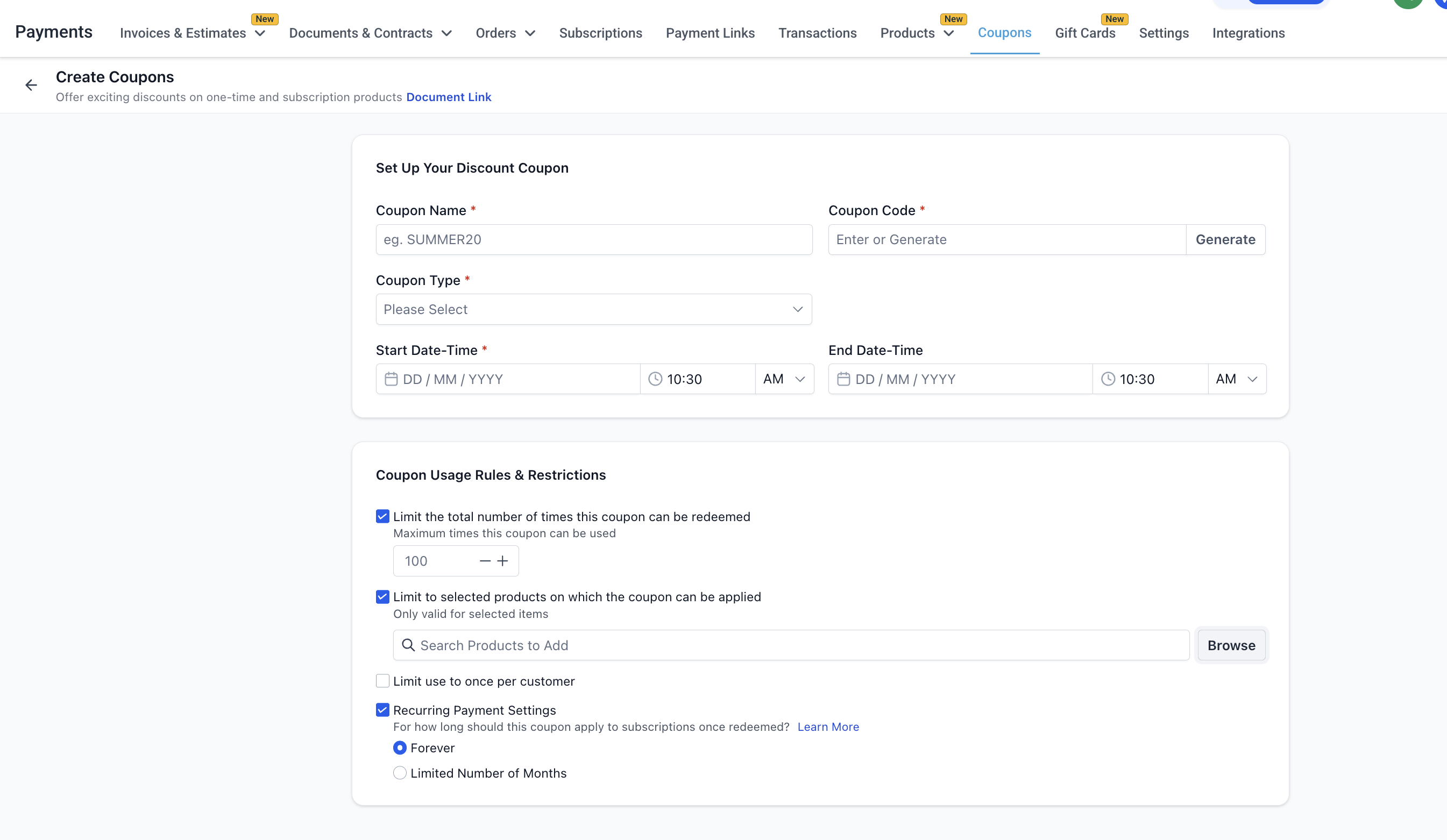
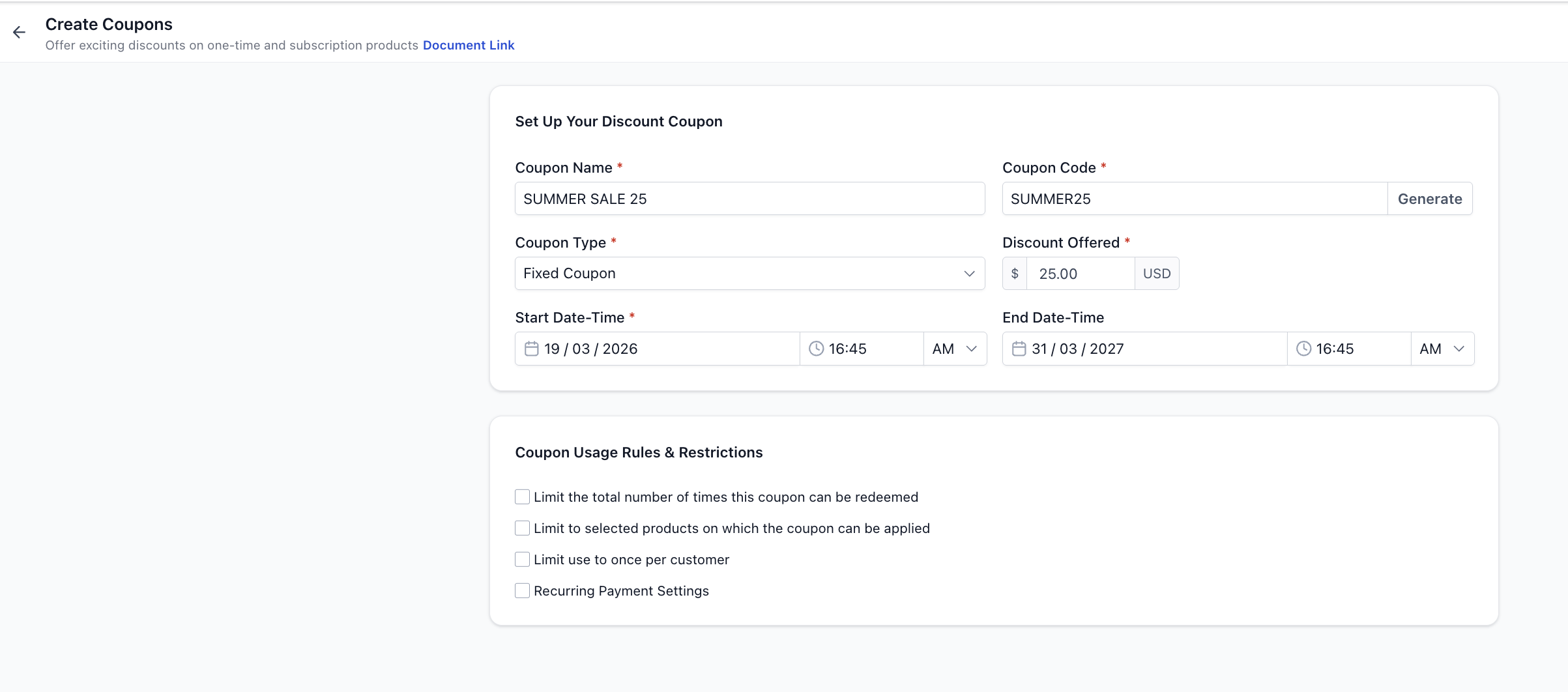
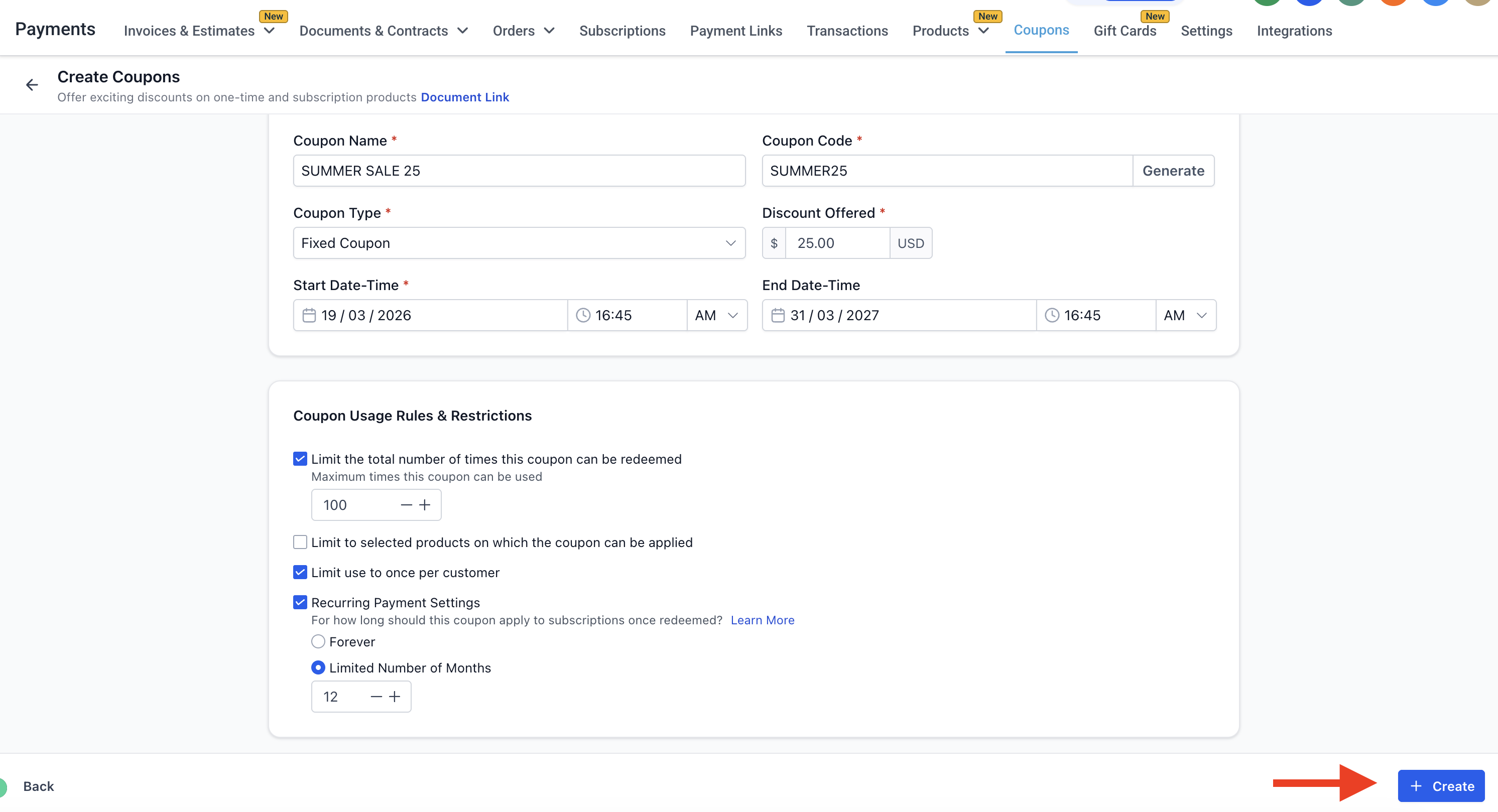
Step 2: Enter Basic Details
Coupon Name
Internal reference for your coupon
Example:
SUMMER SALE 2025
Coupon Code
The code customers will enter at checkout
Must be:
Alphanumeric only
No spaces or special characters
Case-insensitive (automatically converted to uppercase)
You can also click Generate to auto-create a code
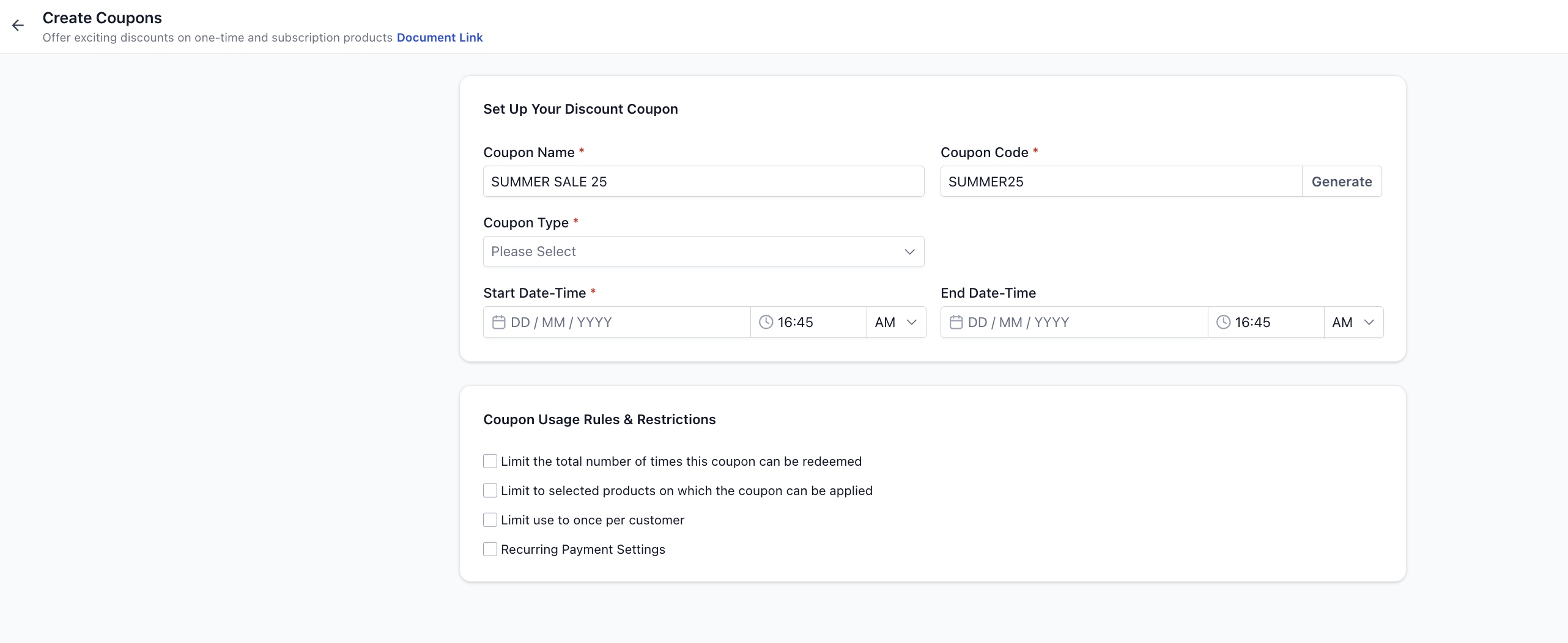
Step 3: Select Coupon Type
You can choose between two types:
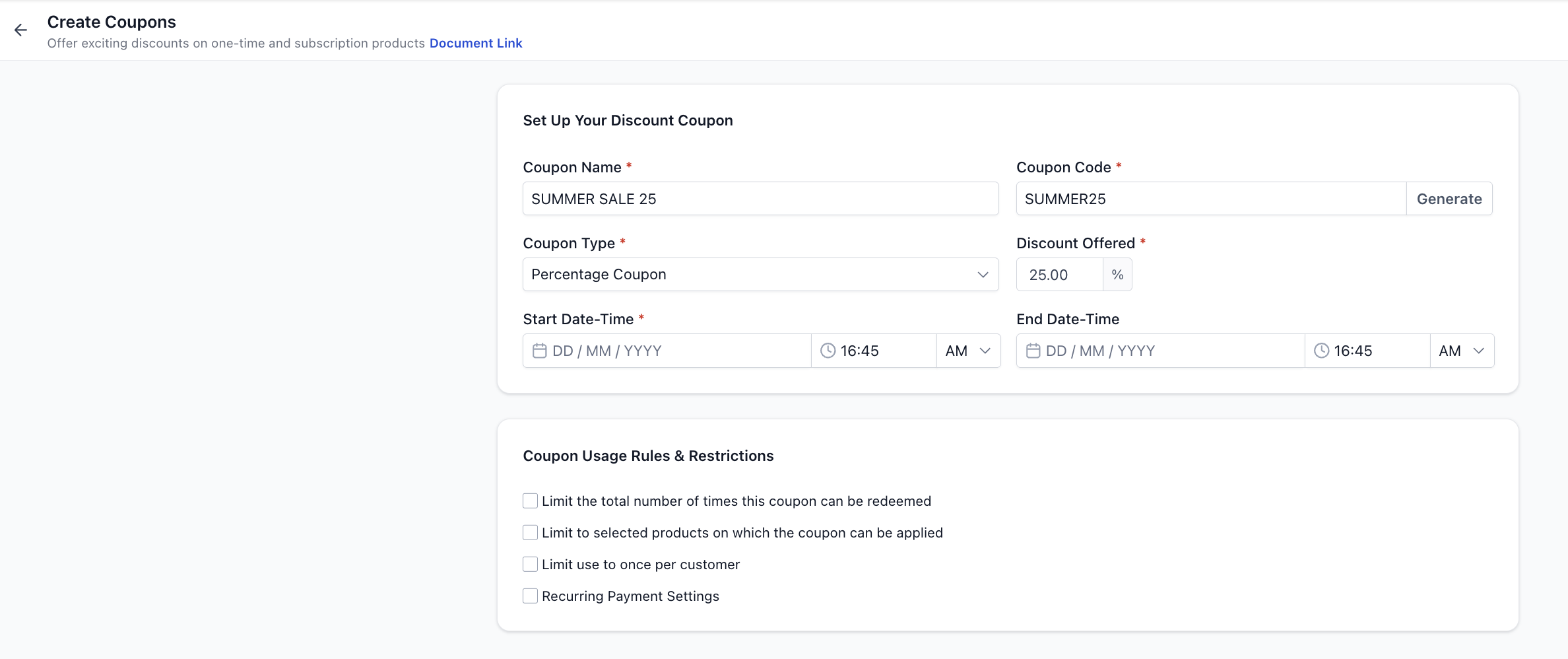
1. Percentage-Based Coupon
Applies a percentage discount on the total value
Example:
Cart = $100
Coupon = 25%
Final = $75
2. Fixed Amount Coupon
Applies a fixed discount regardless of order size
Example:
Cart = $100
Coupon = $25
Final = $75
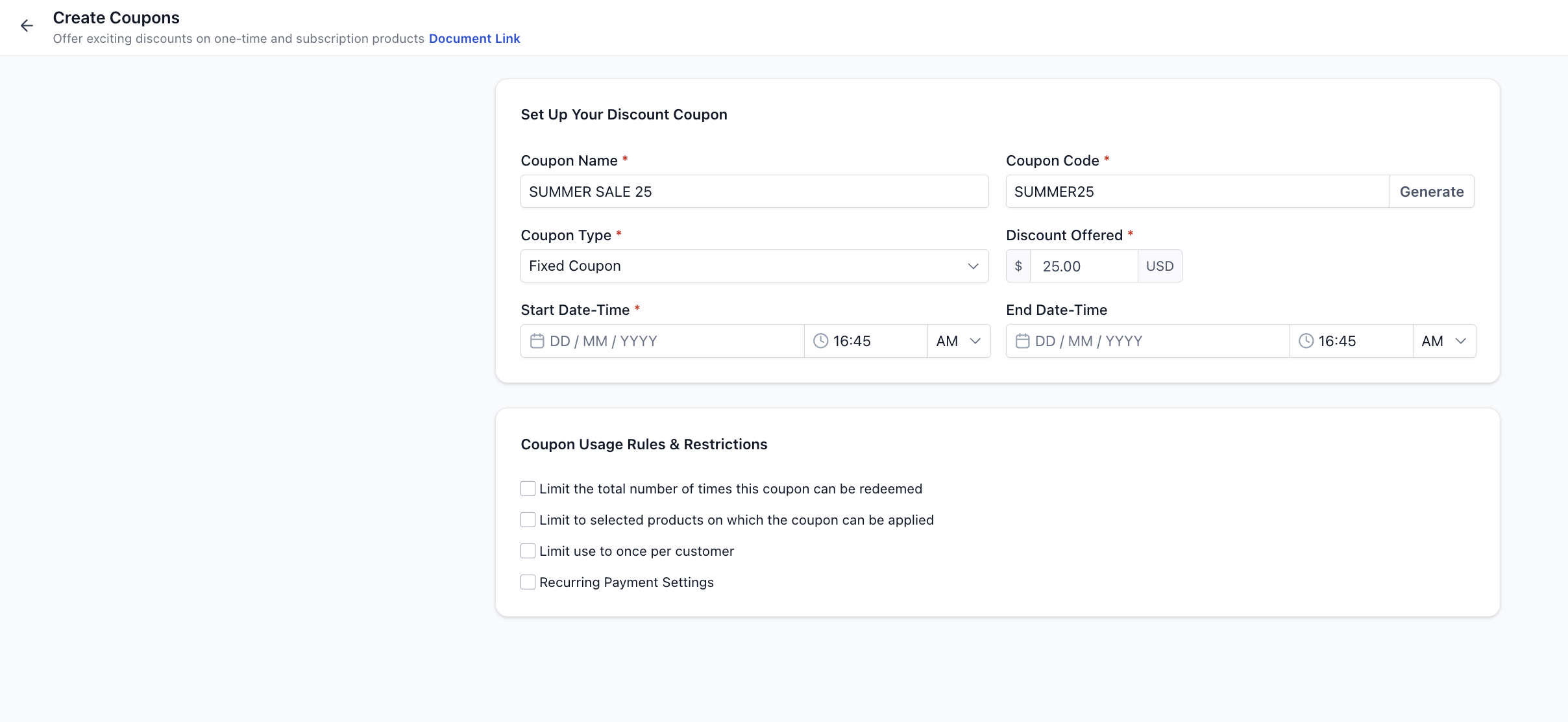
Coupon Currency
Coupon currency is automatically set to your sub-account currency
It cannot be changed manually
Step 4: Set Validity (Optional)
You can define when the coupon is usable:
Start Date & Time → When the coupon becomes active
End Date & Time → When the coupon expires
If no end date is set → coupon remains active indefinitely
Step 5: Configure Usage Restrictions
You can apply the following controls:
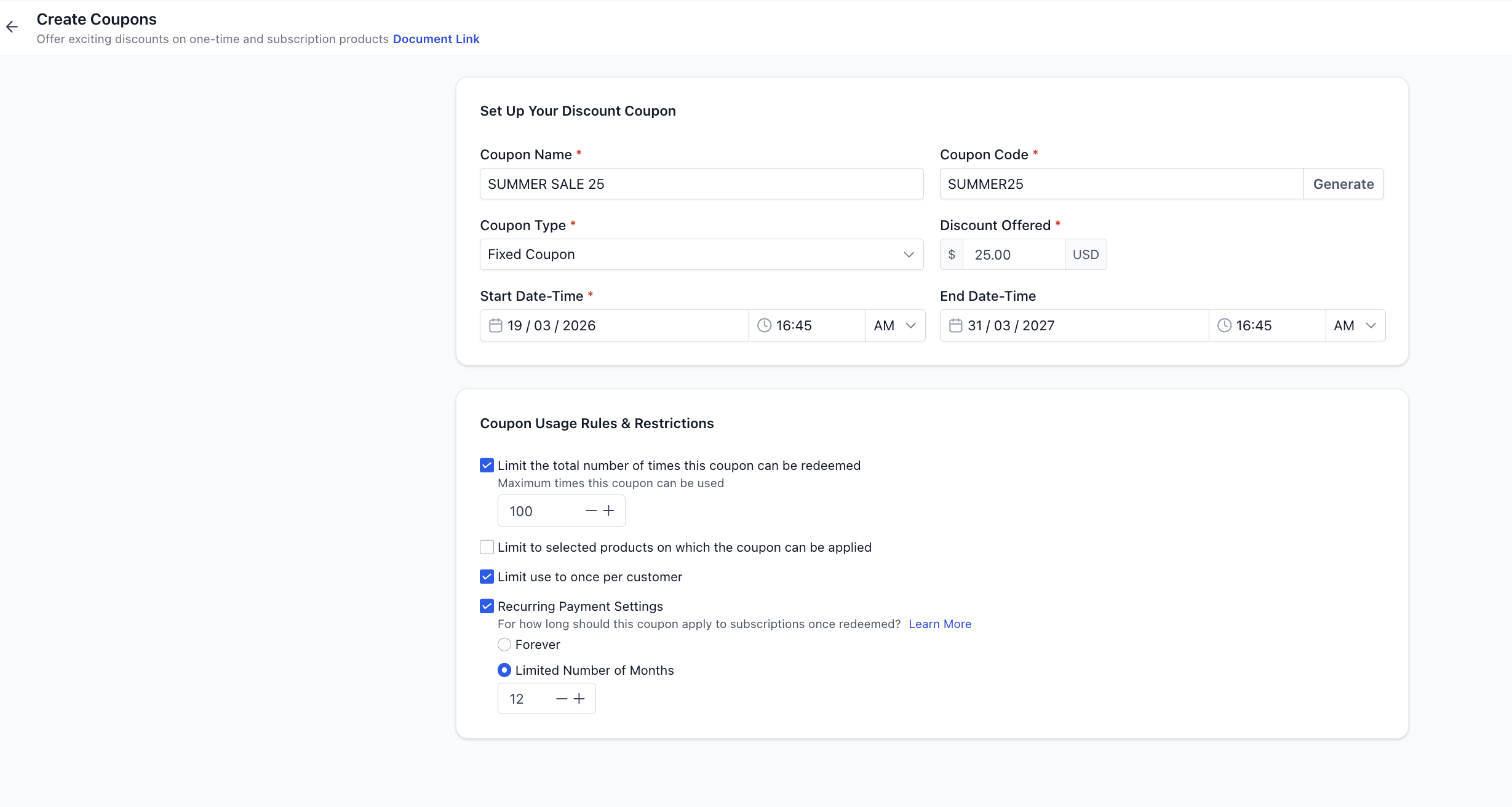
1. Limit Total Redemptions
Restrict how many times the coupon can be used
Example: Limit to 100 uses
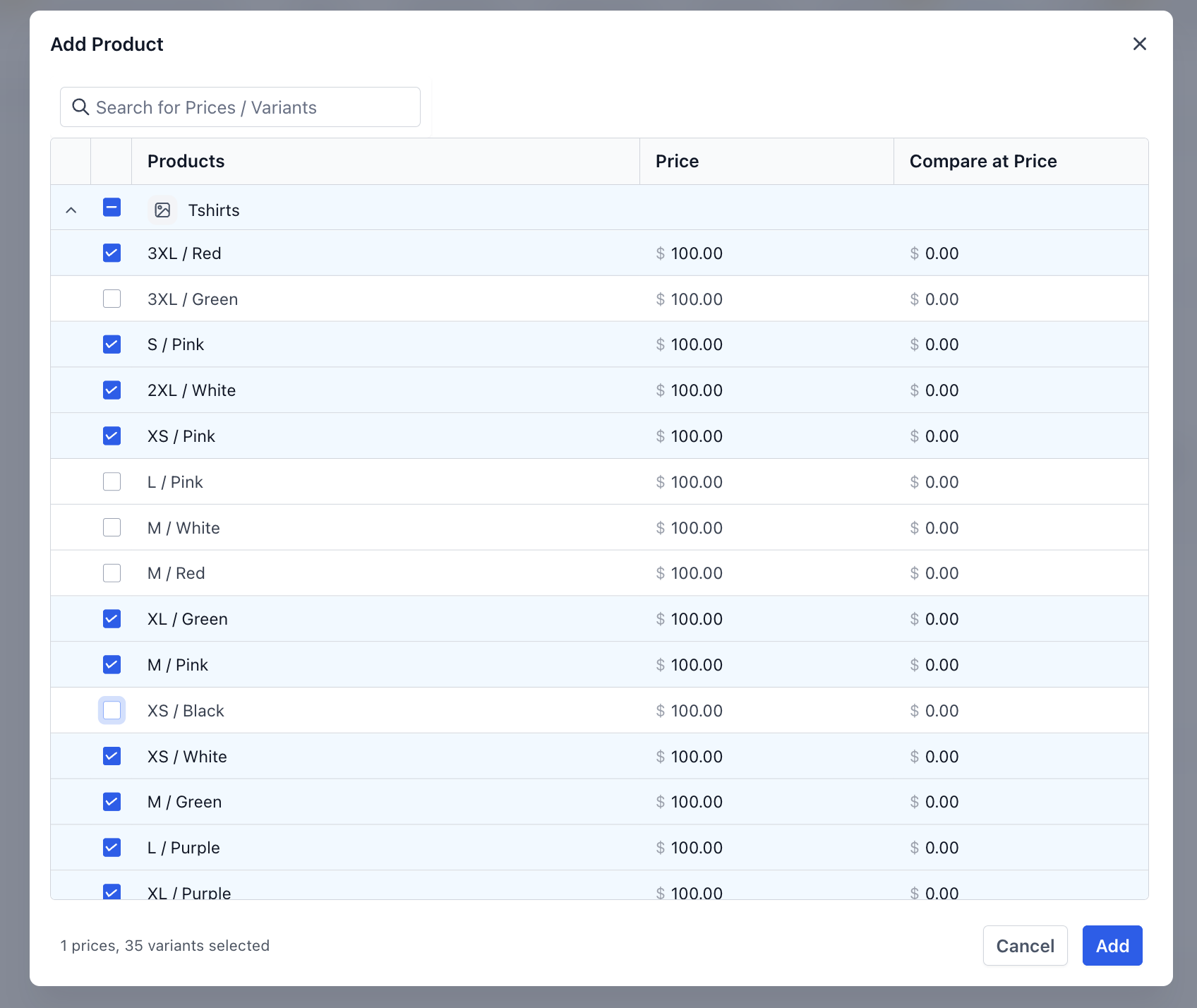
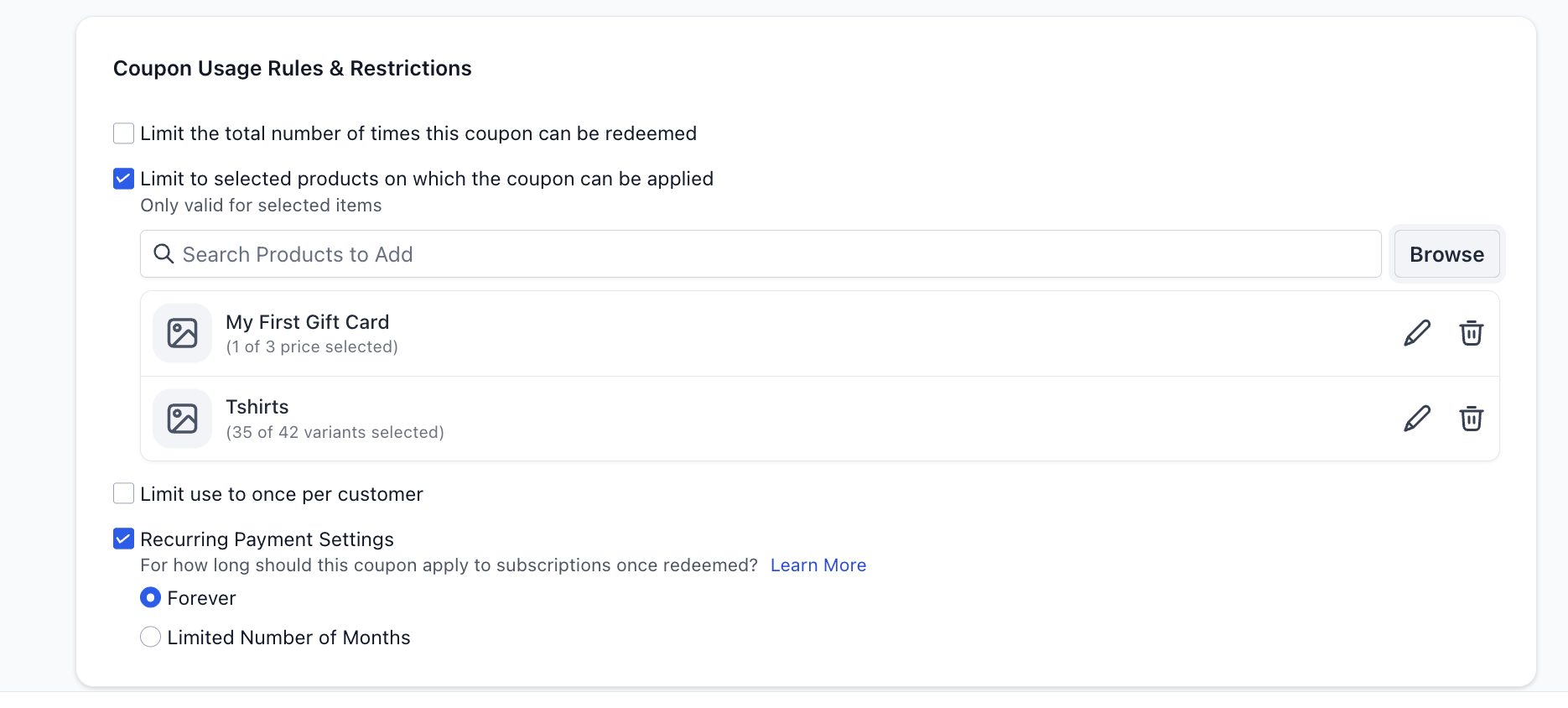
2. Limit to Selected Products
Restrict coupon usage to specific products
Example:
Coupon works only for “Premium Plan”
Cannot be used on other products
Coupons can also be restricted to certain prices and variants instead of all under a product.
3. Limit to One Use per Customer
Prevent a single customer from reusing the coupon
Step 6: Configure Subscription Behavior (If Applicable)
For recurring products, you can control how long the discount applies:
Apply to Future Payments
You can choose:
Forever
→ Discount applies to every billing cycleMultiple Months
→ Discount applies for a fixed duration
Example:
Subscription = $100/month
Coupon = 20% for 3 months
Customer pays $80/month for first 3 months
Then returns to $100/month
Note: This applies regardless of billing frequency
Step 7: Create the Coupon
Click Create
Your coupon is now active (or scheduled based on your settings).
How Coupons Work at Checkout
Coupon input field appears only when a valid coupon exists
If no applicable coupon → field is hidden automatically
Discounts are:
Shown in checkout summary
Applied across applicable products proportionally
Visible in order details
Many checkouts (Funnels, Payment Links, etc.) have an option on the builder to enable or disable visibility and application of coupons during checkout
Important Behaviors & Limitations
Coupons apply to:
One-time products
Recurring products
Coupons do not apply to one-click upsells (in case of Funnels)
Coupons can reduce cart value to $0
Customer still needs to enter card details for verification, if builder level setting for this is checked. If builder doesn't have setting for managing $0 transactions, card details are always required.
100% discounts support via most providers except PayPal.
Coupon codes are:
Case-insensitive
Unique
Discounts are distributed proportionally across products
FAQs
Can I create a free product using coupons?
Yes — use a 100% discount coupon
Can I edit or delete coupons later?
Yes — you can edit, delete, or view usage history anytime
Can a coupon be applied to both one-time and subscription products in the same order?
Yes. Coupons apply to both one-time and recurring products within the same order. For subscriptions, the coupon behavior will follow the configured duration (e.g., one-time, multiple months, or forever).
What happens if a coupon is applied to a product with multiple quantities?
The discount is calculated based on the total value of that product (quantity × price). For example, if a product costs $20 and a customer buys 5 units with a 10% coupon, the discount applied will be $10 (10% of $100).
Can I change a coupon after it has already been used?
You can edit certain coupon settings (like name, limits, or validity), but changes will only apply to future uses. Past orders where the coupon was already applied will remain unchanged.