Email · What's New
New: Agency-Level Control Over Email Services
Centrally manage whether sub-accounts can add their own Email Services, with per-account overrides when needed.
Overview
We've introduced a new agency-level setting that gives you centralized control over Email Services across all your sub-accounts. This update improves governance, simplifies management, and makes email configuration easier to find and oversee from one place.
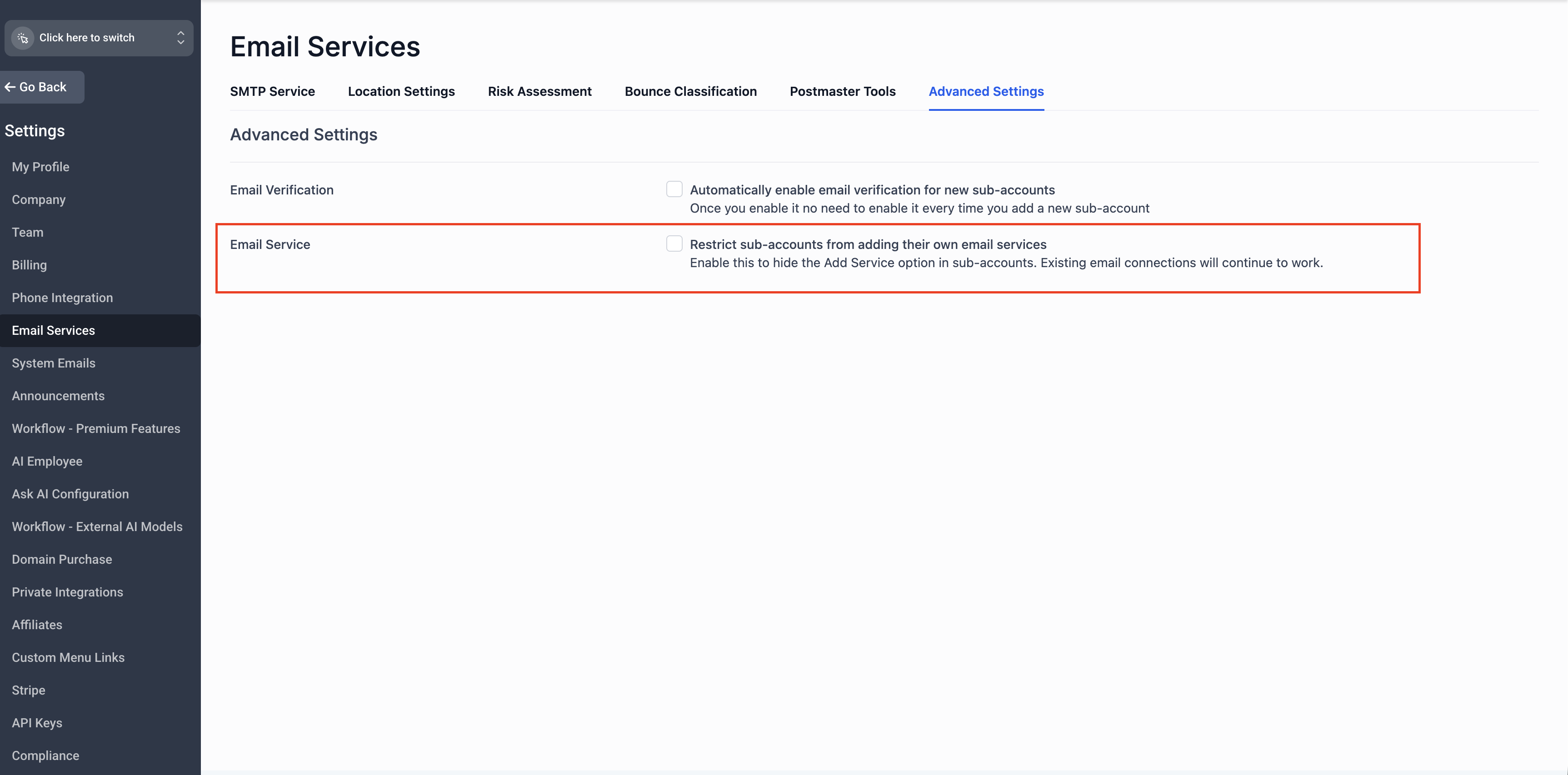
A new toggle has been added under:
Agency View → Settings → Email Services → Advanced Settings
This toggle controls whether the "Add Email Service" button is visible and available within sub-accounts. Agencies can now enable or disable access to Email Services for sub-accounts directly from this centralized setting — no need to manage it account by account.
For New Agencies
- The Email Services control toggle is enabled by default
- The "Add Services" button will be hidden in sub-accounts
- Sub-account access to Email Services is governed entirely by the agency-level setting
For Existing Agencies
- The Email Services control toggle is disabled by default
- The "Add Services" button remains visible in sub-accounts, preserving your current workflow
- No disruption to any sub-accounts already using Email Services
Good to Know
No action is required for existing sub-accounts that are already set up with Email Services. Their configurations will continue to work as expected.
3
Managing Email Services for a Specific Sub-Account
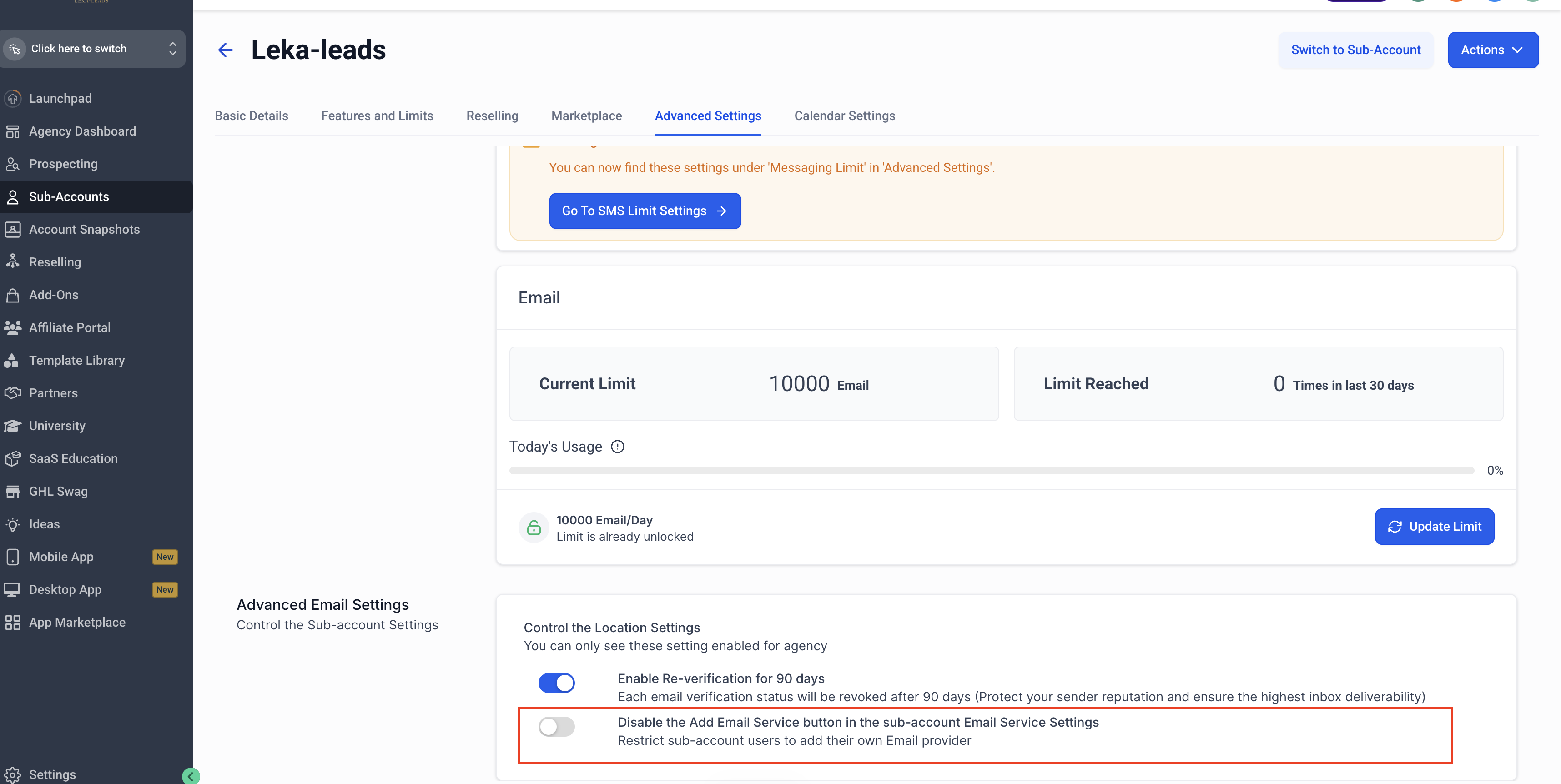
If you want to enable or disable the "Add Email Service" button for an individual sub-account rather than applying the setting globally, you can do so at the sub-account level:
Step 1
Go to Agency View → Sub-Accounts.
Step 2
Select the sub-account you want to configure.
Step 3
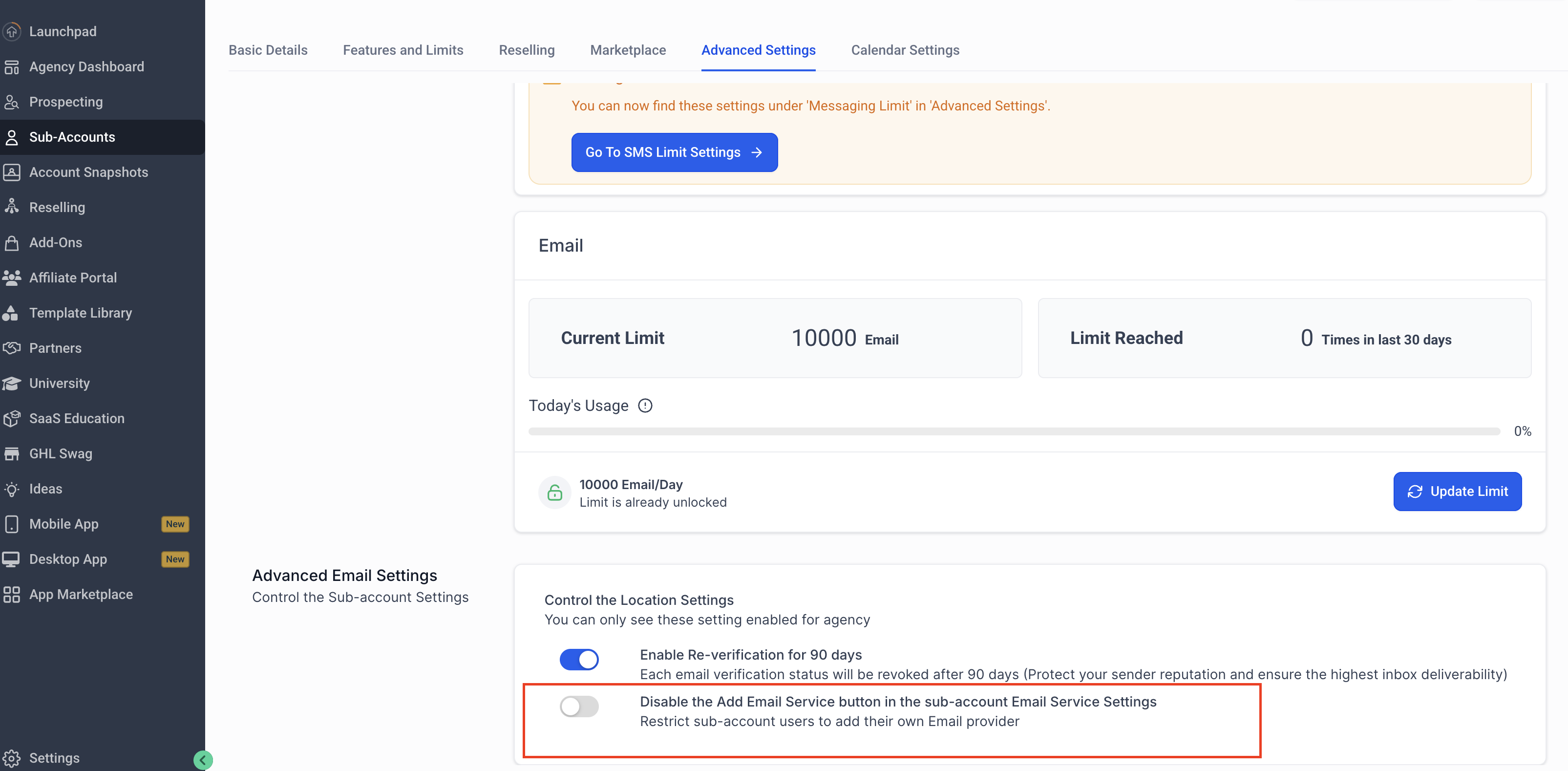
Navigate to Advanced Settings and find the option to disable the "Add Email Service" button in the sub-account's Email Service settings.
Step 4
Toggle the setting on or off based on your preference for that sub-account.
This allows you to fine-tune access for specific sub-accounts, overriding the global agency-level setting where needed.
Centralized Governance — manage Email Services availability across all sub-accounts from a single agency-level toggle, rather than handling it individually per account.
Better Discoverability — all email-related controls are now organized under Email Services in Agency Settings, making it easier to find and manage configurations in one place.
Flexible Overrides — sub-accounts can still respect and, where applicable, override the agency-level configuration to accommodate unique needs.
5
Frequently Asked Questions
Q: Will this affect my existing sub-accounts that are already using Email Services?
No. Existing sub-accounts with Email Services already configured are not affected. This change only governs the visibility of the "Add Services" button going forward.
Q: I'm an existing agency. Do I need to do anything?
No action is required. The toggle defaults to disabled for existing agencies, so your current setup remains unchanged.
Q: Can sub-accounts still manage their own Email Services settings?
Yes. Sub-accounts can still respect and override the agency-level configuration where applicable.
Q: Where do I find this new setting?
Navigate to Agency View → Settings → Email Services → Advanced Settings to find the new toggle.
Q: Does this setting apply retroactively to sub-accounts created before the update?
For existing agencies, the toggle defaults to disabled, so past sub-account behavior is preserved. You can still apply the setting going forward, either agency-wide or per sub-account.
Q: Can I re-enable the "Add Email Service" button later if I disable it?
Yes. The toggle can be switched back on at any time, either at the agency level or for an individual sub-account.