
TABLE OF CONTENTS
You can now create and publish LinkedIn Polls directly from Social Planner.
What's Supported
Create native LinkedIn polls from the composer
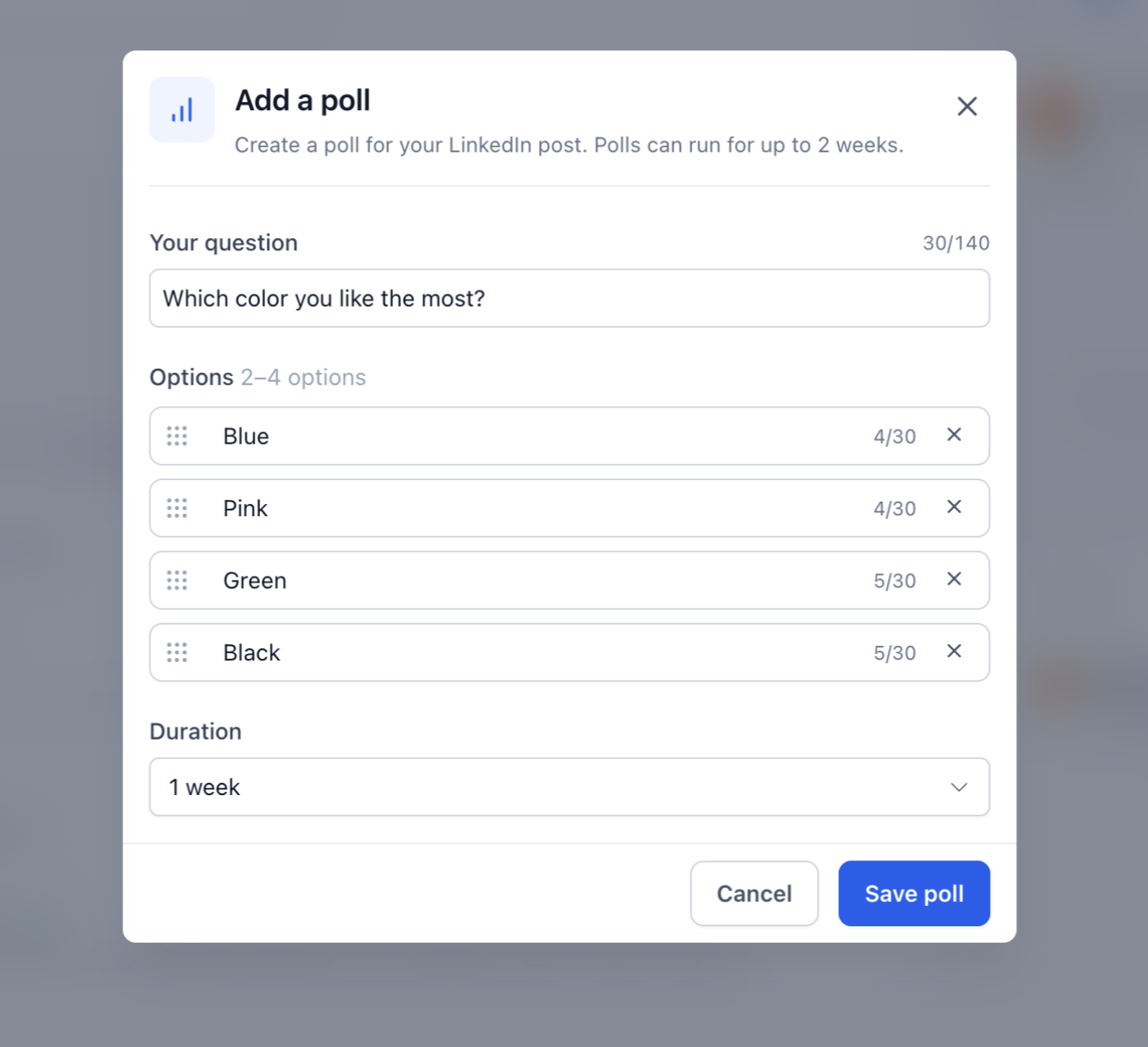
Add a question (up to 140 characters)
Add 2–4 answer options (up to 30 characters each)
Choose a poll duration of 1, 3, 7, or 14 days
Preview your poll before publishing
Supported Workflows
LinkedIn polls can be used with:
Instant publishing
Scheduled posts
Recurring posts
Category Queue
CSV Bulk Upload
Drafts
Important Notes
Polls cannot be combined with images, videos, PDFs, or other media in the LinkedIn post.
When creating content for multiple platforms, media can still be added to non-LinkedIn platform variants.
If media is attached to a LinkedIn post, the poll will not be published.
How to Create a LinkedIn Poll
Go to Marketing → Social Planner
Create a new post and select a LinkedIn account
Click Add Poll
Enter your question and answer options and Select a poll duration
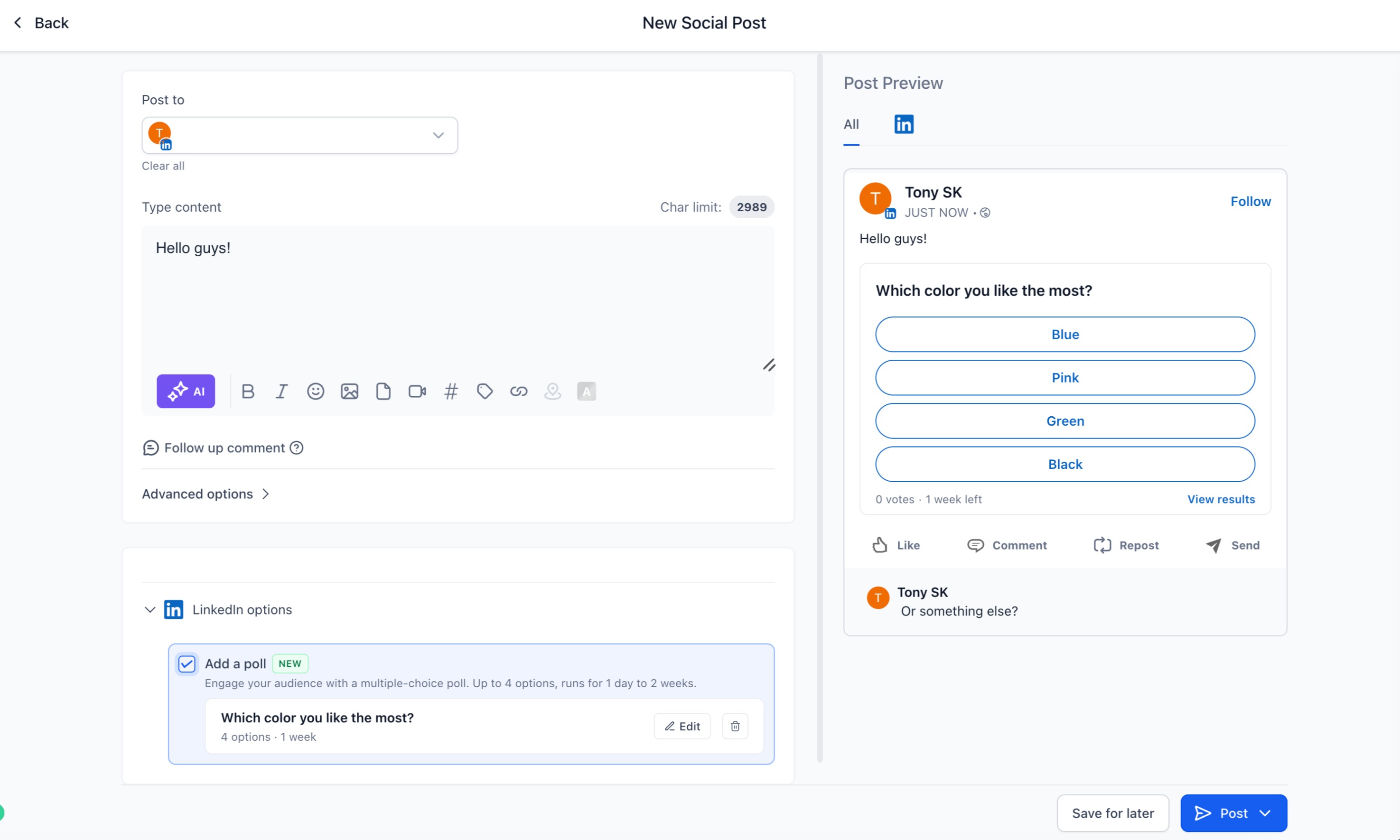
5. Publish, schedule, or add the post to a queue
LinkedIn Polls help you create more engaging content and manage your LinkedIn publishing workflow directly from Social Planner.