
You can arrange your pipelines in the order that works best for you, right from the Opportunities pipeline view. Reorder by dragging, or move a pipeline to an exact position. Your custom order is saved automatically and stays in place when you refresh the page.
TABLE OF CONTENTS
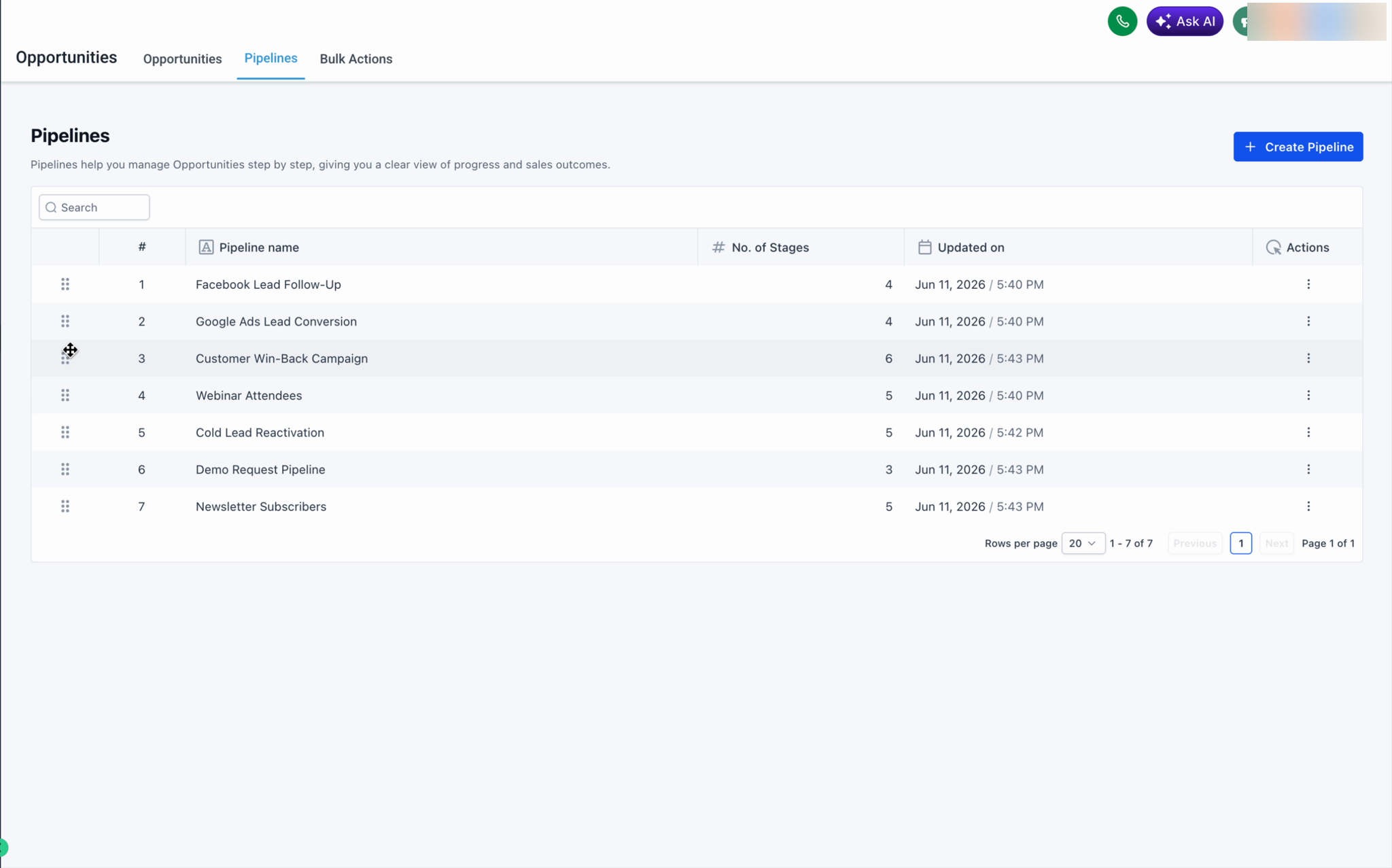
Reorder by drag and drop
- Go to Opportunities and open the Pipelines tab.
- Hover over the drag handle (the dotted icon) on the left of any pipeline row.
- Drag the pipeline up or down to the position you want, then release.
Move a pipeline to a specific position
Use this option when you want to place a pipeline at an exact spot. It also works across pages, so you can reposition a pipeline even if it isn't on the page you're currently viewing.
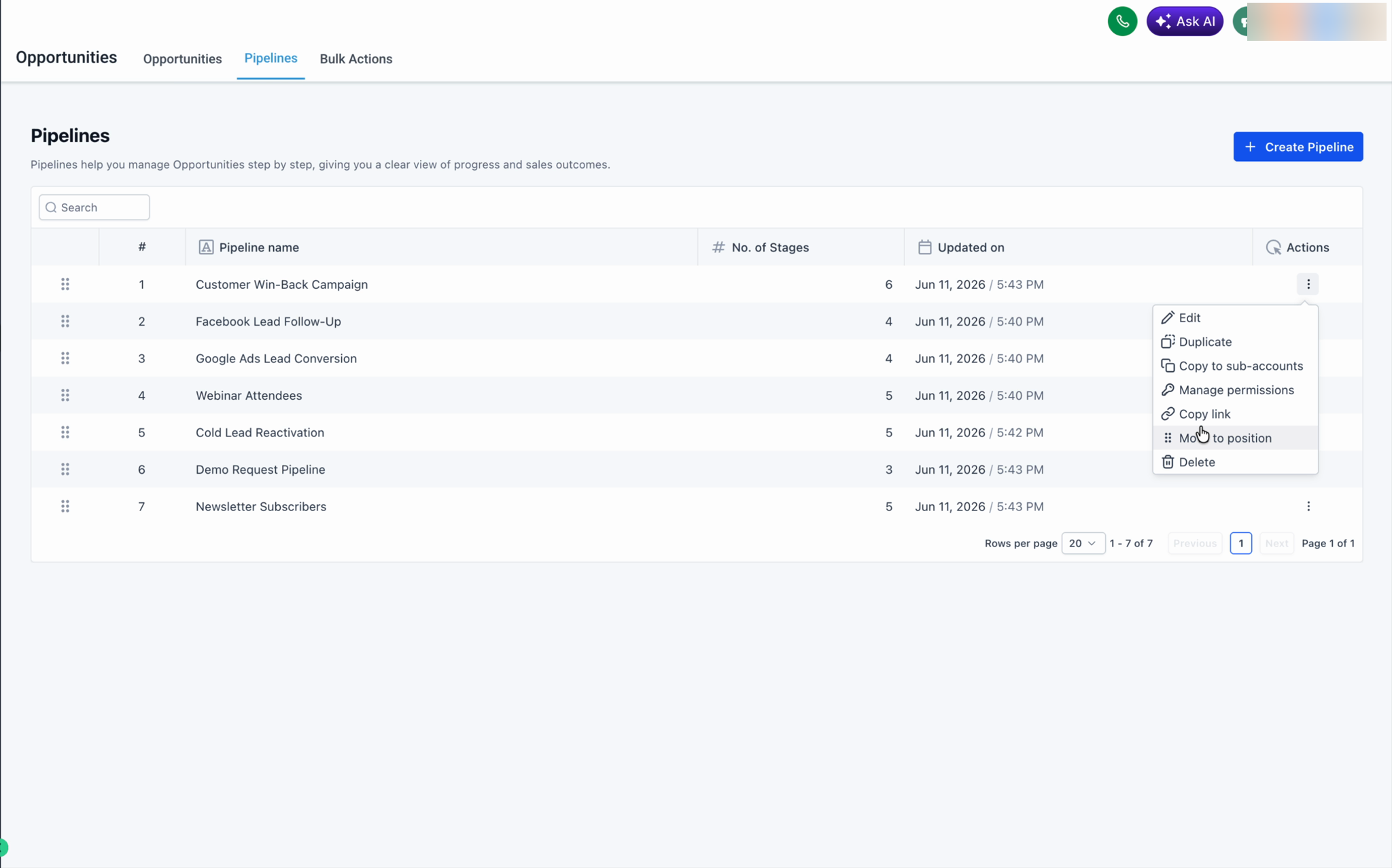
- On the pipeline row, click the ⋯ (three-dot) Actions menu.
- Select Move to position.
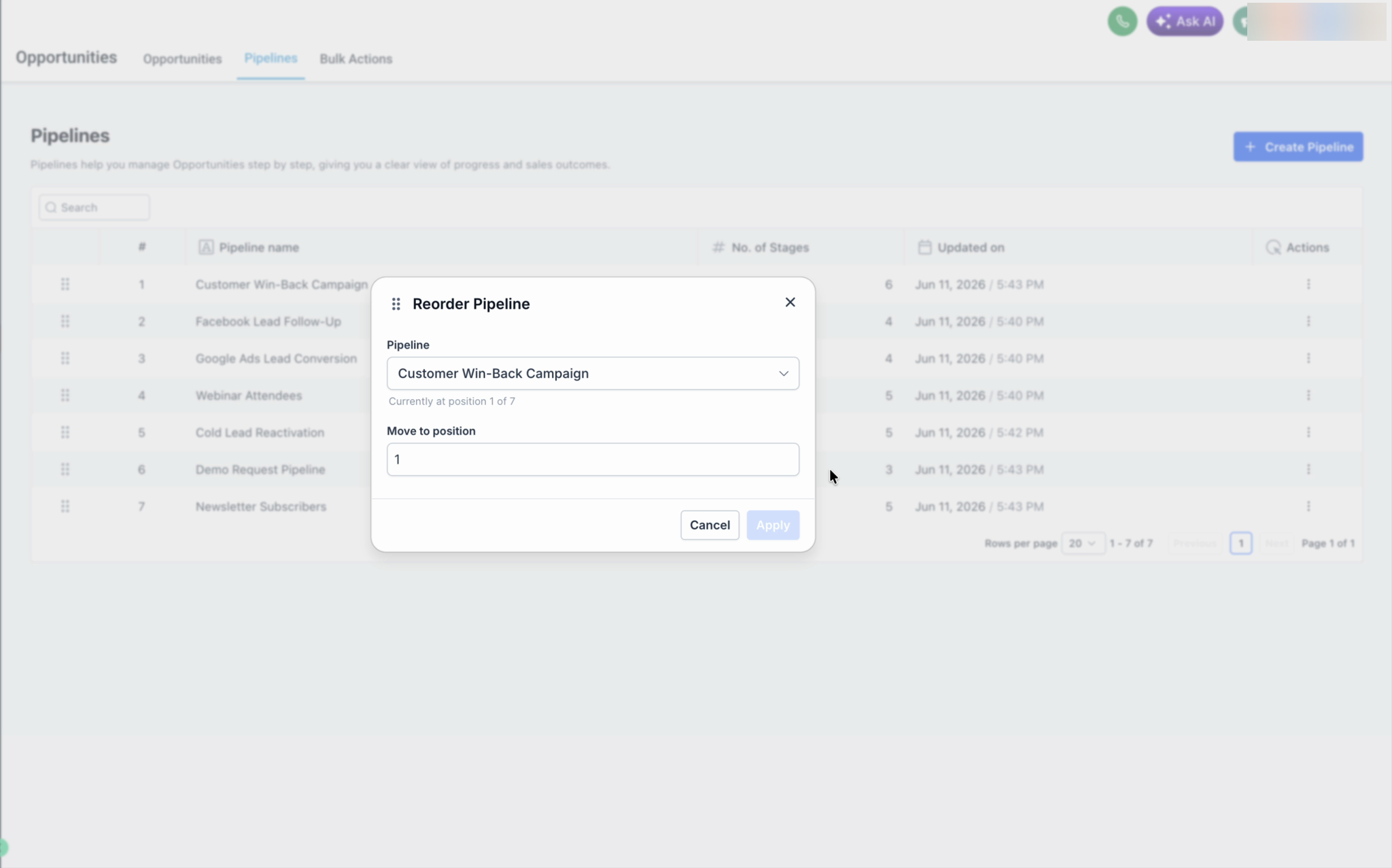
- In the Reorder Pipeline dialog, enter the position number you want.
- Click Apply.
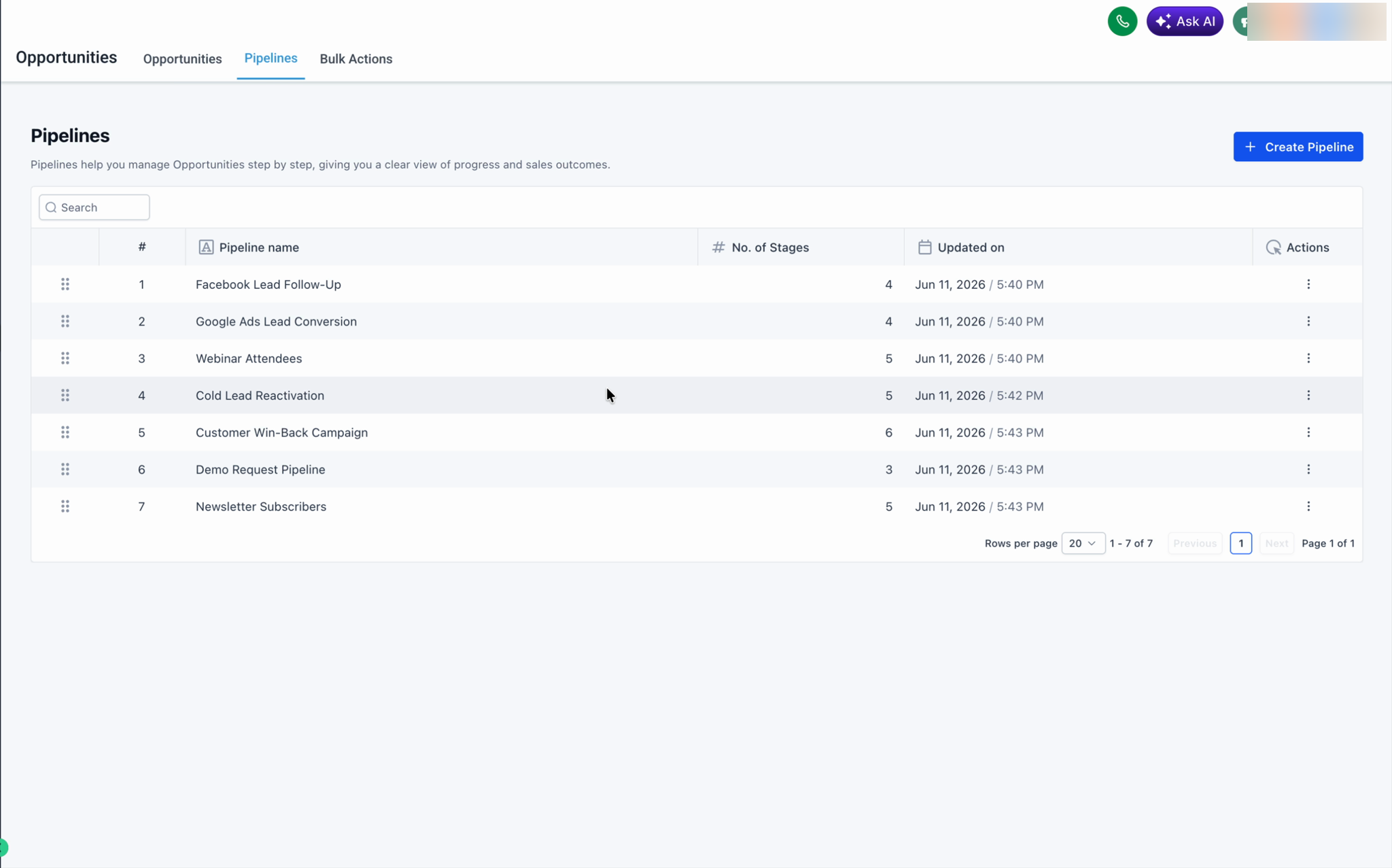
The pipeline moves to that position and the list renumbers automatically.
Good to know
- Your custom order is saved automatically — there is no separate Save button.
- The order persists across page refreshes.
- Move to position supports moving a pipeline across pages, which is useful when you manage many pipelines.
- This feature is available only for admins and the setting is saved across the location for all users.