
Create polls directly inside Community posts to collect feedback and increase engagement without leaving the feed. Community Polls let you add answer options, choose how votes work, control result visibility, and optionally close the poll automatically at a set time. This article covers what the feature does, how to set it up, and what members will see after the poll is published.
TABLE OF CONTENTS
- What are Polls in Community Posts?
- Key Benefits of Community Polls
- How To Create Polls in Community Posts
- Frequently Asked Questions
- Related Articles
What are Polls in Community Posts?
Community Polls are native poll posts inside SourCherry Communities. They help you gather quick feedback in the same place where members already read posts, comment, and engage with content in the Community feed. SourCherry Communities already support post-based engagement and content management, so polls fit directly into that existing workflow.
Community Polls support:
- 2 to 10 answer options
- Single-select or multi-select voting
- Optional result visibility for members
- Optional end date and time
- Editing after publishing to add new options
Key Benefits of Community Polls
- Native posting: Create polls directly from the Community post composer.
- Flexible voting: Choose single-answer or multiple-answer voting.
- Controlled visibility: Decide whether members can see live results.
- Timed engagement: Set an end date so the poll closes automatically.
- Easy updates: Edit the poll later and add new options when needed.
How To Create Polls in Community Posts
Note: Community Polls are available in the new Client Portal experience. Make sure your Community is using the updated view before creating a poll.
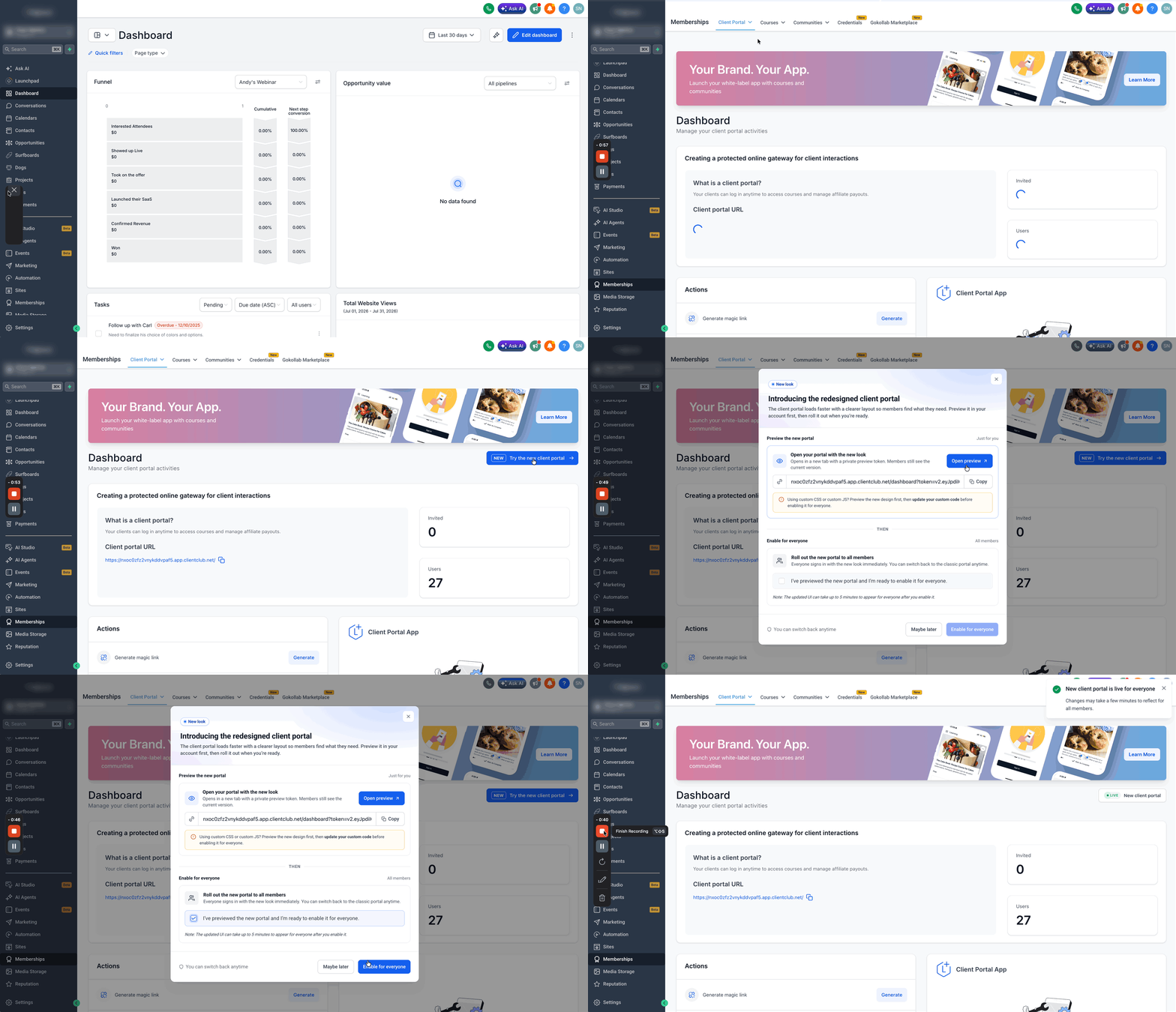
- Go to Memberships.
- Under Client Portal, click Try the new Client Portal if the new experience is not already enabled.
- Select the checkbox and click Enable for everyone to roll it out to members.
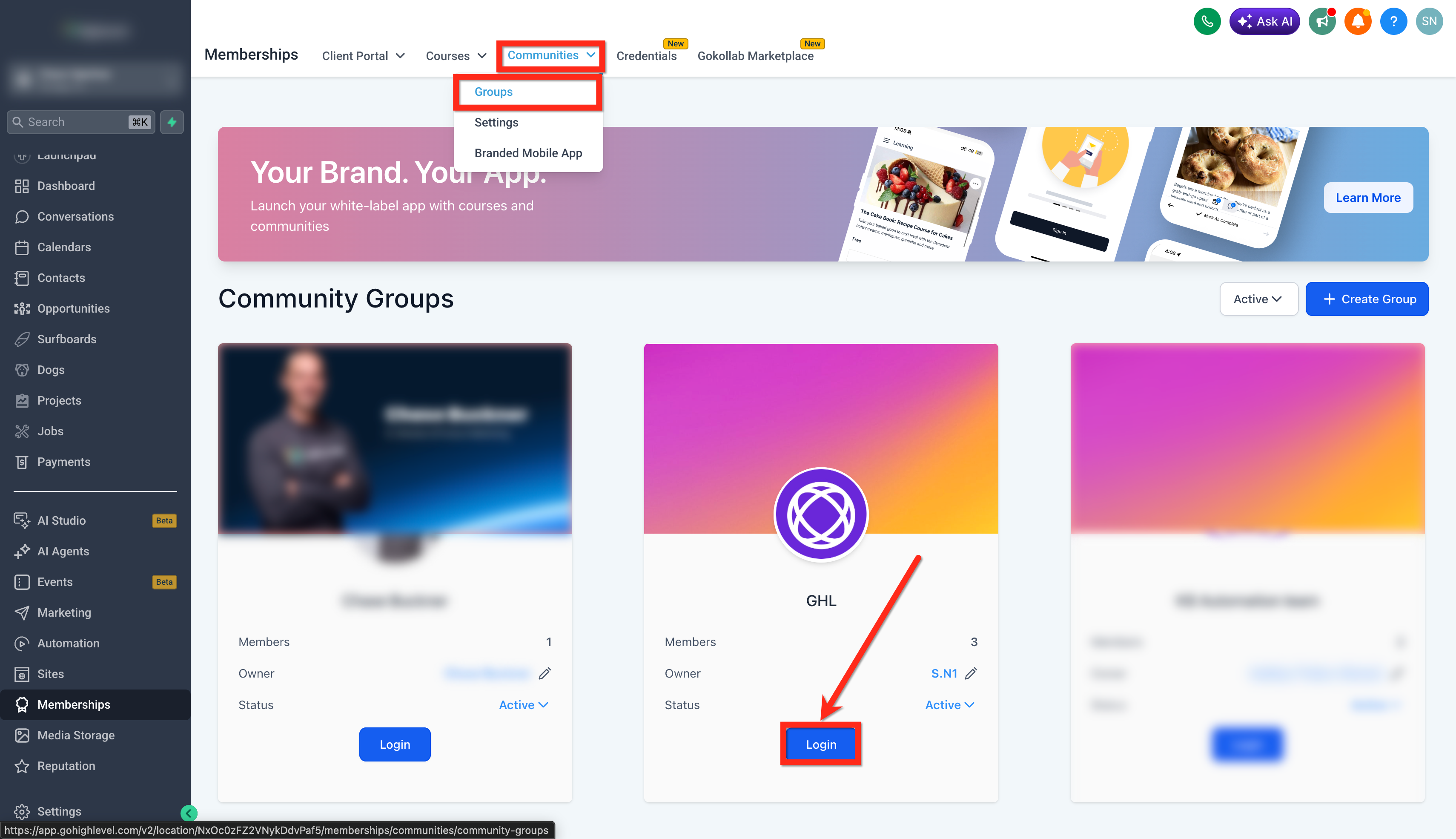
- Go to Communities and open Groups.
- Click Login on the Group where you want to create the poll.
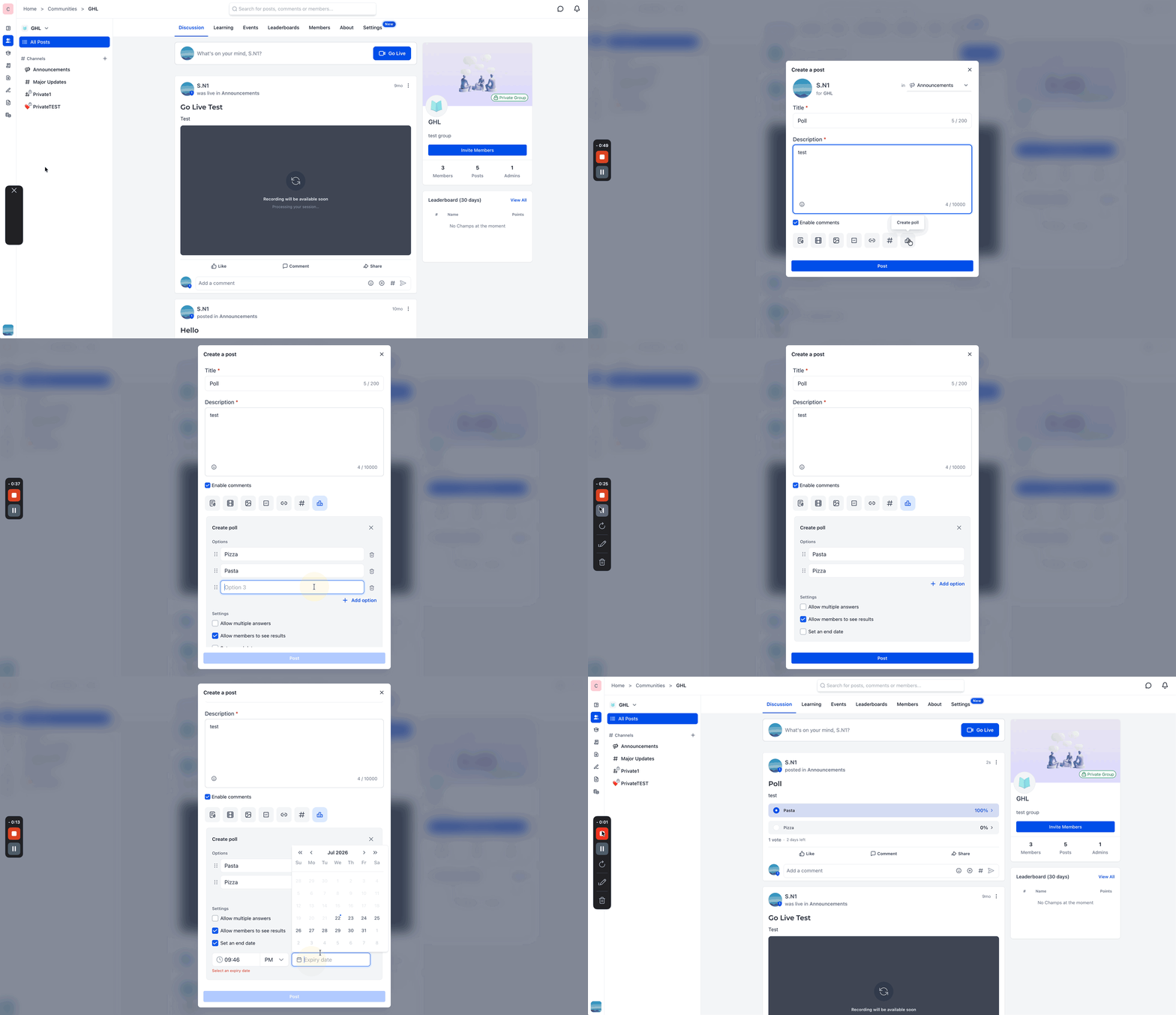
- Click Create a post.
- Add the Title and Description.
- Click Poll.
- Add your answer options.
- Reorder or delete options as needed.
- Turn on Allow multiple answers if members should be able to select more than one option.
- Turn On/Off the Allow Members to See Results option.
- Set the poll date and time settings as needed.
- Click Post.
Frequently Asked Questions
Q: How many options can I add to a poll?
You can add between 2 and 10 options.
Q: How long can each option be?
Each option can contain up to 100 characters.
Q: Can members select more than one answer?
Yes. Turn on Allow multiple answers to let members choose multiple options.
Q: What happens when member results are turned off?
Members can still vote, but they will not see vote counts or live percentages in the poll.
Q: What happens when the poll reaches its end date?
The poll is marked Closed, and members can no longer vote.
Q: Can a poll be edited after it is published?
Yes. The poll creator can edit the poll after publishing and add new answer options.
Q: Can members change their vote?
Yes. Members can be prompted to confirm before changing their vote.