
TABLE OF CONTENTS
- Step 1: Go to the Account dropdown on the top-right menu, click on Subaccounts
- Step 2: If there are too many subaccounts inside Twilio, you can go back to SourCherry and copy the Account SIN for that location to search in Twilio:
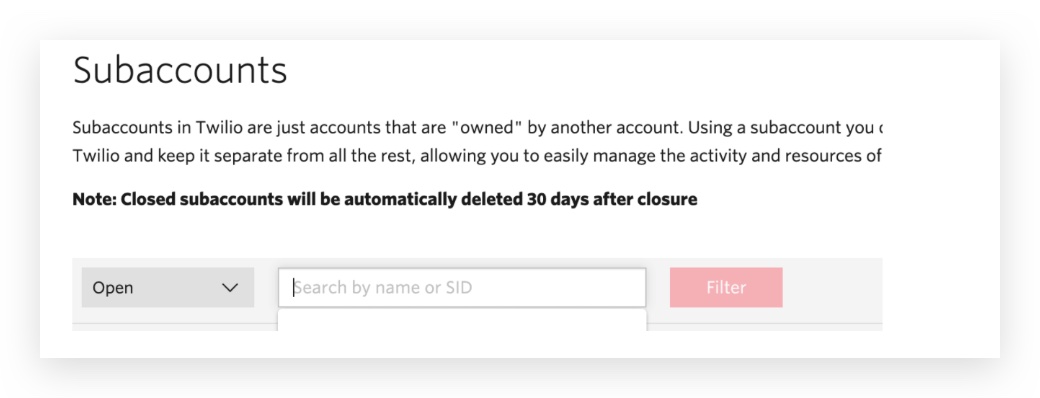
- Step 3: Search based on the Twilio Subaccount SID in SourCherry agency settings -> Twilio Paste the Account SID here and click on it:
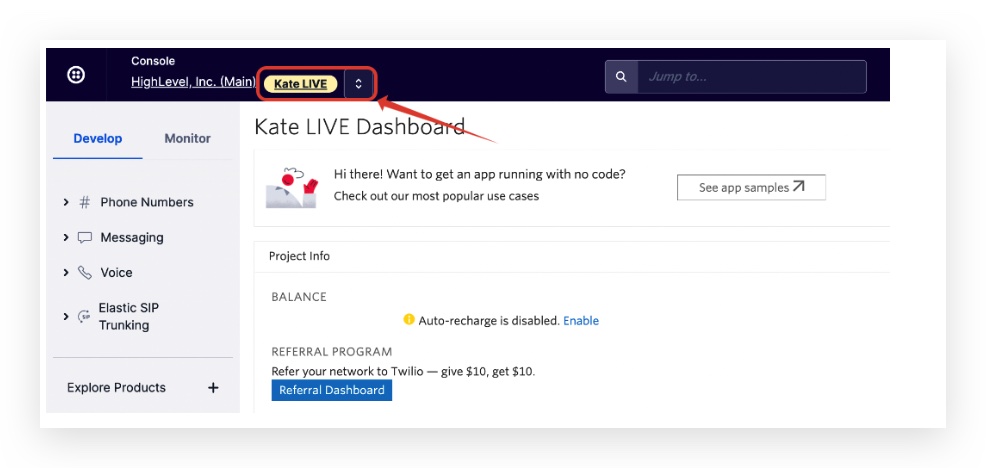
- Step 4: Click into the subaccount so you will see there's an orange text on the top left:
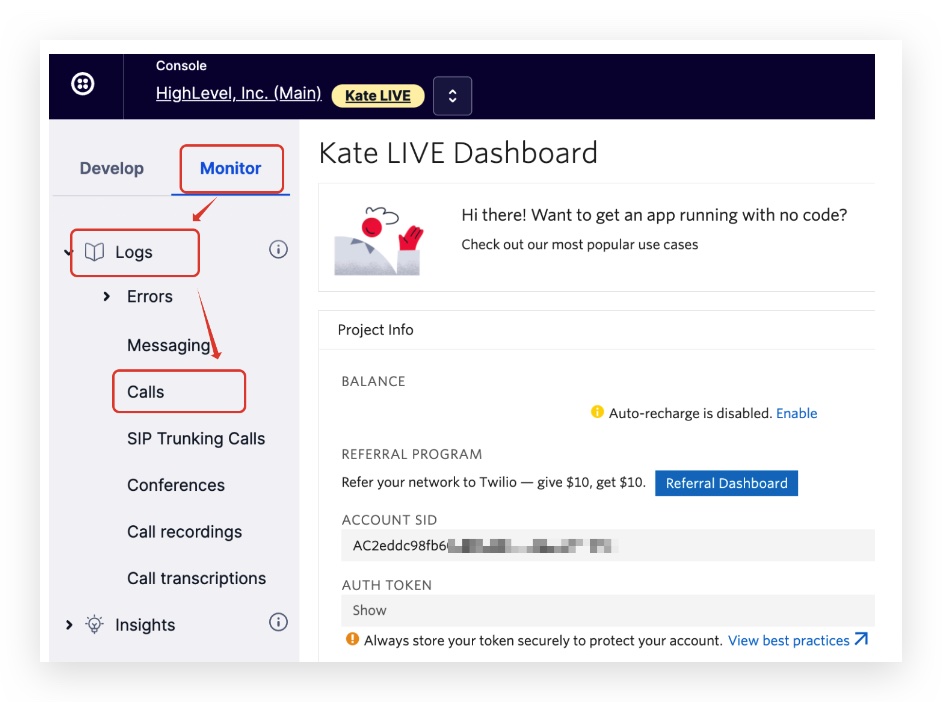
- Step 5: Click Monitor -> Logs -> Calls
- Frequently Asked Questions
Troubleshooting tips when call events don't seem to be working:
Step 1: Go to the Account dropdown on the top-right menu, click on Subaccounts
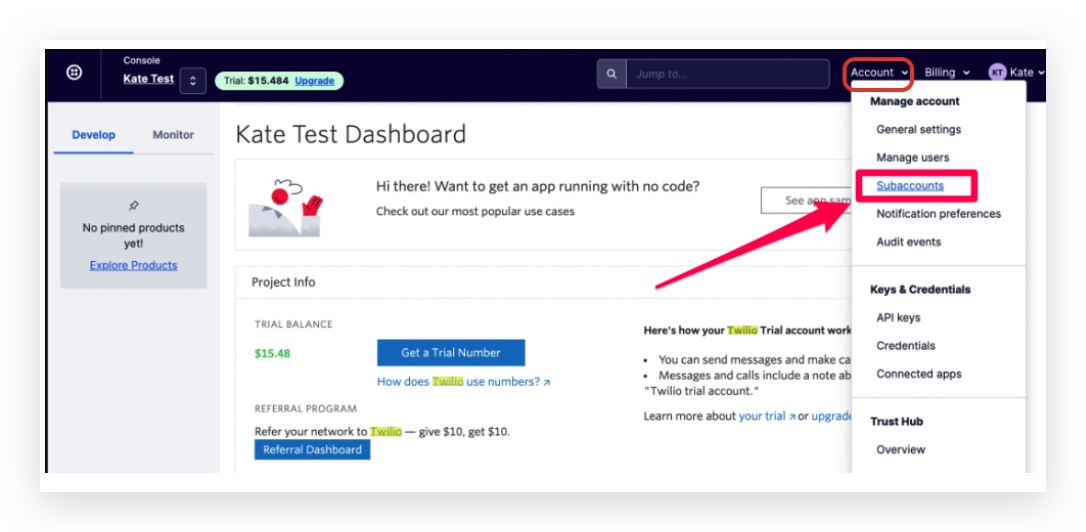
Step 2: If there are too many subaccounts inside Twilio, you can go back to SourCherry and copy the Account SIN for that location to search in Twilio:
https://app.SourCherry.com/settings/twilio
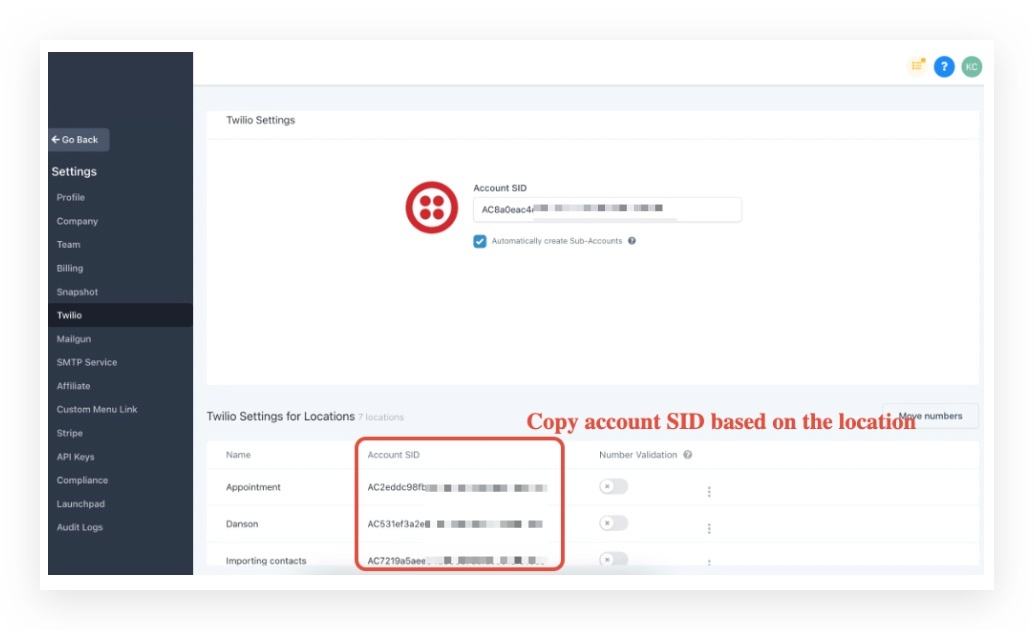
Step 3: Search based on the Twilio Subaccount SID in SourCherry agency settings -> Twilio
Paste the Account SID here and click on it:
Step 4: Click into the subaccount so you will see there's an orange text on the top left:
Step 5: Click Monitor -> Logs -> Calls
Frequently Asked Questions
Currently no frequently asked questions. Submit feedback on this article to help is add questions to this section!