Email Deliverability
Email Verification & Re-Verification
Use Mailgun to automatically verify new emails entering the CRM, and keep records fresh with 90-day re-verification.
What You'll Learn
Activate Email Verification to have Mailgun verify your new emails automatically inside the CRM. This article covers turning on verification, enabling 90-day re-verification, and how to read the results on a contact record.
1
How to Enable Email Verification in the CRM
Step 1
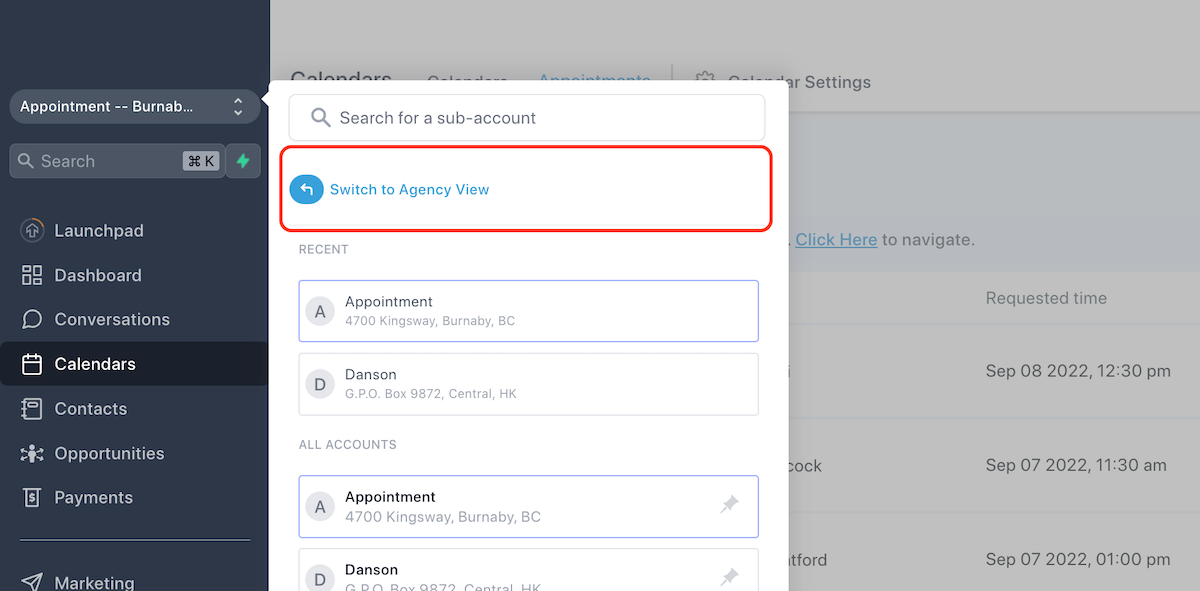
Switch to Agency View
Click Switch to Agency View from your account menu.
Step 2
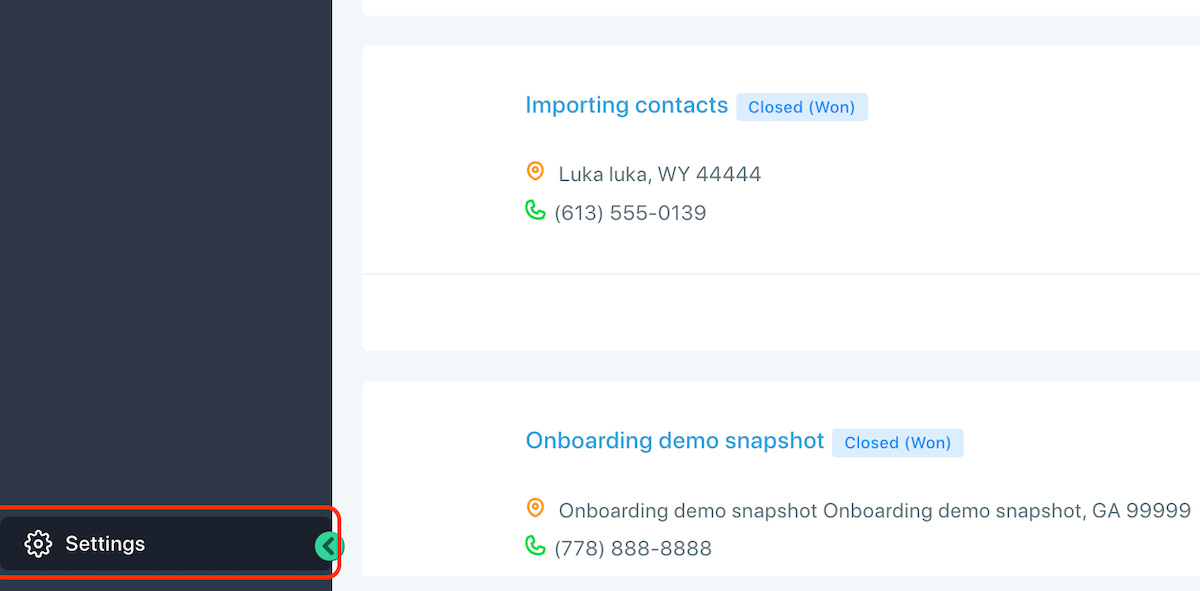
Click Settings
Open Settings from the left navigation.
Step 3
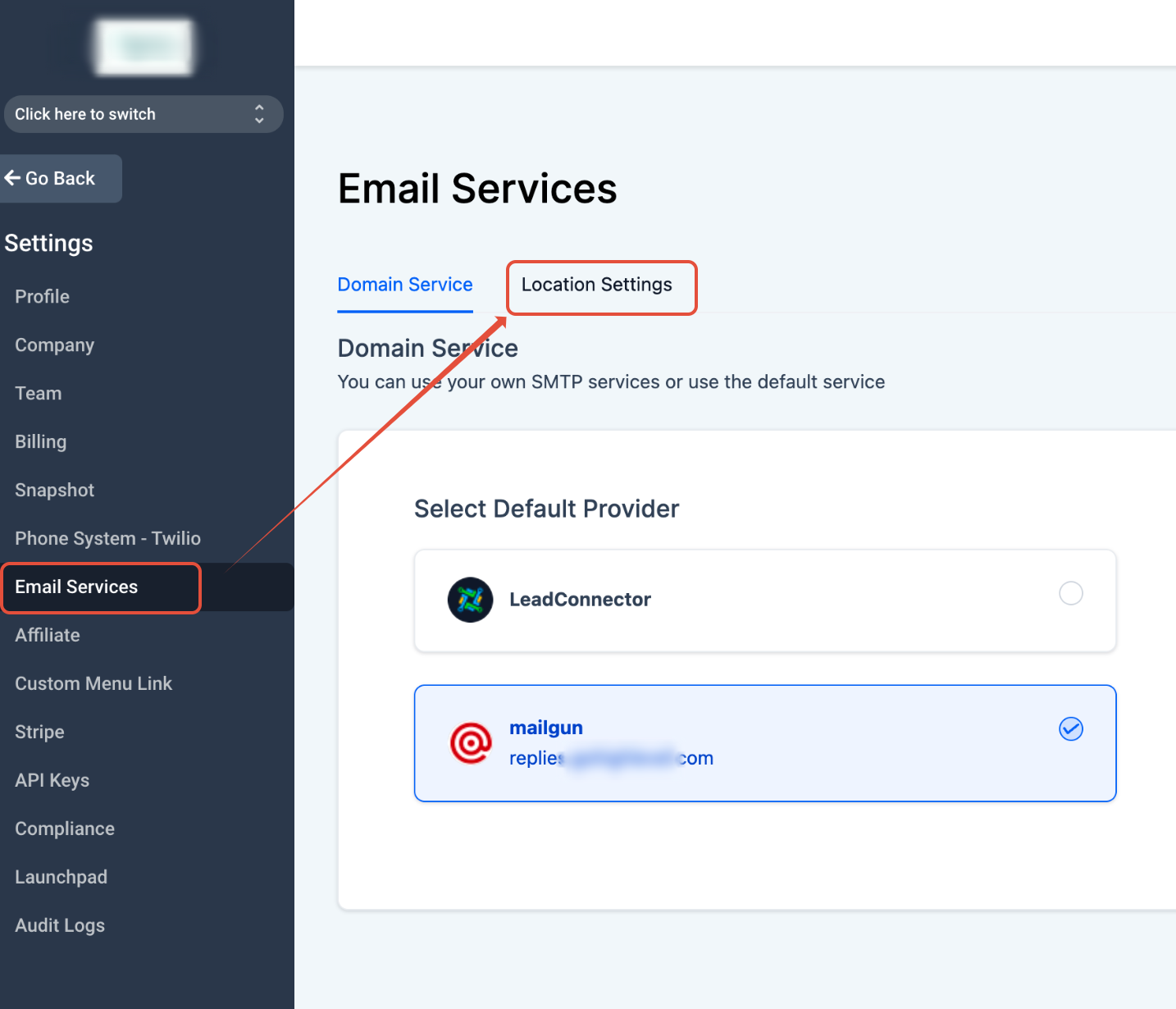
Open Email Services → Location Settings
Click Email Services and navigate to Location Settings.
Step 4
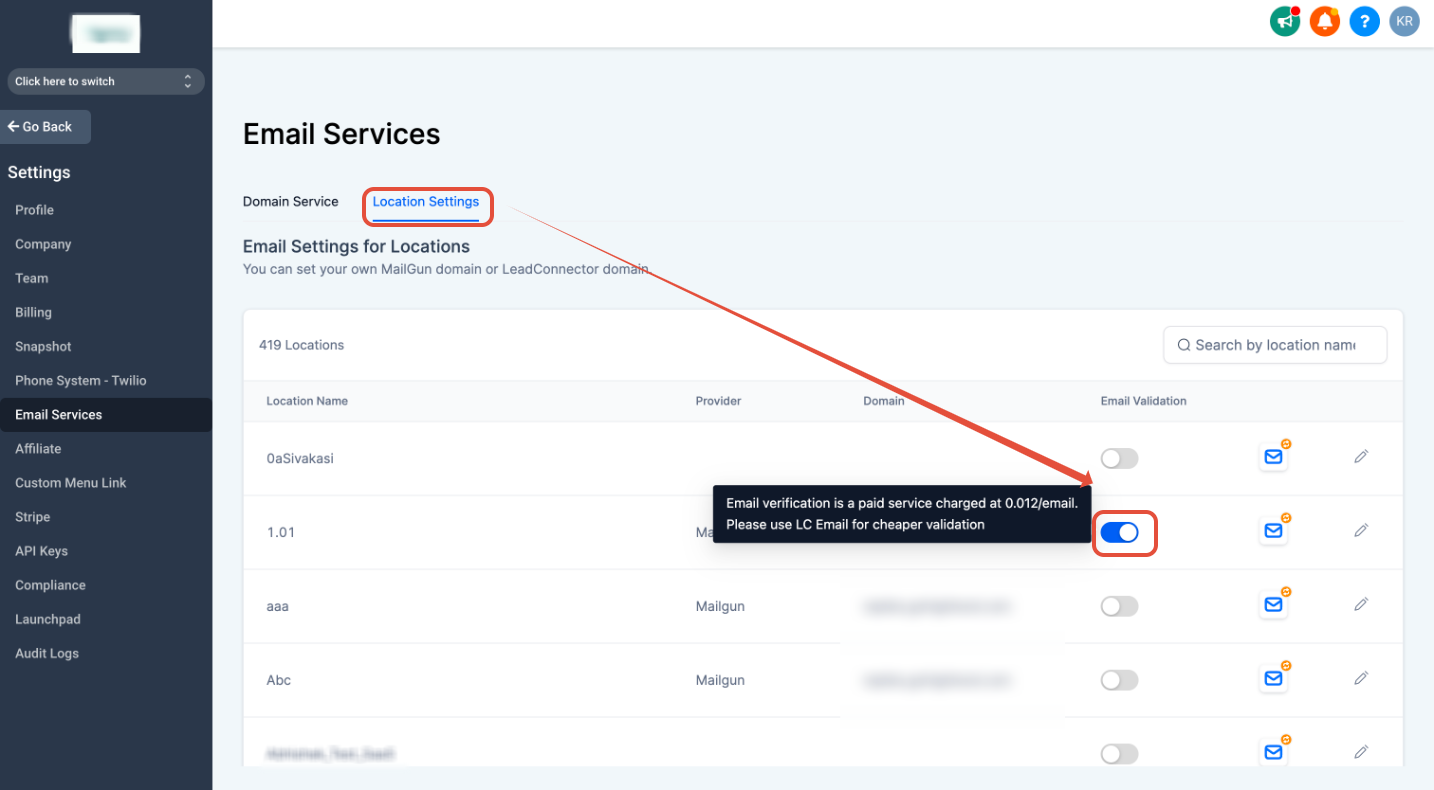
Enable the toggle for each sub-account
Turn on Email Verification by clicking the toggle in front of the desired sub-account.
Note
Email verification is a paid service and is charged at $0.012 / email.
2
How to Enable Email Re-Verification in the CRM
Step 1
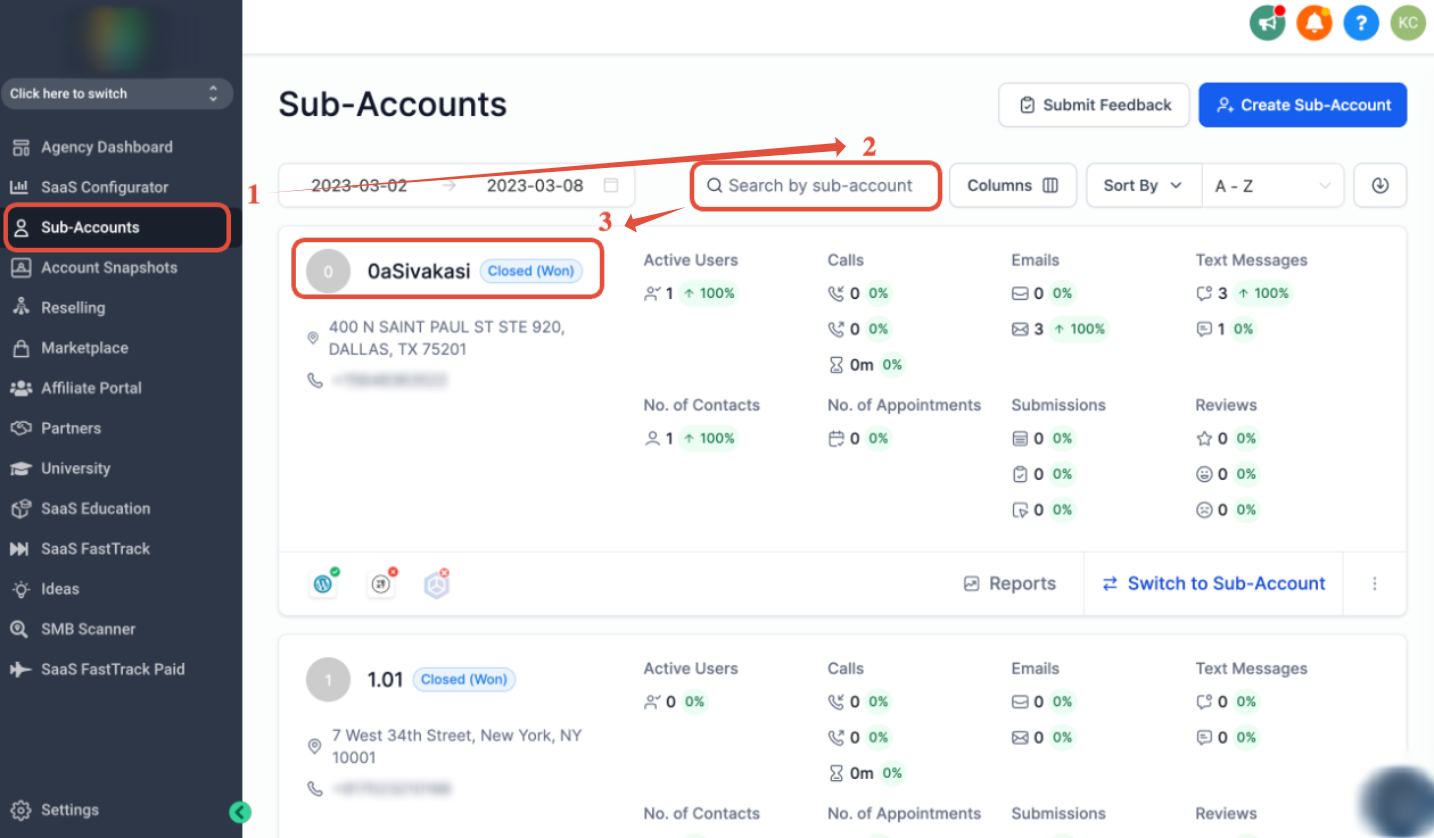
Go to Sub-Accounts
Once you're in Agency View, click Sub-Accounts.
Step 2
Search for the sub-account
Search by the sub-account name.
Step 3
Open the sub-account
Click the sub-account name to open it.
Step 4
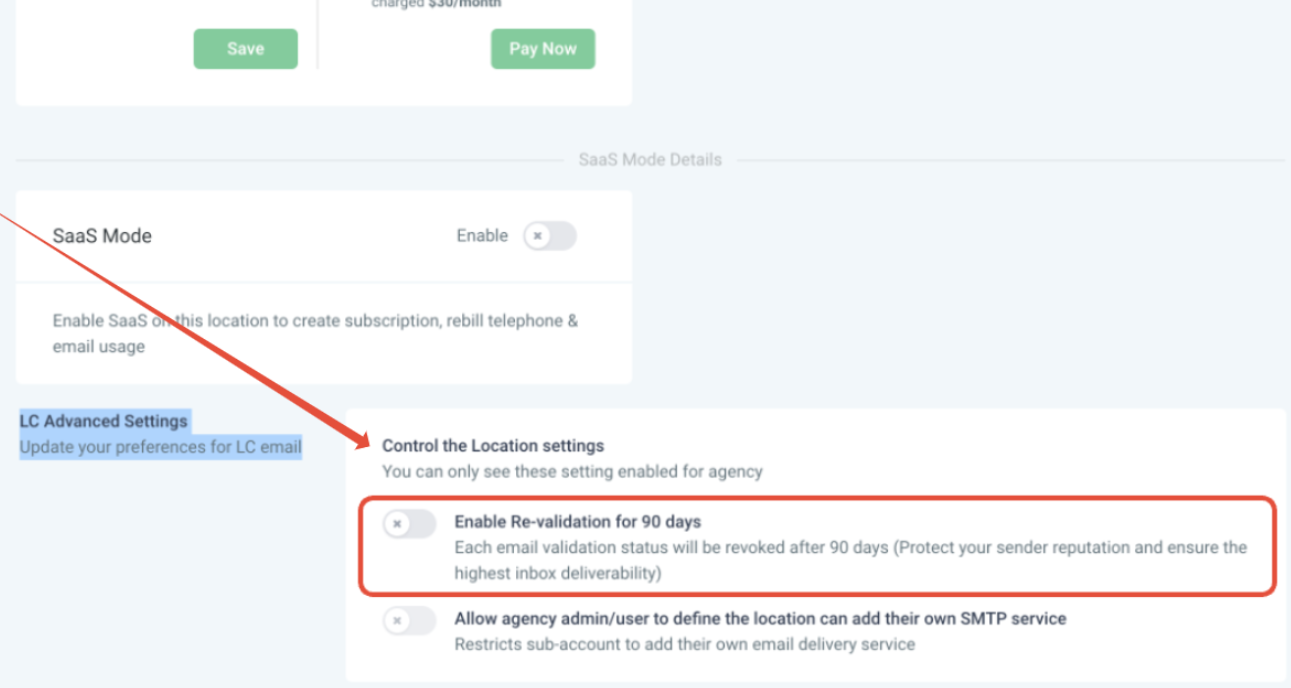
Turn on 90-day re-verification
Scroll down to Email Advanced Settings → Enable Re-verification for 90 days and switch it on.
Note
If enabled, we will re-verify all emails every 90 days, since emails go valid or invalid over time.
3
Frequently Asked Questions
Q: How does email verification work?
Email verification checks emails against Mailgun's records when they enter the system for the first time — via form, survey, calendar, or chat widget — or when you send a new email after enabling email verification. If re-verification is enabled, it also runs every 90 days.
Q: Where do I see the verification result for a contact?
Open the contact record, scroll down the right side, and click the envelope icon. Green means the email is valid. Red means it's invalid, too old, previously bounced, or unsubscribed — the error message will explain why.
Q: Is email verification free?
No. It's a paid Mailgun service billed at $0.012 per email, charged to your connected Mailgun account. Check
Mailgun's pricing page for current rates.
Q: Does re-verification cost the same as first-time verification?
Yes. Each re-verification check is billed the same way as an initial verification, since it's the same Mailgun lookup run again.
Q: Will re-verification run on all my existing contacts?
Once enabled, all emails in the sub-account are re-checked on a rolling 90-day cycle, not just new contacts.
Q: Can I turn re-verification off after enabling it?
Yes. Go back to the sub-account's Email Advanced Settings and switch the Enable Re-verification toggle off at any time.