
Overview
This guide outlines methods for assigning a dedicated LC number to an individual user in your system. The process ensures that all inbound calls to that number are routed specifically to the user.
Steps to Assign a LC Number to a User
Method 1
Step 1: Purchase & Add the Number
After purchasing a Twilio number:
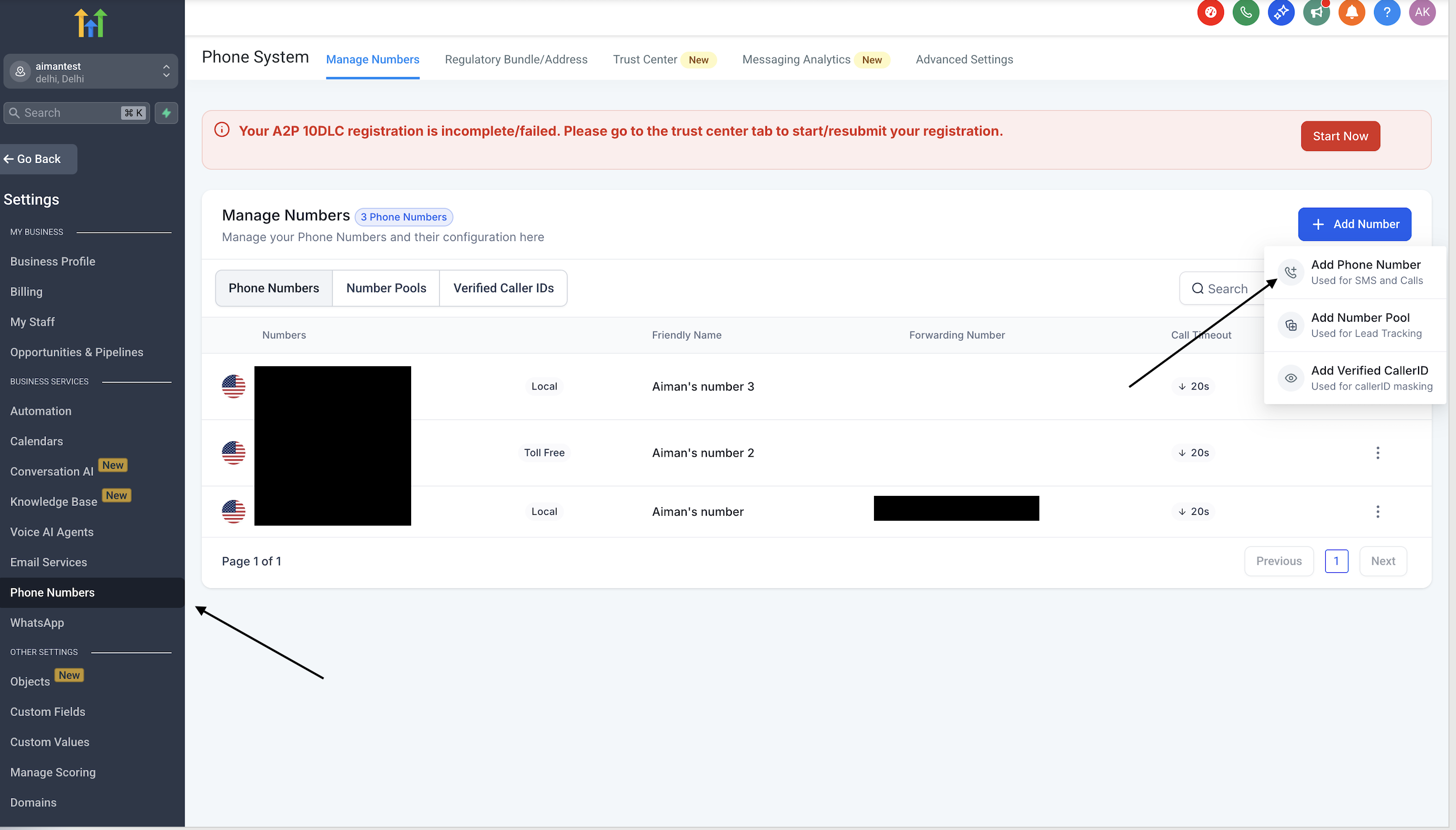
Go to Location Settings > Phone Numbers.
Click on "Add Number" to add the new number to the system.
Step 2: Assign the Number to a User
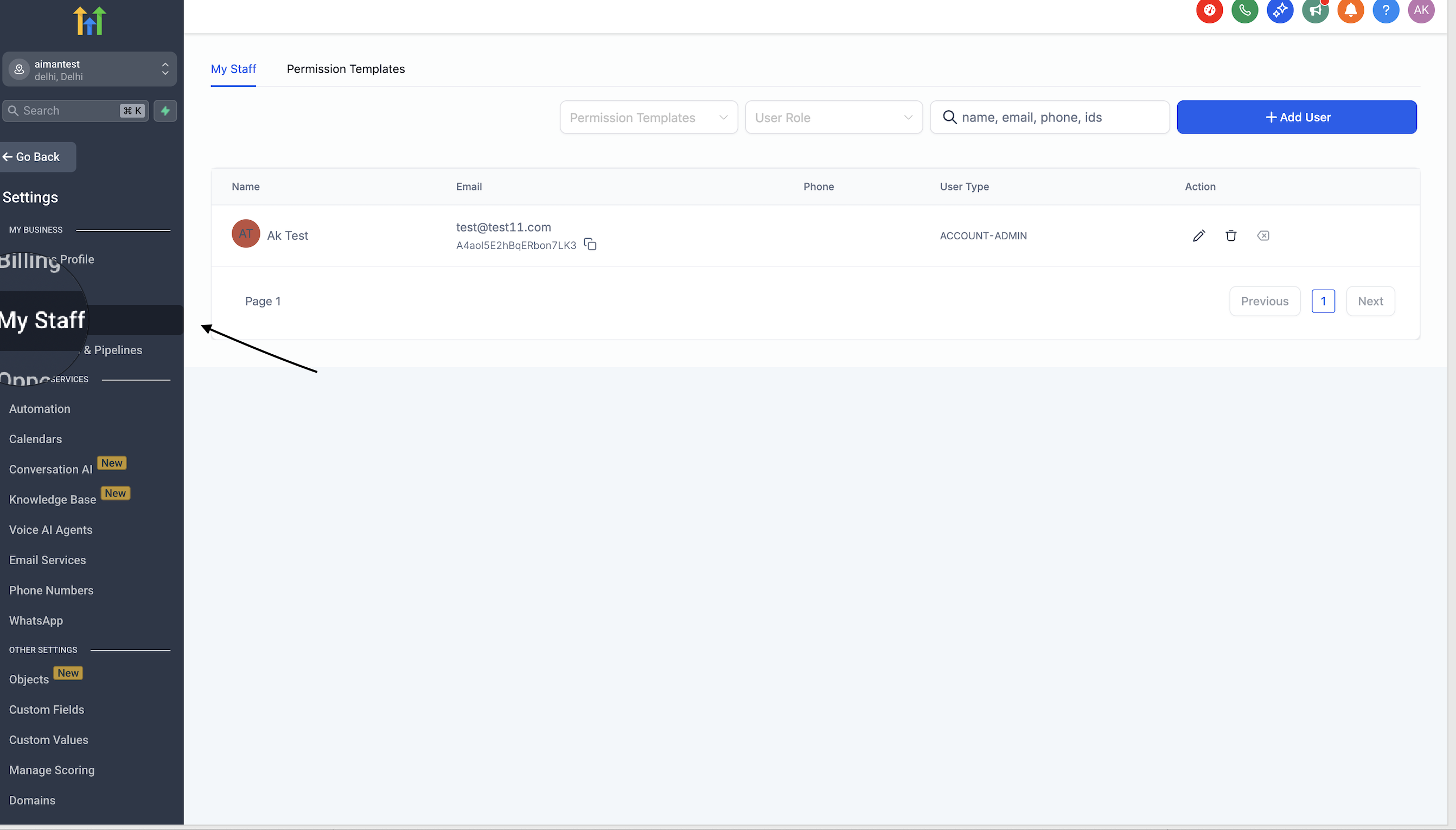
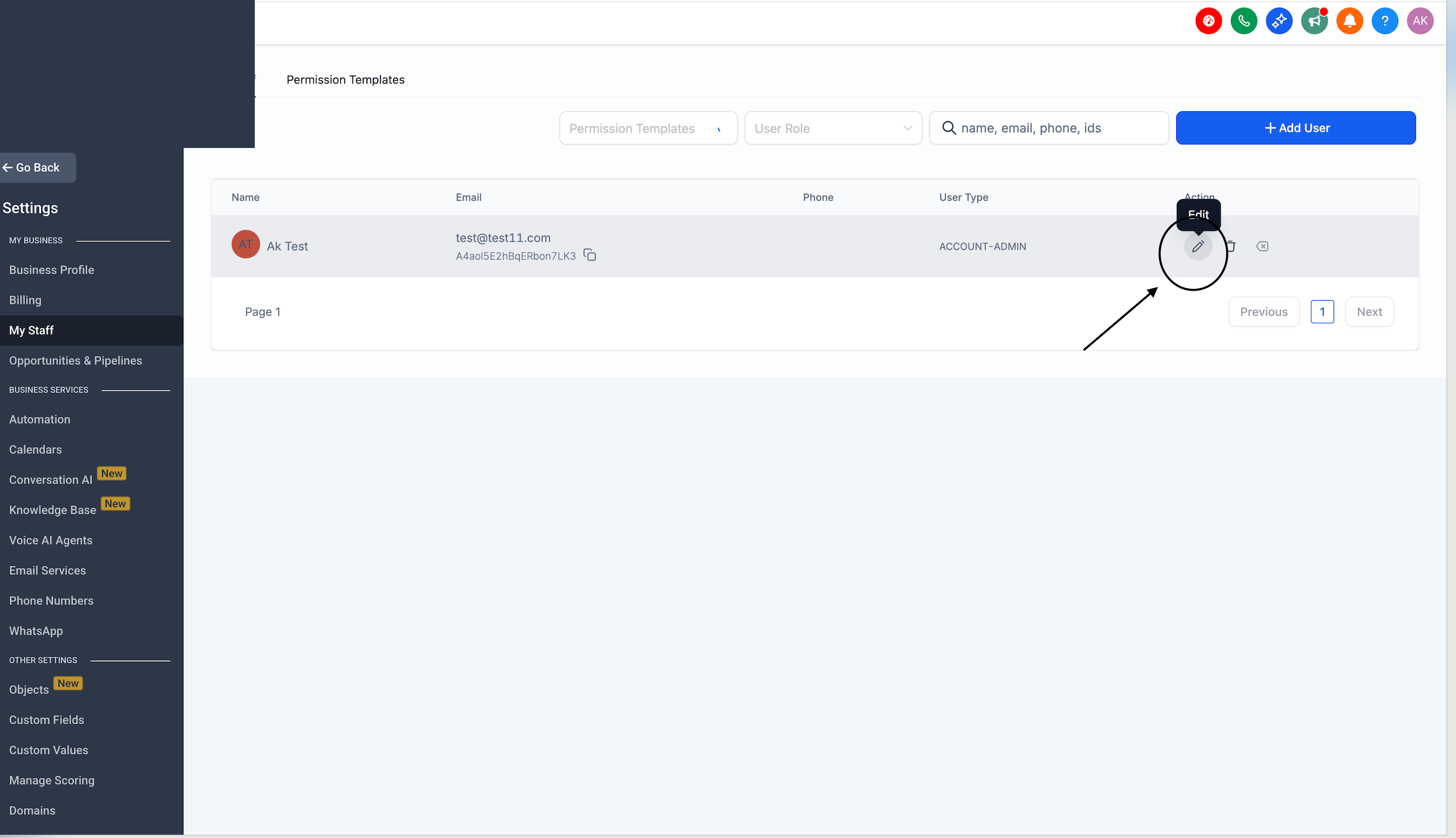
Navigate to My Staff.
Edit the specific user profile who needs the number.
Step 3: Configure Call Settings
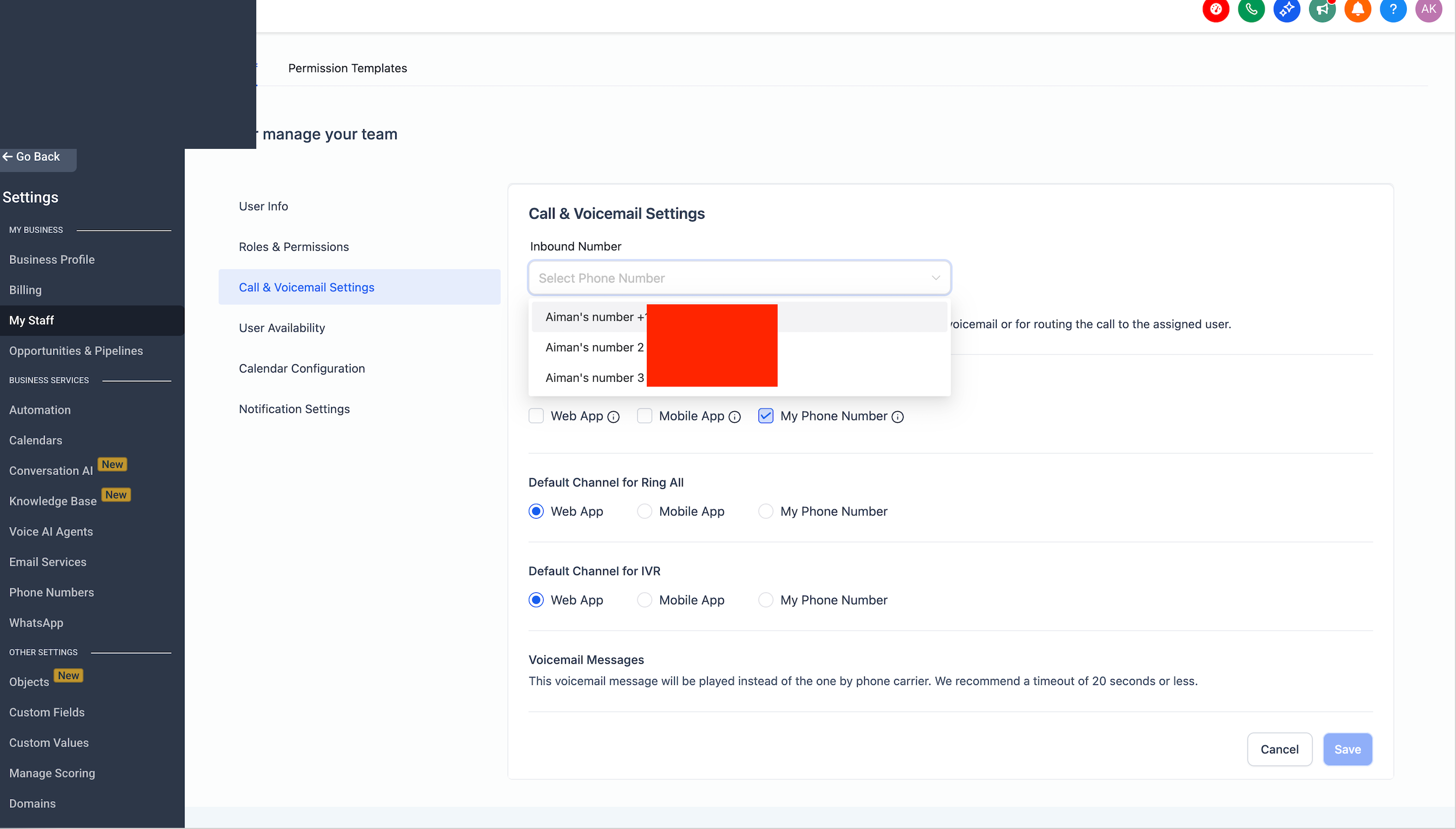
Expand the Call & Voicemail Settings section.
Use the Inbound Number dropdown to select the LC number you just added.
Important Note:
Only one LC number can be assigned to one user. Once assigned, all incoming calls to that LC number will go to the designated user.
Method 2
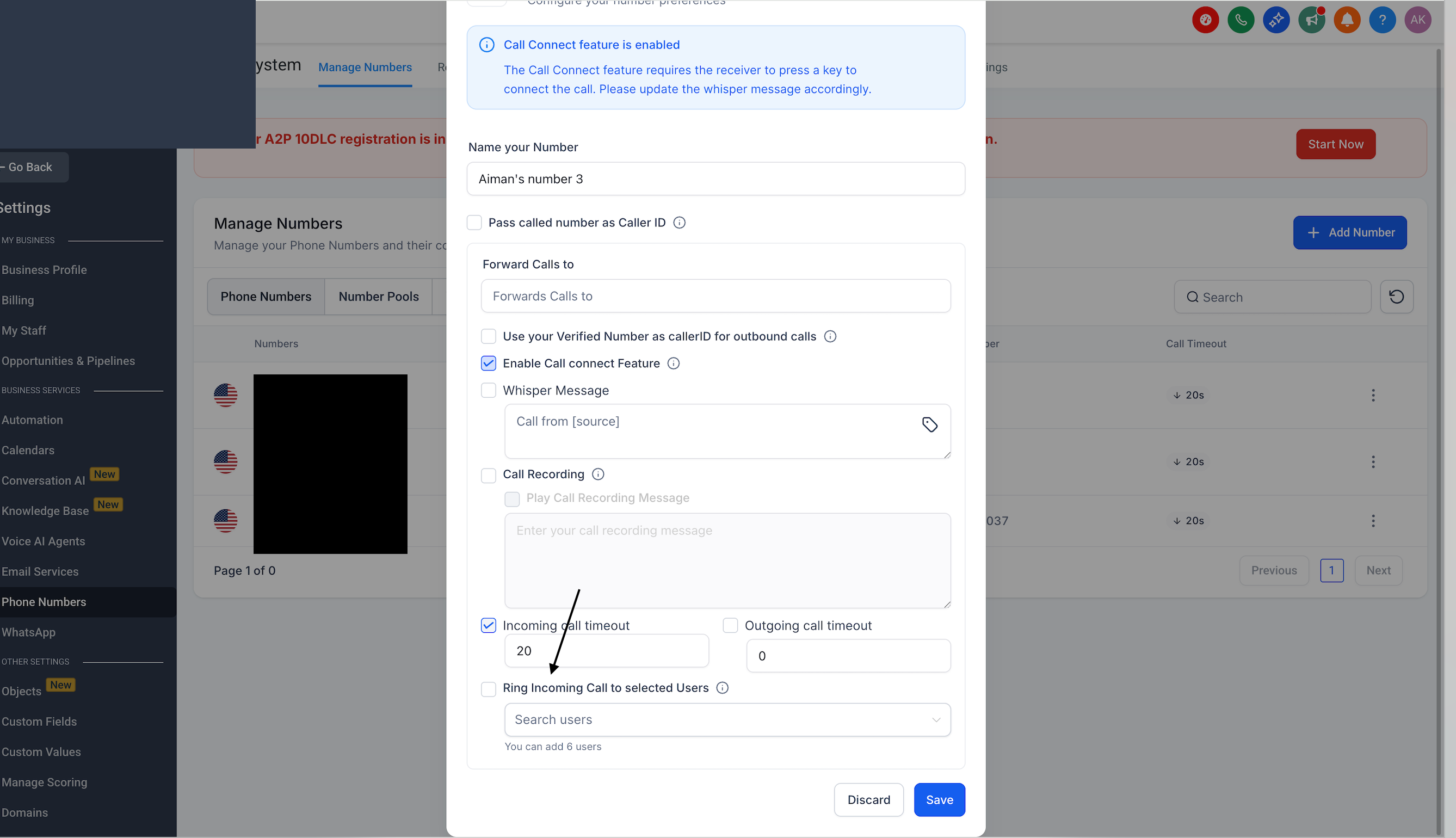
You can go directly to the Phone Numbers section and select the user under the 'Ring All' category to route contact calls to them
Method 3
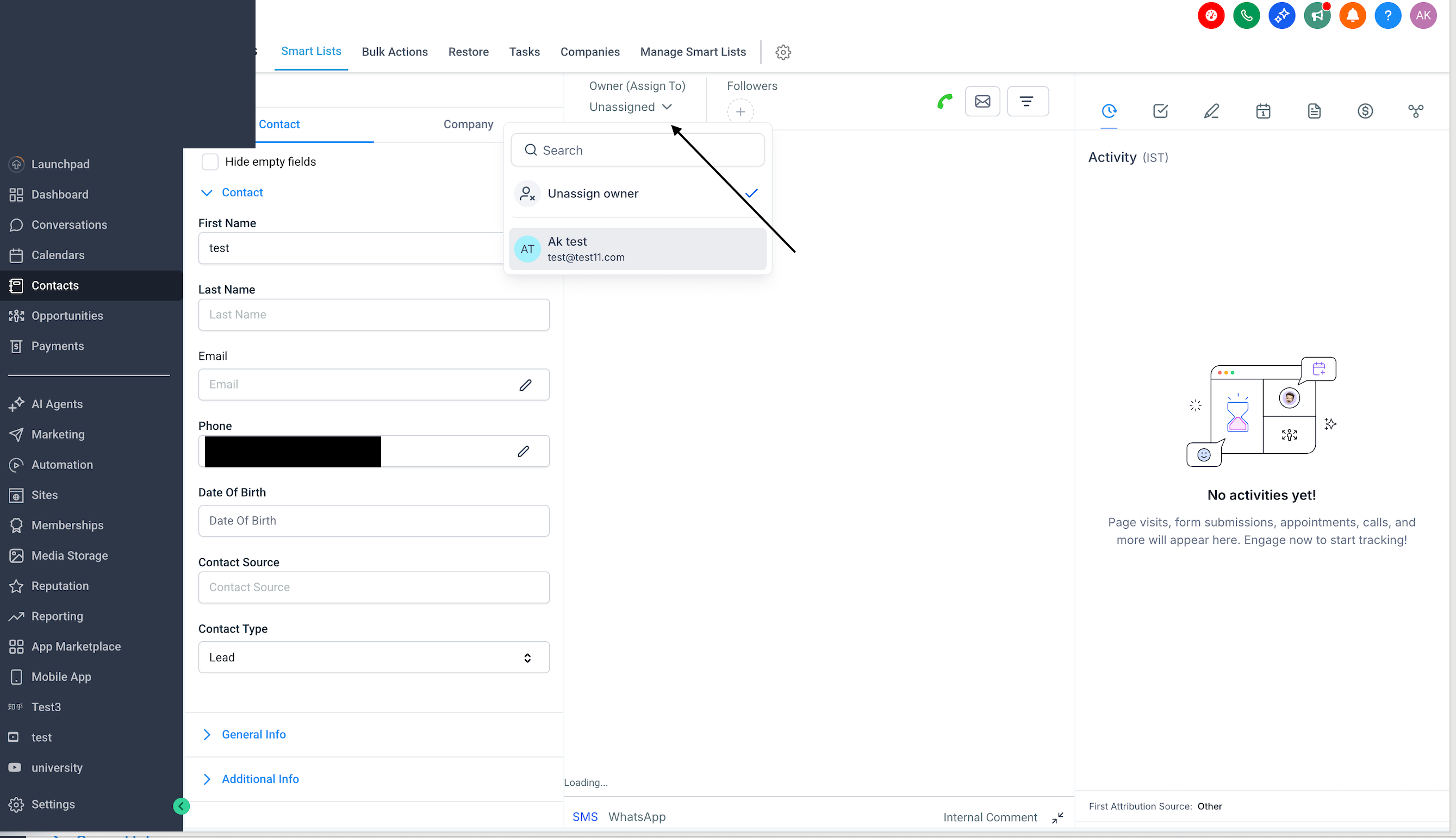
You can assign a user directly from the contact record by going to the contact, selecting 'Unassigned User,' and choosing the appropriate user.
Frequently Asked Questions
Q)Can I assign multiple LC numbers to one user?
A)No, only one LC number can be assigned to a user at a time for direct routing.
Q)How many users can share one LC number?
A)Only one user can be assigned to an LC number at any given time. Once assigned, all calls to that number will be directed solely to that user.