
This article explains how to create or update users at the account level so they can manage multiple SourCherry sub-accounts without being granted access to the agency dashboard. You'll learn how to assign the correct role, configure access settings, and manage permissions using the updated SourCherry interface.
TABLE OF CONTENTS
- What is the Account User/Admin Role?
- Key Benefits of Account-Level Access
- Configuring Account-Level Users and Admins
- Frequently Asked Questions
What is the Account User/Admin Role?
Account-level users and admins are restricted to selected sub-accounts. Unlike agency-level users, they do not have visibility or control over the entire agency. This setup is ideal for giving team members access to multiple locations without compromising sensitive agency-wide settings.
Key Benefits of Account-Level Access
- Granular Permissions: Limit access to only the locations they need.
- Secure Delegation: Avoid giving unnecessary agency-wide visibility.
- Flexible Management: Add users as Admins or Users based on required capabilities.
Configuring Account-Level Users and Admins
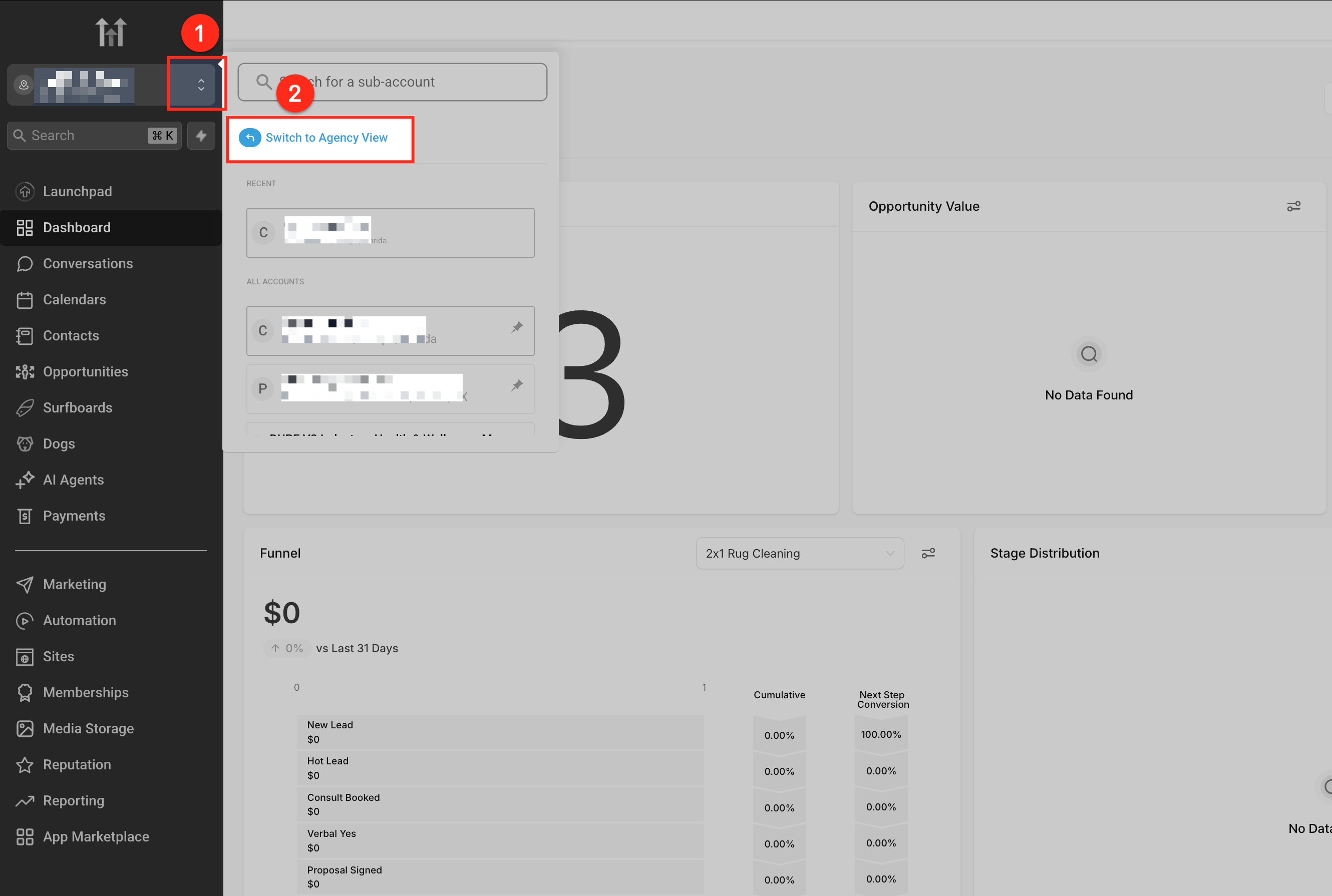
Switch to Agency View
Click the location dropdown in the top left of your dashboard, then select Switch to Agency View.
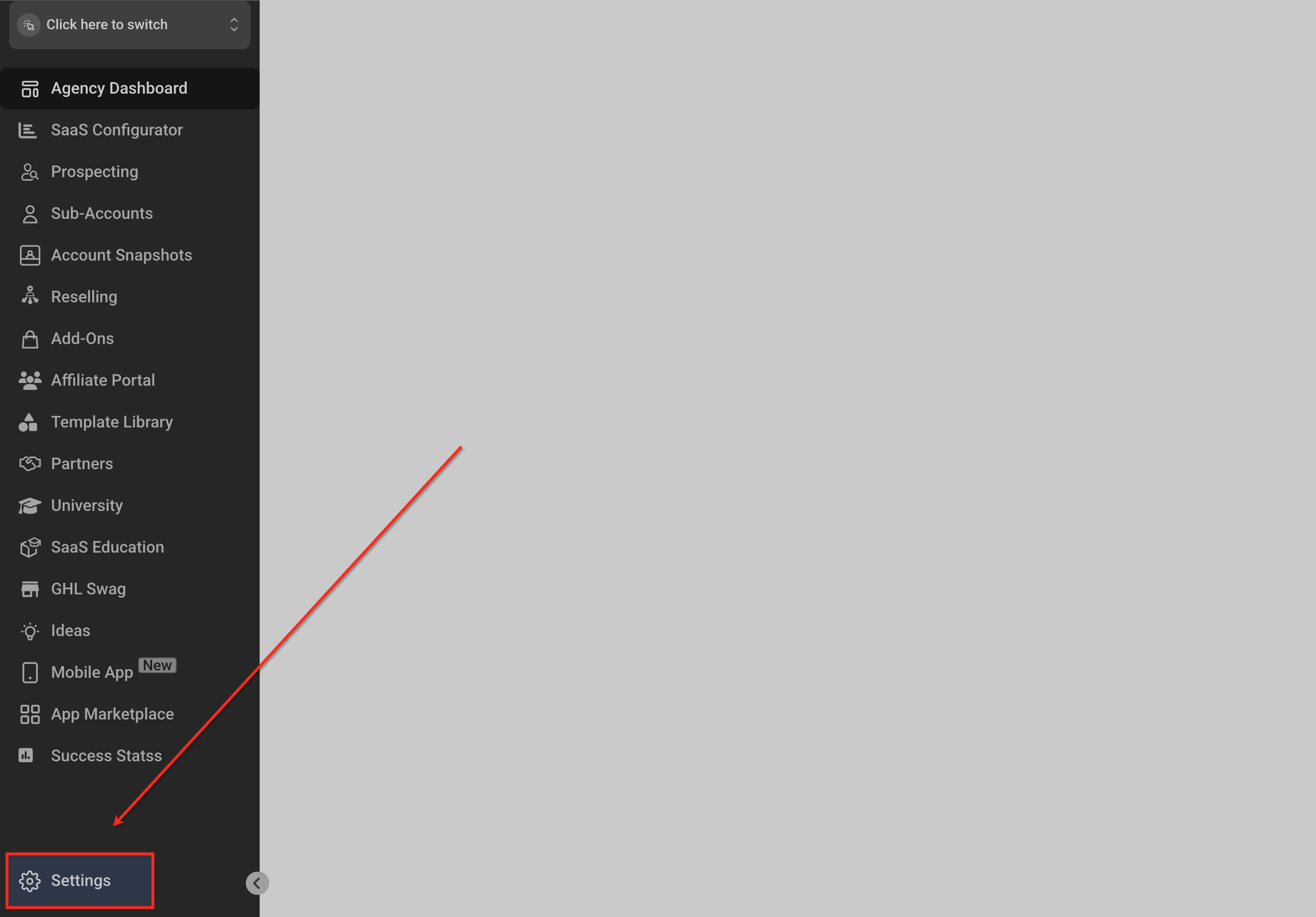
Go to Settings > Team
In the Agency View sidebar, scroll down and click Settings, then select the Team tab.
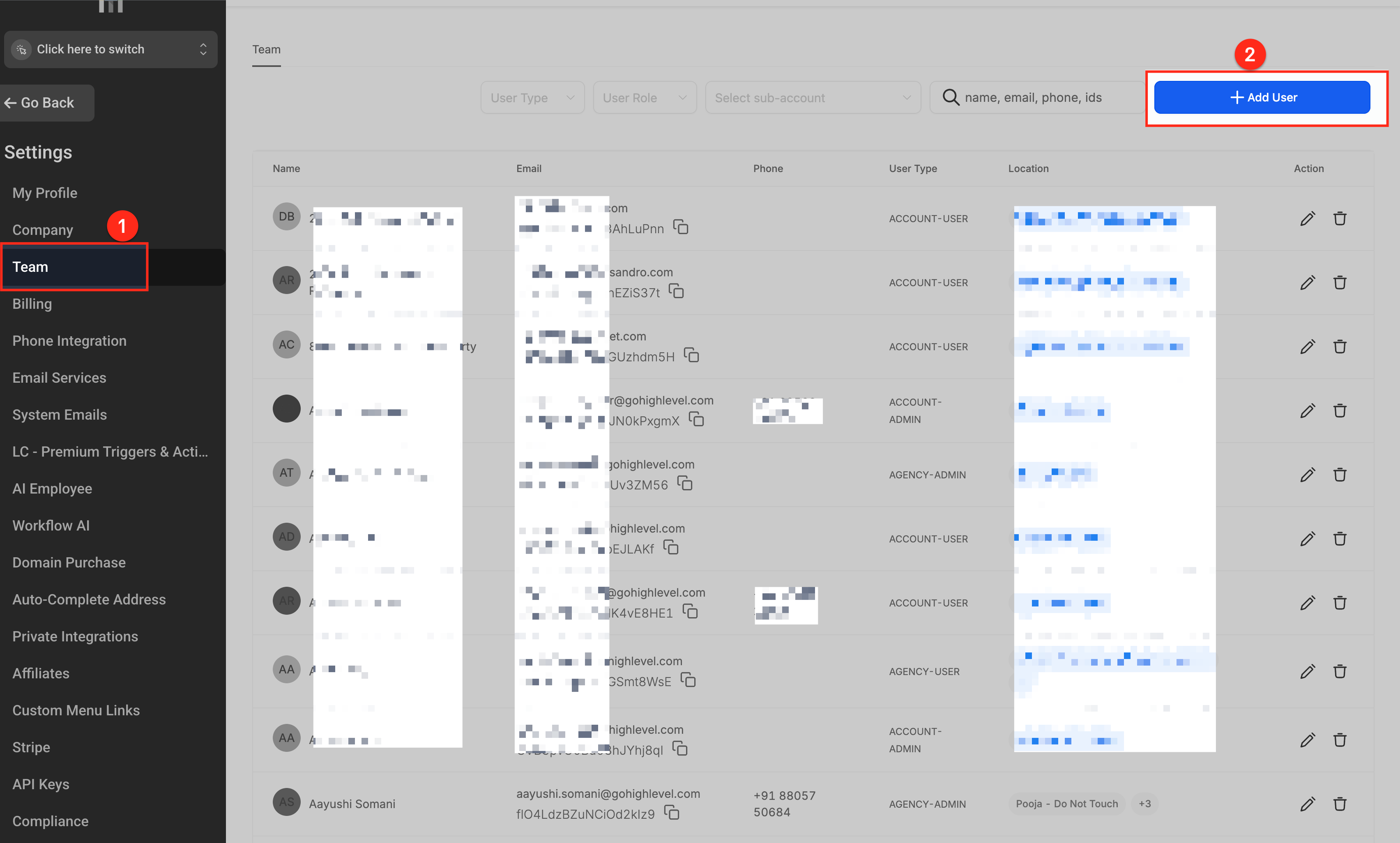
Add or Edit a User
Click + Add User in the top-right, or click the pencil icon beside an existing user to edit their settings.
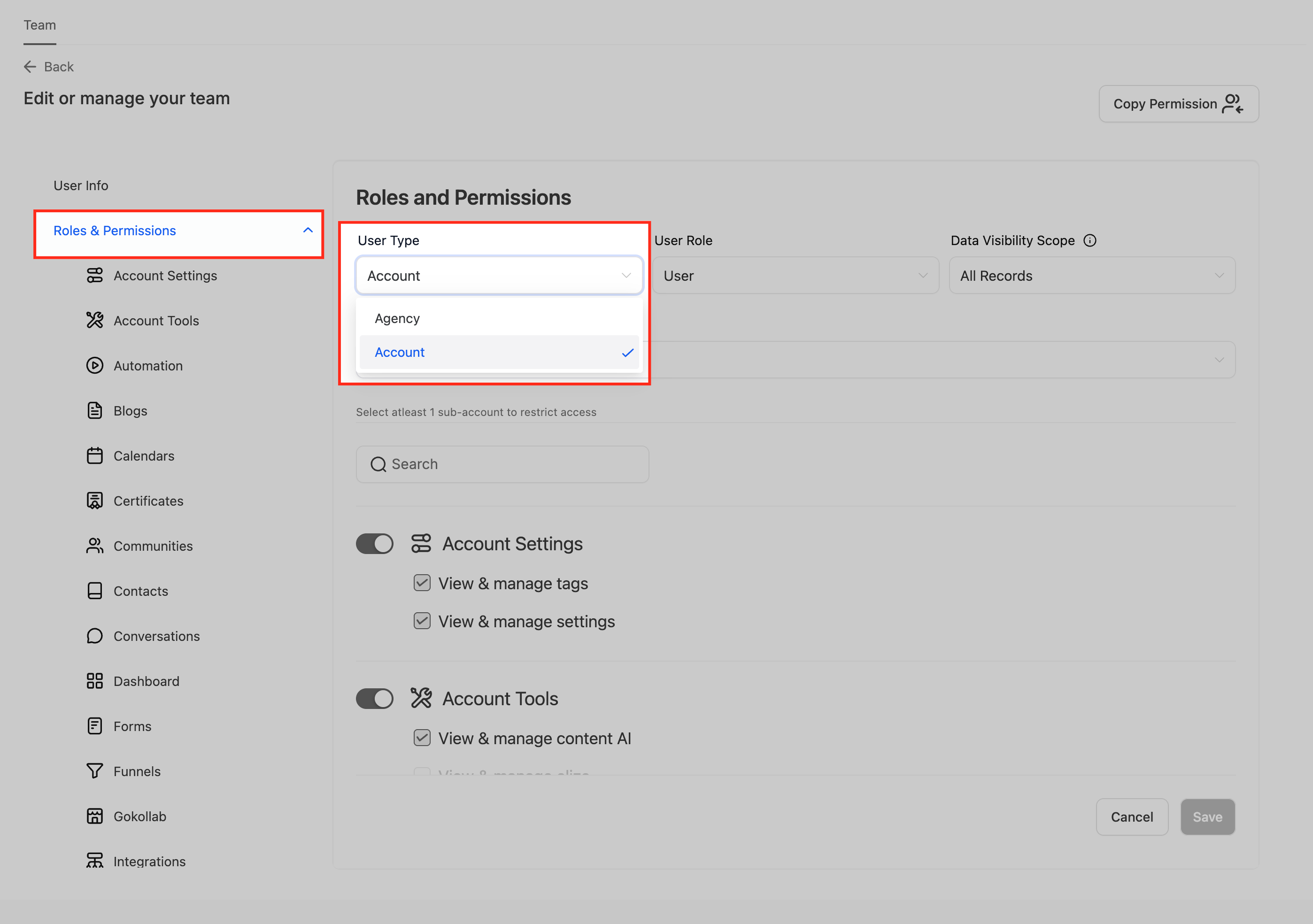
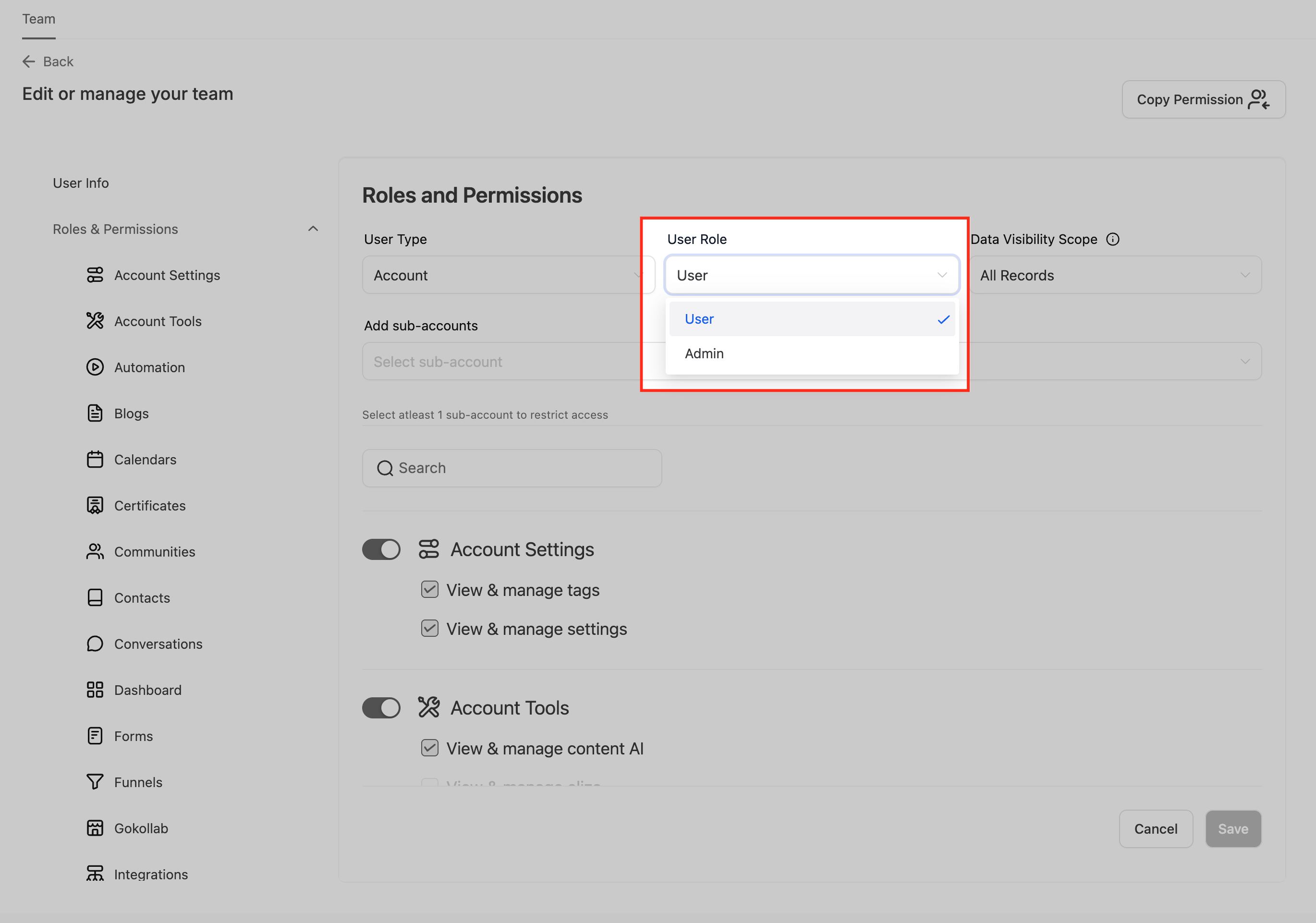
Set User Type to Account
Under Roles and Permissions, set the User Type to Account. This ensures the user has no agency-level access.
Assign User Role and Locations
- Choose between User or Admin under User Role.
- Use the search field to assign one or more sub-accounts the user should have access to.
- Configure feature-specific permissions as needed using the toggle switches.
Save the User
Once you’ve configured the access settings, click Save to complete the setup.
Frequently Asked Questions
Q: Can one user manage more than one location?
Yes. When assigning sub-account access, you can select multiple locations.
Q: What’s the difference between Account User and Account Admin?
Account Admins can manage most settings within assigned sub-accounts, while Users typically have restricted access based on toggled permissions.
Q: Can I promote an existing account user to admin later?
Yes. Edit the user under Settings > Team, and update their role from User to Admin.
Q: Can an Account user access the Agency Dashboard?
No. Setting the User Type to Account ensures the user cannot access the agency-level interface.
Q: Will the user receive an invite email?
Yes. Once saved, an invitation is sent to the user’s email to join and access the assigned sub-accounts.