
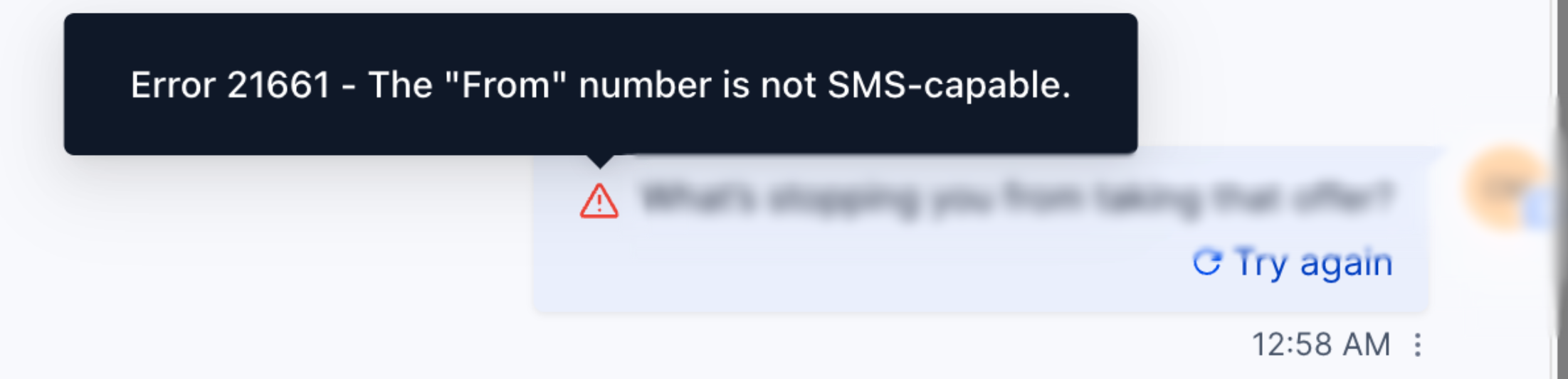
Seeing "The From phone number is not SMS-capable phone number"? This guide explains why it happens and how to fix it — covering capability, ownership, A2P (US), and formatting.
What Is the Error: The "From" number is not SMS-capable.
This error appears when an outbound SMS/MMS is attempted from a number that isn't eligible to send SMS for the selected destination, account, or configuration. The most common root causes are: the number isn't SMS-capable, it's not on your account/location, it's not linked to an approved A2P campaign (US 10DLC), or the From value is misconfigured (e.g., invalid format or incompatible sender type).
Quick Fix Checklist
- Verify the From number belongs to this sub-account/location and is SMS-capable.
- Use E.164 format in the From field (e.g., +15551234567).
- For US 10DLC, make sure the number is attached to an approved A2P campaign (Messaging Service → attached numbers).
- If using a Short Code, the To and From must be in the same country.
- If using an Alphanumeric Sender ID, confirm the destination country supports it.
- If you manage numbers in Twilio Console, ensure the number is capable and owned by your account (not another Master account).
If this error started after a recent move or configuration change, re-check number ownership (agency vs. sub-account), campaign assignments, and any Messaging Service changes.
Common Causes & How to Resolve
Some phone numbers are voice-only or don't support SMS in certain countries.
- LC Phone: Go to Settings → Phone Numbers, open the number, and confirm Messaging is enabled.
- Twilio: In Console, open the number and verify that Capabilities include SMS.
- Fix: Use an SMS-capable number or purchase/assign one that supports messaging.
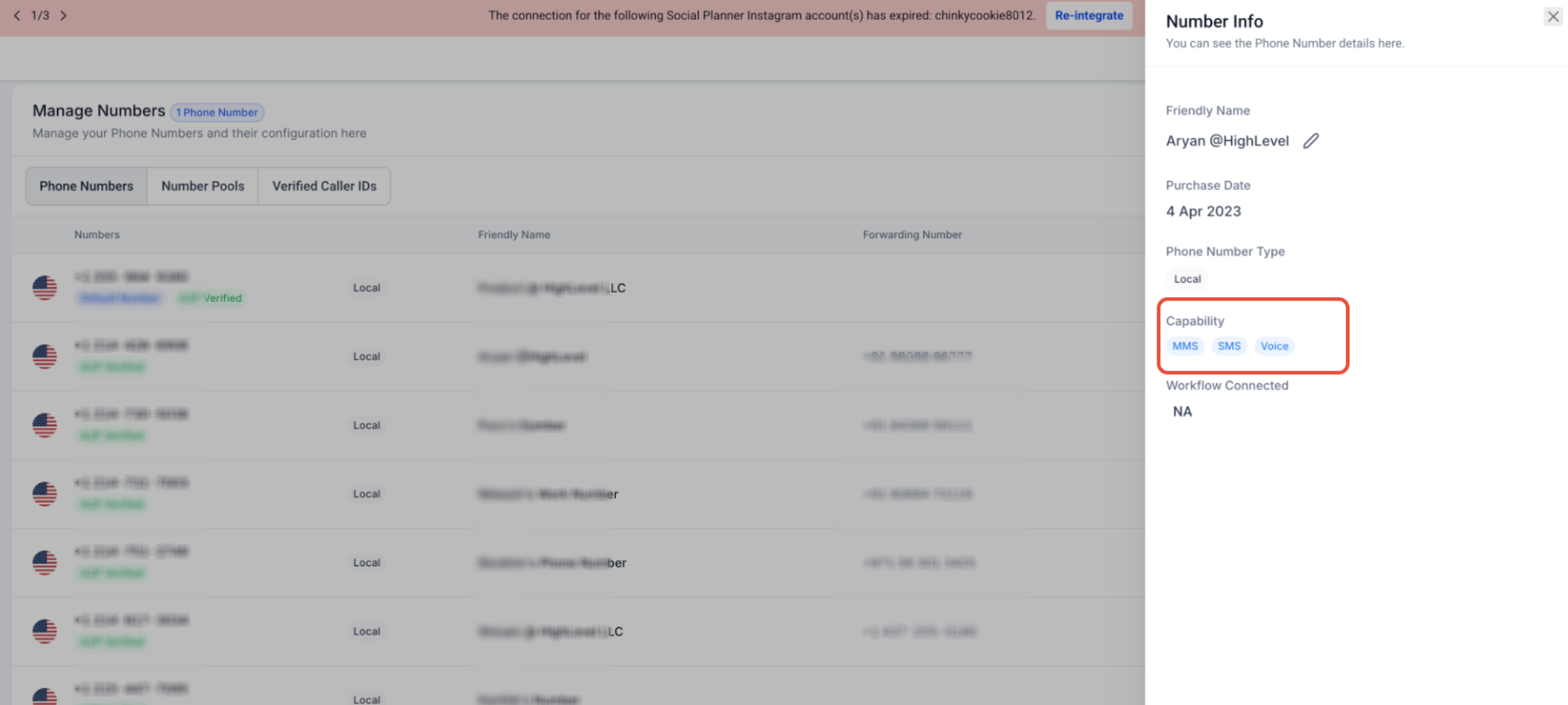
For using the Phone Number Assignment feature, refer to: .
The From must be a number owned by (or hosted to) your account and valid for the target country.
- Short Codes: Must be in the same country as the destination.
- Hosted/Trial/other account numbers: Not valid until fully owned and SMS-enabled on your account.
- Fix: Send from a number on your account that's allowed for the destination.
US local 10DLC numbers must be tied to an approved A2P campaign.
- LC Phone: Confirm the number is linked to your approved Brand/Campaign.
- Twilio: Attach the number to the correct Messaging Service that's tied to the approved campaign.
- Fix: Complete A2P registration and link the number; retry after approval.
- E.164 required: Use
+and country code. - Alphanumeric Sender ID: Only supported in specific countries (not US/CA person-to-person).
- Fix: Correct the From format or choose a supported sender type for the destination.
If the number was moved between sub-accounts or providers, the From selector or automations may still reference the old number.
Fix: Re-select the active number in Conversations, Campaigns/Workflows, and Messaging settings.
Special Cases
- Toll-Free (US/CA): Requires Toll-Free Verification for reliable delivery. If unverified, messages may fail or be filtered.
- International: Some countries block A2P from long codes; use Alphanumeric Sender ID (if supported) or an approved sender per country rules.
- Different Master Twilio account: If your number lives under a different Master account, it isn't valid for this account's sends. Move it first or send from a number on this account.