
Billing & Usage
SMTP Provider Error & Email Rebilling Settings
Understand the SMTP provider error tied to Email Reselling, and learn how to disable Email Rebilling for a sub-account.
Overview
If you see an error when adding an SMTP provider, it's usually tied to the sub-account's Email Reselling setting. This article covers that error and walks through how to disable Email Rebilling for a sub-account.
1
The Error

If you're trying to add an SMTP provider and this error message shows up, check whether Email Reselling is enabled for the location in the agency's SaaS configurator page.
Video Walkthrough
2
How to Disable Email Rebilling
Step 1
Step 2
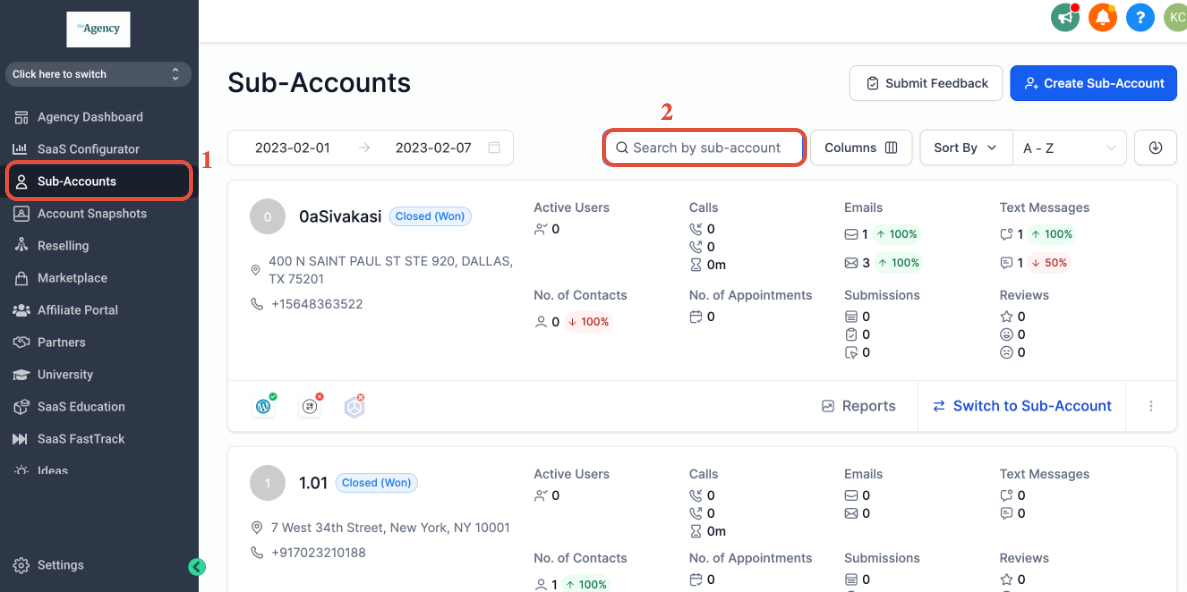
Once in agency view, click Sub-Accounts and search for the sub-account.
Step 3
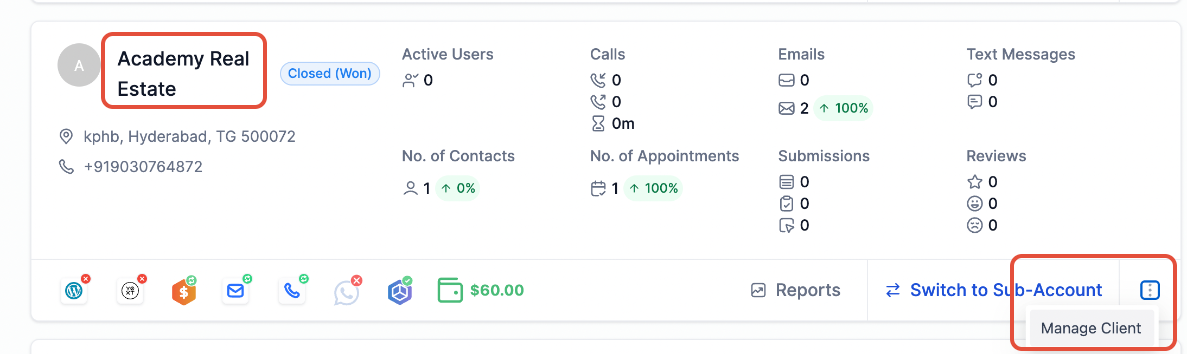
Once you locate the sub-account, click the sub-account name or click the three dots at the bottom right to Manage Client.
Step 4
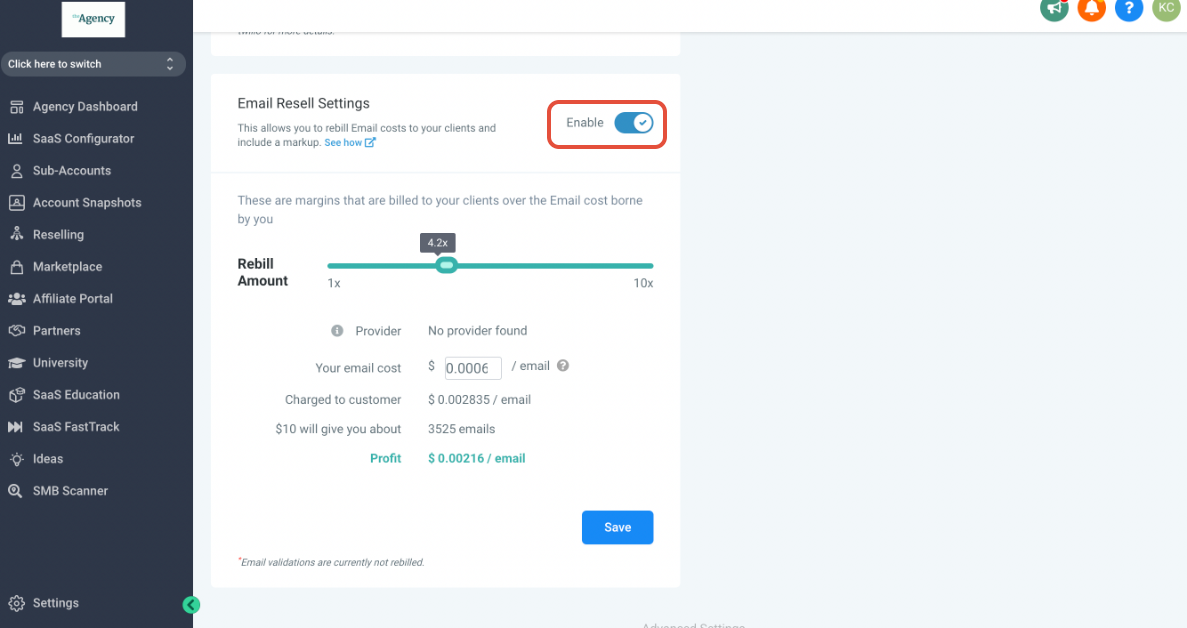
Scroll all the way down to Email Resell Settings and toggle the highlighted button to disable Email Rebilling.
3