
Overview
Ever wanted to convert or import a website or funnel page into a new funnel/website you're building? With the new import feature this can now be achieved on the fly.
How does it work?
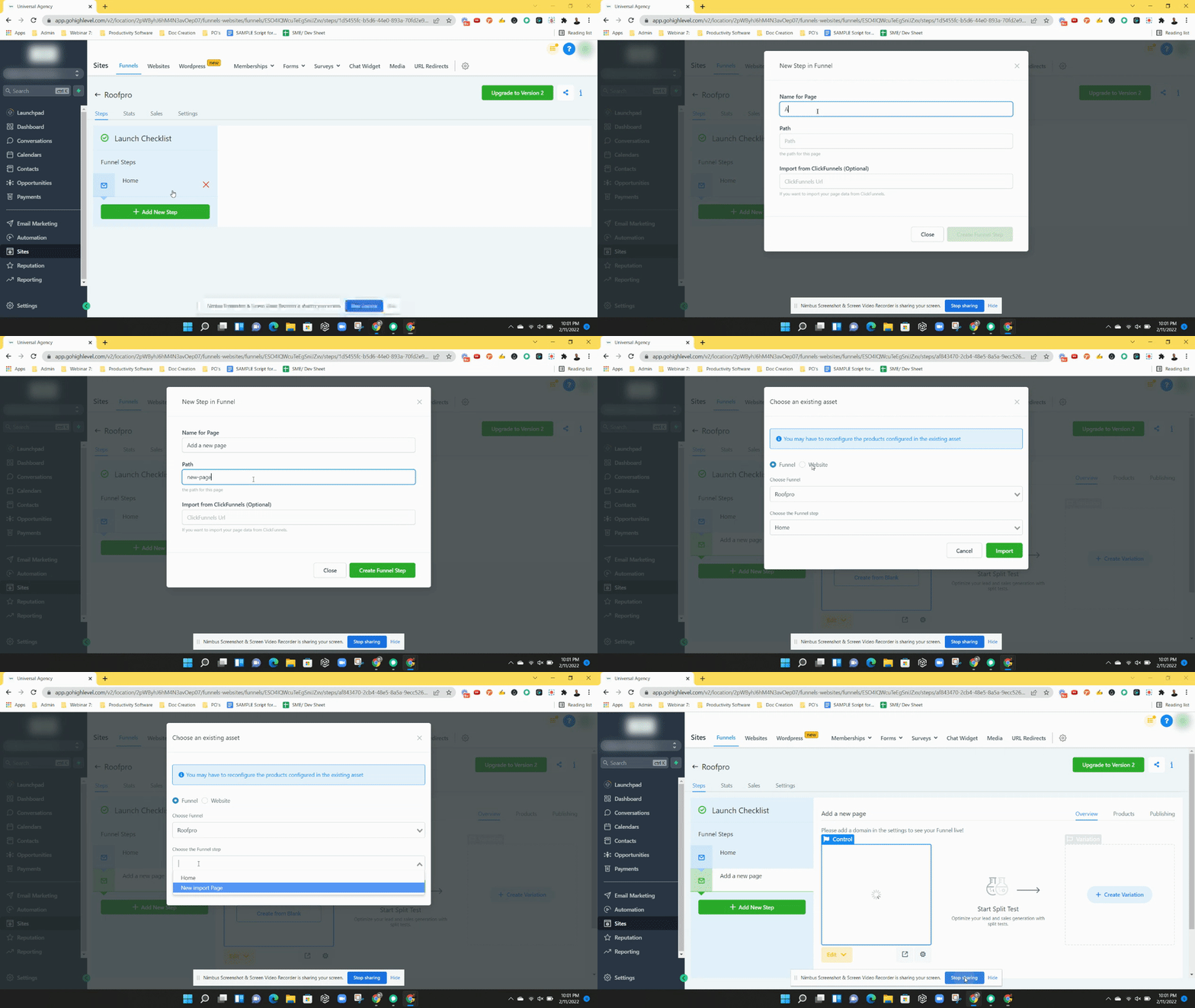
Step 1: Click on"+ Add New Step" button to add a new page to your funnel or website,
Step 2: A pop up will appear, continue to name your page and path
Step 3: Click on "Create Funnel Step" to close the pop up
Step 4: A new modal window will appear in the funnel preview area, click on the "Import" button
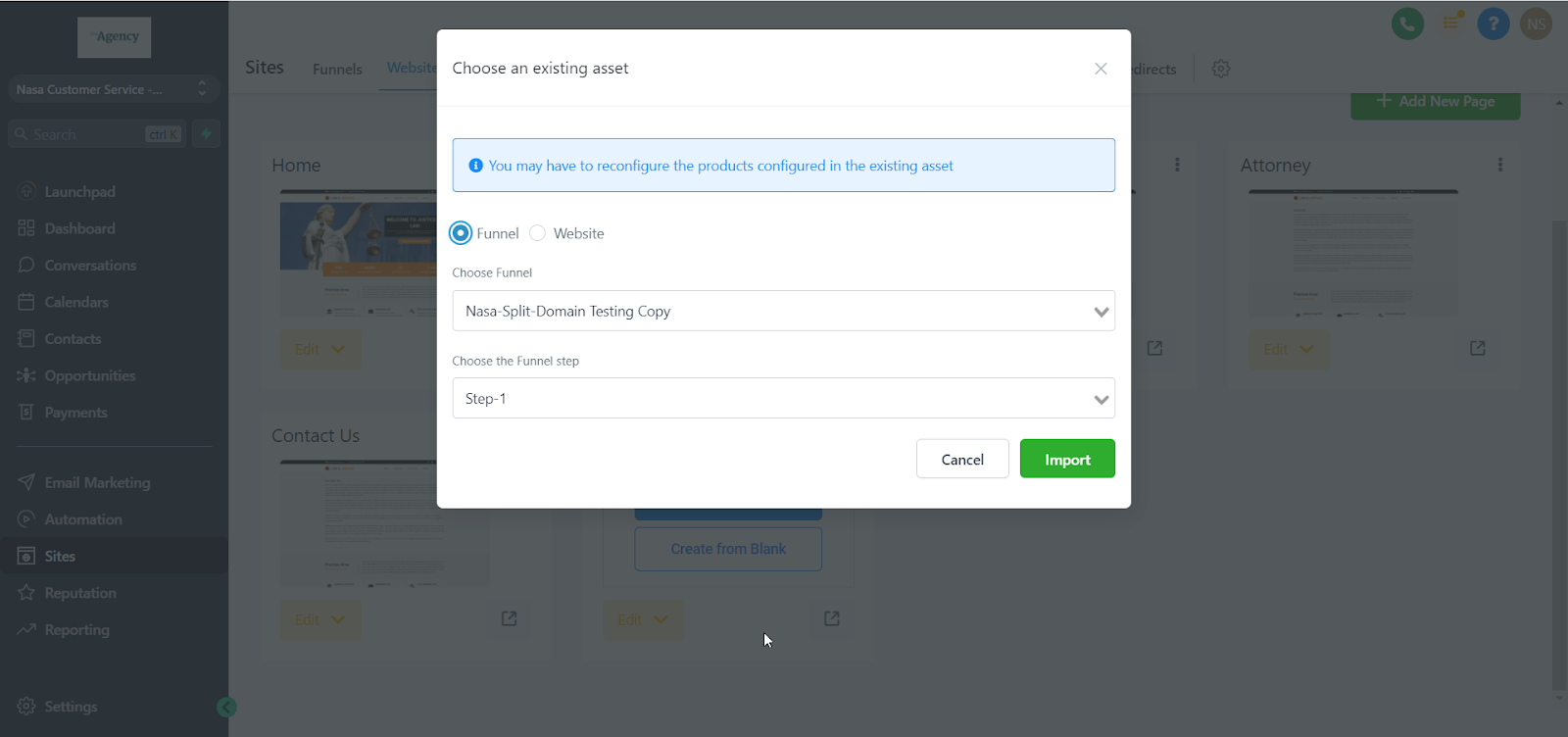
Step 5: Select which page you would like to import and click "import"
Please Note:
In order to import or convert a funnel/website you first have to add a new step
Import Funnel / Website feature imports only a single funnel step or a webpage
You may only import an existing funnel step or website page within SourCherry
Does not import from other websites/funnel providers
Changes to any imported step/page will NOT affect the original step/page
The import feature will NOT import the products configured or the stats accumulated on the source funnel step. Products have to be configured again after the import
**You can import a control or variation step in a funnel as well
**If you want to run split test on websites, please import that pages into funnels and run a split test there.
- Split testing is available in funnels across all plans