Email Infrastructure
What is LC Email?
LC Email is the built-in email service provider that powers sending and receiving on every sub-account — no third-party setup required.
Overview
LC Email is the "engine" that powers email inside the platform. It eliminates the need to sign up for Mailgun, Sendgrid, or any other third-party provider — email sending and receiving works out of the box on every sub-account with minimal setup.
LC Email acts as a fully hosted email service provider built directly into the platform. It delivers industry-leading deliverability, error monitoring, and compliance — so your emails are far more likely to land in the inbox. It's also considerably less expensive than comparable third-party email service providers on the market.
2
Why Was This Feature Built?
LC Email was built to help agencies skip the complexity of setting up and managing third-party email providers like Mailgun or Sendgrid. Previously, every new agency had to integrate with an external provider just to send or receive emails — adding setup time, cost, and failure points.
LC Email is designed to work out of the box with minimal configuration needed from either the agency or sub-account. The goal was simple: an email service that just works.
When you schedule an email send, the platform may show an inline error if the scheduled send would exceed your current sending limits.
Important
Do not rely on static thresholds listed in other articles. Limits vary by ramp-up stage and configuration. Use this article as the authoritative reference for current limits and ramp-up behavior.
How to resolve:
A
Reduce the number of recipients for the scheduled send, or split it into smaller batches.
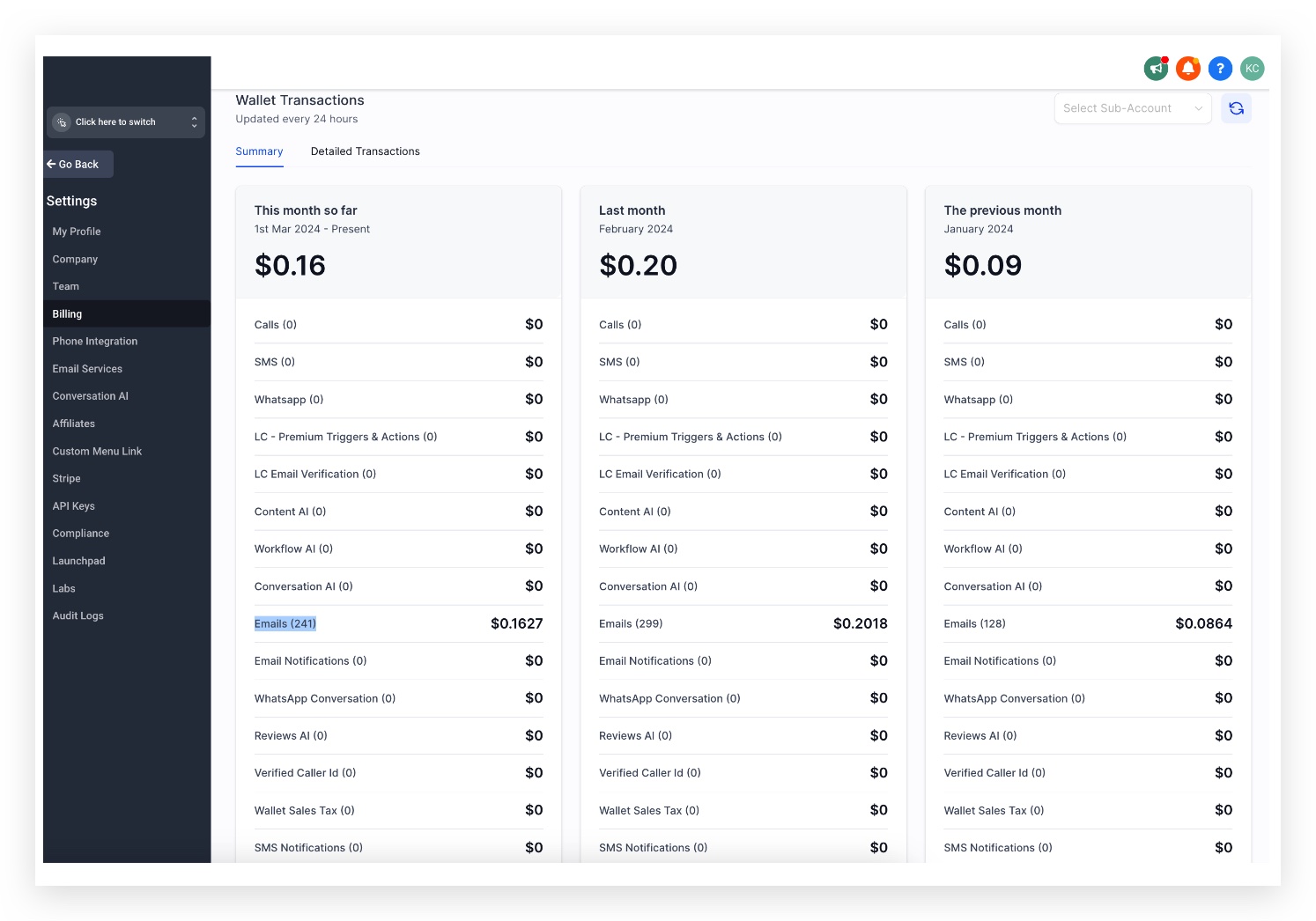
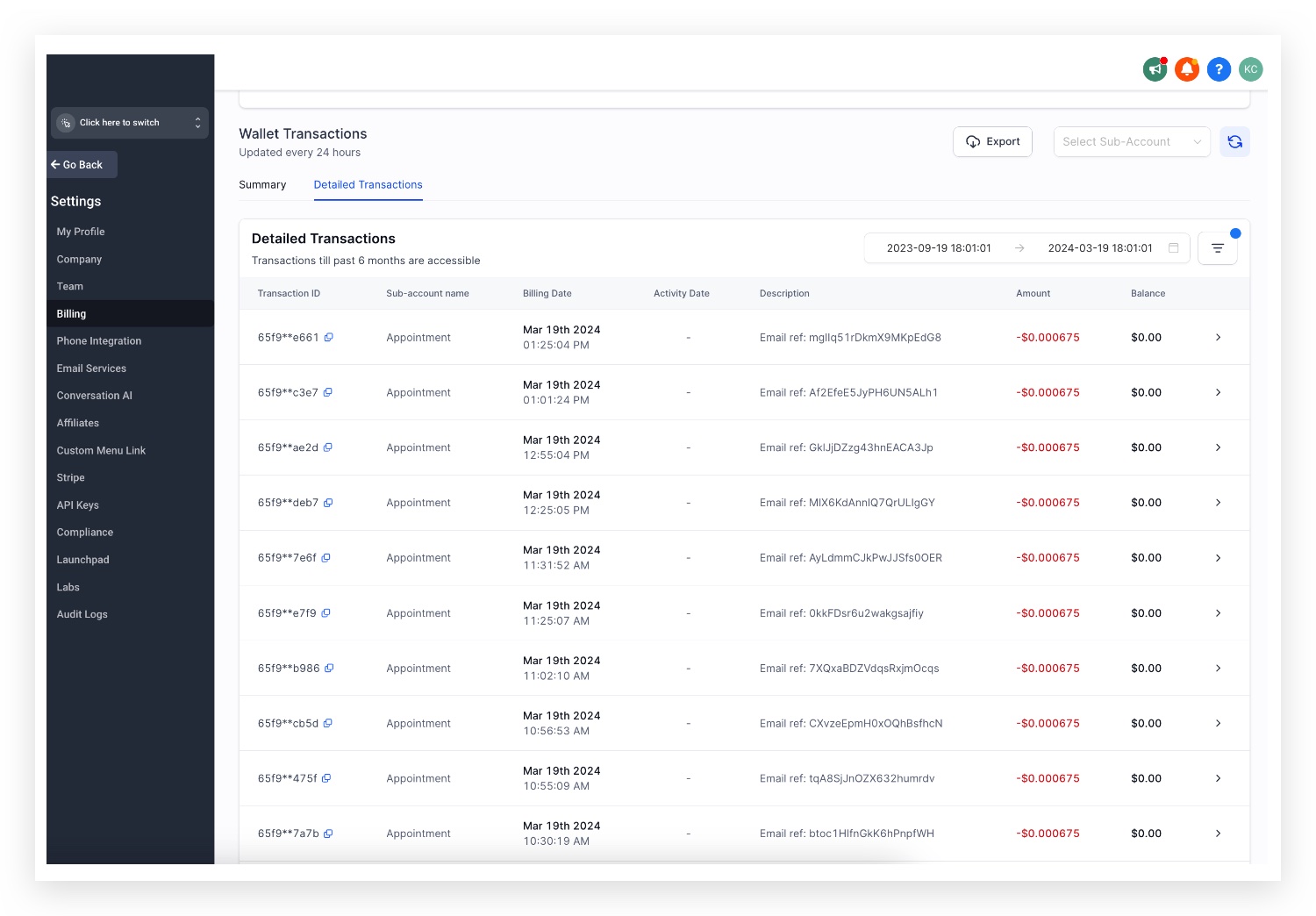
Email Sending — $0.675 / 1,000 emails
This rate applies across all plans. Transactions are billed at the agency level and can be viewed at:
Navigation
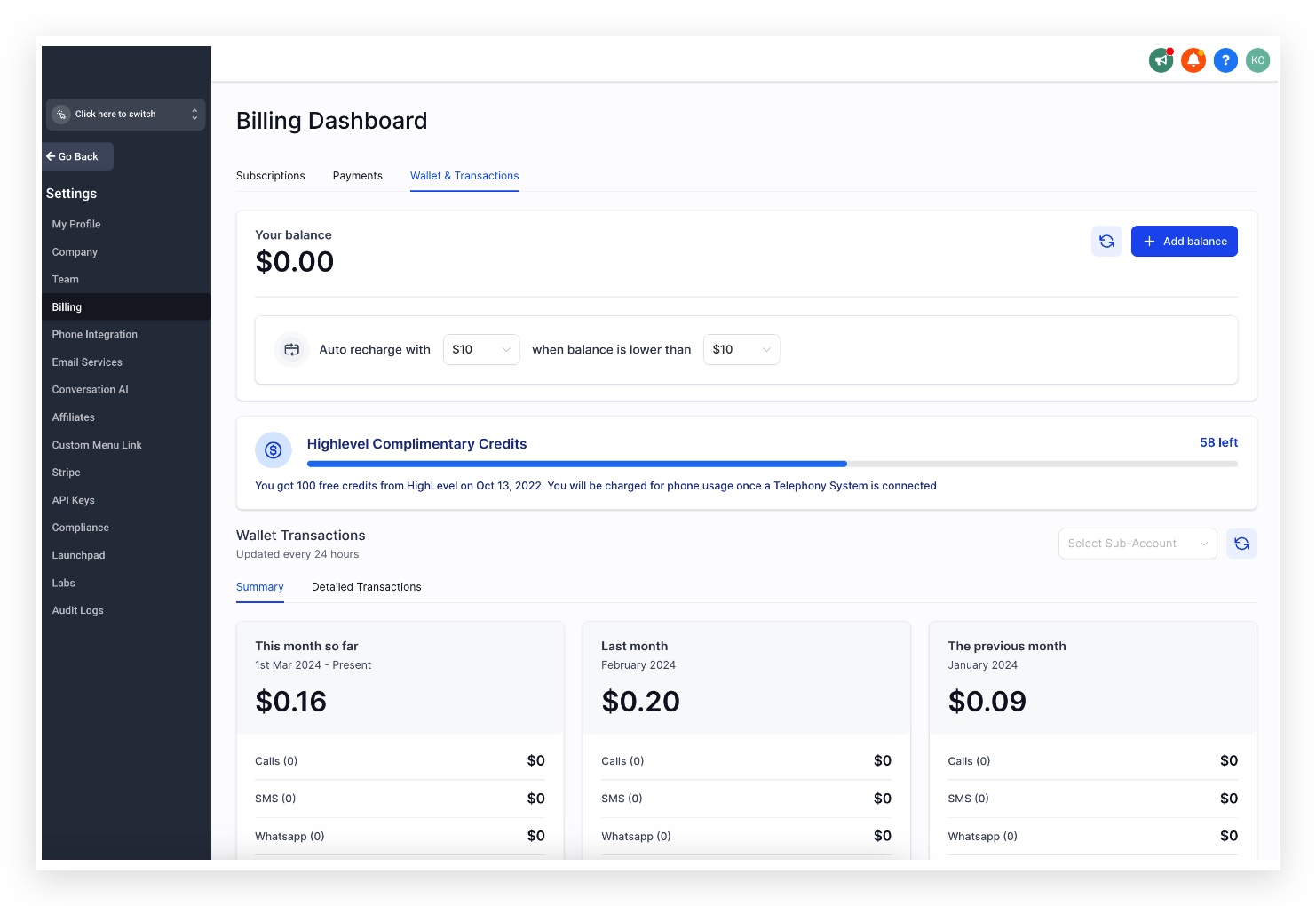
Agency View → Billing → Credits
All incoming and outgoing emails (To, CC, and BCC) will incur charges.
Email Verification — $2.50 / 1,000 verifications
Email verification can be enabled to help ensure you are only sending to valid addresses. Verification events are billed separately at $2.50 per 1,000 checks.
Email Forwarding — Same rate as sending ($0.675 / 1,000)
Forwarded emails are billed the same way as outgoing emails. At the agency level, each forwarded email incurs a charge. If re-billing is enabled for a sub-account, the sub-account will be charged for each forwarded email.
View Forwarding Billing
Settings → Billing → Wallets & Transactions → Detailed Transactions
In Detailed Transactions, you'll find:
Billing Source Type — the type of service generating the charge
Billing Trigger ID — the unique identifier for the forwarded email event
Every new sub-account on LC Email follows a Ramp-Up Model — daily sending limits increase gradually over the first seven days to build a healthy sending reputation and avoid spam filters.
Starting on day 8, the limit depends on whether you are using a shared IP or a dedicated IP for sending.
| Day | Daily Email Limit |
|---|
| Day 1 | 250 |
| Day 2 | 500 |
| Day 3 | 1,000 |
| Day 4 | 2,500 |
| Day 5 | 5,000 |
| Day 6 | 7,500 |
| Day 7 | 10,000 |
| Day 8 & Ongoing | Shared domain: 150,000
Dedicated domain: 450,000 |
Please Note
The daily counter resets every day at midnight 00:00:01 AM UTC. If the limit is reached before the reset, the account is locked for the remainder of that period.
It's important to validate sub-account activity and confirm it is not a spam account before increasing limits.
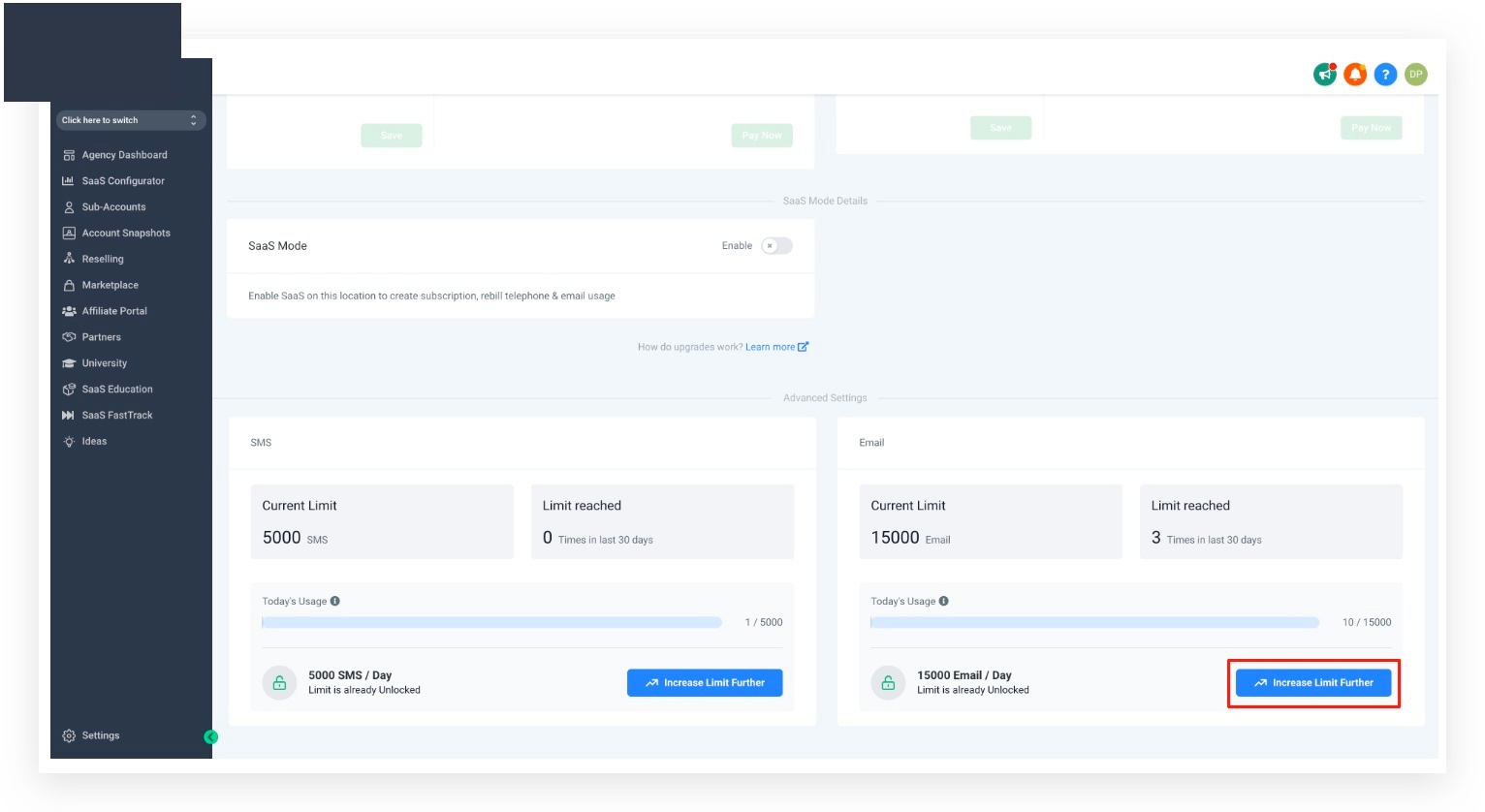
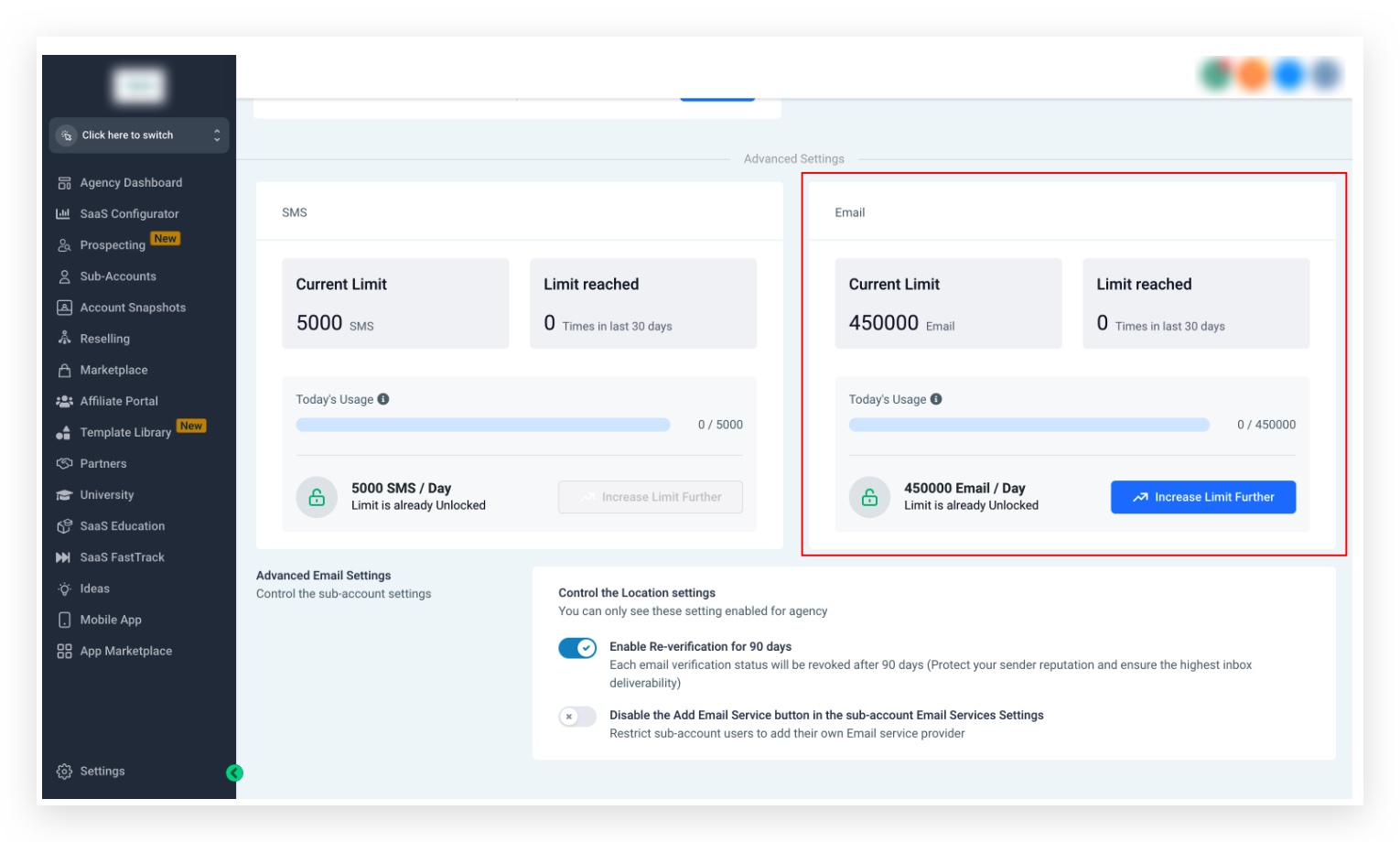
To adjust a sub-account's sending limit, navigate to the sub-account detail page:
Navigation
Agency View → Sub-Accounts → [Search & click Sub-Account Name] → Additional Settings
A
Shared Domain — up to 150,000/day
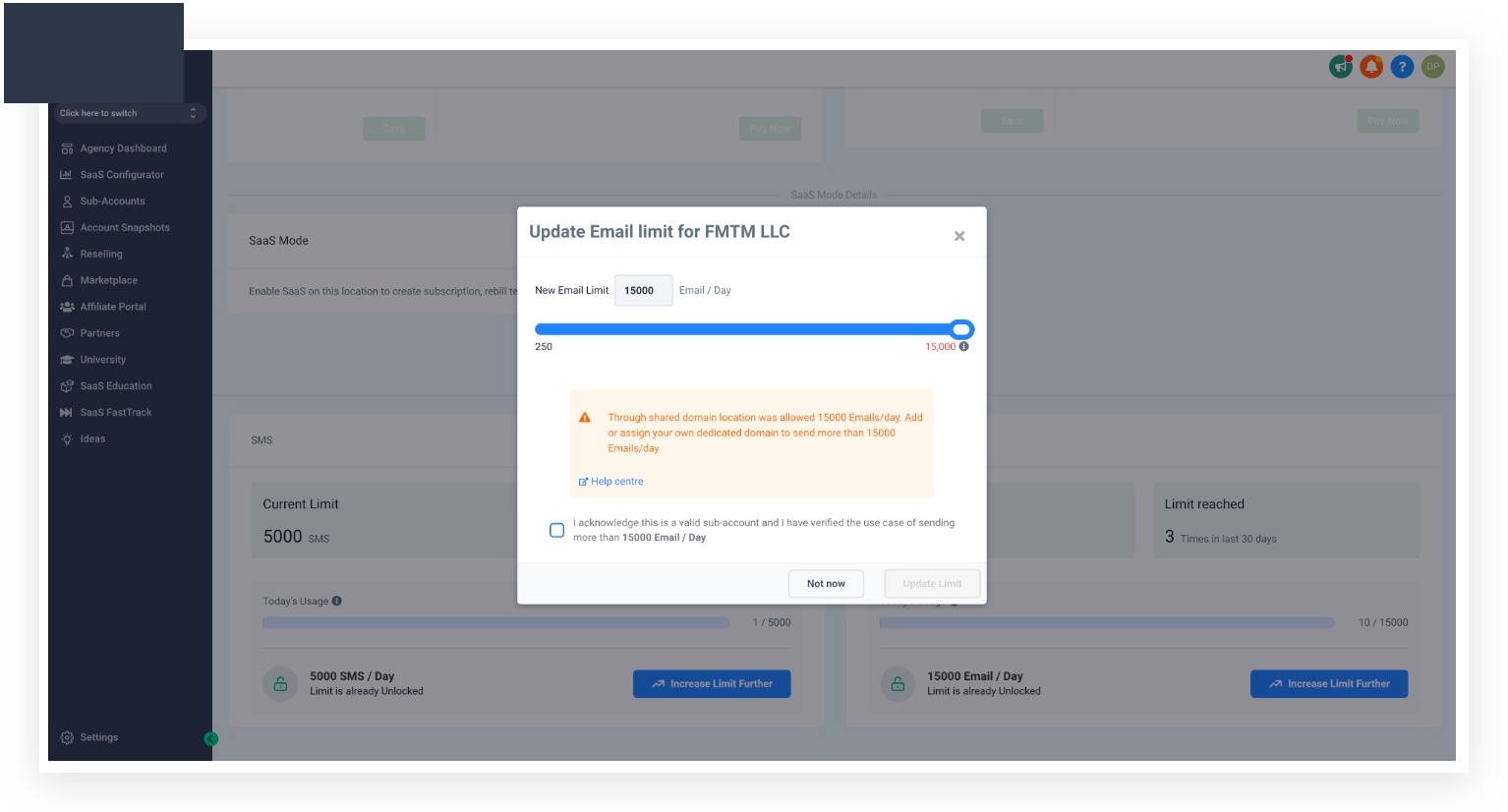
The limit for shared IP email sending ranges from 250 to 150,000. To go beyond this, you must set up a Dedicated Sending Domain for the sub-account.
B
Dedicated Domain — up to 450,000/day
The limit for dedicated IP email sending ranges from 250 to 450,000. To increase beyond 450,000, please contact the support team.
Impact on Affiliates
LC Email eliminates one of the two major hurdles to getting started with the platform — meaning new affiliates are more likely to find success quickly and stick around.
7
Frequently Asked Questions
Q: How do I migrate my agency over to LC Email?
Q: What about agencies who want to integrate their own SMTP?
No problem. All new accounts default to LC Email, but a third-party SMTP provider can be integrated at any time. Both options remain available side by side.
Q: Where can I see my client's email usage?
Navigate to Agency Settings → Billing → See Details (under Credits) to view per-client email usage.
Q: How can I bill my clients for usage?
If you're on the Pro Plan, you can enable re-billing for sub-accounts — saving the time and effort of billing clients manually. With LC Email's lower per-email cost, there's more margin available for your agency.
Q: Will email re-billing work with ISV?
Yes. All agencies on the Pro Plan can re-bill email usage whether they use LC Email or a connected third-party SMTP. The lower LC Email pricing means even more margin for your agency.
Q: Does cold email work with LC Email?
Yes. Please refer to the dedicated cold email help article for full details on how cold emailing is supported within LC Email.
Q: Is LC Email HIPAA compliant?
Yes. There is a signed BAA with Mailgun for HIPAA compliance. As long as you have the HIPAA compliance package active, you're covered.
Q: Why does my sub-account only have a 15,000 email limit?
A sub-account without its own Dedicated Domain will be treated as a shared domain — even if the agency has a dedicated domain configured. To resolve this, add a Dedicated Domain directly to the sub-account.