
The review widget is a great way to get feedback from your customers. It’s also a good way to show off your product and services with glaring reviews.
In this article, we will walk through how you can customize and embed the review widget.
Covered in this article:
What You Need To Know Before Customizing The Review Widget
How to customize and embed the review widget on a funnel/website
How to embed the review widget on 3rd party platform
Troubleshooting
What You Need To Know Before Customizing The Review Widget
- The review widget can be used on 3rd party platforms by embedding the code provided
- You can display your Facebook and Google reviews using the 'Review Widget Element' within funnels and websites (referenced in the video below at 1:30 secs)
- Reviews will show up under the reputation tab - Reputation - Breaking Down the Reviews Tab
How to customize and embed the review widget on a funnel/website
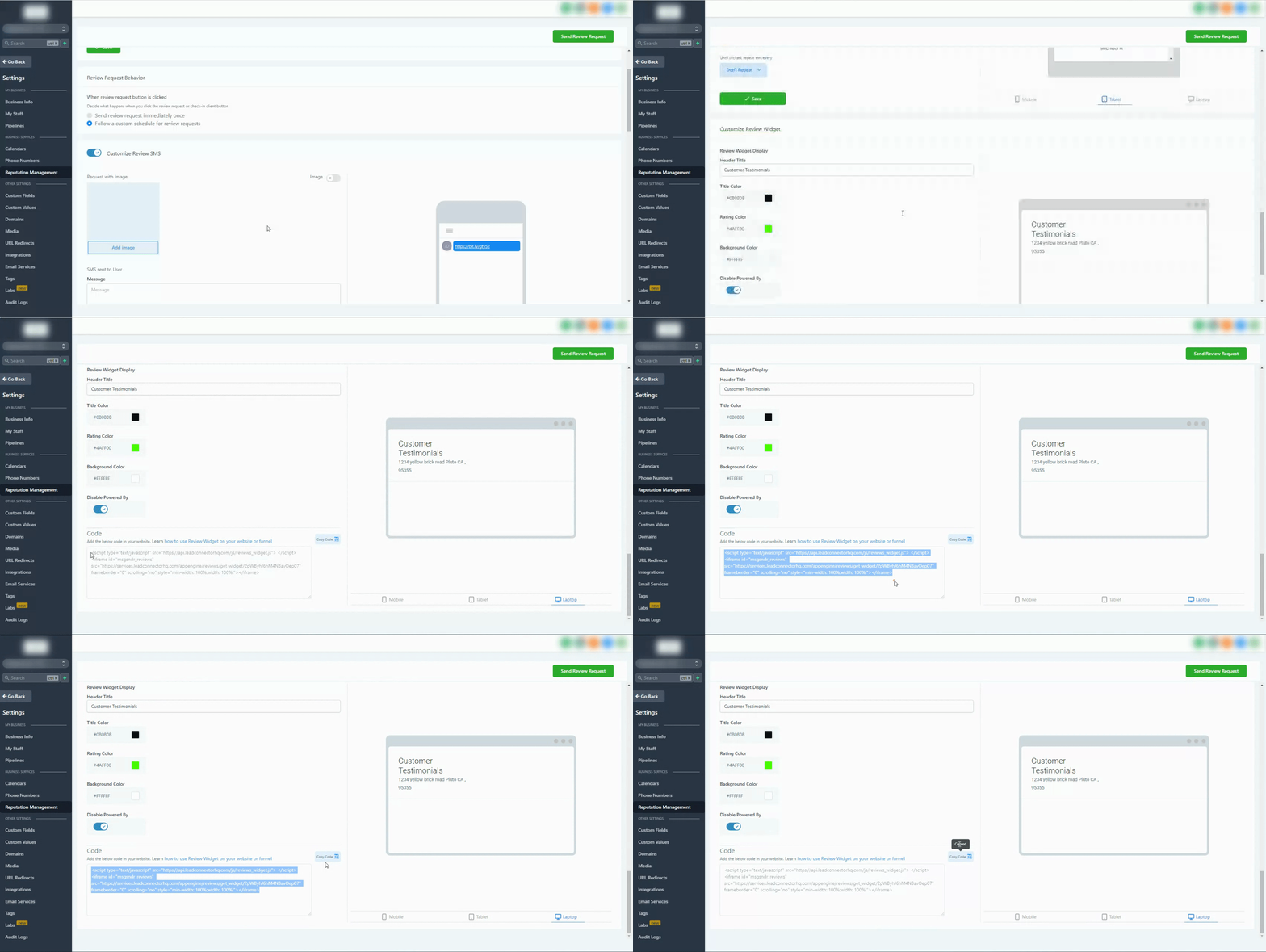
How to embed the review widget on 3rd party platform
Head into the Sub-Accounts settings > Reputation Management > Scroll down and click on the 'Copy Code' button > Paste Code on a third-party platform
Related articles:
How to Dispute a Google Review and Check on the Dispute Status
Reputation - Breaking Down the Reviews Tab