
In this article, we will cover the subscription tab and how it works
Please head into Payments > Then click on Subscriptions .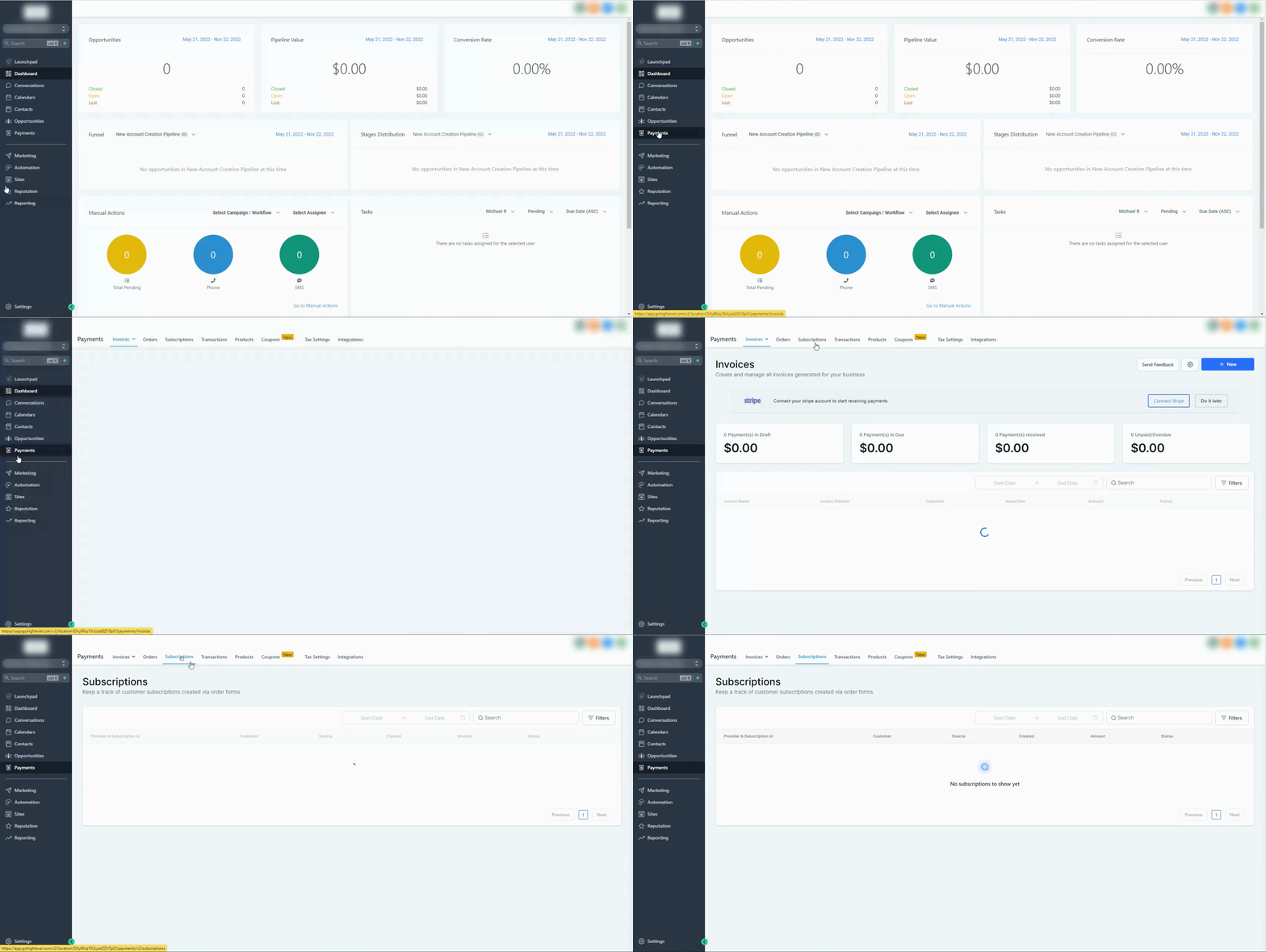
Please Note:
Subscriptions listed here can be created through multiple sources, including order forms and manual subscription creation.

The ability to cancel subscriptions/initiate refunds will be added soon to manage subscriptions without heading to Stripe.
Covered in this article:
What is listed on the Subscriptions page?
What is listed in the subscription details?
What does the status of the subscription represent?
Will these subscription statuses remain in sync with Stripe / Paypal?
Will the subscriptions page contain the list of subscriptions that did not get created because of payment failure on the order form?
What is not contained on the subscriptions page?
What is listed on the Subscriptions page?
Subscriptions created manually (for example, from a contact’s Payments tab), when supported by the selected payment provider.
The list would contain all subscriptions created via 1-step or 2-step order forms in funnels version 2 mentioning:
- Payment Provider and Subscription id
- Customer details
- Source of subscription creation
- Date of creation
- Subscription amount
- Status of subscription
What is listed in the subscription details?
- Payment provider details along with details of the source of subscription creation.
- Subsequent transactions happening in the subscription in case the subscription was created on Stripe
Metadata (optional)
Some subscriptions may include additional metadata fields (for example, a company name captured during checkout).
What does the status of the subscription represent?
Status | Stripe | Paypal |
Trial | trialing | |
Active | active | active |
Canceled | canceled | canceled |
Suspended | suspended | |
Failed | incomplete_expired | |
Incomplete | incomplete, past_due | approval pending, approved |
Unpaid | unpaid | |
Expired | expired |
We have bucketed the status of the subscription in Stripe and Paypal according to the above mapping. Refer here to know what these status subscriptions mean in Stripe and Paypal
Will these subscription statuses remain in sync with Stripe / Paypal?
- For Stripe, the subscription status and payments received will remain in sync with what is happening in your Stripe dashboard. For example, if you cancel the subscription on Stripe, it will reflect as Canceled in your subscriptions list as well. All the upcoming payments received will also remain in sync with your Stripe dashboard.
- The subscription status will not remain in sync if the subscription was created on Paypal. Also, in case the subscription was created on Paypal, the subscription details will as of now not capture the upcoming payments as well. The subscription entry will get created though for you to track the subscriptions that got created via Paypal.
Will the subscriptions page contain the list of subscriptions that did not get created because of payment failure on the order form?
No, in case the payment failed while making the first payment for the subscription while submitting the order form, it would not get registered on the subscriptions page. You can still track the contact as the contact will get created in both 1-step and 2-step order forms.
What is not contained on the subscriptions page?
- Recurring templates created in the invoices section
- Subscriptions created inside the Memberships section