
Connect Printful with SourCherry to sync print-on-demand products and automate order fulfillment for your Ecommerce Store. This article shows how to connect your Printful account, sync products, and manage fulfillment workflows inside SourCherry.
TABLE OF CONTENTS
- What is the Printful Integration?
- Key Benefits of the Printful Integration
- How To Connect Printful to SourCherry
- Functionality of the Printful Integration
- Things to Note
- Shipping Profiles and Live Rates at Checkout
- Frequently Asked Questions
- Related Articles
What is the Printful Integration?
The Printful integration connects your SourCherry Ecommerce Store with your Printful account, allowing you to sell print-on-demand products without managing inventory or handling shipping manually. Once connected, products created in Printful can sync to your SourCherry store, and customer orders placed in SourCherry are automatically sent to Printful for fulfillment.
Key Benefits of the Printful Integration
Automated Order Fulfillment: Orders placed in SourCherry are automatically sent to Printful for fulfillment.
Product Synchronization: Sync products and variants directly from Printful into your SourCherry Ecommerce Store.
Inventory-Free Selling: Sell print-on-demand products without maintaining physical inventory.
Automatic Tracking Updates: Fulfillment and tracking information can sync back into SourCherry.
Streamlined Ecommerce Operations: Reduce manual tasks associated with ecommerce fulfillment workflows.
Scalable Product Expansion: Quickly add new products and variants from Printful to your store.
How To Connect Printful to SourCherry
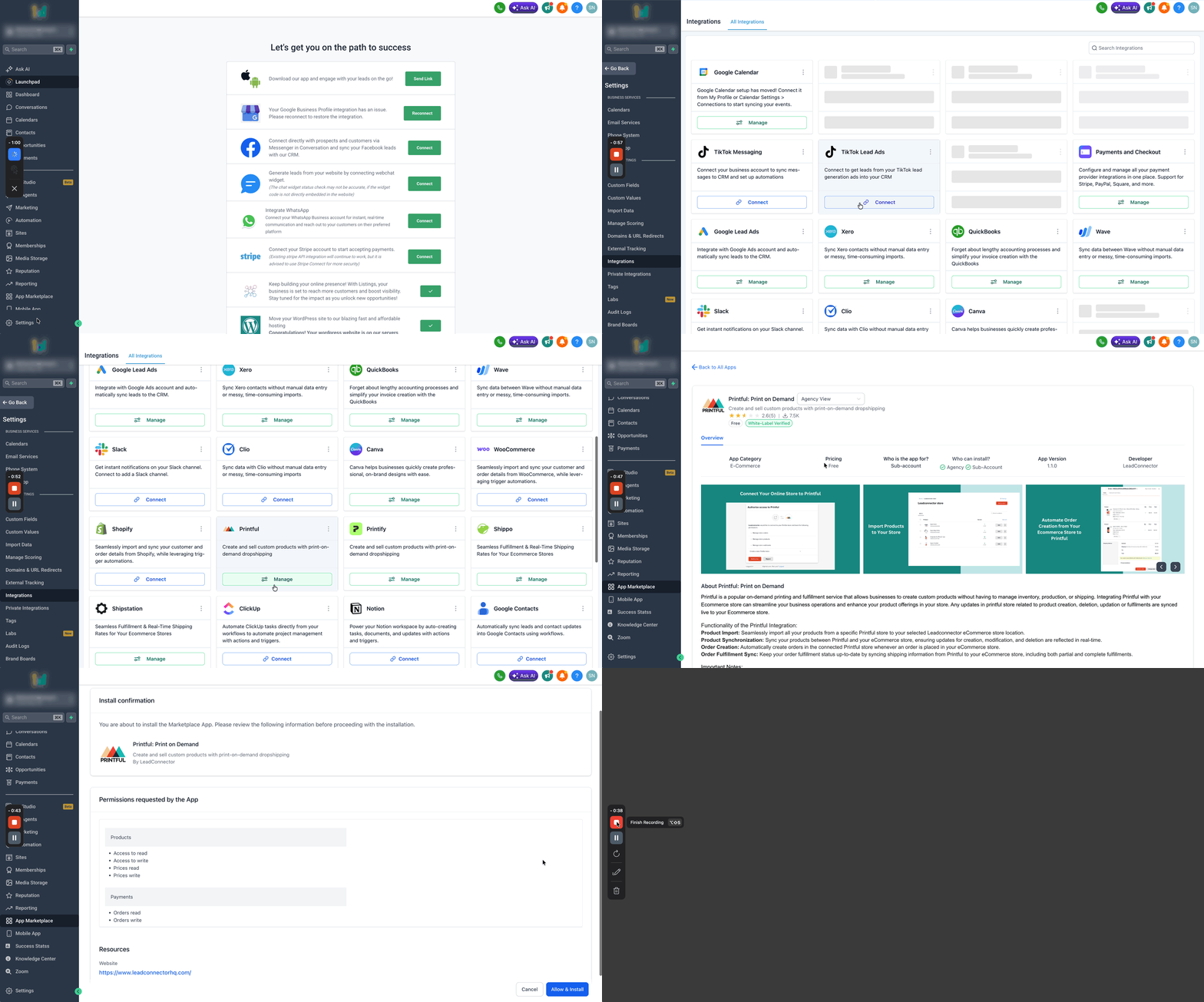
Step 1: Open the Printful Integration
Log in to your SourCherry sub-account.
Go to Settings > Integrations.
Scroll to the bottom of the integrations page.
Locate the Printful integration.
Click Manage.
Click Install.
Select Allow & Install.
Step 2: Review and Allow Permissions
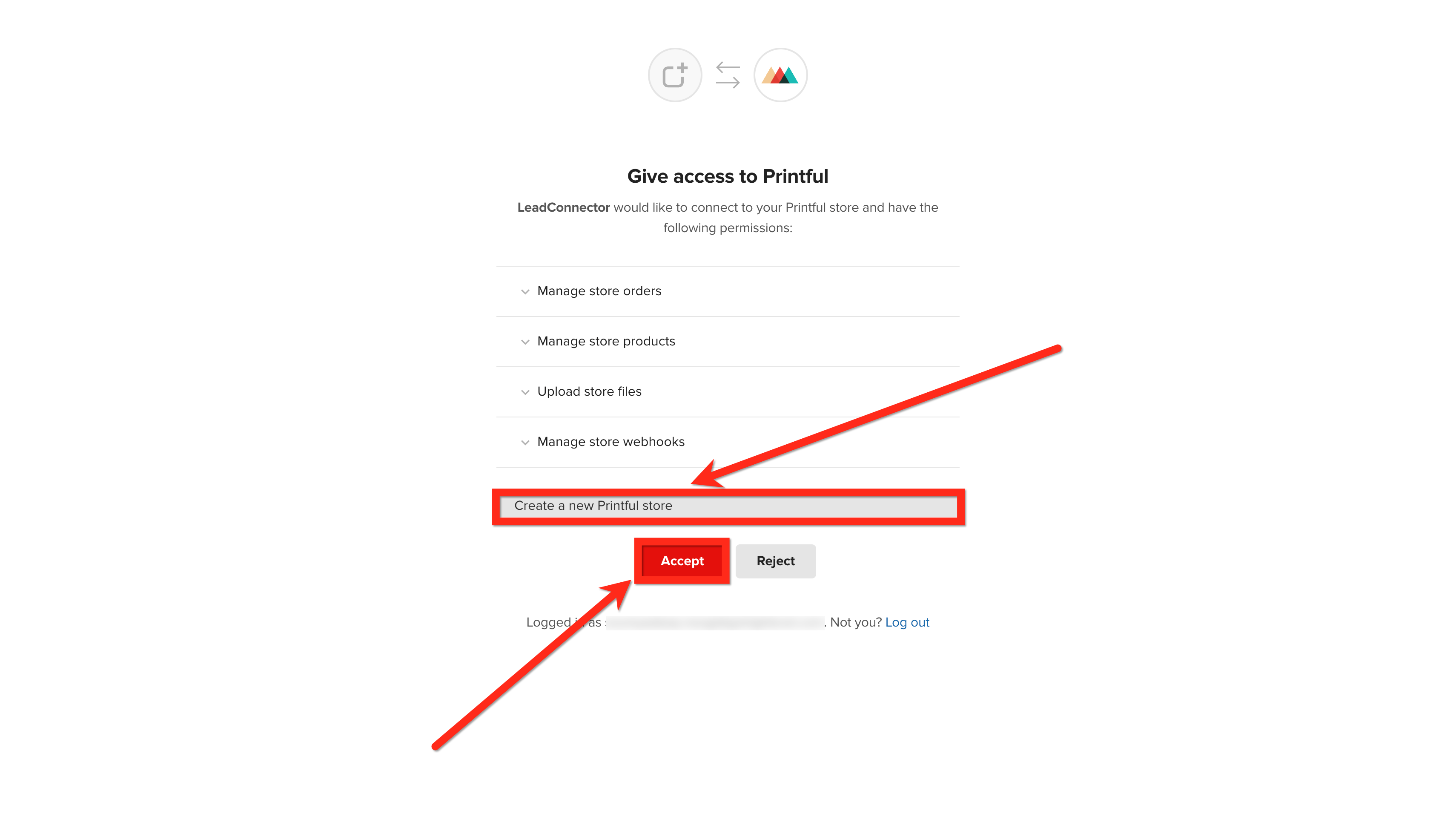
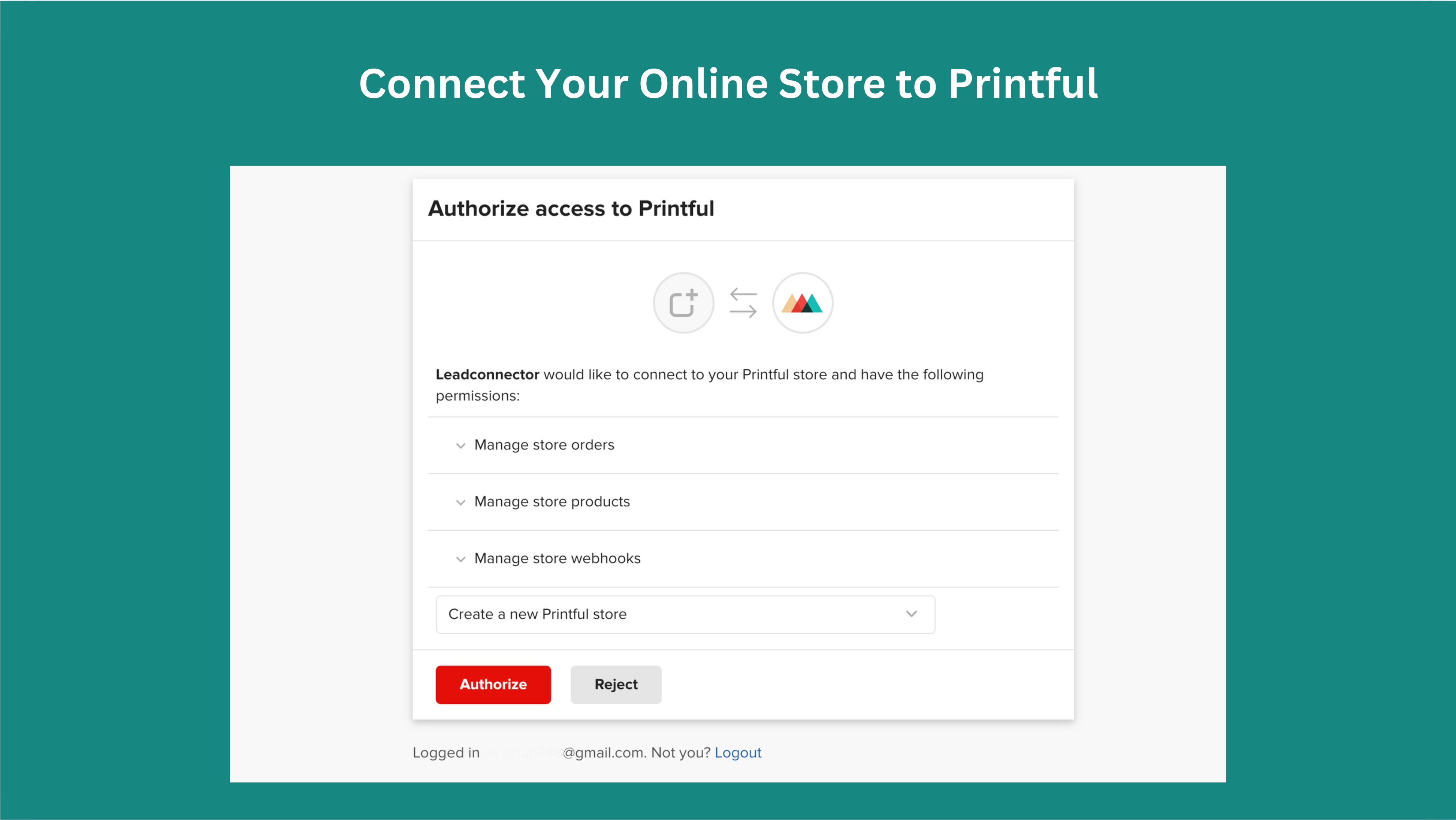
Review the permissions requested by the Printful app.
Click Accept.
- To create a new store, select Create a New Store.
You will be redirected to Printful.
Functionality of the Printful Integration
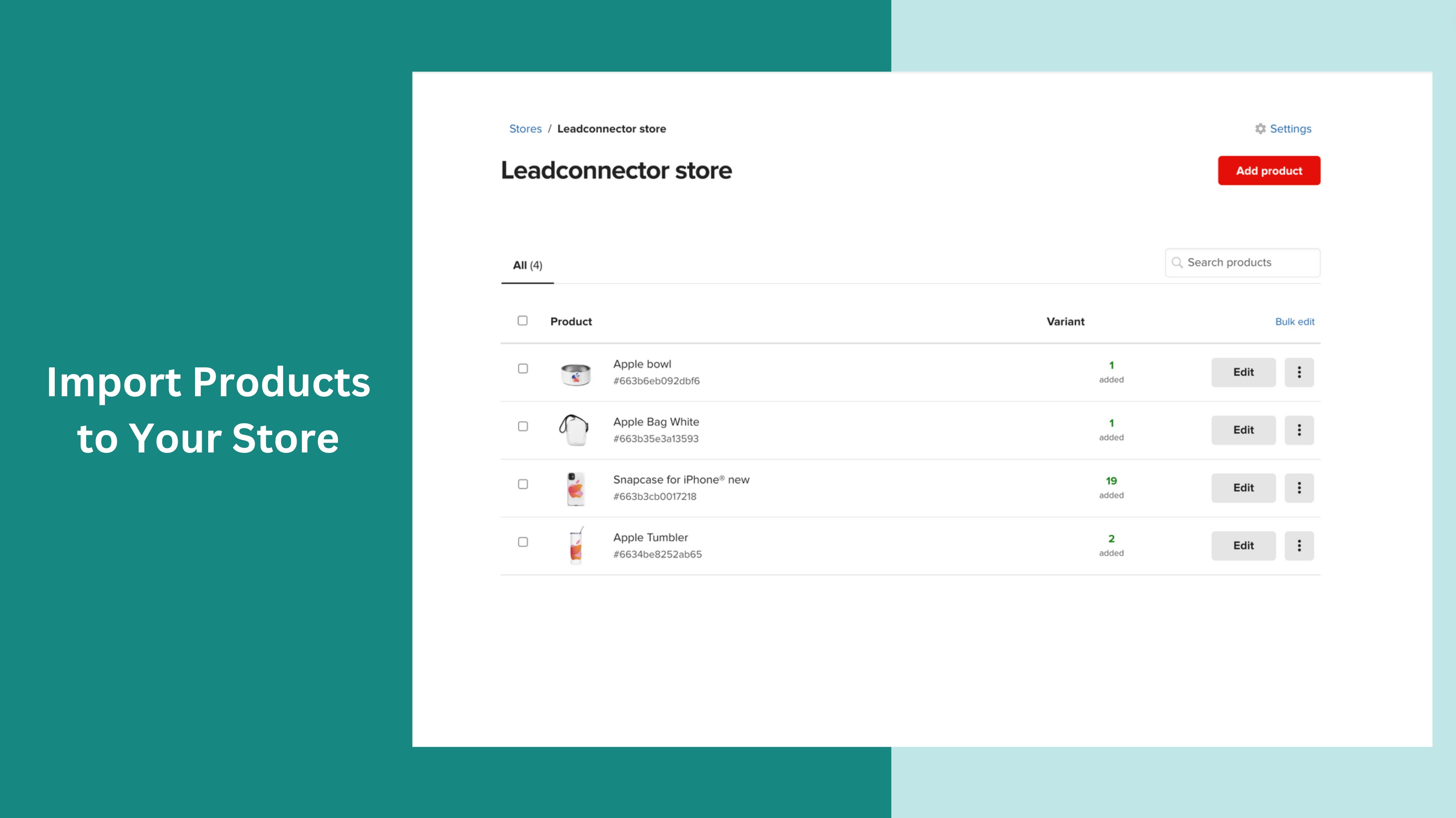
- Product Import: Seamlessly import all your products from a specific Printful store to your selected SourCherry eCommerce store location.
- Product Synchronization: Sync your products between Printful and your eCommerce store, ensuring updates for creation, modification, and deletion are reflected in real-time.
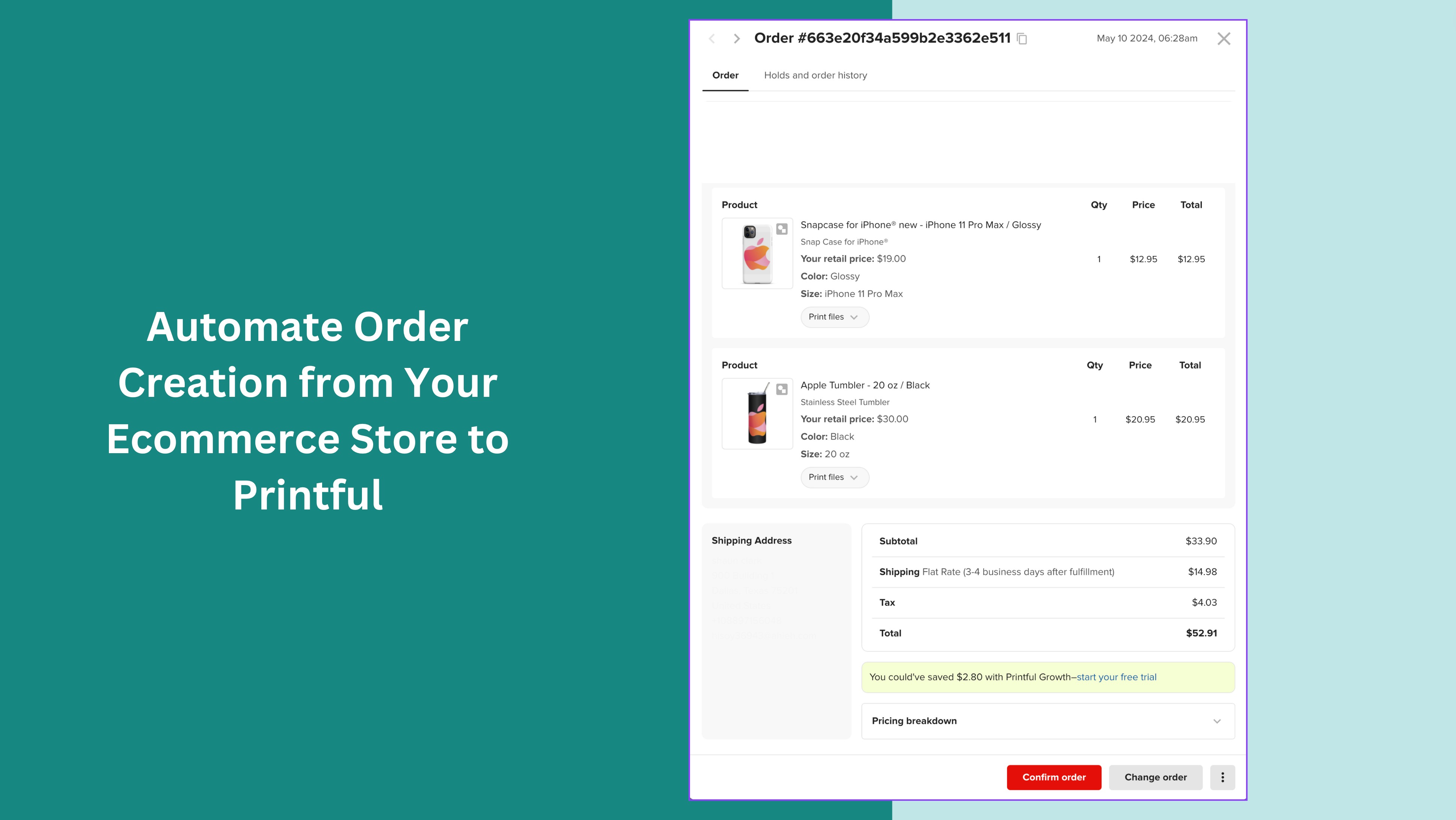
- Order Creation: Automatically create orders in the connected Printful store whenever an order is placed in your eCommerce store.
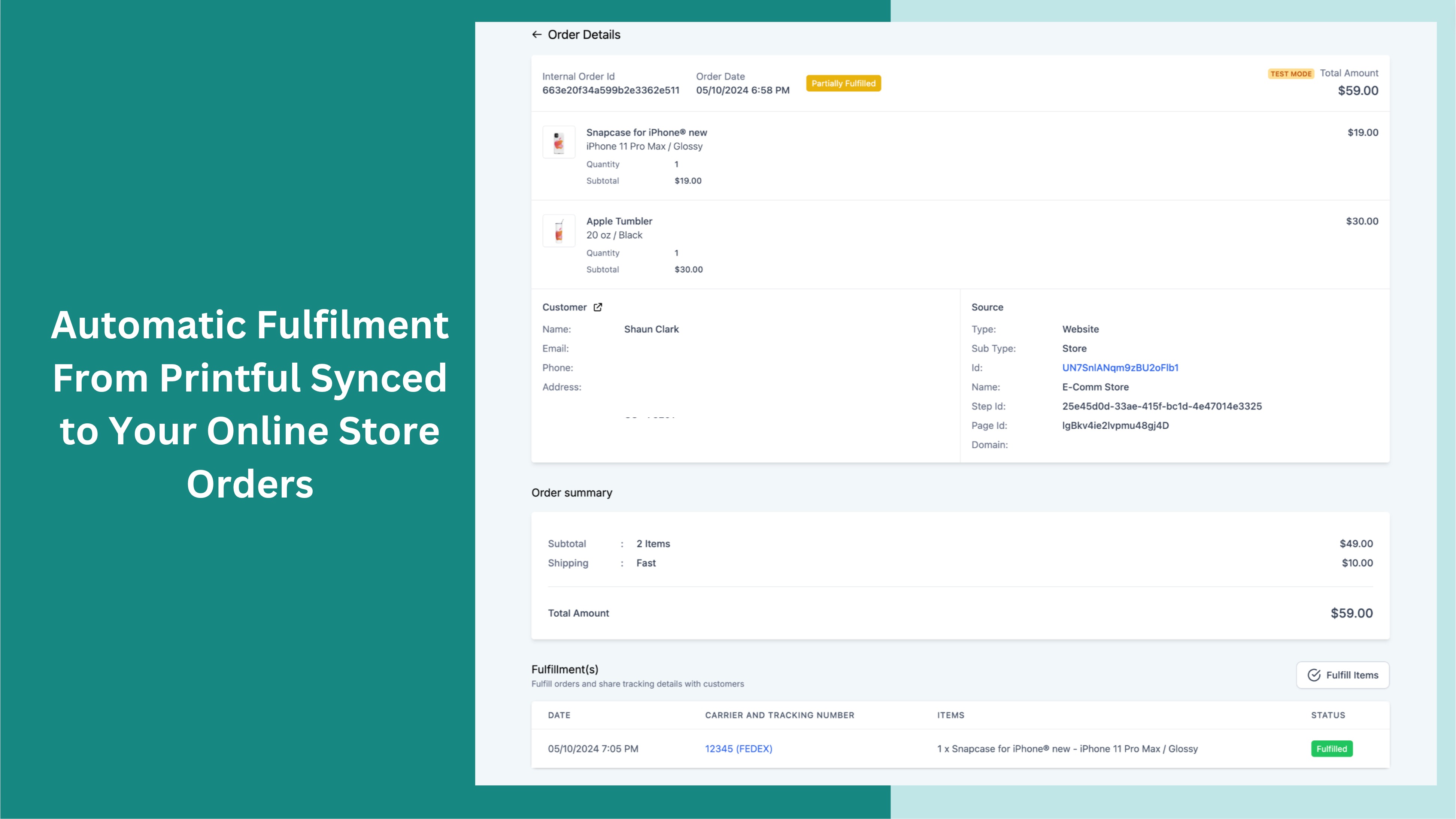
- Order Fulfilment Sync: Keep your order fulfilment status up-to-date by syncing shipping information from Printful to your eCommerce store, including both partial and complete fulfillments.
- Notification based on order status: Once the order is fulfilled either partially or complete, the users will receive notifications via email. The shipping details will be shared by Printful's end.
Things to Note
- In this iteration, while importing the Products, the Description will not be pulled from Printful due to the Printful Store Limitations.
- Users should publish the products with care and after verifying, as some of the products are only delivered to certain locations. This will be available in the product catalog of Printful.
- The delivery address should be correct in order for the order to get synced with Printful, upon wrong delivery information, order will not get created (or) synced in Printful.
Shipping Profiles and Live Rates at Checkout
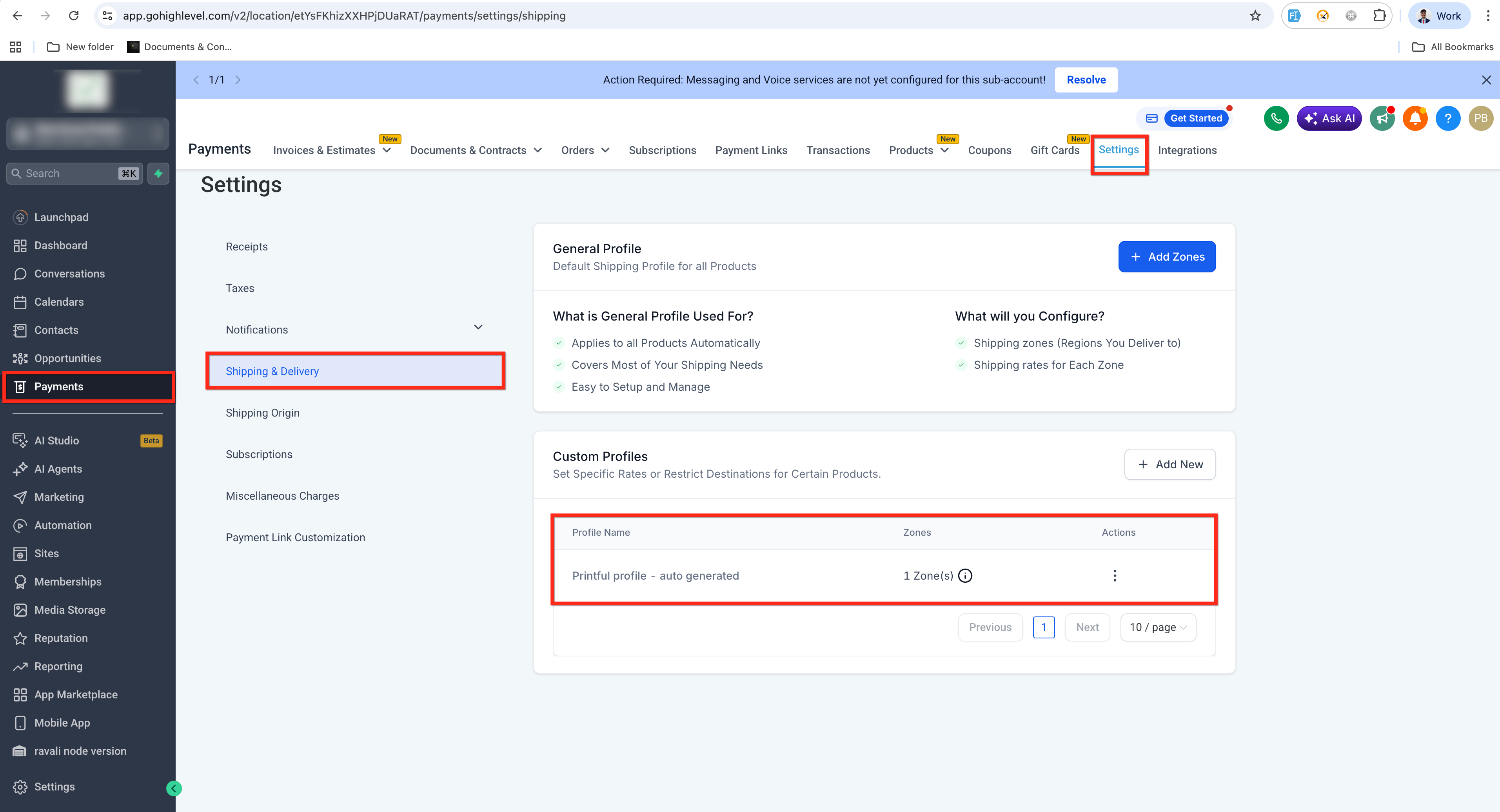
To enable live shipping rates for Printful products at checkout, the system automatically manages a dedicated Printful shipping profile.
What to expect:
- A system-generated Printful shipping profile is created and configured automatically.
- For existing installations, syncing or updating Printful products can activate the shipping profile and start showing live rates at checkout.
- Products must stay assigned to the Printful shipping profile. Removing them disables live rate calculation for those products.
- If the Printful shipping profile is deleted, it is not recreated automatically. Reinstall the Printful integration to restore it.
Frequently Asked Questions
Q: Does Printful automatically fulfill orders placed in SourCherry?
Yes. Once the integration is connected and products are synced properly, customer orders placed through your SourCherry E-commerce Store are automatically sent to Printful for fulfillment.
Q: Can I sync product variants such as sizes and colors?
Yes. Product variants created in Printful can sync into SourCherry during the product synchronization process.
Q: Do I need to manage inventory manually?
No. Printful operates as a print-on-demand provider, so physical inventory management is handled by Printful.
Q: Can I disconnect and reconnect the integration later?
Yes. However, disconnecting the integration may temporarily interrupt product synchronization and automated fulfillment workflows.
Q: How long does product synchronization take?
Synchronization times vary depending on the number of products and variants being imported.
Q: Will tracking numbers automatically update inside SourCherry?
Tracking information may sync back into SourCherry after Printful begins fulfillment and generates shipment tracking details.
Q: Can I edit synced products inside SourCherry?
Some product details can be edited inside SourCherry, but certain changes may not sync back to the original Printful product automatically.
Q: What happens if Printful fulfillment fails?
Failed fulfillment issues typically require troubleshooting inside Printful, including payment verification, shipping restrictions, or product availability checks.
Q: Can I use multiple fulfillment providers with SourCherry?
Depending on your e-commerce configuration, you may be able to connect additional fulfillment or shipping integrations alongside Printful.