
This article will show you how to build and configure an exit-intent pop-up using SourCherry's website and funnel builders. Exit-intent pop-ups help re-engage users before they leave your page, encouraging sign-ups, lead capture, or special offers.
TABLE OF CONTENTS
- What is an Exit Intent Pop-up?
- Key Benefits of Exit Intent Pop-ups
- How To Create an Exit Intent Pop-up
- Desktop vs Mobile Behavior
- Frequently Asked Questions
- Related Articles
What is an Exit Intent Pop-up?
Exit intent pop-ups are triggered when a user's cursor behavior indicates they are about to leave your site, typically by moving toward the browser bar or close button. SourCherry enables you to design pop-ups within the website or funnel builder and configure them to trigger based on exit intent.
Key Benefits of Exit Intent Pop-ups
Exit-intent pop-ups can significantly boost lead capture and conversion by offering a last-chance call-to-action. Here's what makes them valuable:
Reduce bounce rate: Prevent users from leaving without engaging by presenting an offer right before they exit.
Capture abandoning visitors: Use one final message or incentive to collect lead information before the user leaves.
Boost conversion rates: Exit pop-ups can turn hesitant users into leads with time-limited deals or special discounts.
Customizable content: Design the look, layout, and form fields of your pop-up to fit your brand.
Flexible form integration: Embed any SourCherry form to collect emails, phone numbers, or other key data.
Works within funnel and website builder: No need for third-party tools—exit-intent behavior is built into SourCherry’s editor.
How To Create an Exit Intent Pop-up
Follow these steps to build your exit-intent pop-up from form creation to trigger configuration.
Step 1: Create a Form for Your Pop-up
Forms are what allow you to collect information from users in the pop-up. Start by creating or locating the form you want to use in the pop-up.
Click here to learn more: How to create a contact form in SourCherry?
Step 2: Create the Pop-Up
Now you'll create pop-up within a funnel or website builder page and add the form that was created.
Navigate to Sites → Funnels or Websites and select the funnel or website you want to use
Locate the specific funnel step or page that the pop-up will be added to. Click the blue Edit button to open that website page or funnel step in the builder
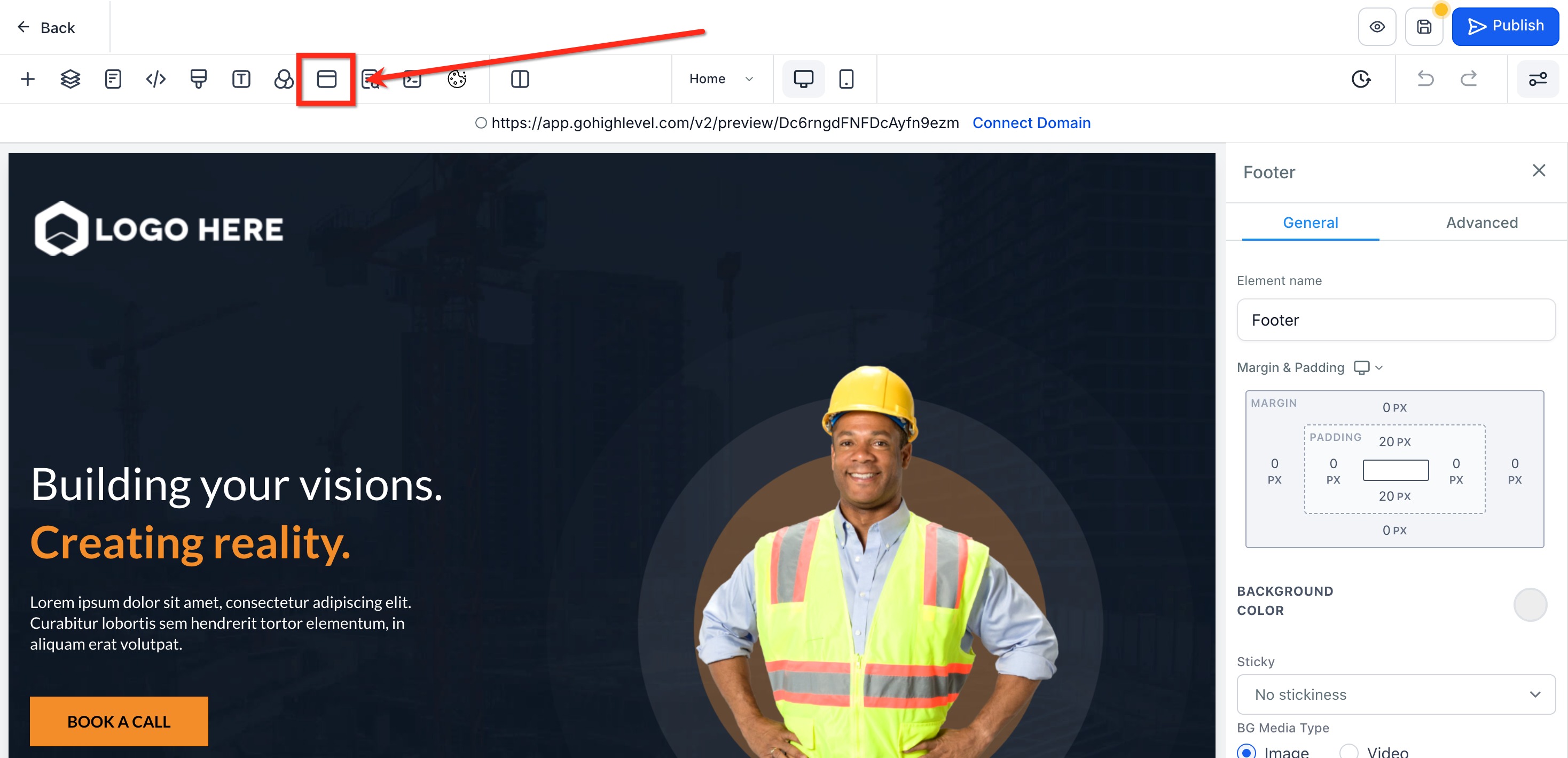
In the top navigation bar of the website builder, click Pop-up Settings
Click Add Row, then Add Element to add a Form element to the Pop-Up. Use the form picker to select your desired form
Customize the pop-up design to match your branding.
(Optional) Use the sidebar dropdown to switch the selected form after adding the initial form.
Step 3: Set the Pop-up to Trigger on Exit Intent
To make the pop-up appear when users attempt to leave, you need to configure the correct setting.
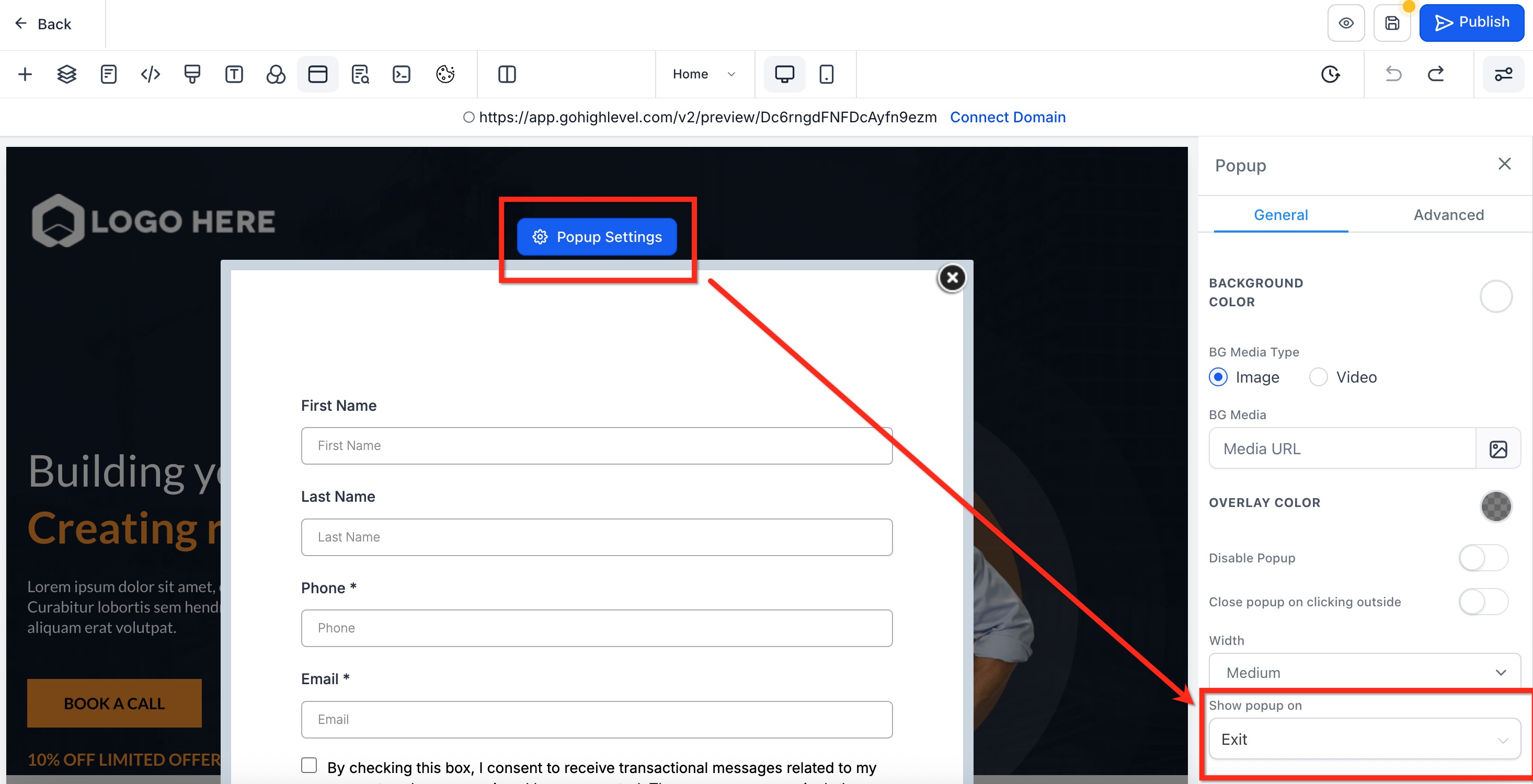
Click the blue button named Pop Up Settings with the gear icon at the top of the pop-up.
In the sidebar, scroll to "Show Pop-up On".
- From the dropdown, choose Exit. Selecting "None" or "Delay" will disable or change the intended behavior
Step 4: Test the Pop-up
Once saved and published, test that the Pop-Up is working as desired.
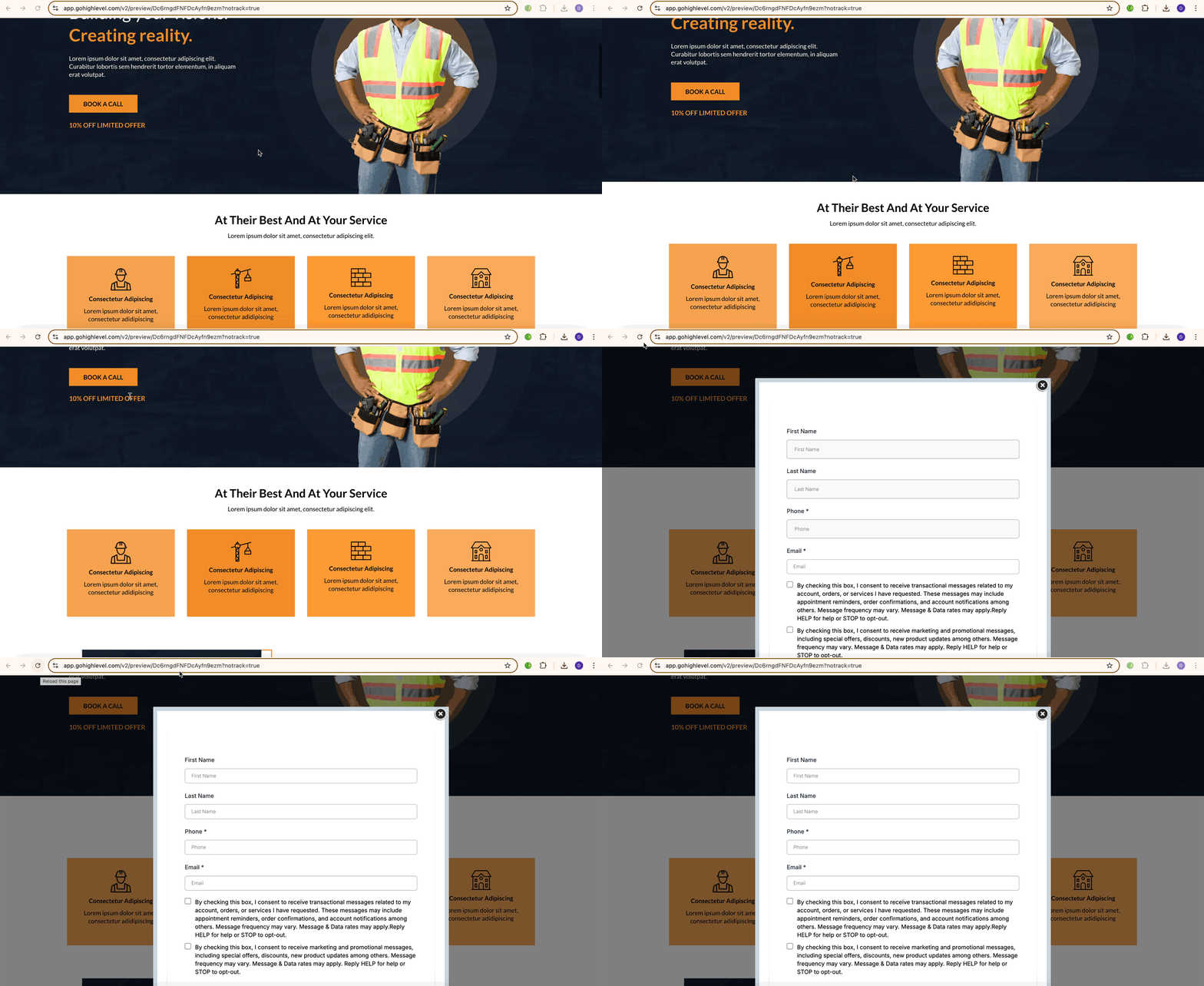
- Preview the page or funnel step
- Move your cursor toward the top of the browser (as if exiting)
- Confirm the pop-up appears
- Adjust styling and content as needed
Desktop vs Mobile Behavior
Exit intent detection uses mouse cursor tracking, so it only works on desktop. This behavior does not function on mobile because touchscreens lack a cursor.
Explore best practices for mobile engagement in our guide: Creating Mobile-Responsive Designs Made Easy
Frequently Asked Questions
Q: Can I use an exit-intent pop-up on a non-SourCherry website?
No. Exit-intent pop-ups are only supported on funnels and websites built inside SourCherry.
Q: What happens if I choose "None" or "Delay" instead of "Exit"?
The pop-up won't behave as an exit-intent prompt. "None" disables it, and "Delay" will show the pop-up after a time delay instead of cursor exit.
Q: Can I use different forms for different pop-ups?
Yes. You can assign different forms to individual pop-ups on each funnel step or page.
Q: Can I preview the pop-up before going live?
Yes. Use the page preview option inside the builder to test behavior before publishing.
Q: Does the pop-up styling match my site?
You can fully customize the pop-up's row, column, background, and form styles to match your site branding.