
Thinking about making your website more engaging and user-friendly? A live chat widget is exactly what you need. Imagine visitors getting instant answers to their questions, boosting their satisfaction, and converting them into loyal leads. Let's dive in!
TABLE OF CONTENTS
Create Live Chat Widget
First things first! Creating a live chat widget is easy and straightforward. Here's how you can quickly set up and customize your widget to perfectly match your website's style:
- Navigate to Sites > Chat Widget
- Click New where you can choose one of the following: All-in-one chat, SMS / Email chat, Live chat, WhatsApp.
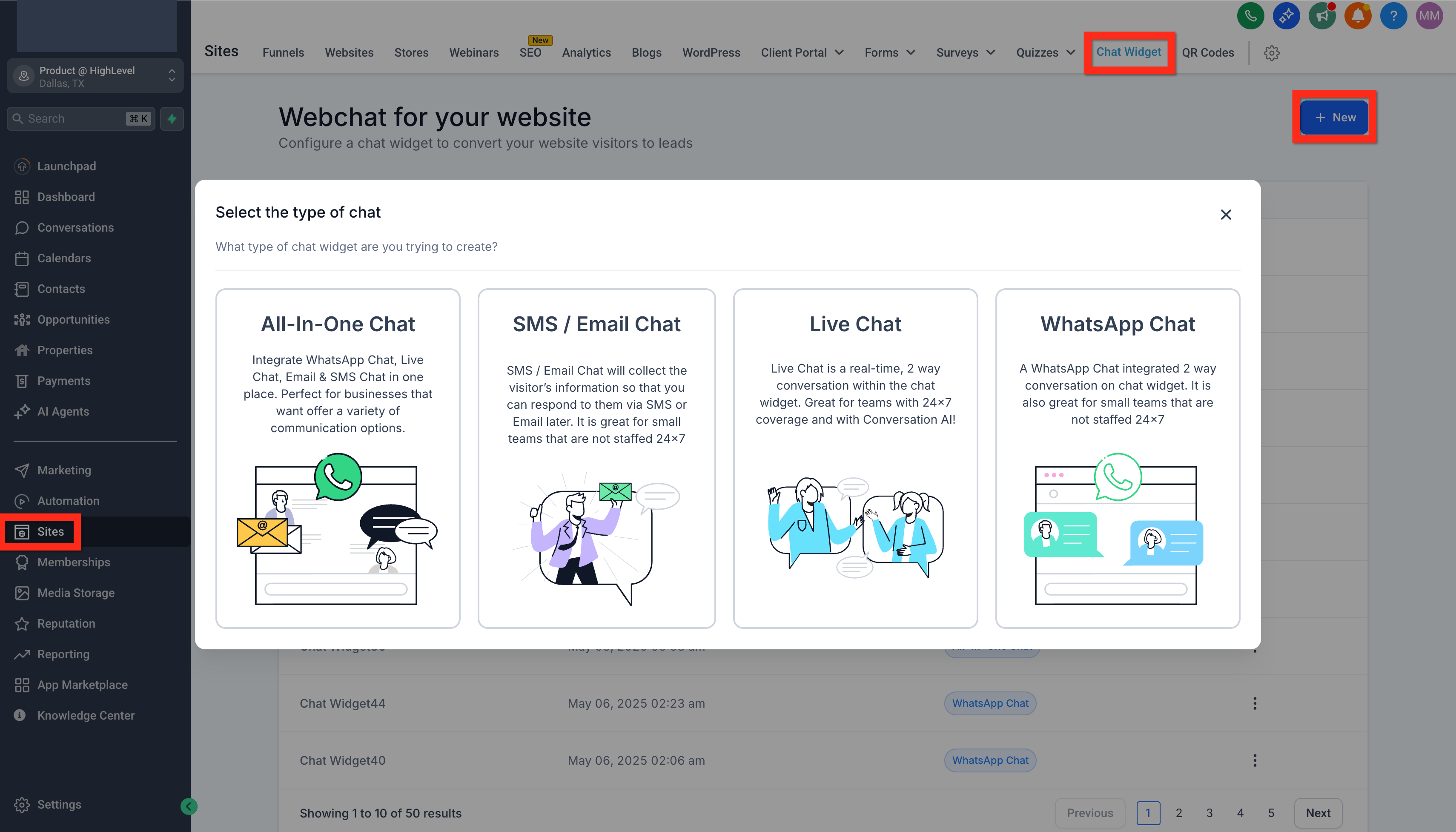
- Select Live Chat
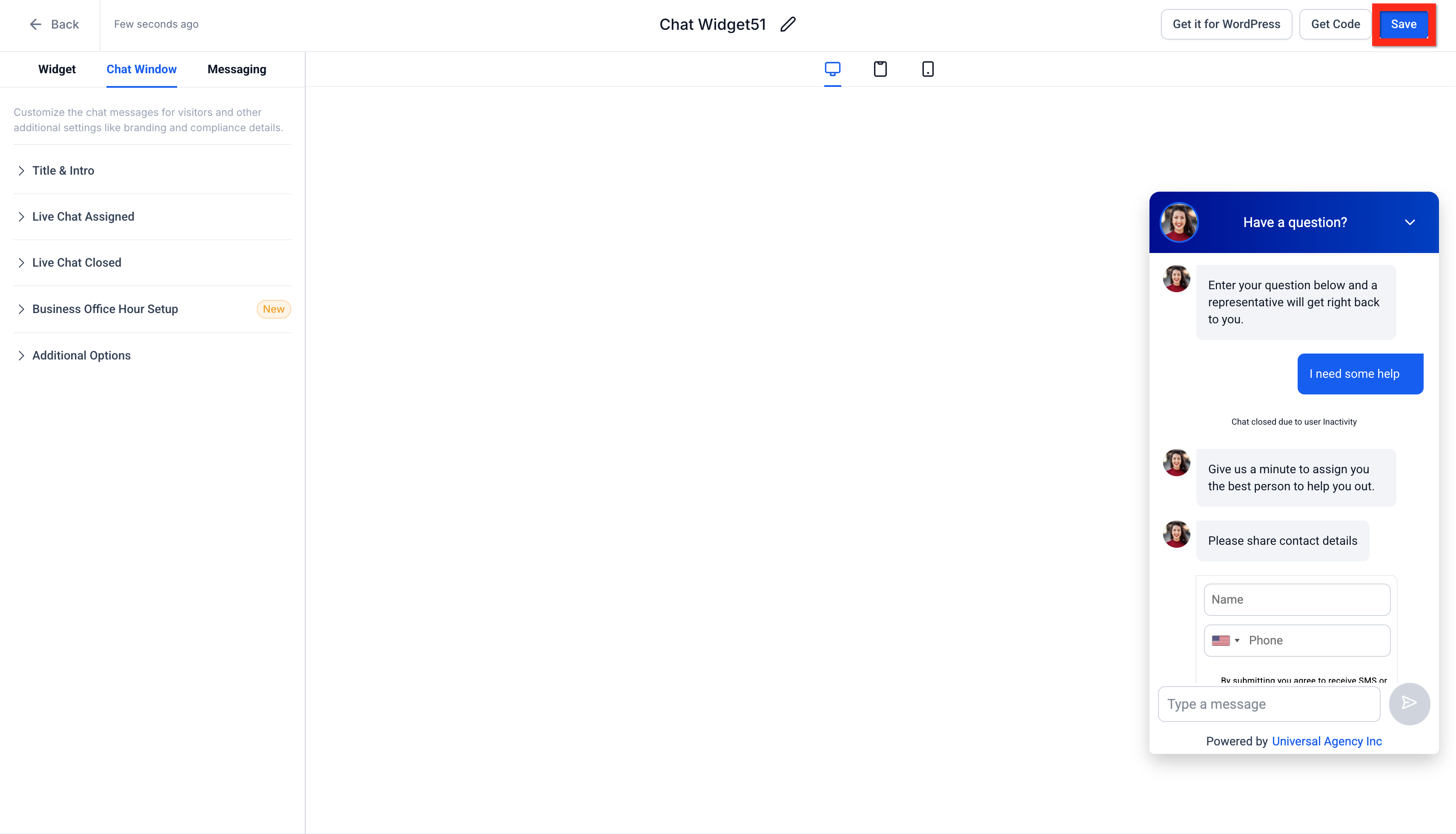
- Customize your widget to fit your brand
- Click Save
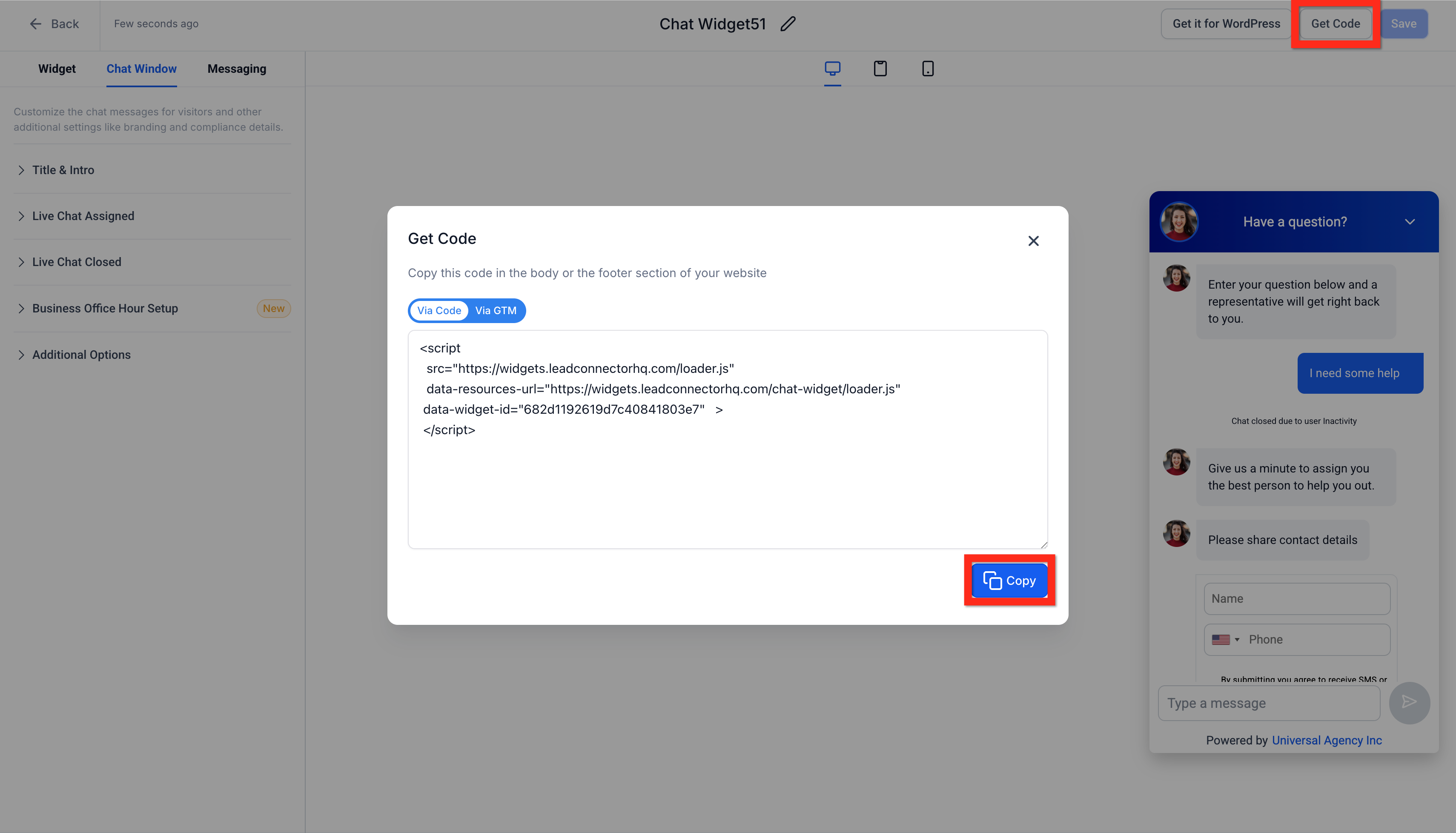
- Click Get Code > Copy
- Copy the provided embed code
Learn More
- How to Use the All-in-One Chat Widget
- How to Add Multiple Chat Widgets to the Same Website
- Live Chat
- Getting Started with Chat Widget
- Overview of Chat Widget Customizations
Next, you can decide how you'd like to deploy your new widget! Let's explore your options.
Deploy Live Chat Widget via Embed Code
Already familiar with adding scripts directly into your website or funnel? Perfect! Embedding the chat widget directly into your site editor couldn't be simpler. Follow these quick steps:
- Navigate to Sites > Websites OR Sites > Funnels
- Find your desired website or funnel and open it for editing
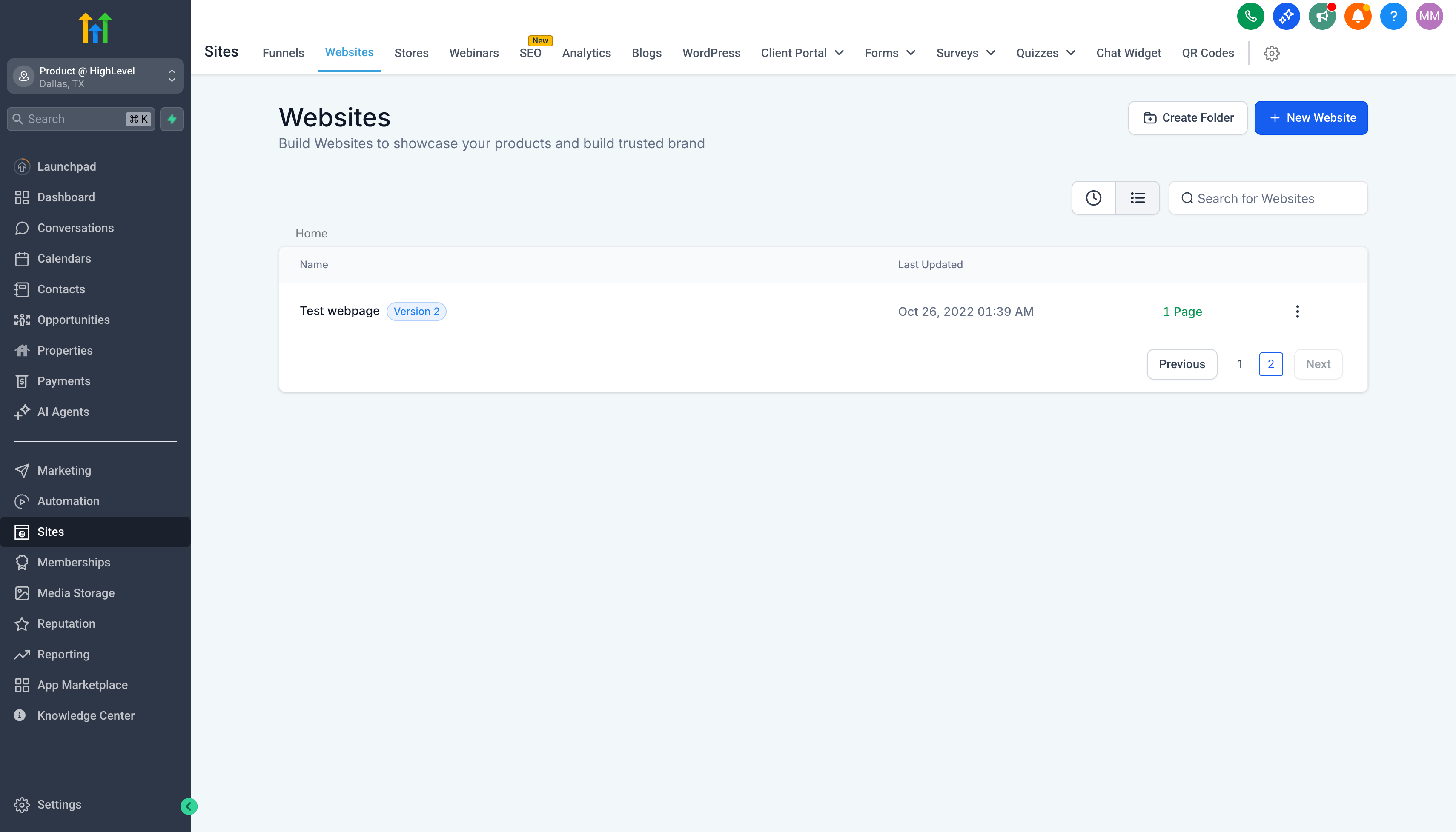
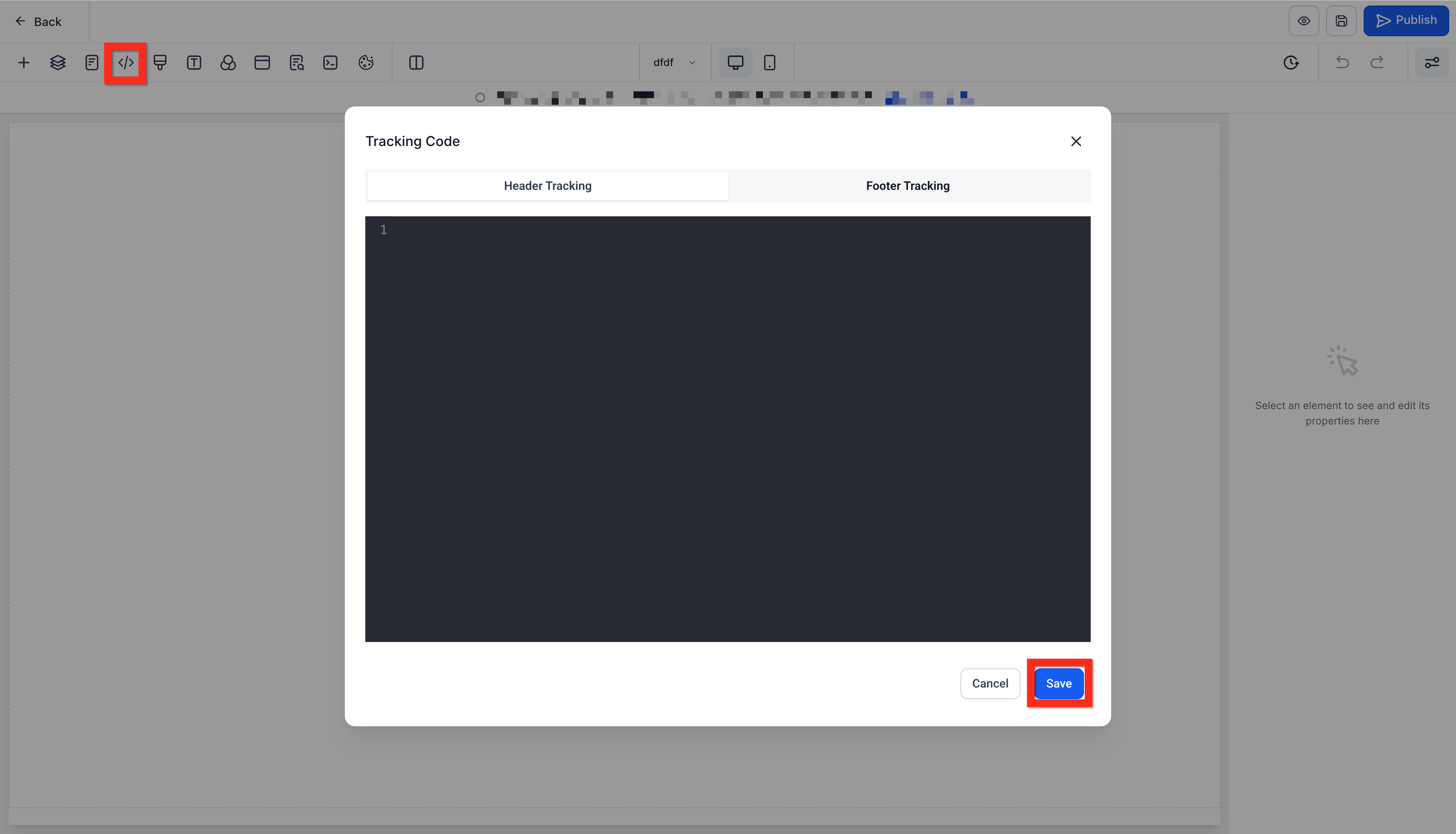
- In the editor, click the Tracking Code icon (
</>) - Paste the copied chat widget code
- Click Save
Learn More
Great job! Next, you might consider testing your widget to ensure it's functioning seamlessly.
Deploy Live Chat Widget via Settings
Prefer to keep things even simpler? Deploying your widget directly through your website settings is super convenient, especially if you're less comfortable dealing directly with code. Let’s walk through it:
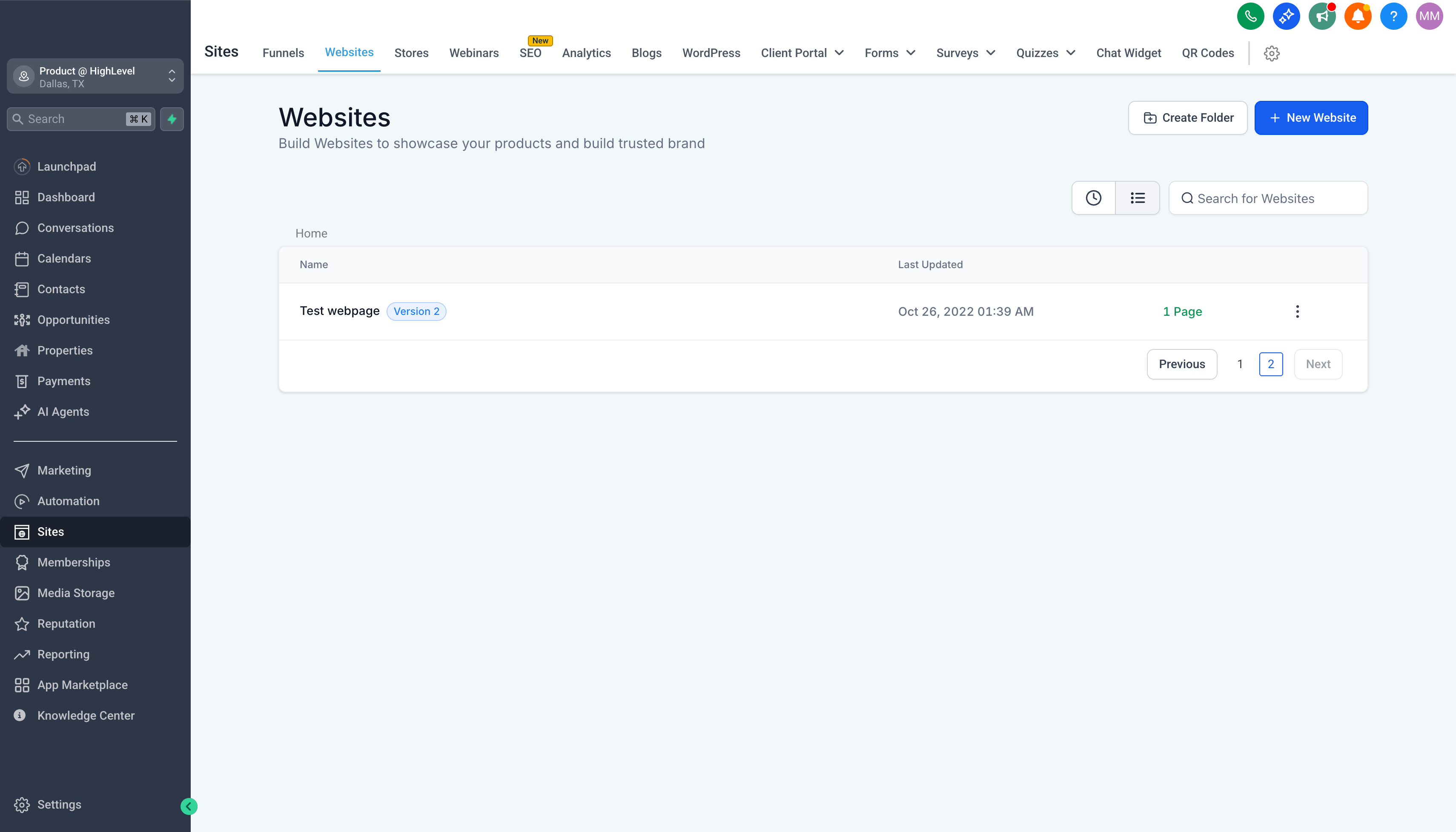
- Navigate to Sites > Websites OR Sites > Funnels
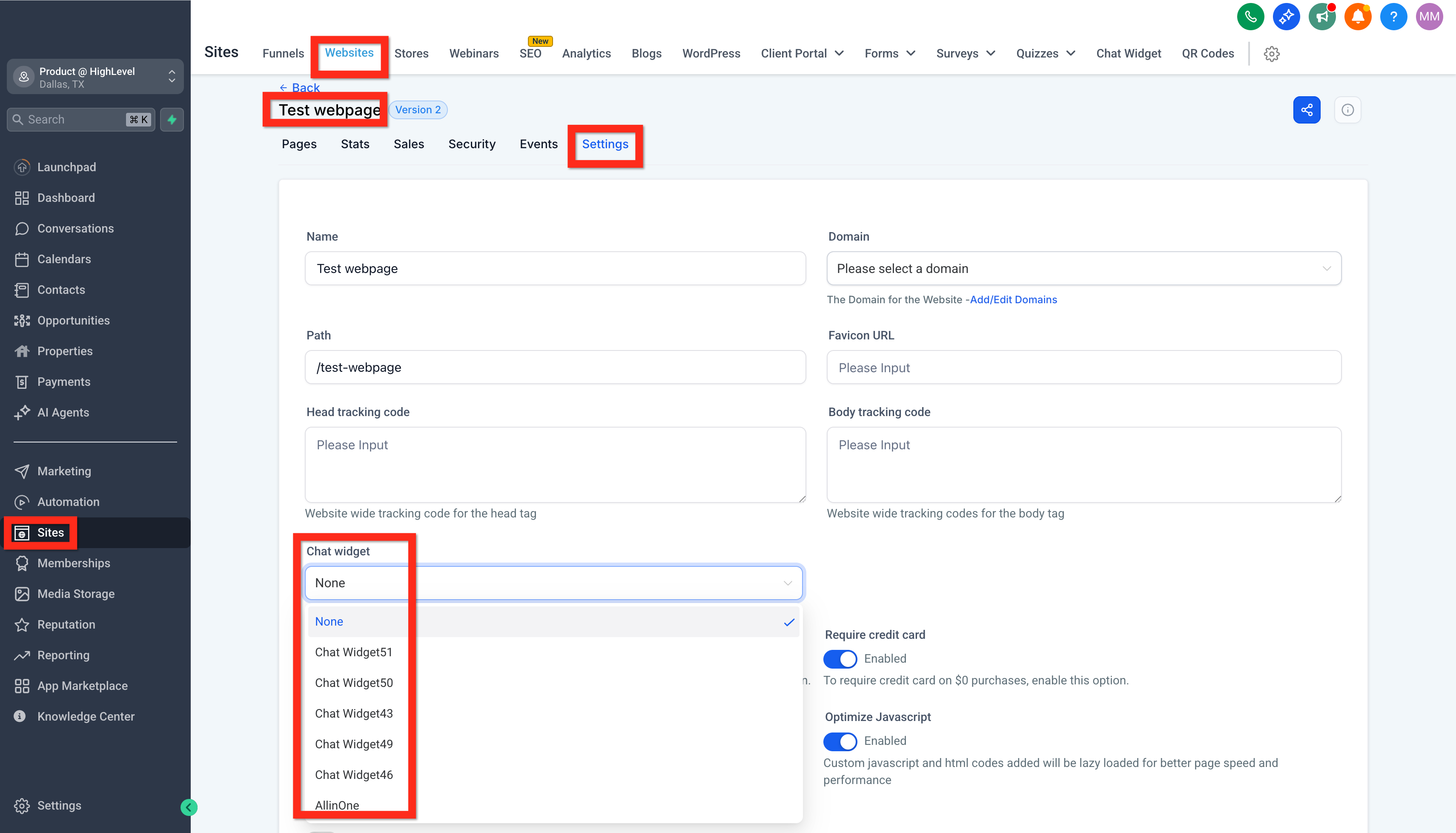
- Find your desired website or funnel and open its settings
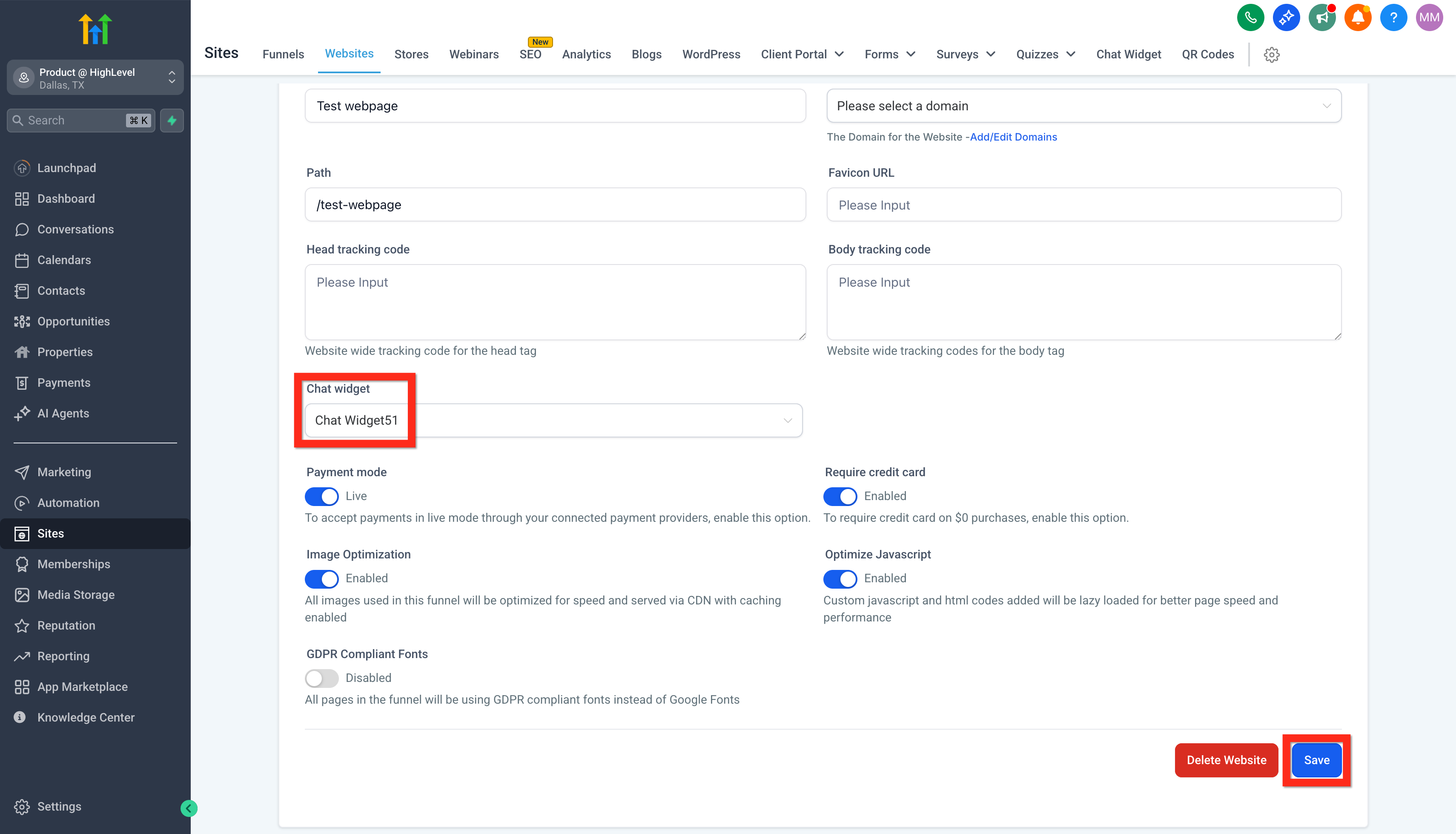
- Under the Chat Widget section, select your live chat widget
- Click Save
Fantastic! You're all set. Next, why not explore advanced customization options to really make the chat experience unique to your brand?