
Save time reviewing SEO fixes—AI Recommendations now uses infinite scroll. Rows load continuously as you move through the table, respecting any active filters or sorting. This upgrade streamlines triage on large sites and improves data consistency across the table, filter chips, and the details drawer.
TABLE OF CONTENTS
- What is AI Recommendations - Infinite Scroll?
- Key Benefits of AI Recommendations - Infinite Scroll
- Issue Count Accuracy Improvements
- Performance Tips for Large Sites
- Availability & Prerequisites
- How To Use AI Recommendations - Infinite Scroll
- Frequently Asked Questions
- Related Articles
What is AI Recommendations - Infinite Scroll?
AI Recommendations identifies on-page issues (like title tags, meta descriptions, image alt text etc) and proposes one‑click fixes. The new infinite scroll enhancement replaces page-by-page navigation with lazy-loaded rows, so you can review more suggestions in a single, continuous view without breaking focus.
Key Benefits of AI Recommendations - Infinite Scroll
Understanding the practical gains helps you decide whether to adopt this workflow immediately for day-to-day SEO triage or introduce it gradually to your team.
Effortless navigation: Browse fixes without Next/Previous buttons using continuous scrolling.
Faster triage: Scan and act on many recommendations with fewer clicks.
Accurate counts: Issue totals align more reliably across the table, filter chips, and the details drawer.
Filter-aware loading: Newly loaded rows automatically honor your current filters and sorting.
Smoother workflow: Stay in context while opening and closing the details drawer.
Issue Count Accuracy Improvements
Accurate totals prevent confusion when tracking progress across different parts of the UI.
Counts shown in the table header, filter chips, and the details drawer now pull from a unified source of truth.
As you filter, sort, and scroll, totals stay consistent to better reflect your current view.
Performance Tips for Large Sites
Keep the interface responsive while reviewing thousands of potential fixes across big audits.
Close the right-side preview/details drawer when not actively reviewing content.
Limit other heavy browser tabs while working through long lists.
Use filters to reduce the visible result set when you notice stutter.
Availability & Prerequisites
Confirm eligibility and setup requirements so your team can access the feature without surprises.
SourCherry SEO must be enabled for the sub-account.
A Site Project must be added and an audit must be available to surface recommendations.
Compatibility: AI Recommendations aren’t available for WordPress sites or External Websites.
How To Use AI Recommendations - Infinite Scroll
Following these steps ensures you’re reviewing recommendations in the correct place, with filters and sorts applied for maximum efficiency.
In your sub-account, go to Sites → SEO → Site projects and select the desired Site Project.
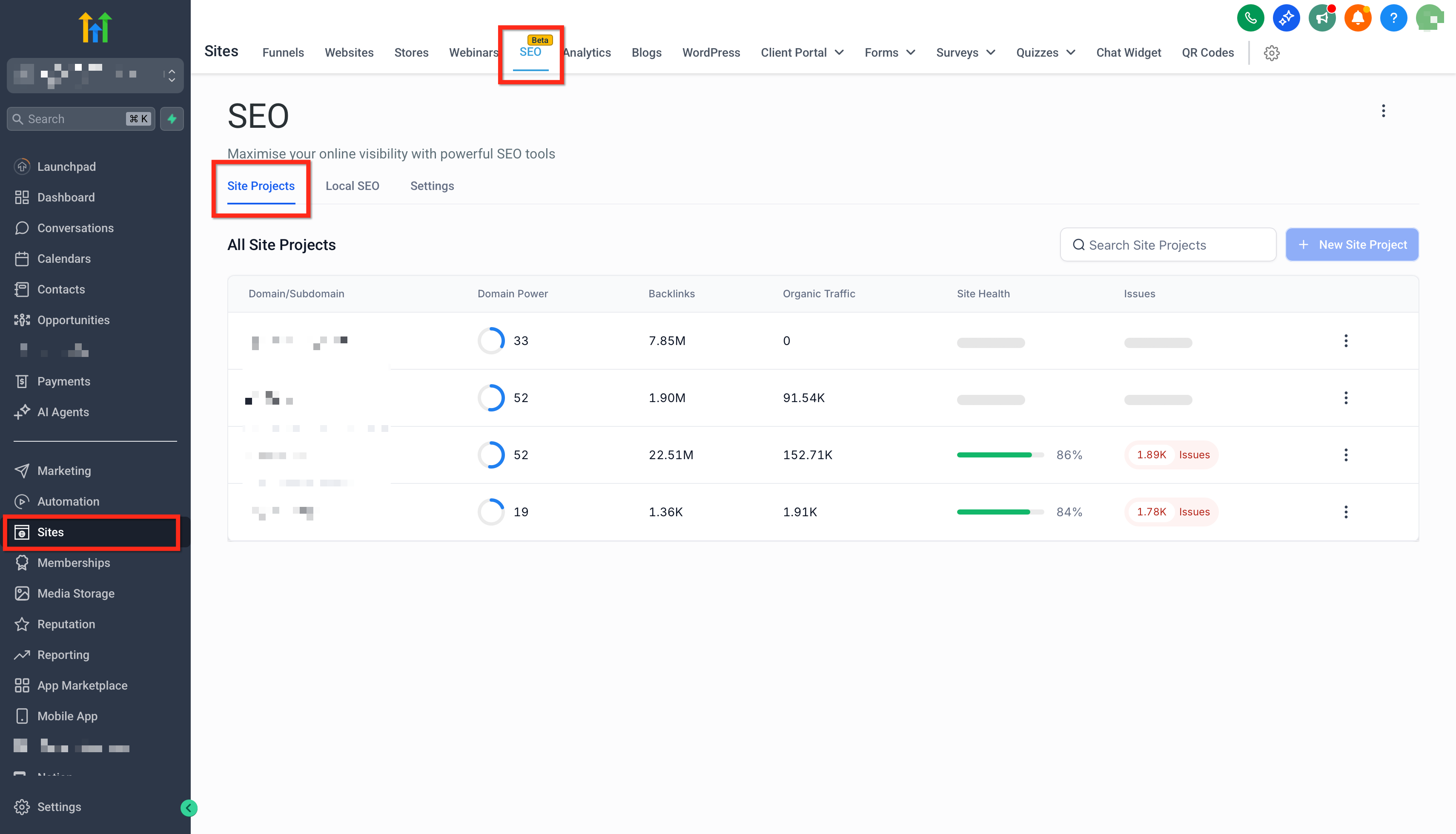
Open AI Recommendations. Begin scrolling; rows will load continuously. Use filters and sorting to focus your queue.
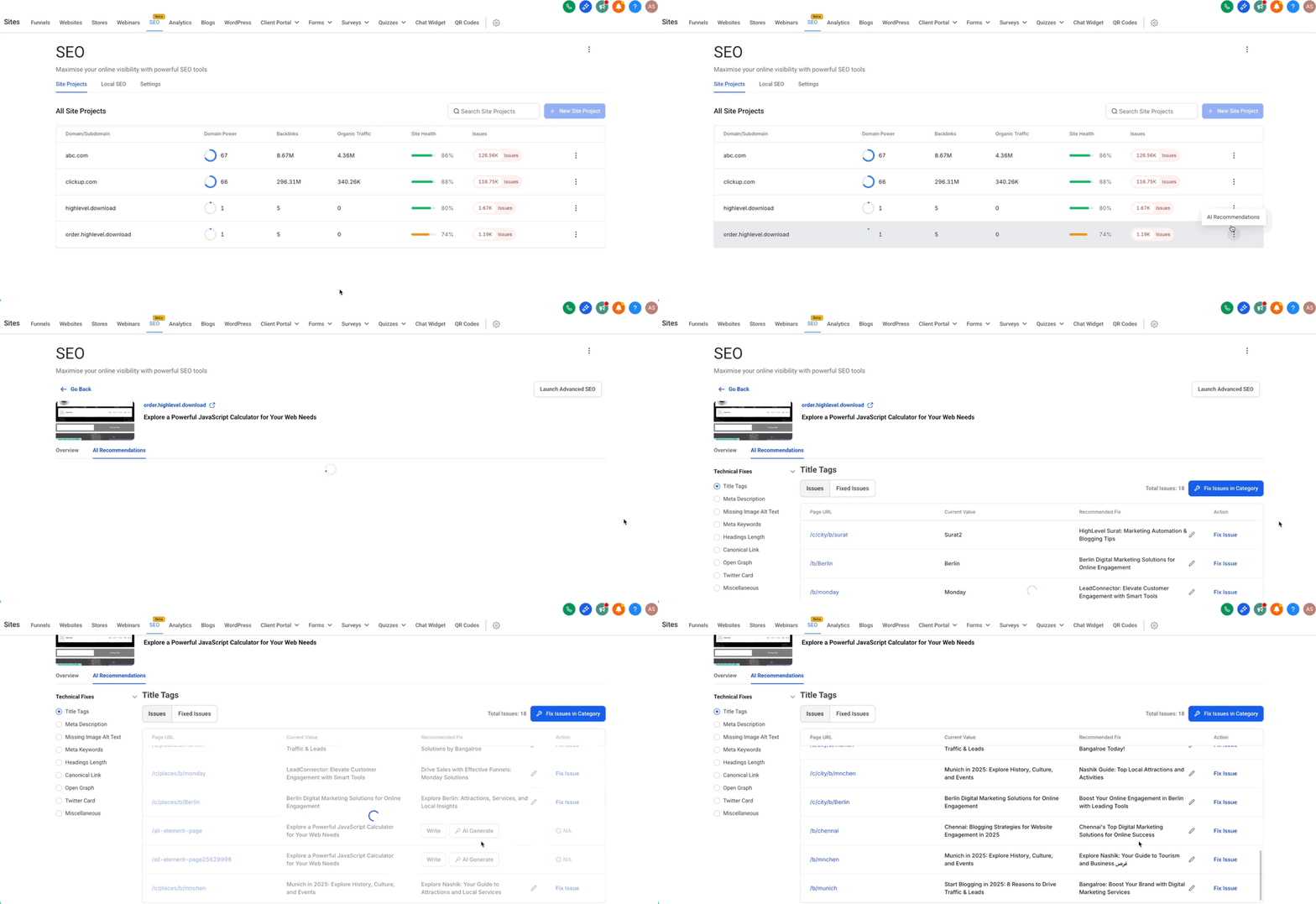
Click any row to open Issue Details. Review the suggested fix and choose Apply or Dismiss.
Frequently Asked Questions
Q: Do I need to enable anything to get infinite scroll?
No. Infinite scroll is part of the AI Recommendations experience and is available automatically when SEO is enabled for the sub-account.
Q: How do credits work for AI Recommendations?
Each fix suggestion consumes 1 credit (up to 500/month available). Viewing or scrolling through existing rows does not consume additional credits.
Q: Can I jump to a specific page number?
Page numbers aren’t used with infinite scroll. Use filters or the search bar to find specific URLs or issue types.
Q: Does infinite scroll affect performance on very large audits?
Rows load in small batches to help maintain responsiveness. If you experience slowness, reduce the visible list with filters and close the details drawer when not needed.
Q: Is this available for WordPress sites or external websites?
No. AI Recommendations are not available for WordPress sites or External Websites.