
Give your AI Agents instant access to tables! Table Search in SourCherry Knowledge Base lets you upload CSV files and query them with natural-language questions, turning static rows of data into dynamic knowledge your bots can use during conversations.
TABLE OF CONTENTS
- What is Table Search in Knowledge Base?
- Key Benefits of Table Search in Knowledge Base
- How to Setup Table Search in Knowledge Base
- CSV File Requirements
- Semantic Search Intelligence
- Smart Table Processing
- Frequently Asked Questions
- Related Articles
What is Table Search in Knowledge Base?
Table Search adds a new “Table Source” type to SourCherry Knowledge Base. By ingesting CSV files (up to 50,000 rows, 500 columns and select the 20 most relevant columns), the platform semantically indexes every record so your AI bots can answer questions about customers, inventory, transactions, or any other structured data you provide. Unlike keyword search, SourCherry applies semantic similarity matching, allowing users to ask plain-English questions and receive context-aware results.
Key Benefits of Table Search in Knowledge Base
Natural-language queries: Ask plain-English questions on table data without formulas or filters.
Semantic search intelligence: Returns accurate, context-aware answers from relevant rows and columns.
Large CSV support: Handles up to 50,000 rows and 500 columns; select the 20 most relevant for indexing.
Beyond web/docs: Surfaces structured data that web pages and documents don’t capture well.
Bot enablement: Lets AI employees handle customer records, product catalogs, KPIs, and similar tabular use cases.
How to Setup Table Search in Knowledge Base
- Open AI Agents → Knowledge Base.
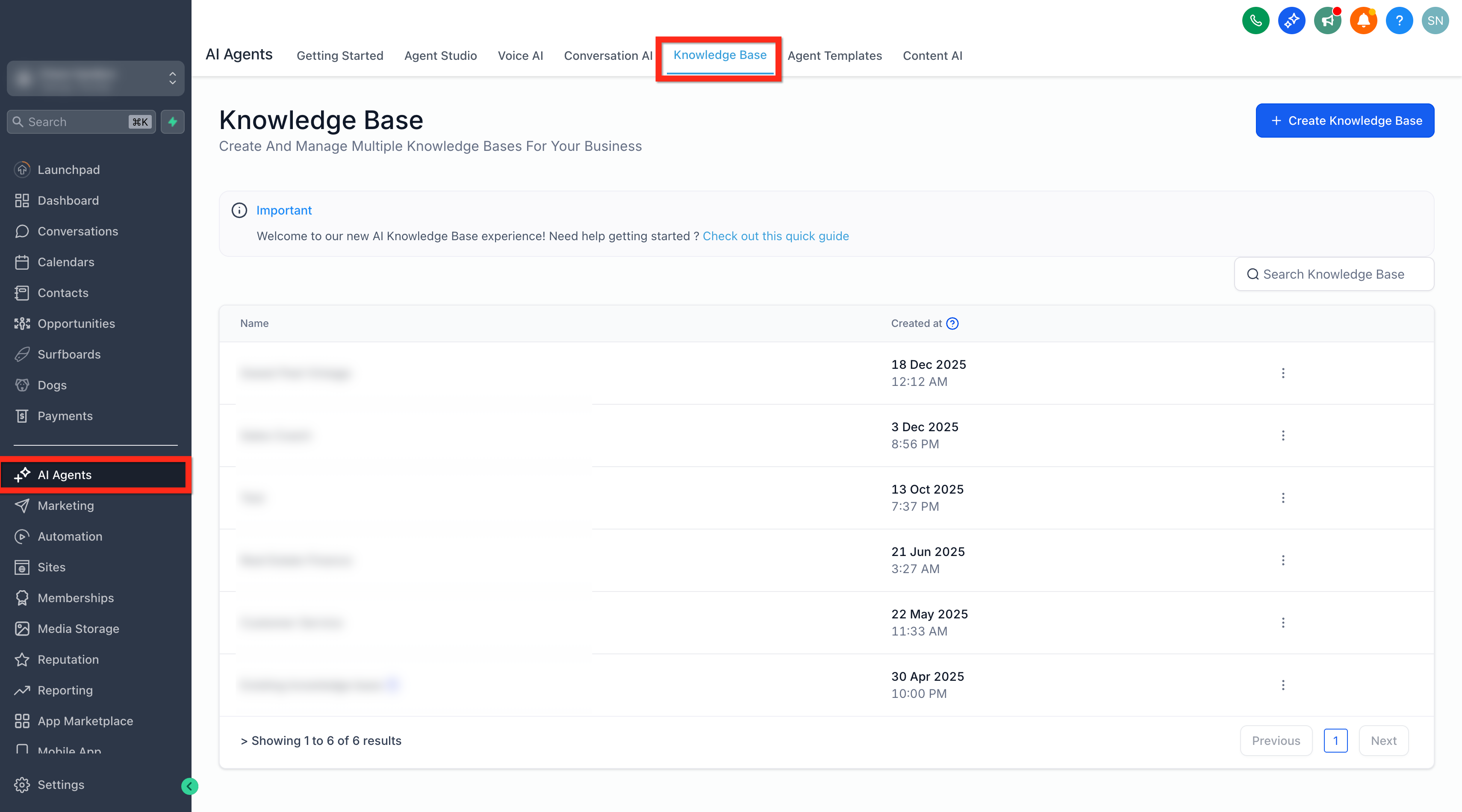
- Edit an existing Knowledge Base, or click Create Knowledge Base and give it a name & description.
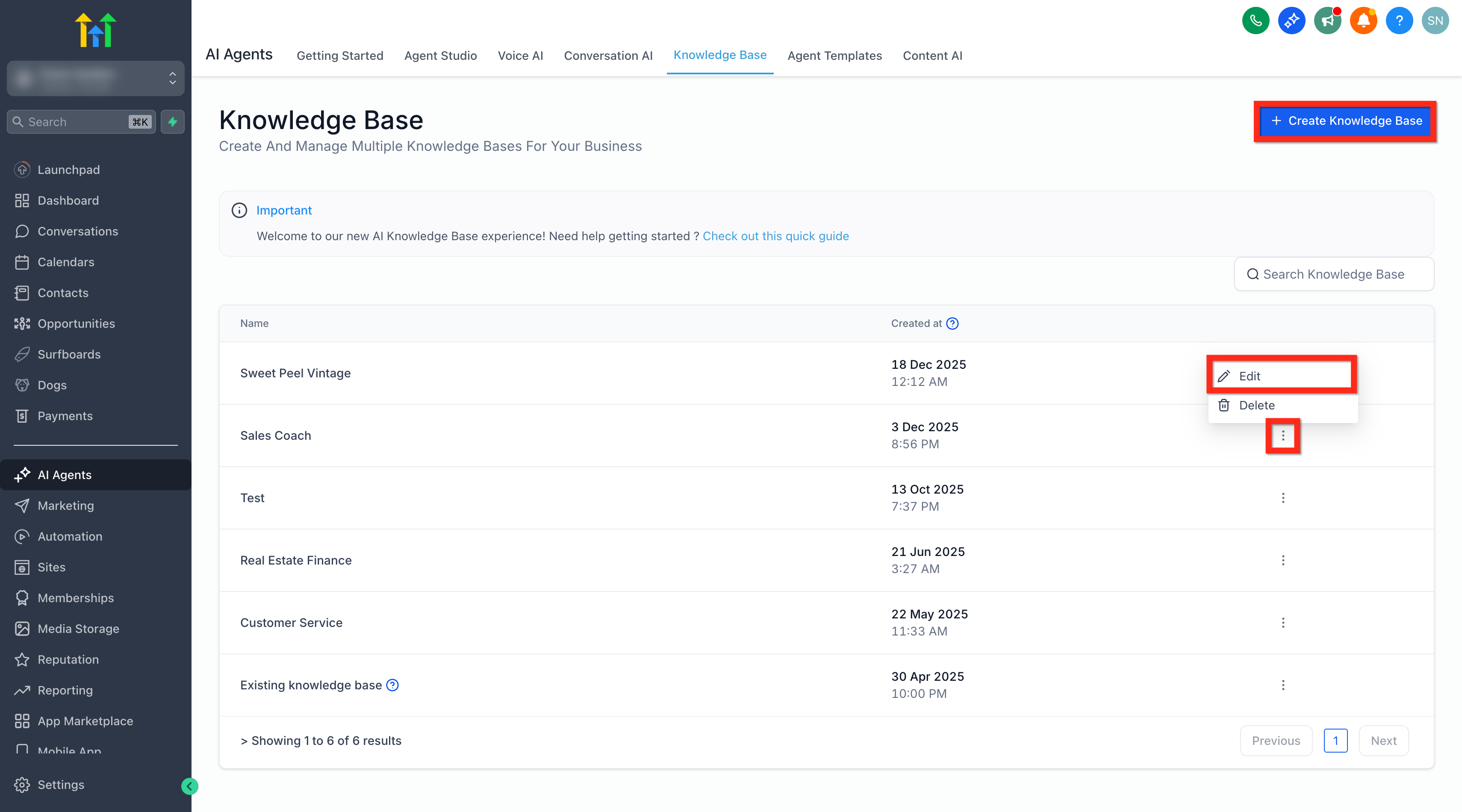
- Click Add Source, then choose Tables.
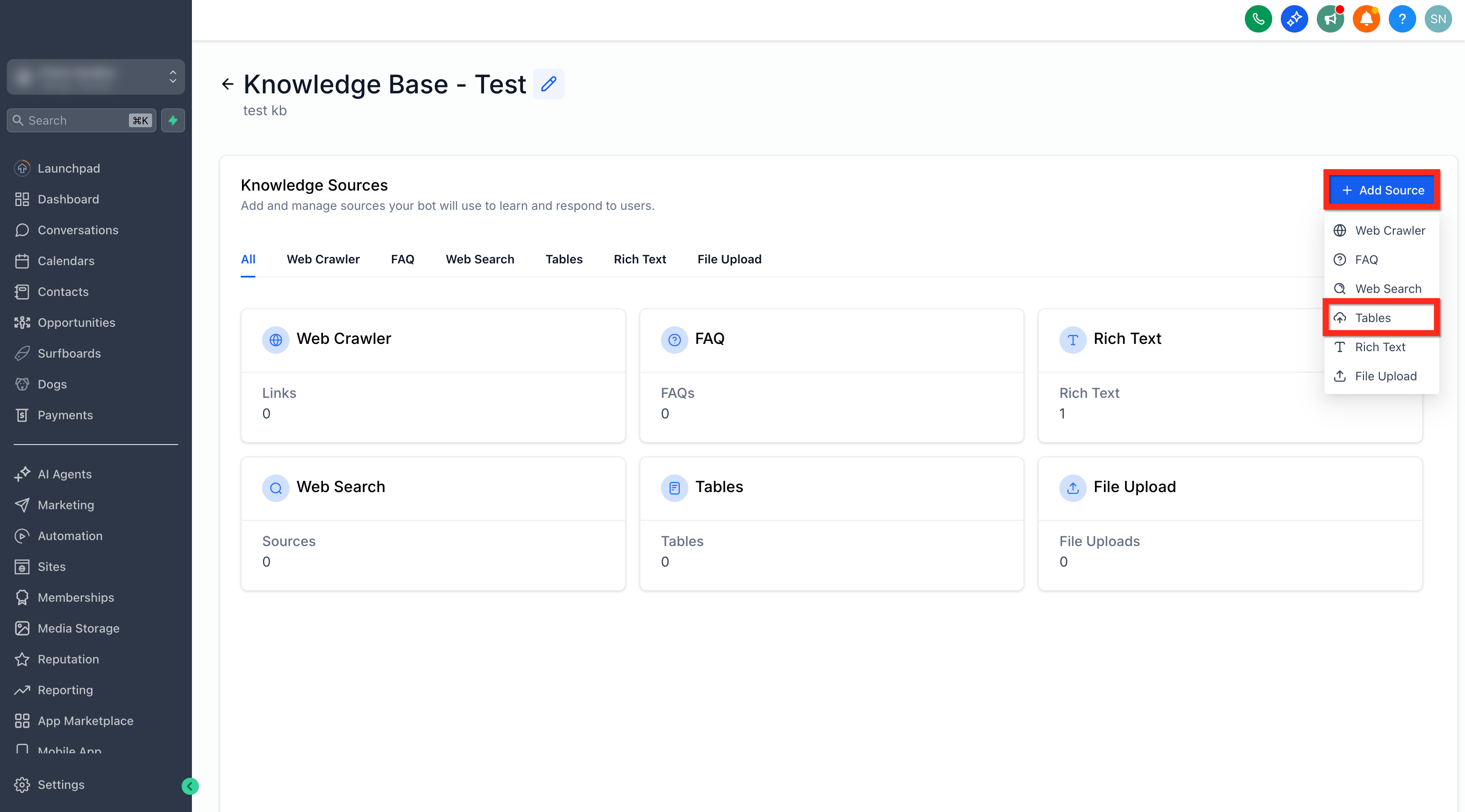
- Upload your CSV file using drag-and-drop or file picker. (Max 50 MB).
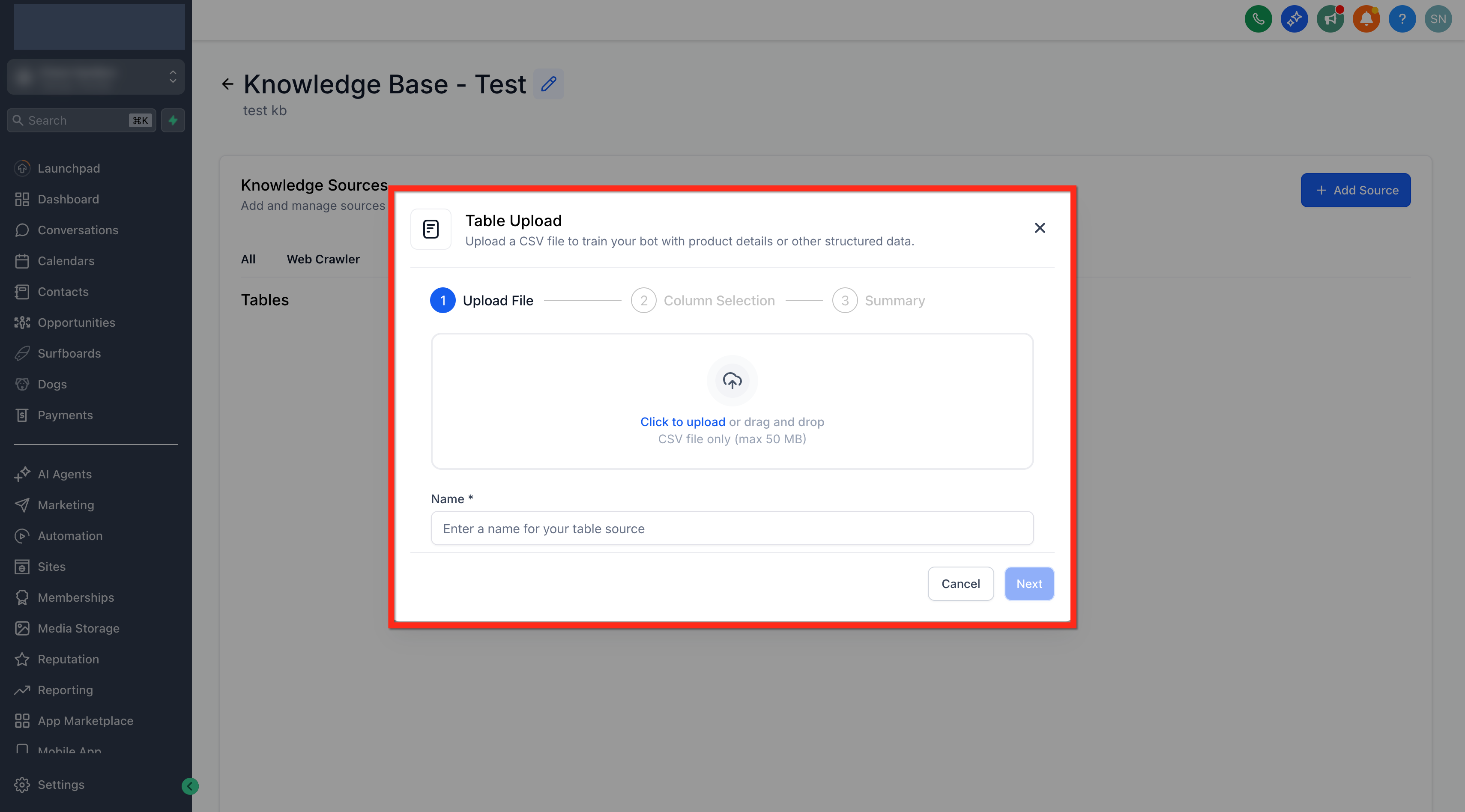
- Review detected columns; adjust data types if needed.
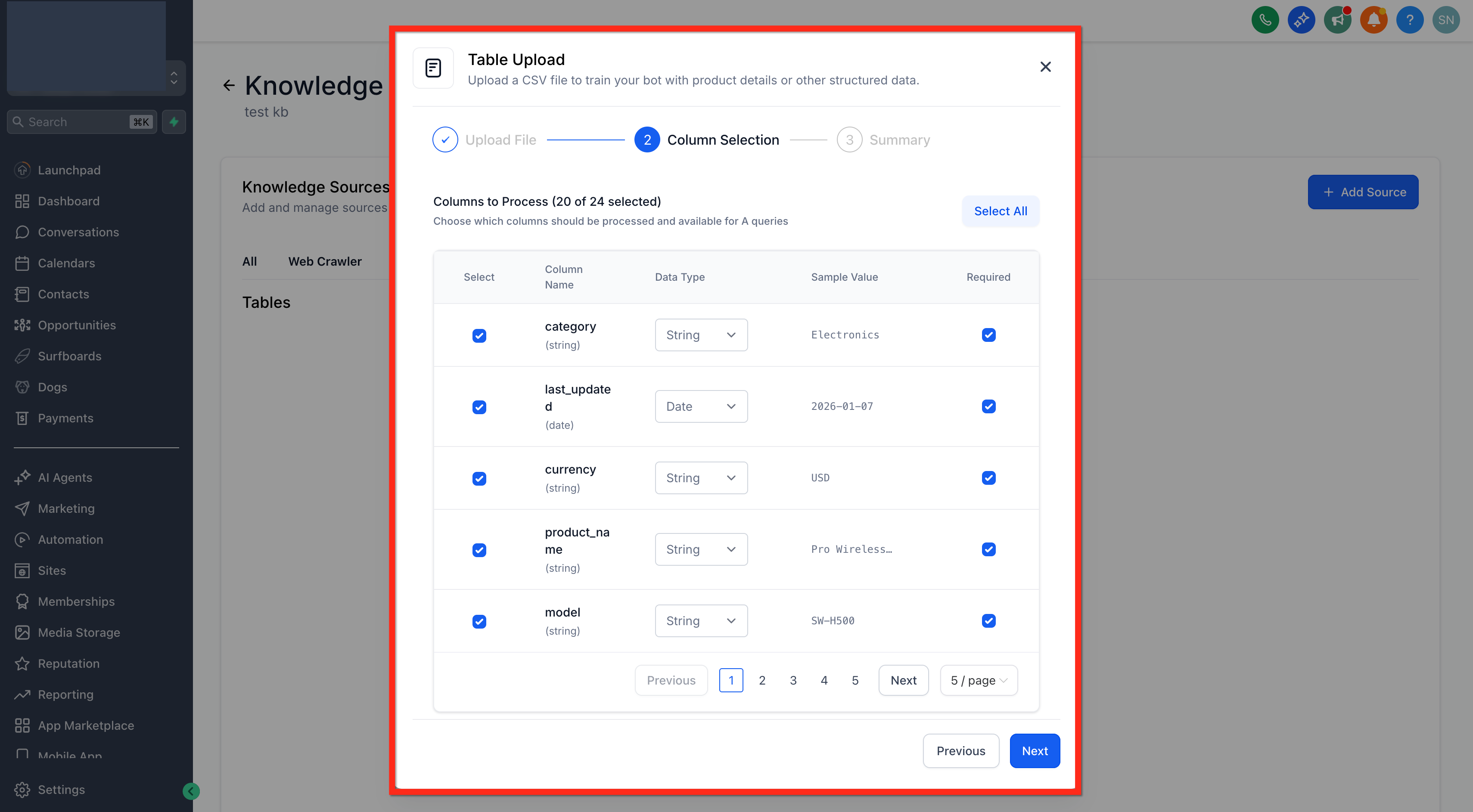
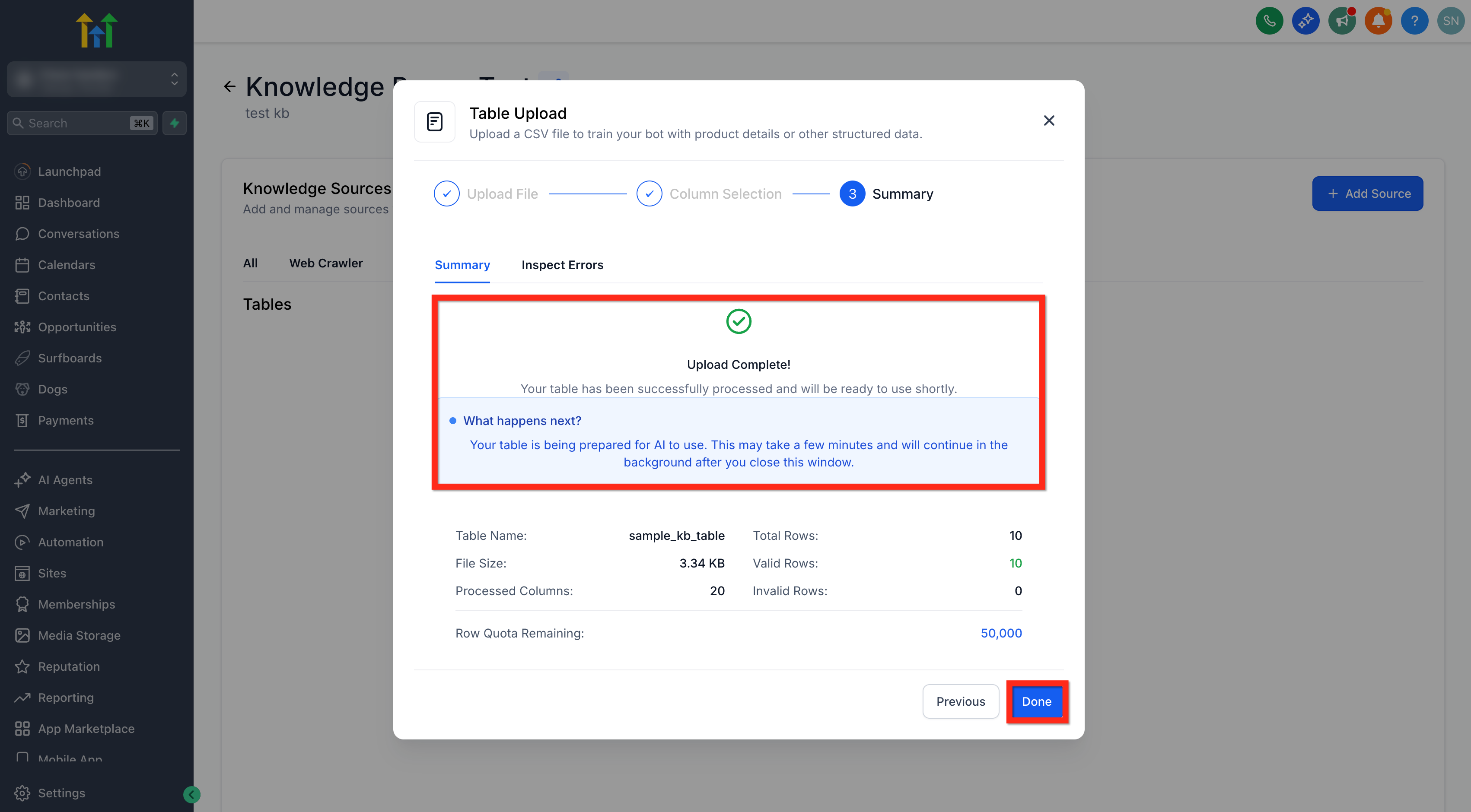
- Click Done to index the table. Progress shows chunking status.
- Attach the Knowledge Base to your AI Agent (Chat, Voice, or Workflow AI) as usual.
- Test a sample question like “Which customers have overdue invoices?” to confirm results.
CSV File Requirements
Understanding the file specifications ensures a flawless upload.
- Format: .csv only (UTF-8 recommended)
- Size limits: 50,000 rows and 500 columns per location (select the 20 most relevant columns), upload files up to 50 MB.
- Header row: First row must contain column names
- Data types: Automatic schema detection with 80 % confidence threshold
- Clean data: Remove null values, hidden formulas, merged cells, etc
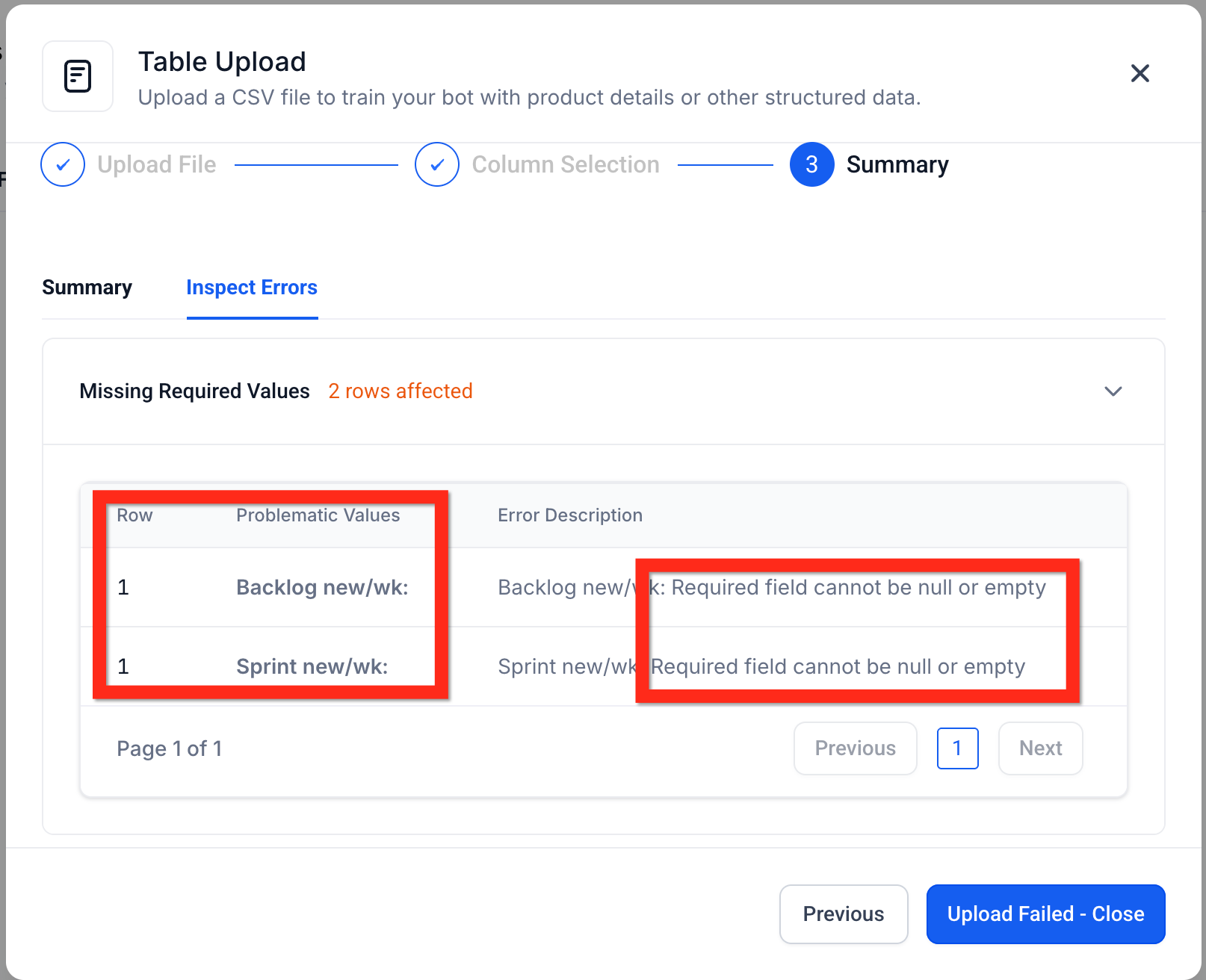
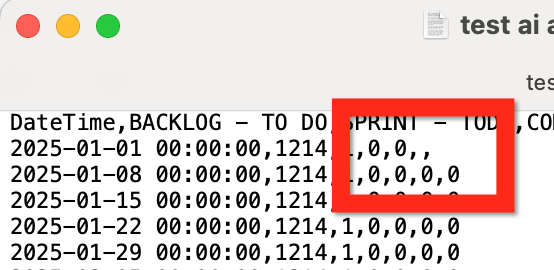
The CSV can be rejected at several points. For example, if the format of the CSV is accepted, the data itself might still contain an error.
In this case you can inspect the CSV manually in a spreadsheet program or even a text editor.
Semantic Search Intelligence
SourCherry converts each table row into vector embeddings so the bot can “understand” meanings rather than exact words. This enables queries like “Show me customers who complained about billing” or “Which orders shipped overnight last week?” The engine compares the user’s question to every row chunk and returns the most semantically similar matches—no SQL needed.
Smart Table Processing
Behind the scenes, SourCherry:
- Detects column types (text, number, date, etc.) with 80 % accuracy
- Chunks rows into groups of five (max 2,000 characters) for efficient indexing
- Stores chunk metadata so answers can reference the correct records
Frequently Asked Questions
Q: Can I upload Excel (.xlsx) files?
Not yet—export or save your sheet as CSV before uploading.
Q: How soon are new CSV uploads available to bots?
Typically within a few minutes—the indexing progress bar will show when processing is complete.
Q: Does Table Search support filters or sorting in the query?
Filtering, comparison, and sorting features are coming soon; for now, ask descriptive questions or refine with follow-ups.
Q: Will table data appear in the Response Info sidebar?
Yes—rows that informed the answer are cited, so you can verify or edit them on the spot.
Q: Can I restrict table access to specific bots?
Yes—only bots linked to the Knowledge Base containing your Table Source can query it.
Q: How is privacy handled for sensitive CSV data?
Table Sources inherit existing Knowledge Base security; only users with access to that Knowledge Base can see or query the data.