
This guide covers the new SEO Report Tab in SourCherry’s WordPress Hosting. You’ll learn how to turn on access, read the insights for title tags, meta descriptions, and meta keywords, and use guided actions to improve search readiness — all without leaving your hosting dashboard.
TABLE OF CONTENTS
- What Is the SEO Report in WordPress Hosting?
- Key Benefits of the SEO Report in WordPress Hosting
- Core SEO Checks
- Prerequisites and Access
- How To Use the WordPress Hosting SEO Report
- Frequently Asked Questions
- Related Articles
What Is the SEO Report in WordPress Hosting?
The SEO Report centralizes core on‑page SEO checks directly inside the WordPress Hosting dashboard for each hosted site. It highlights missing or weak metadata and provides practical, guided actions so you can resolve issues quickly without third‑party tools.
Key Benefits of the SEO Report in WordPress Hosting
- Time to Value: Quickly identify and resolve high‑impact SEO opportunities from a single dashboard.
- Workflow Efficiency: Guided fixes reduce context switching and accelerate completion.
- Better SERP Outcomes: Improving core metadata increases relevance and can lift click‑through potential.
- Operational Simplicity: See insights where you manage hosting—fewer tools and logins to juggle.
- Reduced Risk of Oversights: Automated checks surface gaps often missed in manual reviews.
Core SEO Checks
Learning what gets checked and why it matters helps you interpret the insights and decide which fixes will produce the biggest search impact.
Title Tags
Detects: Missing titles, duplicates, and titles that exceed recommended length guidelines.
Why it matters: Titles influence rankings, click‑through rate (CTR), and how your page is interpreted by search engines.
What to do: Use Fix Now to open the relevant edit view and craft a concise, descriptive title that reflects primary intent.
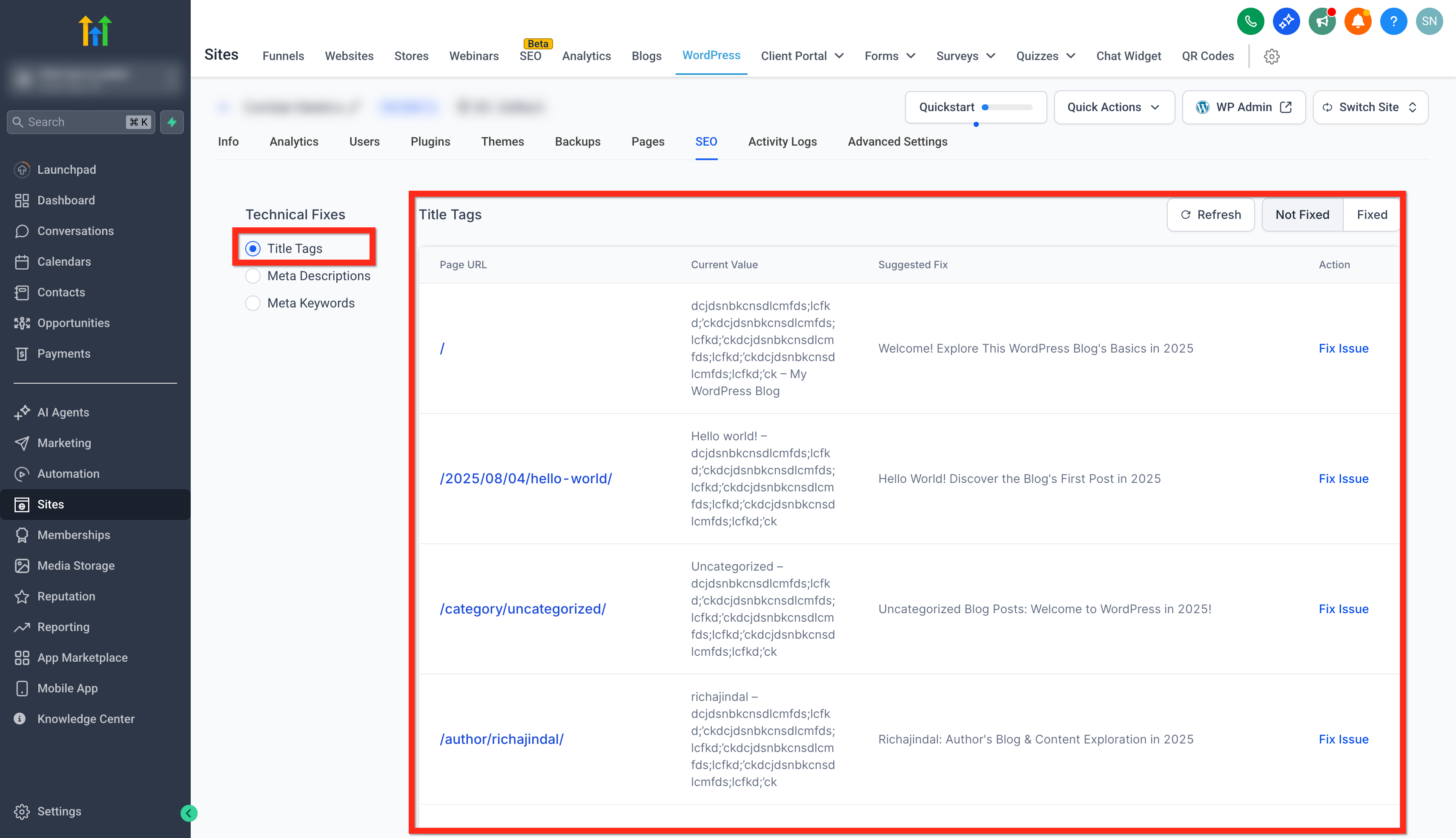
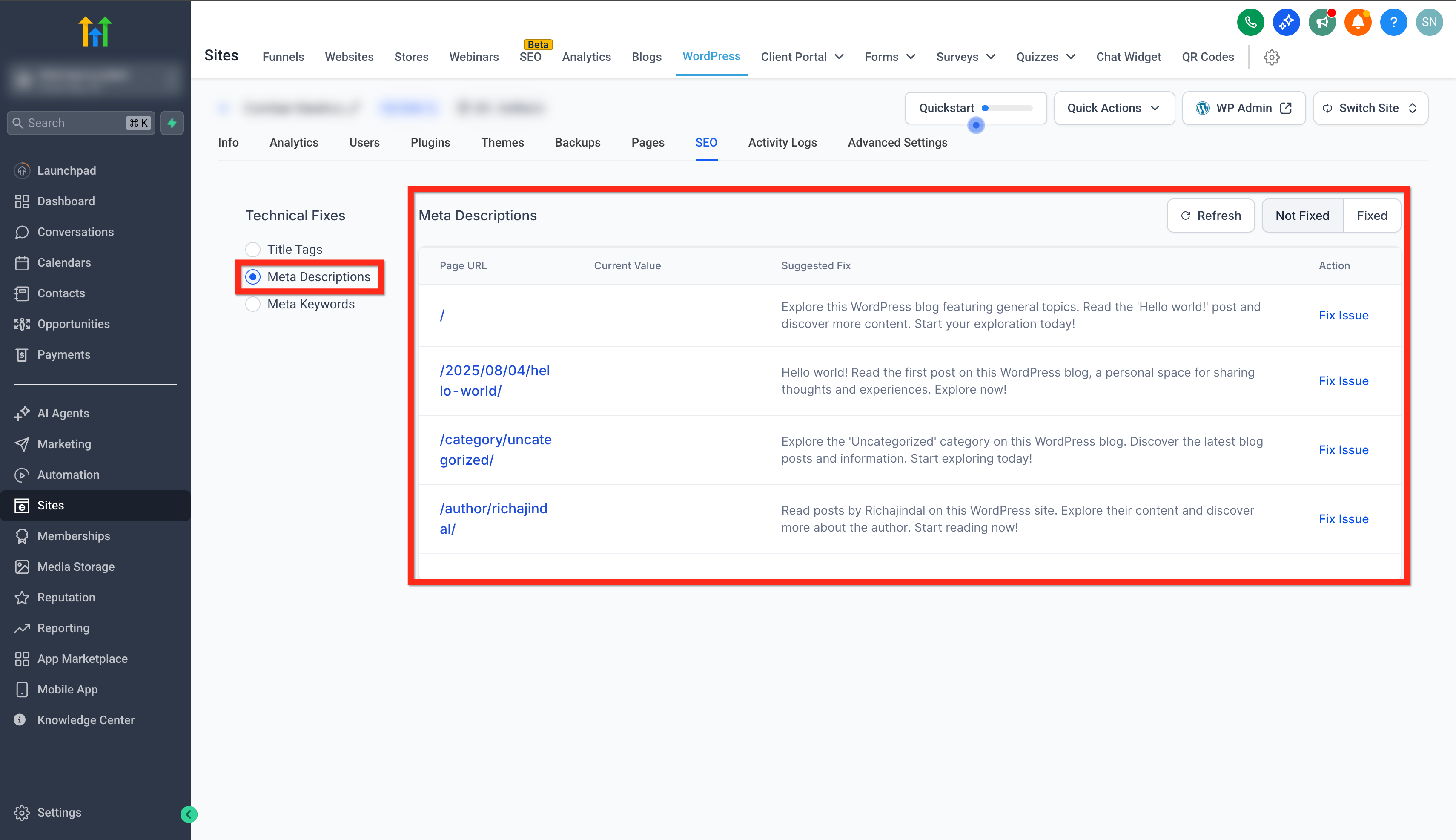
Meta Descriptions
Detects: Missing or unoptimized descriptions.
Why it matters: Descriptions can improve SERP engagement by previewing value and encouraging clicks.
What to do: Use Fix Now to add a clear, benefit‑oriented summary that aligns with the page title and content.
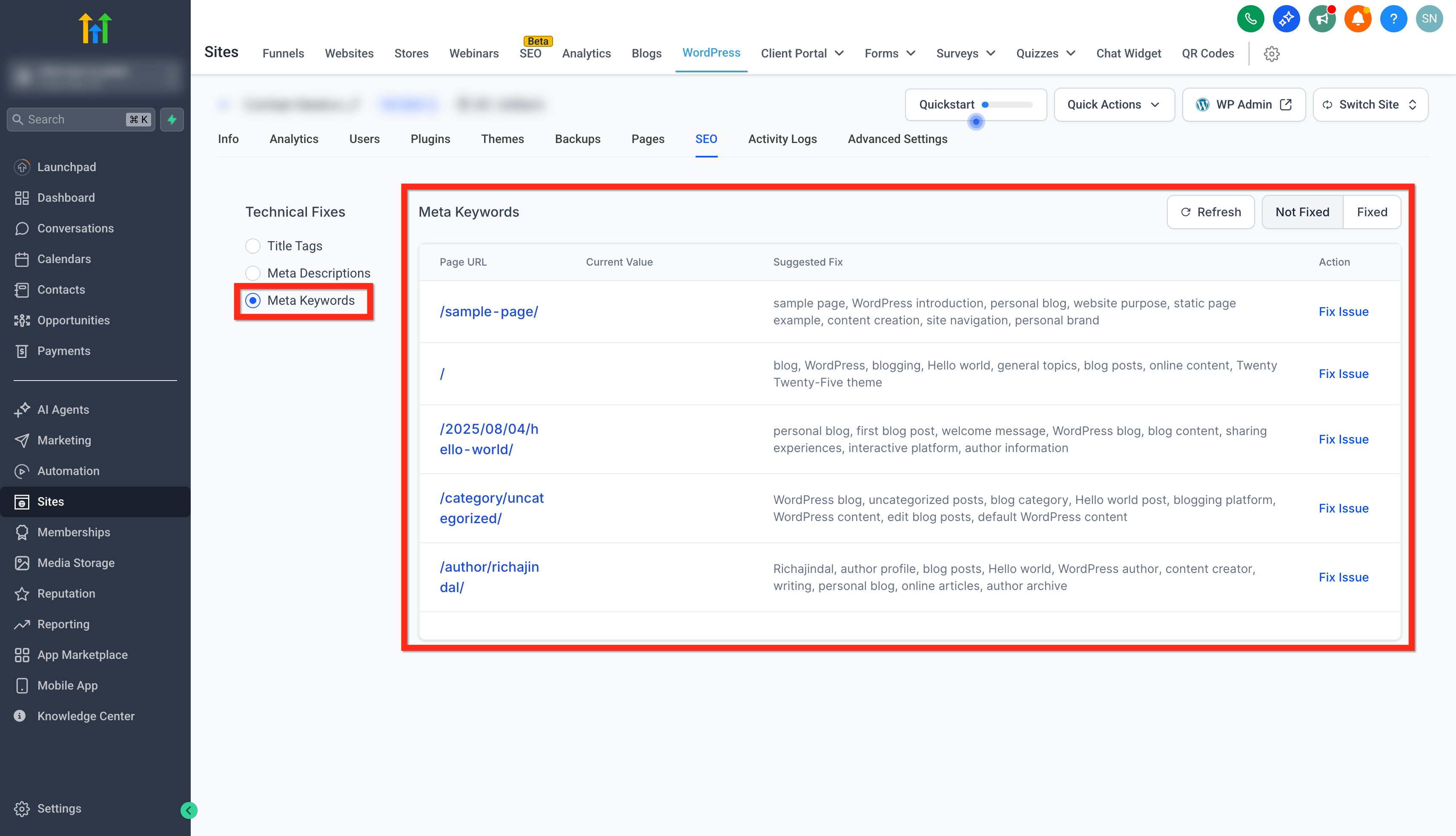
Meta Keywords
Detects: Opportunities to refine keyword focus and topical relevance based on your content.
Why it matters: While major search engines may not use meta keywords for rankings, keyword focus remains valuable for content planning and internal consistency.
What to do: Use Fix Now to review suggested keywords and ensure your on‑page copy aligns with the topic.
Prerequisites and Access
Verifying requirements upfront prevents access issues and ensures the SEO tab can load and display insights for your site.
You’ll need:
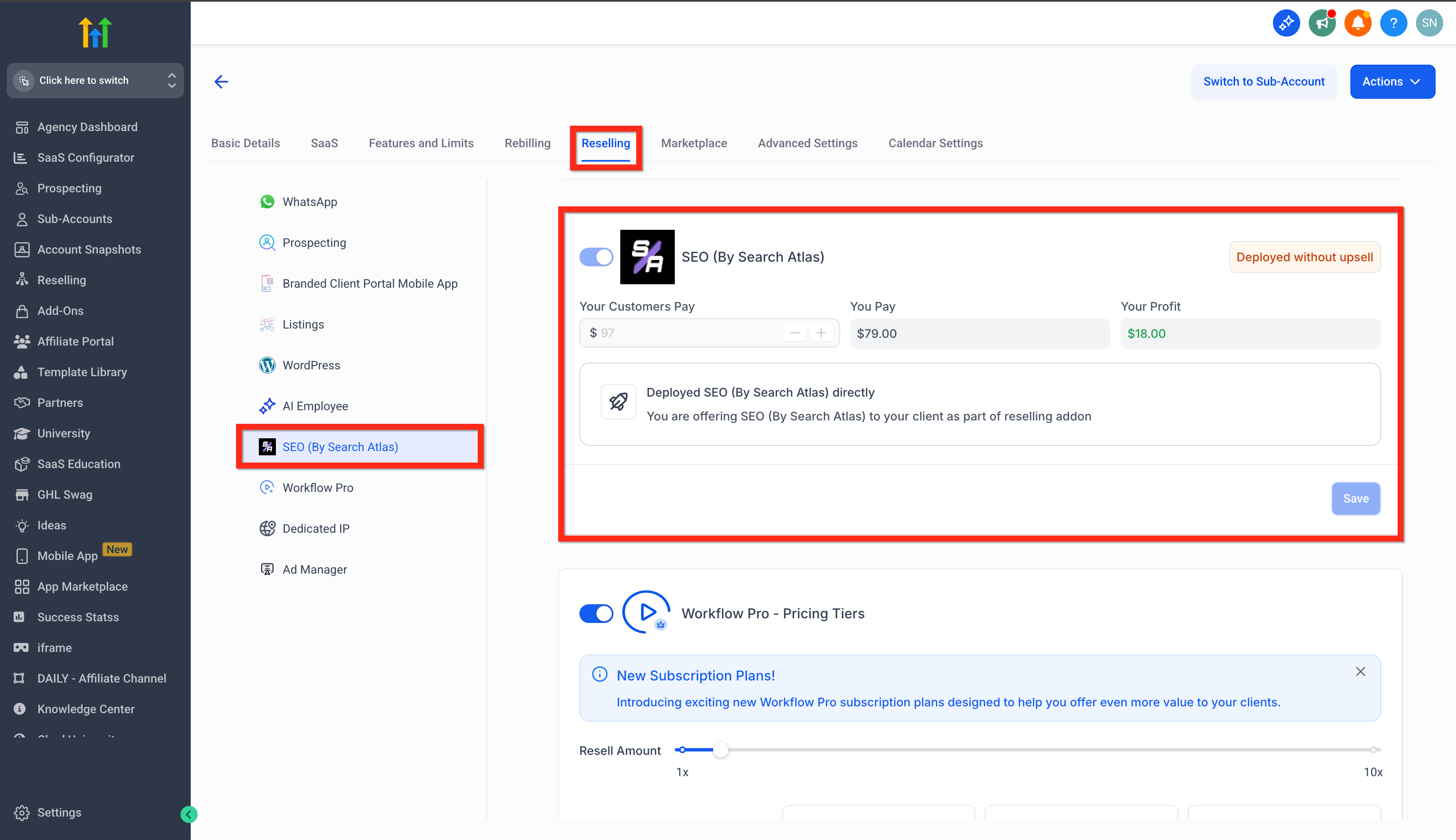
Active SEO subscription at the sub‑account level. If SEO is not subscribed for the sub‑account, the SEO tab will not be visible under WordPress Hosting.
How to Confirm: Agency View > Sub-accounts > Manage Client > Reselling > SEO
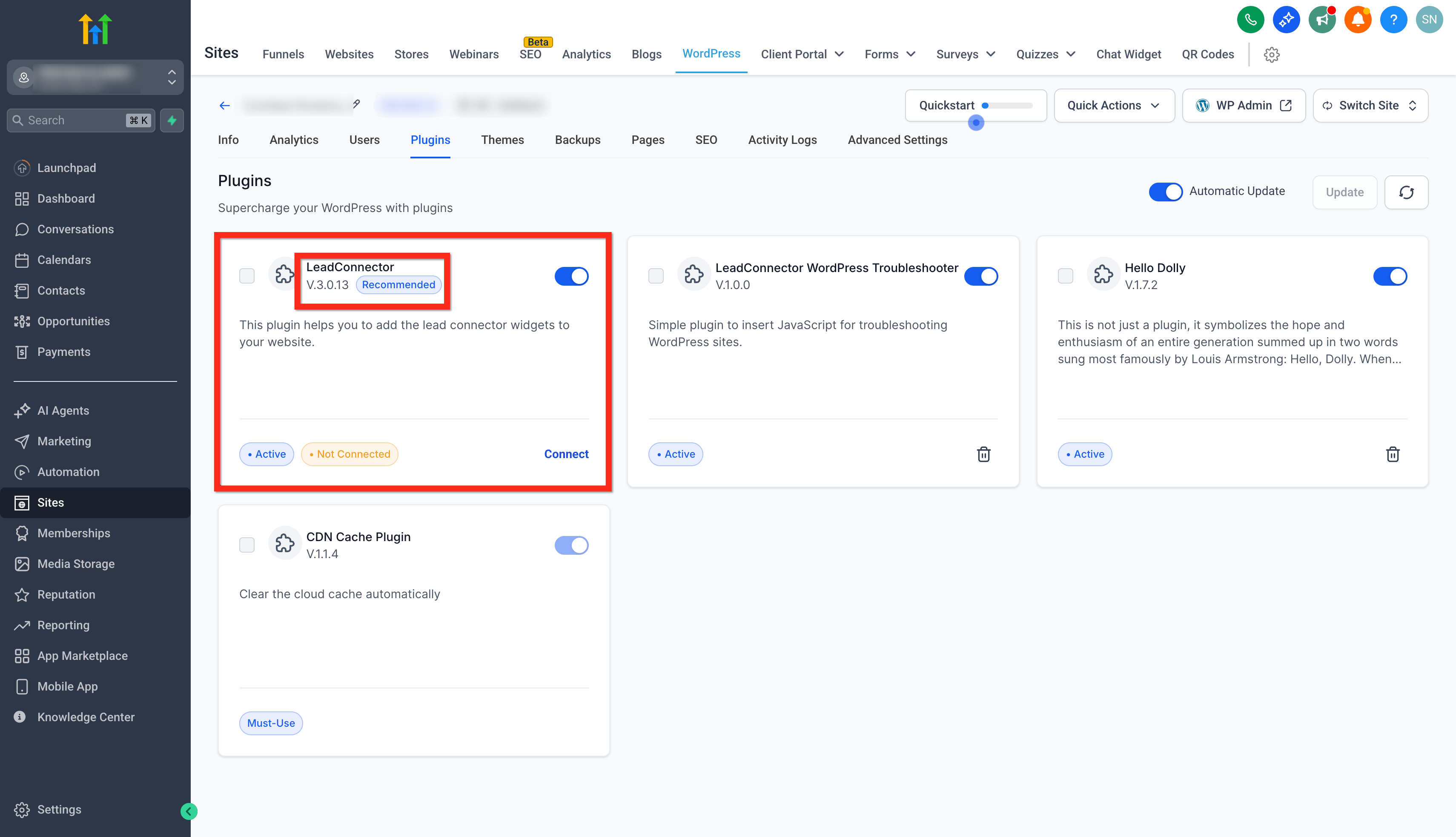
- LC (SourCherry) WordPress Plugin v3.0.12 or later, installed and active on the WordPress site to enable insights and ensure API compatibility.
How to Confirm: Sites > WordPress > Click Manage Website button of the particular website > Plugins
How To Use the WordPress Hosting SEO Report
Follow these simple steps to use the SEO Report feature.
Step 1: Open the WordPress Hosting dashboard and select your site.
- Navigate to Sites → WordPress.
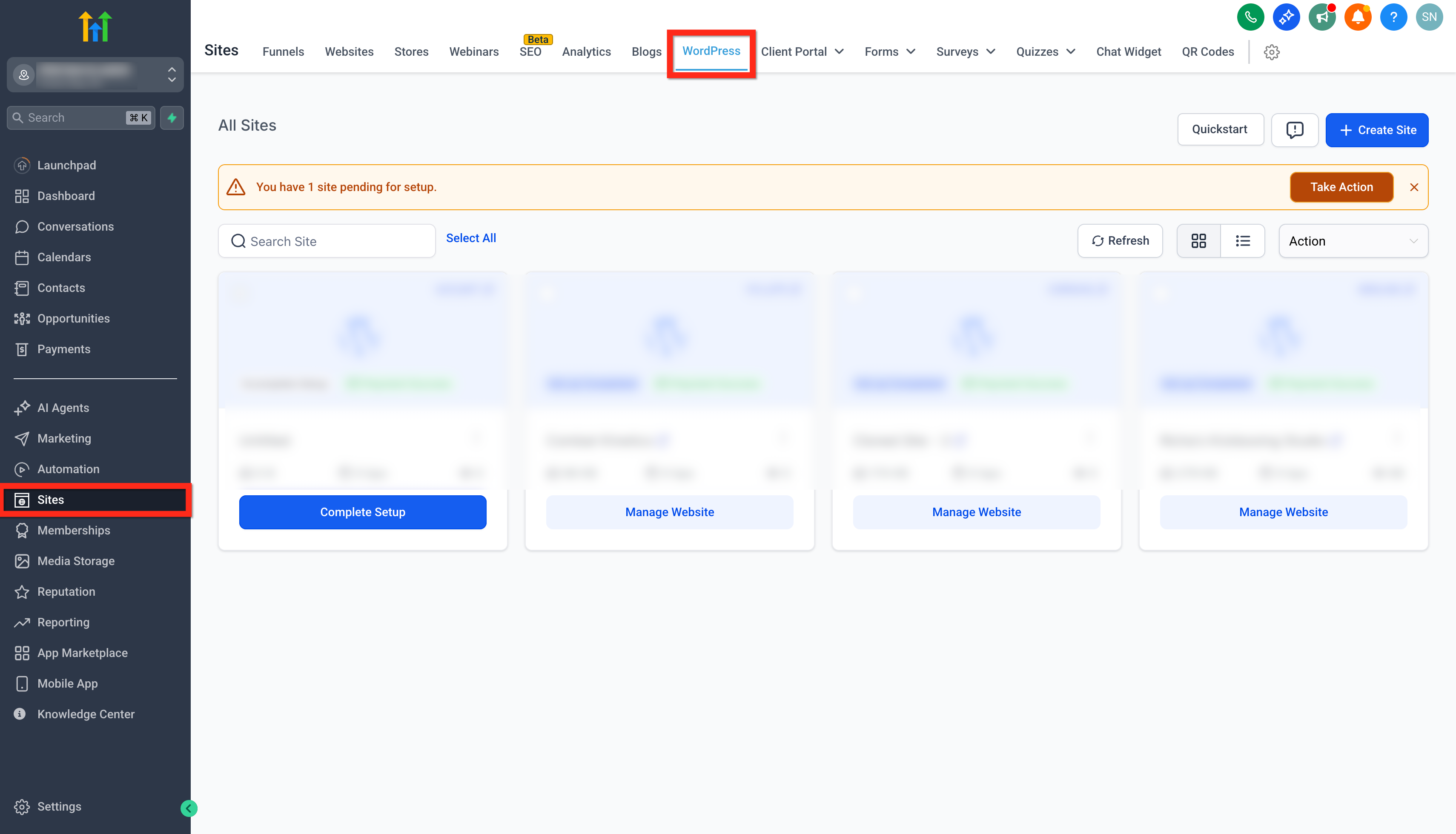
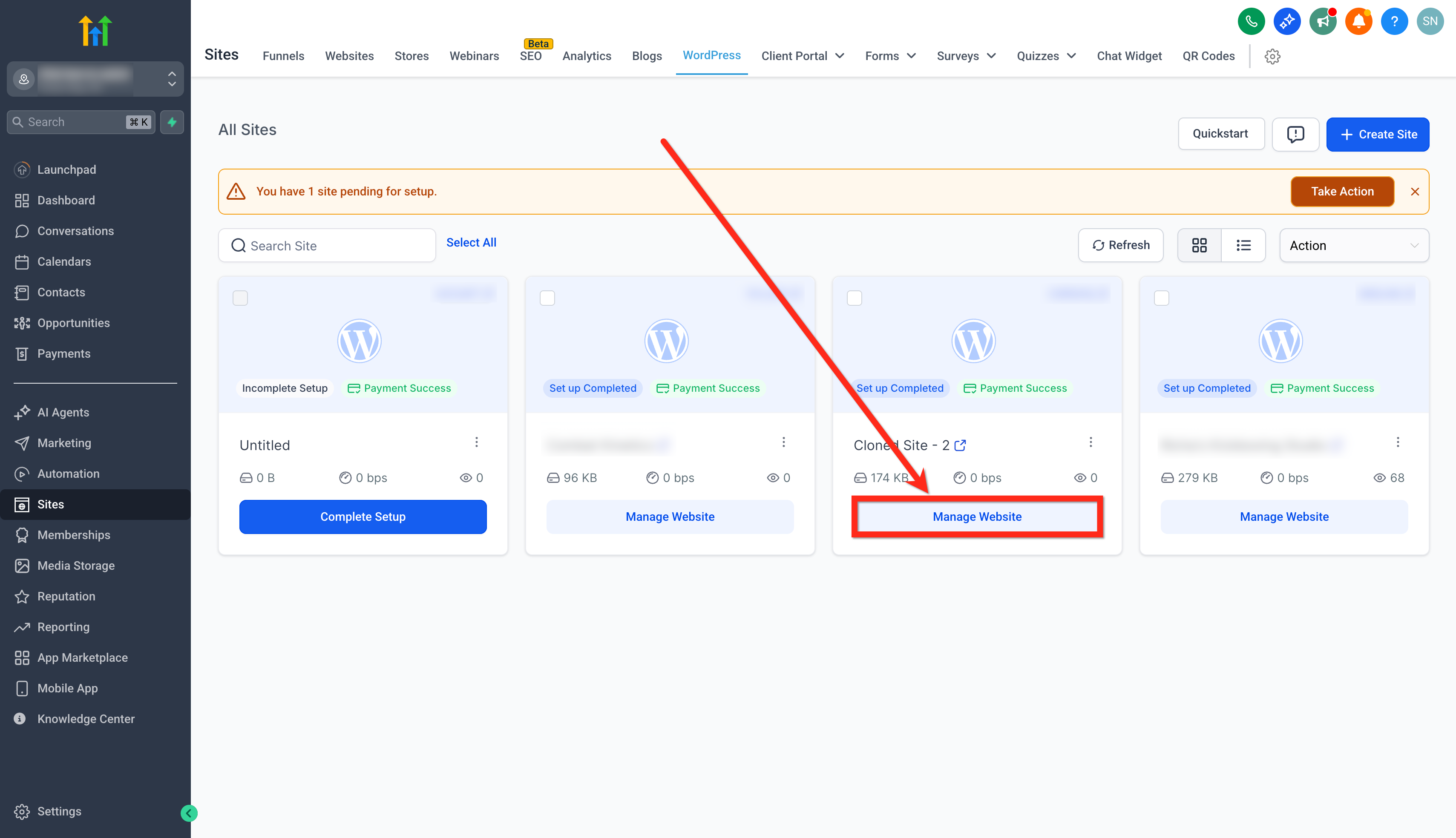
- Click on the Manage Website button of the site you want to generate the report for.
- Click on the SEO tab.
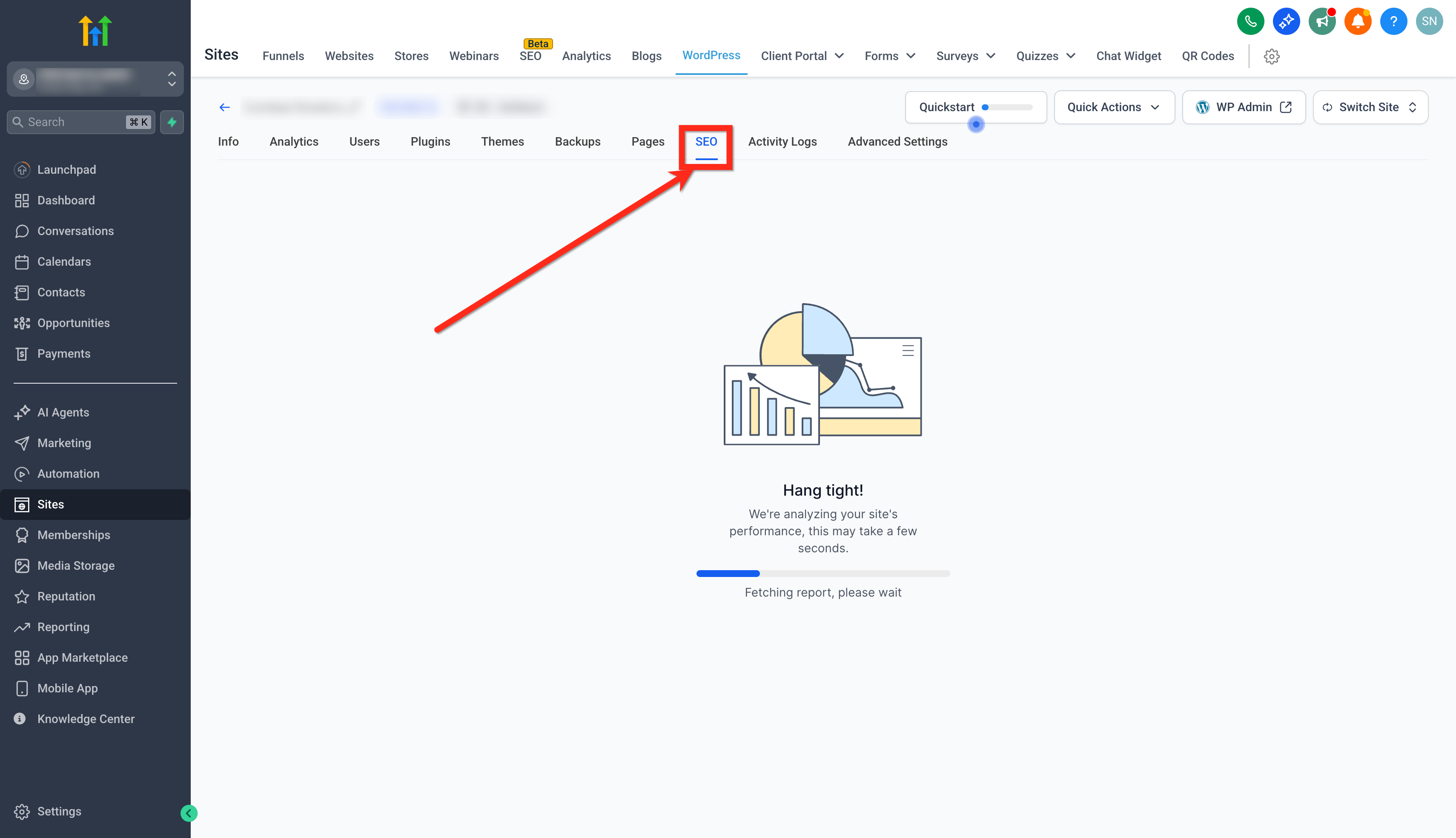
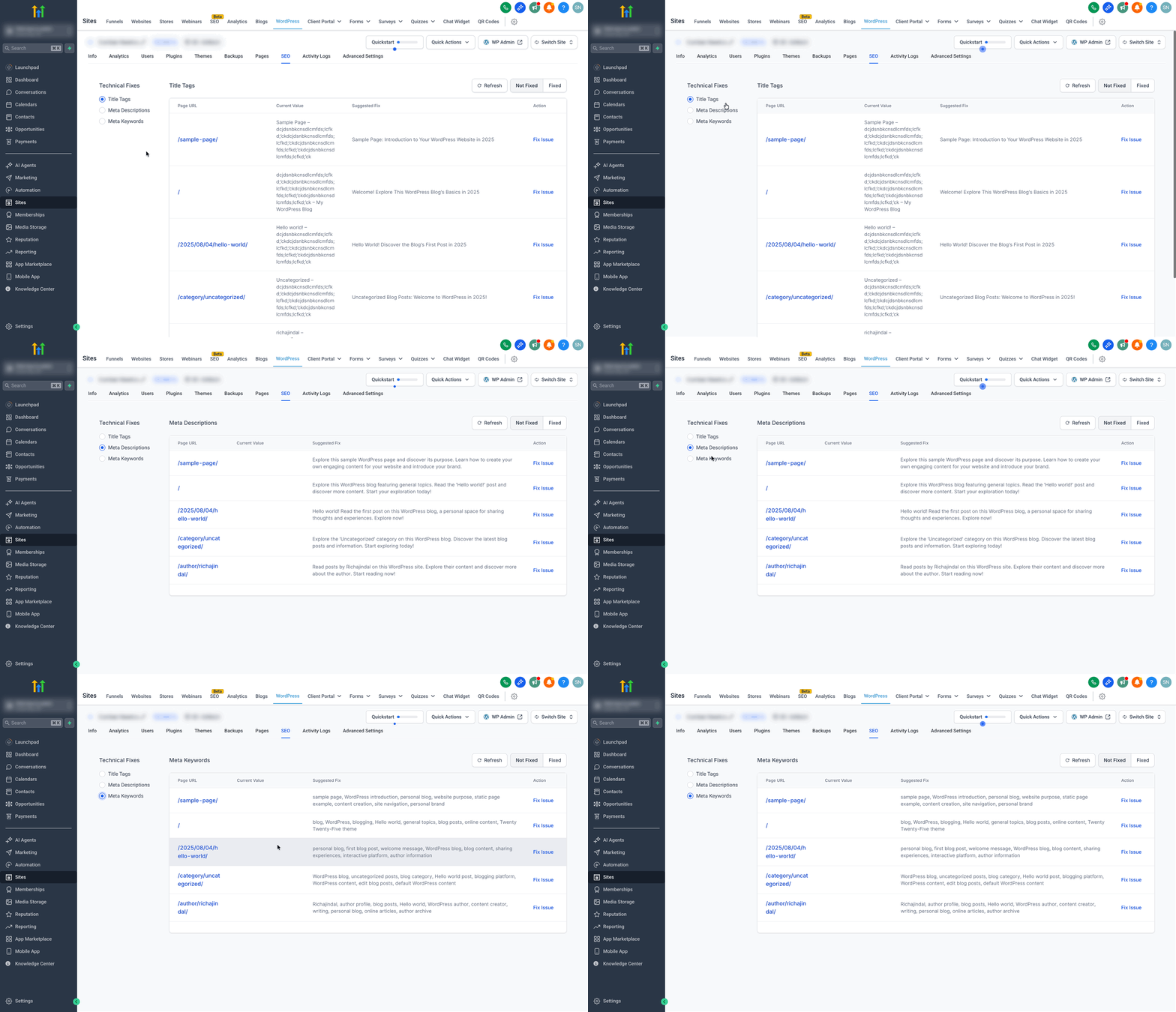
Step 2: Review the SEO insights
- Check Title Tag, Meta Description & Meta Keywords suggested fixes.
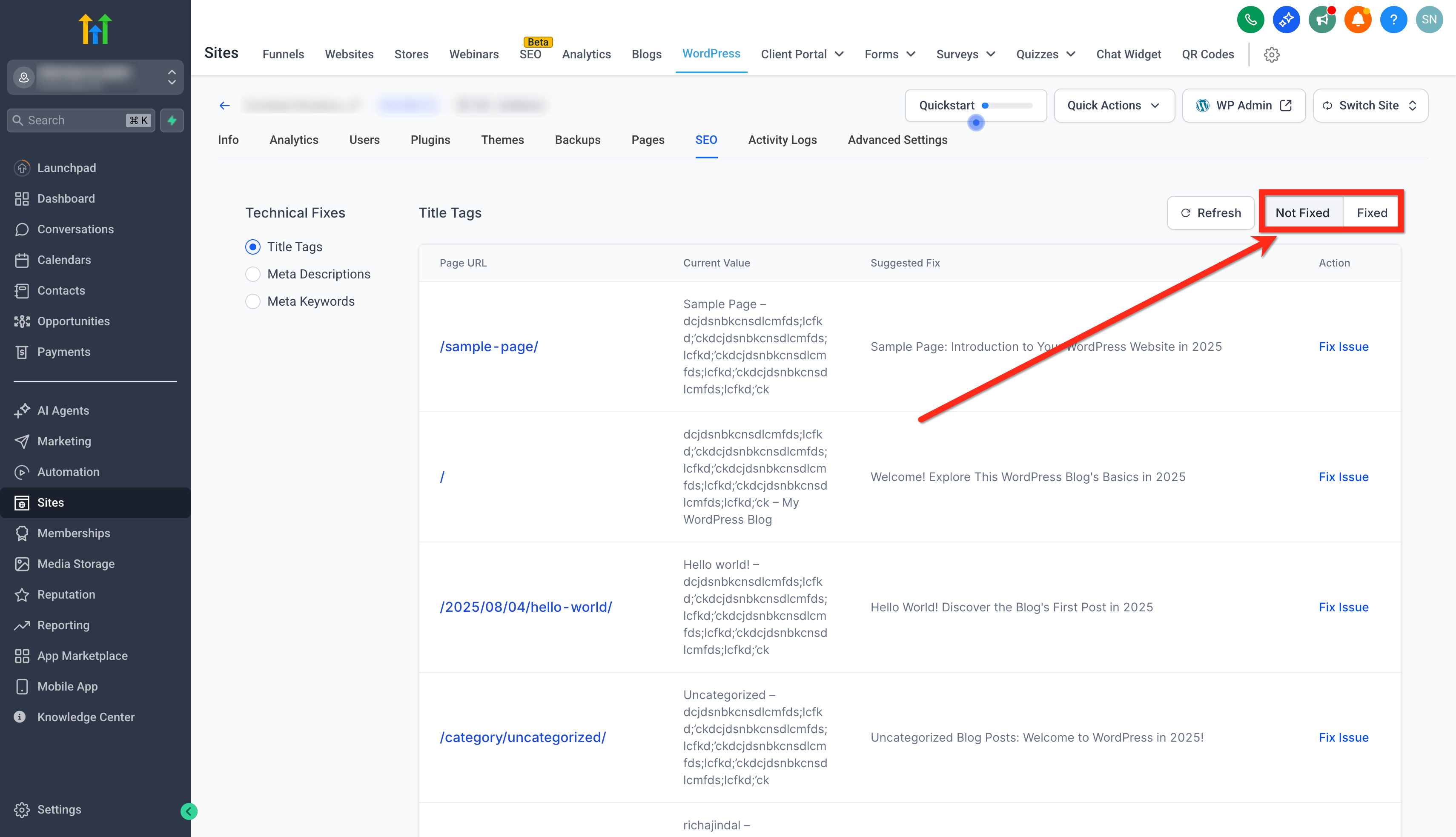
- Switch between Not Fixed & Fixed tags.
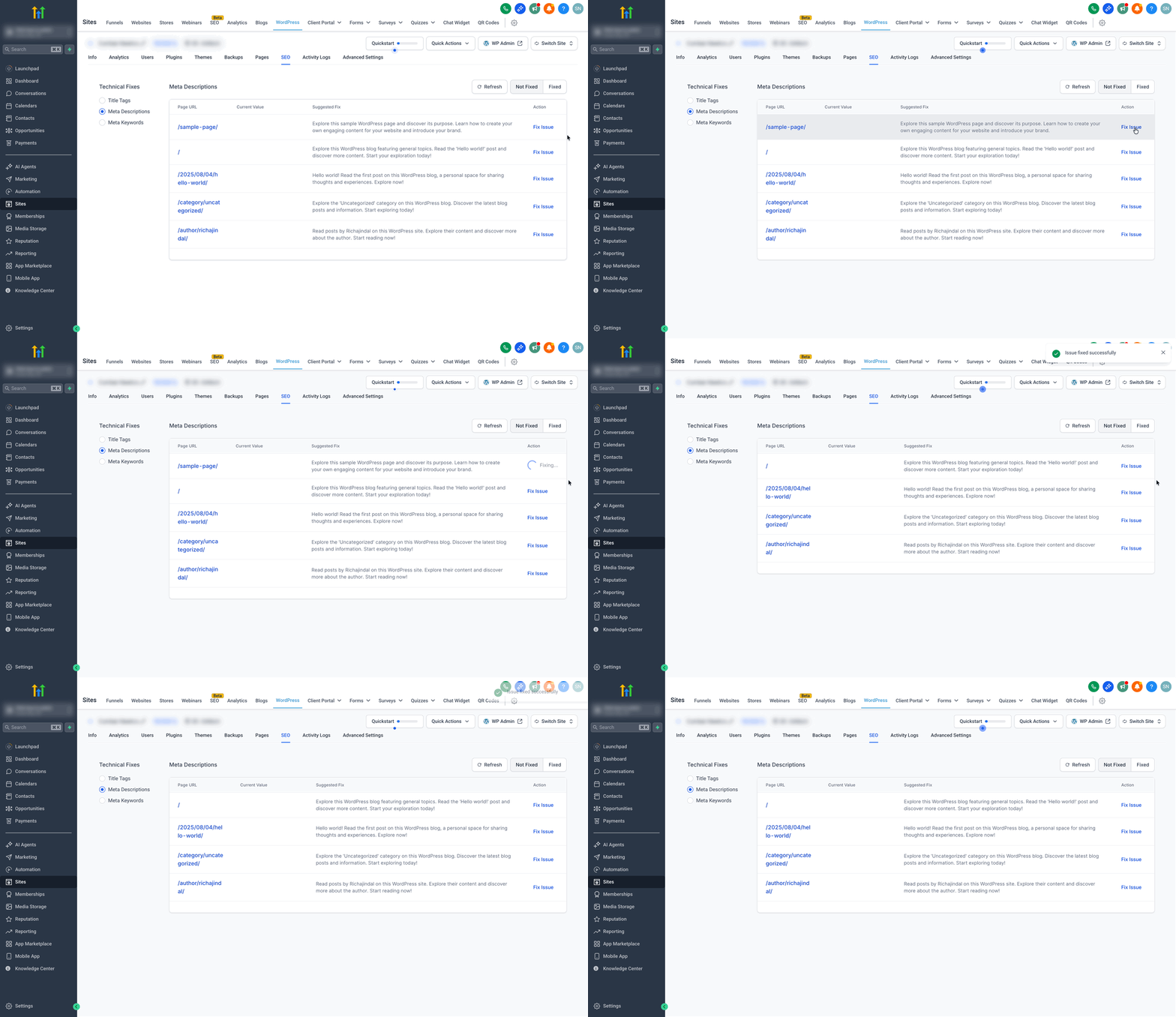
Step 3: Fix Issues
- Click Fix Issue button for a suggested fix to apply the recommended improvement.
Frequently Asked Questions
Q: Do I need to subscribe to SEO for the SEO tab to appear in WordPress Hosting?
Yes. The SEO add‑on must be active for the sub‑account; otherwise, the SEO tab will not be visible.
Q: What plugin version is required for SEO insights?
The LC (SourCherry) WordPress plugin v3.0.12 or later must be installed and active on the site.
Q: How often do insights refresh?
Insights refresh on a periodic schedule. If a Refresh/Re‑scan control is available, use it after publishing changes to update sooner.
Q: Does this replace the full SEO suite in SourCherry?
No. The Hosting SEO tab focuses on foundational on‑page checks for WordPress. For advanced audits and broader SEO tooling, use the dedicated SEO product area in SourCherry.
Q: Will changes go live immediately?
Metadata changes take effect when you save/publish in WordPress. Search engines may take additional time to re‑crawl and reflect updates in results.