
The new Memberships course editor gives you a larger, more focused workspace to build and manage courses. It opens a big editing window, keeps your full course structure visible, and reduces the need to switch between screens.
TABLE OF CONTENTS
- What is Edit Membership Courses with the New Course Editor
- Key benefits of Edit Membership Courses with the New Course Editor
- How to Edit Membership Courses with the New Course Editor
- Step 1) Open the course editor
- Step 2) Understand the layout
- Step 3) Reorder your course content (drag and drop)
- Step 4) Collapse and expand sections
- Step 5) Use status indicators and quick actions
- Frequently Asked Questions
- Relevant articles
What is Edit Membership Courses with the New Course Editor
Edit Membership Courses with the New Course Editor is the updated course editing experience in Memberships. It uses:
- A large editor window that takes up most of your screen.
- A left-side course map that shows your full course structure.
- Breadcrumbs at the top so you always know where you are in the course.
Key benefits of Edit Membership Courses with the New Course Editor
- Fewer Distractions: The editor blocks out other UI so you can focus on content.
- Faster Navigation: Jump to any lesson or quiz from the course map.
- Better Organization: Keep your course overview visible while editing individual items.
- Clear Location Awareness: Breadcrumbs show your current position in the course.
- Quick Structure Changes: Reorder content with drag and drop and collapse/expand sections.
How to Edit Membership Courses with the New Course Editor
Step 1) Open the course editor
- Go to Memberships and open Courses.
- Select the course you want to edit.
- Open the editor (the editor should launch in a large workspace).
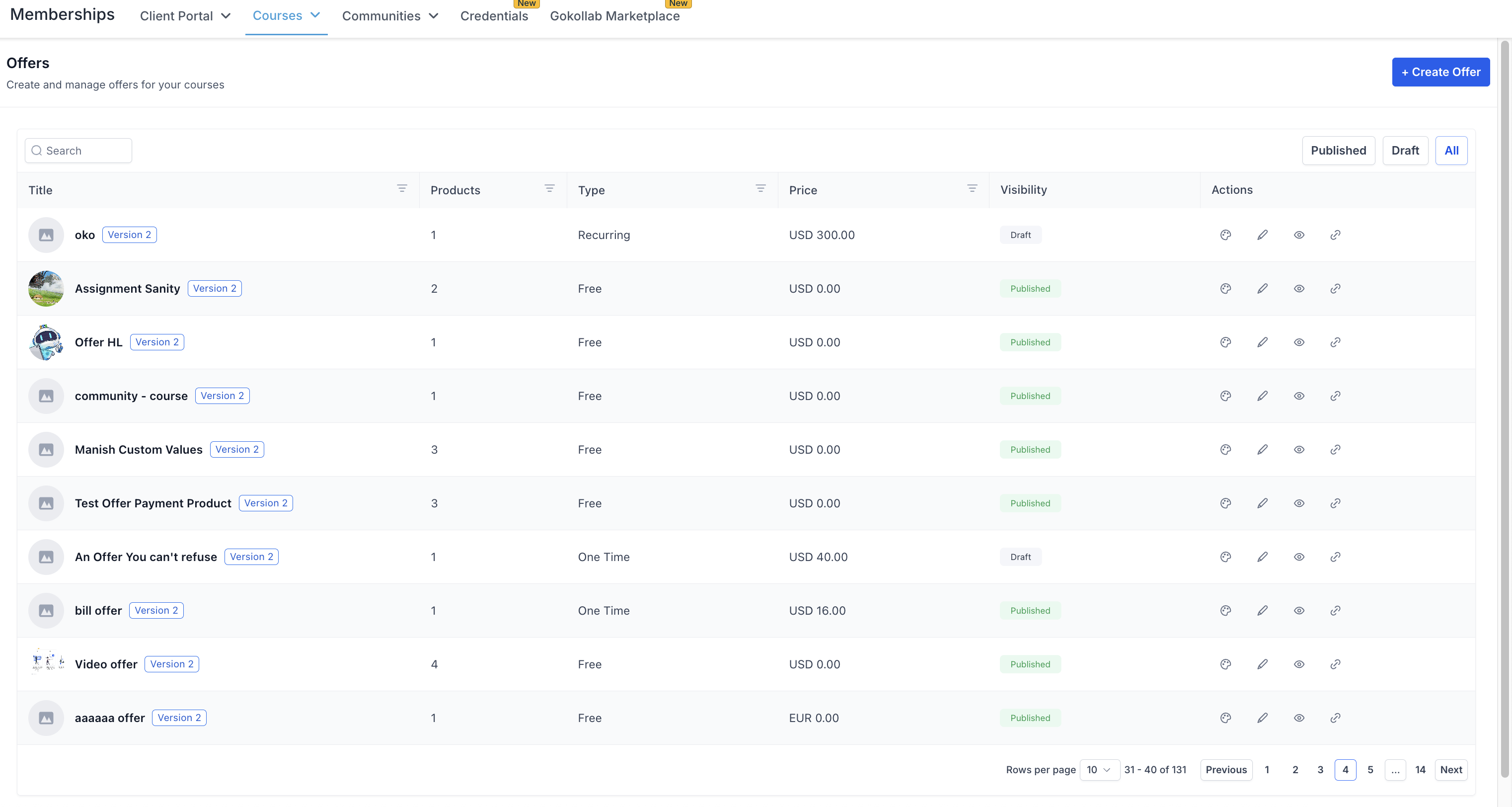
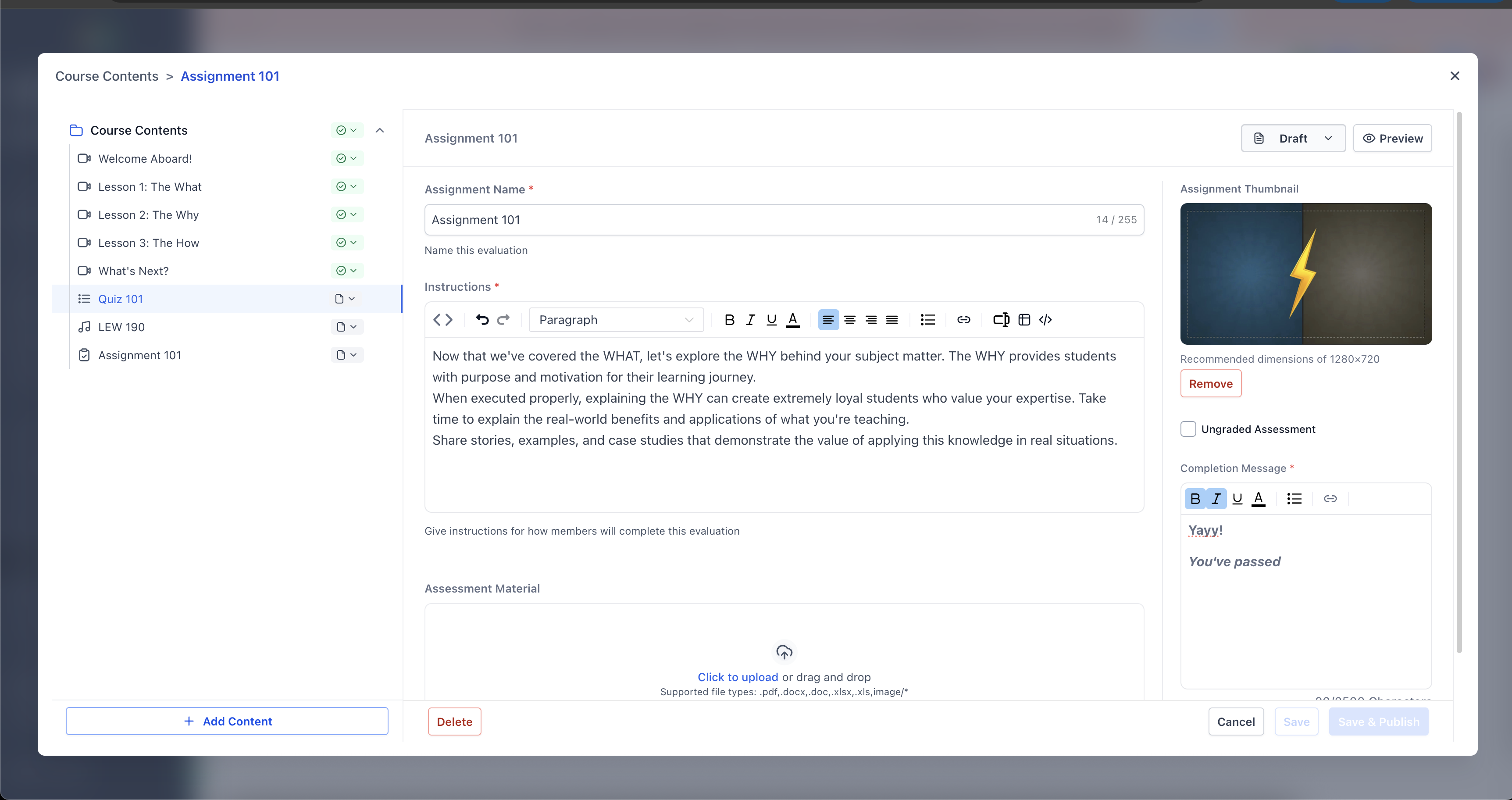
When the editor opens, you should see:
- Left panel (Course Map): Your course structure, similar to a table of contents.
- Main editor area: The selected item opens here for editing.
- In the course map, click and drag an item to a new position.
- Drop it where you want it in the structure.
Step 4) Collapse and expand sections
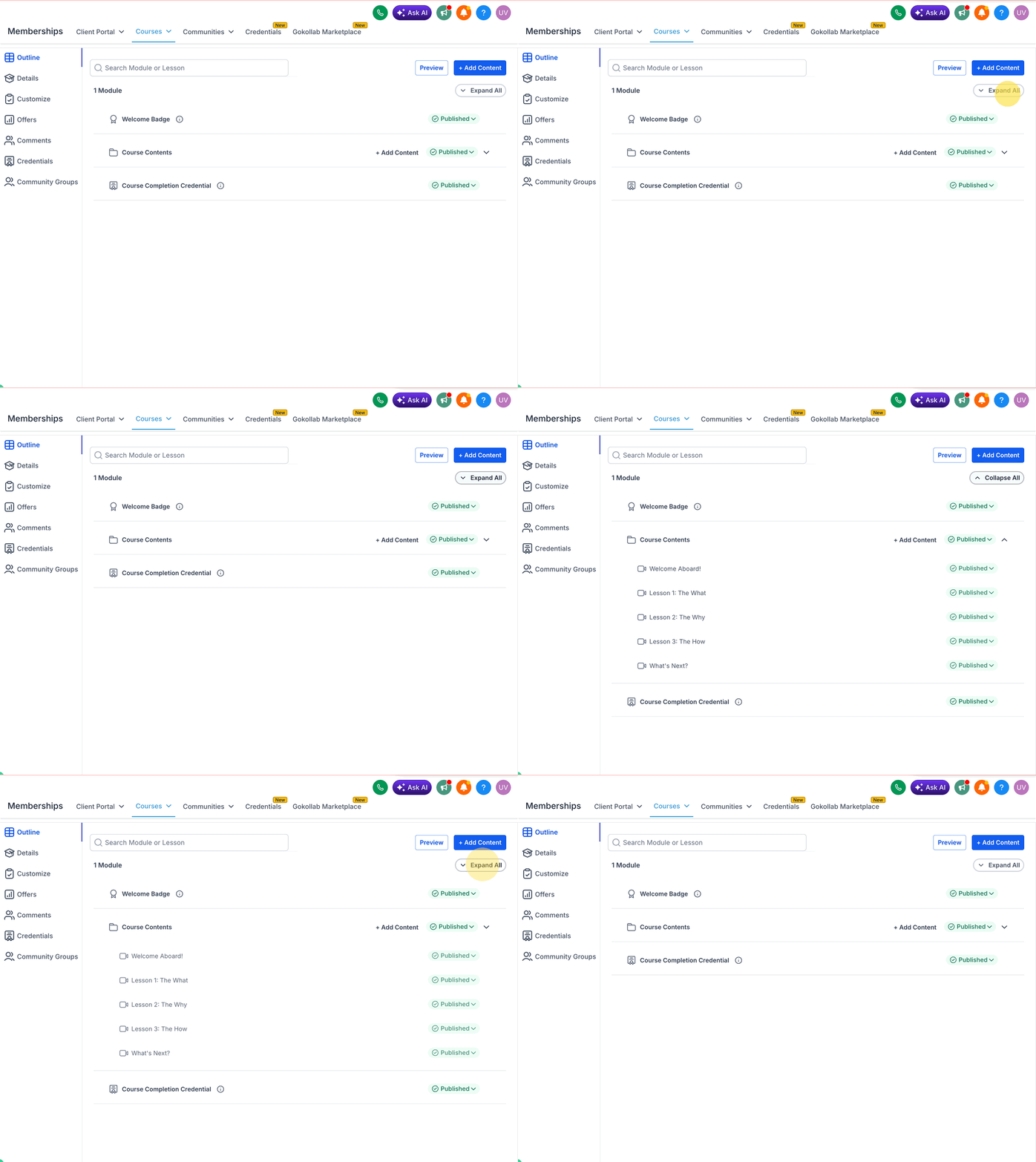
- Collapse modules or sub-sections to focus on one area.
- Expand them again when you need the full view.
Step 5) Use status indicators and quick actions
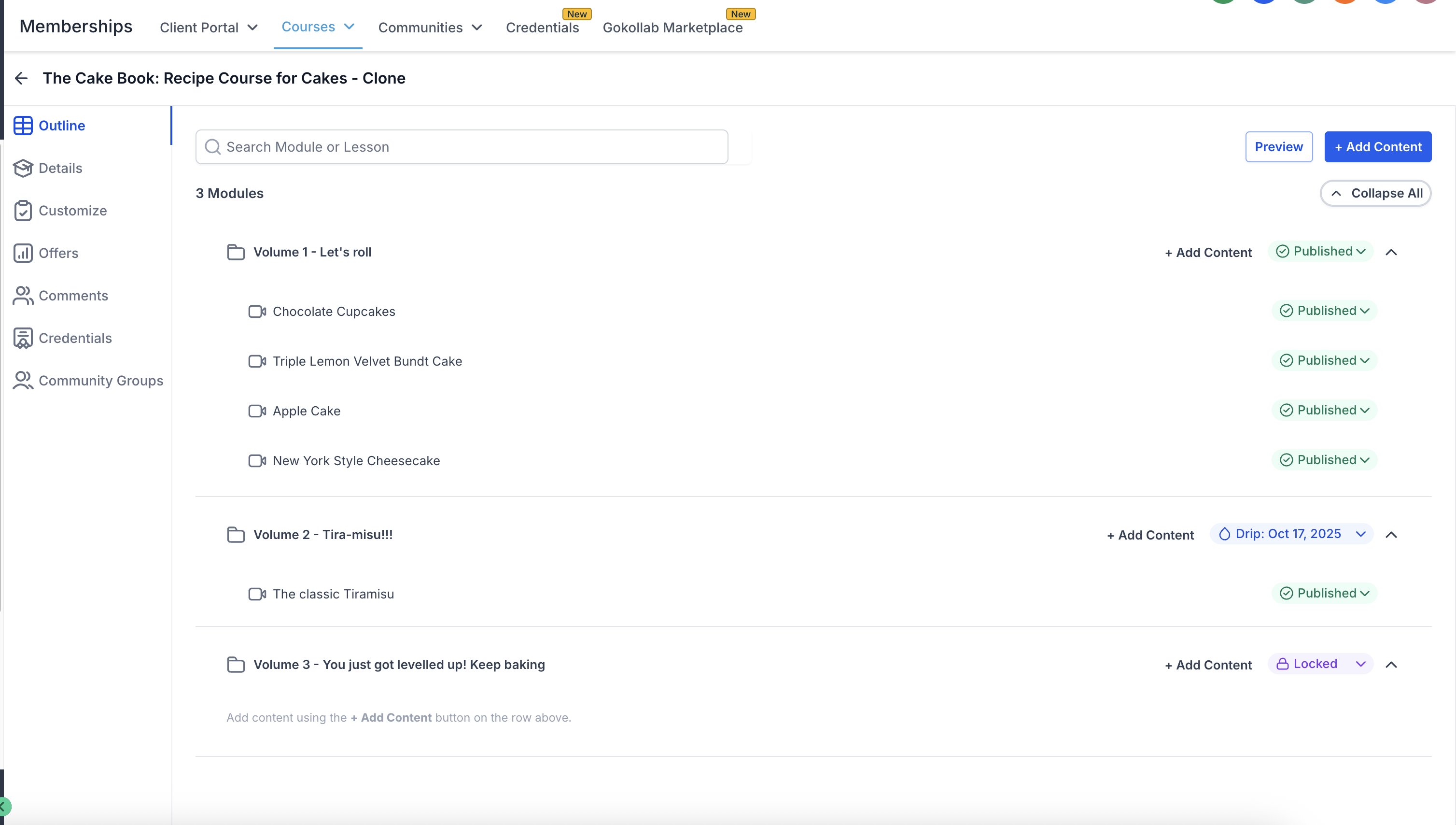
The course map can show content status (for example, published/draft/locked) and provides quick actions (for example, edit, delete, and change visibility).
Frequently Asked Questions
Q. Does the editor replace the old multi-page editing flow?
The new experience is designed to reduce switching between different pages by keeping the course map and editor visible together.
Q. Can I jump between steps while creating a course?
The updated course creation flow supports a progress indicator with clickable steps and flexible navigation (go back, skip steps, or jump to completed steps).
Q. Can I reorder modules and lessons?
Yes. The course map supports drag-and-drop reordering.
Q. What does “locked” mean in the course map?
The course map may show “locked” content as a status.
Q. Will I see performance improvements?
The release notes state major page and editor interactions are significantly faster due to improved loading, caching, and state handling.