
SourCherry now prevents domains from being connected to multiple conflicting product types when doing so would disrupt an existing setup.Before a domain is connected to a new product, the system checks whether the domain is already being used by another supported product type. If a conflict is detected, the connection is blocked and a detailed error message is displayed.This safeguard helps prevent accidental service disruptions involving live Funnels, Websites, WordPress installations, Client Portals, and other connected products.
TABLE OF CONTENTS
- How Domain Conflict Detection Works
- Supported Product Types
- Resolving Domain Conflicts
- Important Notes
- Frequently Asked Questions
- Related Articles
How Domain Conflict Detection Works
When connecting a domain to a product, SourCherry now performs a conflict check before validating DNS records.
If the domain is already connected to another supported product type, the system:
- Blocks the new connection attempt
- Identifies the product currently using the domain
- Displays troubleshooting guidance
- Provides a direct navigation link when applicable
For example, if a domain is already connected to a Funnel, attempting to connect it to a Client Portal may be blocked if the existing setup would break.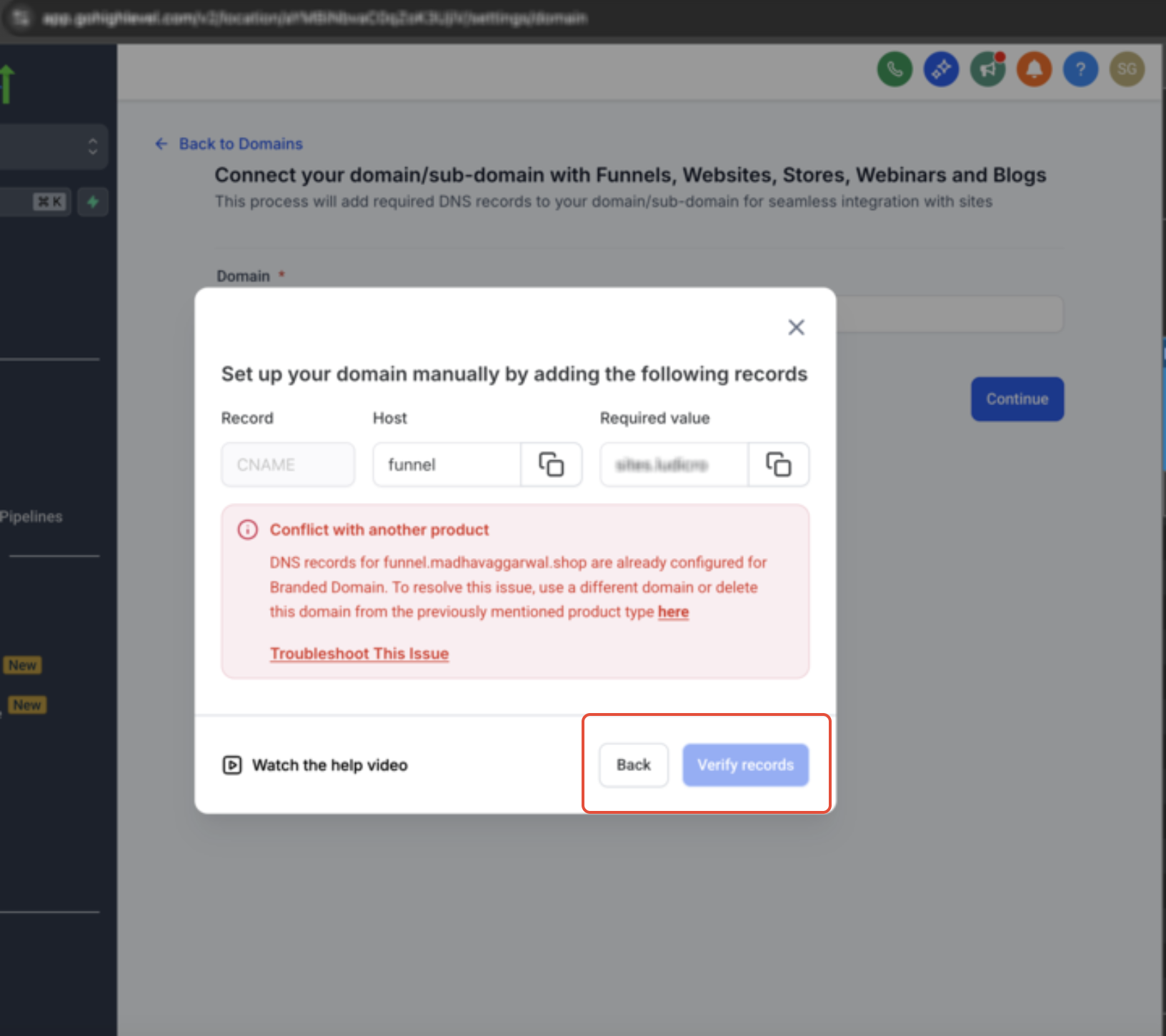
Supported Product Types
Conflict detection currently applies to the following product types:
- Funnel
- Website
- Store
- Blog
- Webinar
- WordPress
- Client Portal
- Branded Domain
Email products are excluded from these conflict checks.
Resolving Domain Conflicts
If a conflict is detected, review the error message carefully before proceeding.
Same Location Conflicts
If the conflicting product exists within the same location, the error message may include a direct navigation link to the existing domain connection.
Use the link to:
- Review the current setup
- Disconnect the existing product if appropriate
- Choose a different domain if needed
Cross-Location Conflicts
If the conflict exists in another location within the same agency:
- The connection will still be blocked
- A direct link will not appear
- The error message will identify the issue so you can investigate further
Important Notes
- Conflict checks occur before DNS validation checks
- Domain conflicts are detected across all locations within an agency
- Existing domain connections are not modified automatically
- Email products do not trigger product-type conflict checks
Frequently Asked Questions
Q: What happens if I try to connect a domain already in use?
The system blocks the connection attempt and displays an error message explaining the conflict.
Q: Can I override the conflict warning?
No. You must resolve the existing conflict before proceeding.
Q: Does this affect existing domain connections?
No. Existing connections remain unchanged unless manually updated.
Q: Why do some errors include a “here” link?
The link appears when the conflicting product exists within the same location, allowing you to navigate directly to the relevant domain settings.
Q: Why is there no link for some conflicts?
If the conflict exists in another location within the agency, the system does not display a direct navigation link.
Q: Are email products included in conflict detection?
No. Email-related products are excluded from these checks.