
This article will show you how to track and interpret the performance of your funnels using SourCherry’s built-in funnel statistics. You'll learn what is tracked, where to find stats, how to interpret them!
TABLE OF CONTENTS
- How to Access Funnel Statistics
- Metrics Breakdown
- Site and Funnel Analytics
- Frequently Asked Questions
- Related Articles
How to Access Funnel Statistics
Step 1: Navigate to Site or Funnel
From the left side navigations menu, go to Sites
In the top navigation ribbon, select Funnels or Sites
Click the 3 dots next to the funnel or site you'd like to analyze and select Edit
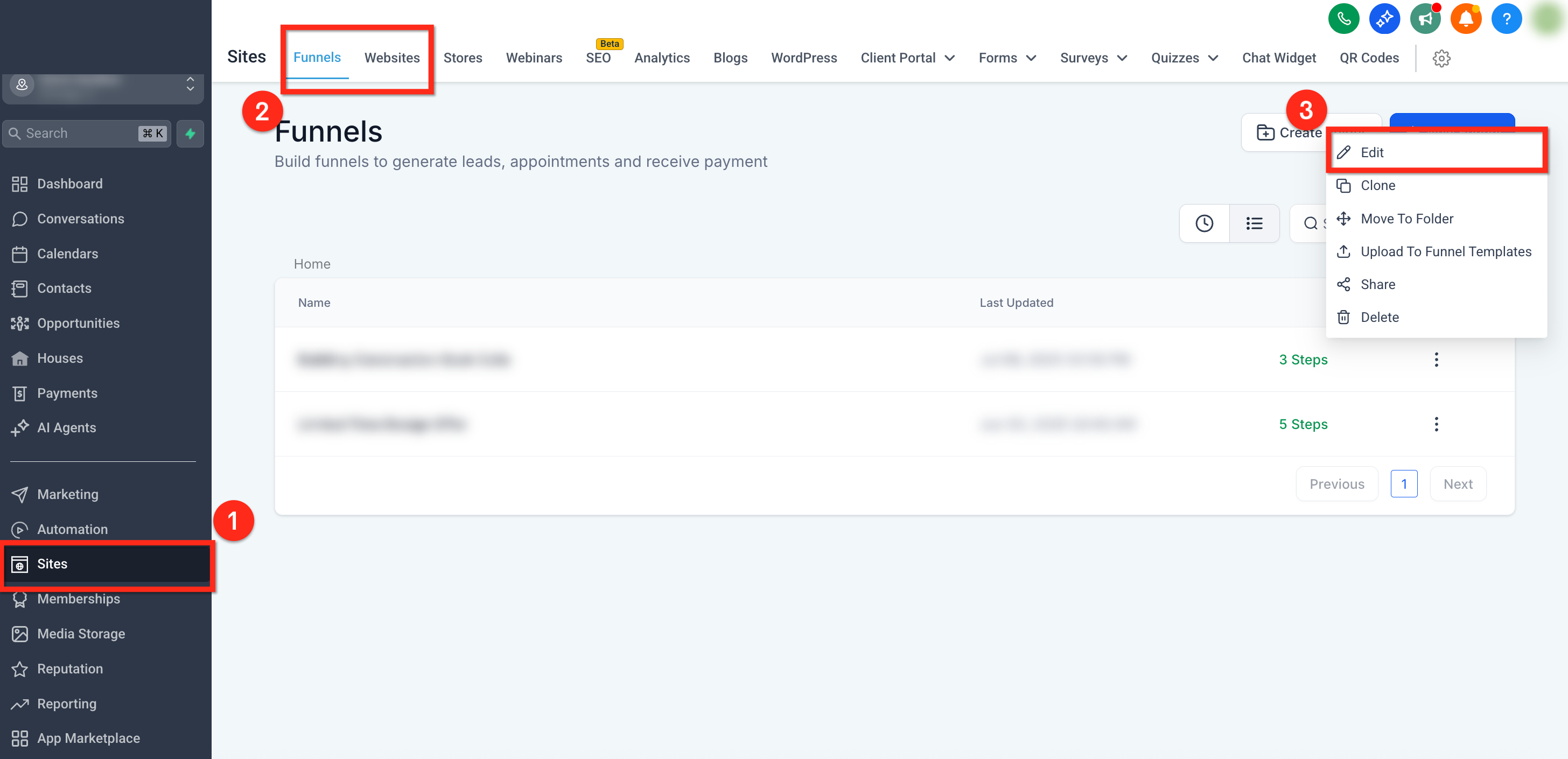
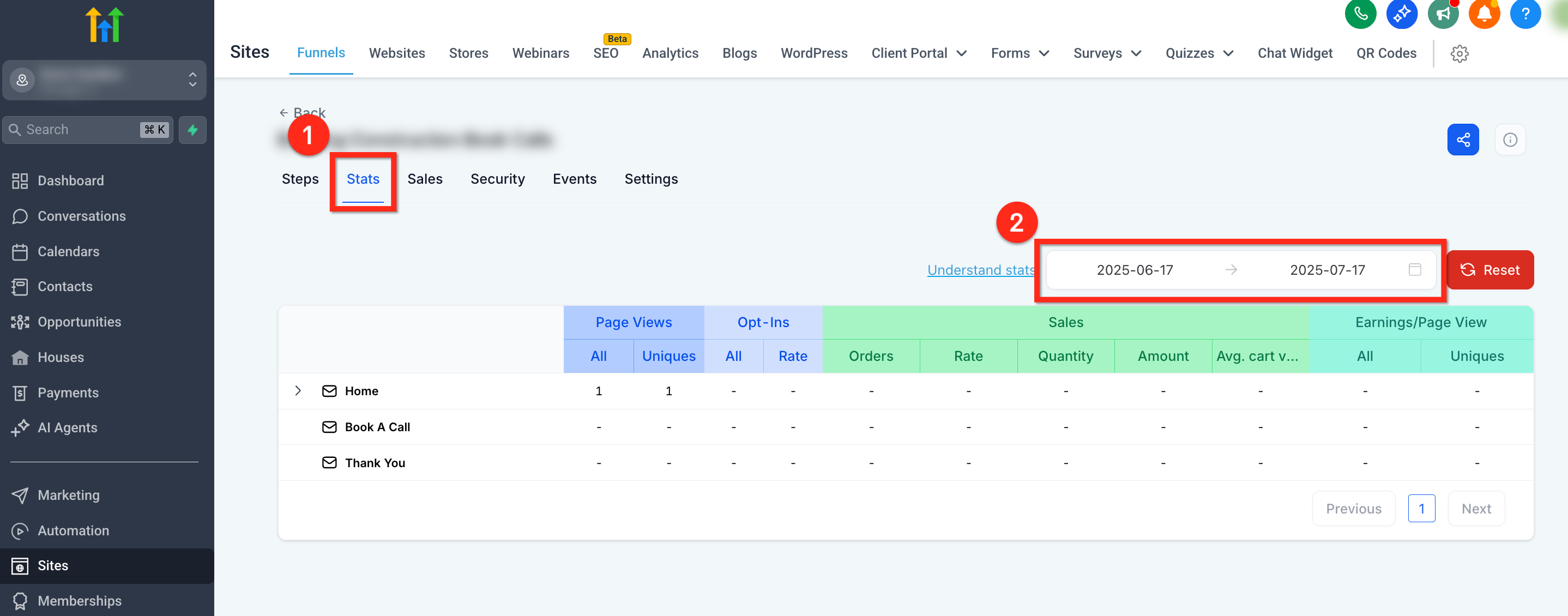
Step 2: Open Stats
In the top secondary navigation bar, click the Stats tab
Use the timeline drop-down in the upper-right to filter by custom date ranges.
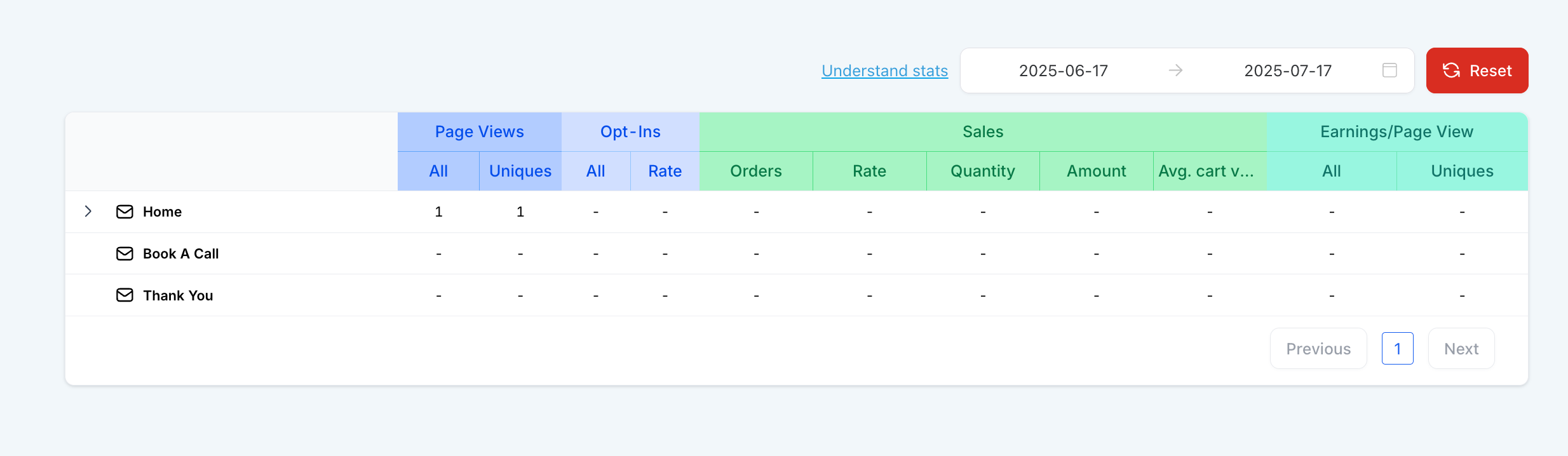
Step 3: Analyze Stats
The stats table will display with the following columns:
Page: the funnel step or page
Views (All/Uniques): total and unique visitors
Opt-ins (Count/Rate): submissions and opt-in rate
Sales (Count/Rate/Value): transactions, conversion rate, and total revenue
Earnings/Page View: revenue per view
Metrics Breakdown
Page Views
- All: Number of total page visits
- Uniques: Uniques page views
Opt-ins (Form Submission, Survey Submission, 2-Step Order Form Submission)
- All: Opt-ins
- Rate: (Opt-ins * 100) / (Unique page views)
Sales
- Count: Number of product sold
- Rate: (Number of product sold * 100) / (Unique page views)
- Value: Total value of products sold
Earnings / Pageview
- All: (Total value of products sold ) / (Page views )
Site and Funnel Analytics
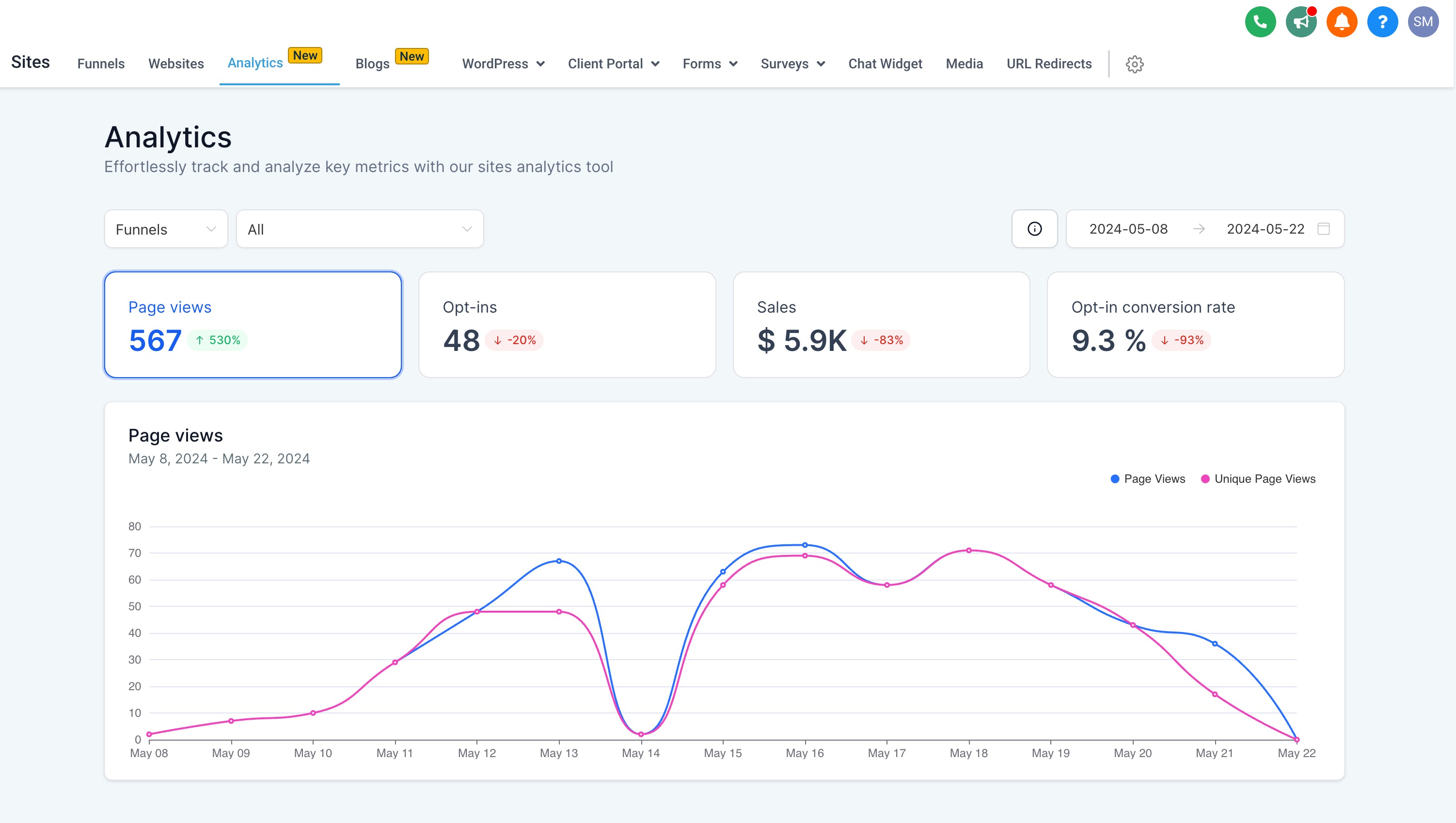
While the Stats tab inside a funnel provides performance data at the page level, the Analytics dashboard offers a broader, more visual overview across all your funnels and websites. It includes interactive graphs, comparison tools, and visitor segmentation, making it easier to spot trends and identify opportunities for optimization.
To explore this centralized reporting view, go to Sites > Analytics.
For more information, see How to Use Site and Funnel Analytics in SourCherry
Frequently Asked Questions
Q: Why don’t my stats match my Google Analytics data?
Google Analytics tracks sessions differently than SourCherry. Differences may arise from bounce filtering, ad blockers, or non-funnel entry points.
Q: Can I automate actions based on page views?
Yes! You can trigger workflows when a contact views a specific funnel page. To learn more, see View Triggers for Funnels and Websites
Q: What qualifies as an 'opt-in'?
Any successful form submission on a funnel step with a form block counts as an opt-in.
Q: Why do some Funnel Stats messages appear in another language?
Funnel Stats supports localized validation, error, and success messages. These messages use the location’s locale setting when available. If no location locale applies, SourCherry uses the user’s platform language, then English as the default language.