
Bundling a Knowledge Base with an AI Agent Marketplace template lets template creators package helpful source content with the agent. This is useful when the agent needs FAQs, service details, policies, documentation, or industry-specific information to answer accurately.
Buyers can install a more complete template, then review and customize the Knowledge Base for their own business before going live.
TABLE OF CONTENTS
- What Is Knowledge Base Bundling for AI Agent Marketplace Templates?
- Key Benefits of Knowledge Base Bundling
- When To Bundle a Knowledge Base
- For Agencies: Installing and Customizing a Bundled Knowledge Base
- Post‑Install: Where Agencies Find and Manage the Bundled Knowledge Base
- Best Practices for Agencies (Adopting a Bundled KB)
- For Agent Builders: Publishing with a Bundled Knowledge Base
- Best Practices for Agent Builders (Designing KBs for Templates)
- Bundle Scope & Behaviour
- Frequently Asked Questions
- Related Articles
What Is Knowledge Base Bundling for AI Agent Marketplace Templates?
Bundling a Knowledge Base means including selected Knowledge Base content with an AI Agent Marketplace template during the publishing process. When the template is installed, the buyer can receive the agent and its supporting Knowledge Base content together, depending on the assets included in the template package.
This is especially useful for agents that rely on trusted source content, such as support agents, service inquiry agents, policy assistants, sales assistants, and documentation-based agents. The bundled Knowledge Base should still be reviewed and tested after installation to confirm it matches the buyer’s business needs.
Key Benefits of Knowledge Base Bundling
Bundling Knowledge Bases helps template creators deliver more complete AI agent experiences. Instead of asking buyers to rebuild all source content manually, sellers can include reusable knowledge that supports the agent’s intended use case.
- Faster Time-to-Value: Agencies start with ready-to-use answers instead of building content from scratch.
- Smarter Out-of-the-Box Responses: Agents ground replies in bundled articles, files, and data.
- Standardized Onboarding: Every install receives consistent, high-quality references.
- Template-as-Teacher: The KB doubles as an instructional guide that agencies can swap with their own content.
- Reduced Support Load: Preloaded examples cut down on configuration questions.
- Scalable Quality Control: Builders control structure, naming, and retrieval-friendly content from the start.
When To Bundle a Knowledge Base
A Knowledge Base should be bundled when the agent’s value depends on specific reference content. If the agent can only perform well when it can retrieve known answers, policies, or documentation, include the Knowledge Base during publishing.
Bundle a Knowledge Base when:
- The agent answers FAQs.
- The agent uses service, product, or policy information.
- The agent needs industry-specific content.
- The agent supports customer support, sales, onboarding, intake, or documentation workflows.
- The agent uses the Knowledge Base Tool in Agent Studio.
- The template is designed for Voice AI responses backed by Knowledge Base content.
- The buyer should receive source content along with the agent flow or configuration.
Avoid bundling a Knowledge Base that contains private client data, outdated information, account-specific secrets, or content that should not be shared with buyers.
For Agencies: Installing and Customizing a Bundled Knowledge Base
Agencies receive a preloaded Knowledge Base with certain Marketplace templates. These steps help you install, find, customize, and validate the KB so your agent gives accurate, brand-aligned answers quickly.
Install & Locate the Bundled Knowledge Base
- Install the template from Marketplace into the target sub-account.
- Confirm the installer shows Knowledge Base Included and finish installation.
- Locate imported folders in AI Tools → Knowledge Base. Imported folders may be prefixed with the template name or install date.
Customize & Replace Content
- Make Safe Edits: Duplicate a folder before heavy changes so you have a rollback.
- Replace Placeholders Fast: Search for tokens like {{Brand}}, {{Phone}}, {{URL}} and update them across articles.
- Add Your Documents: Upload policies, FAQs, and product sheets. Prefer text-first sources for better retrieval.
- Repoint Retrieval If Needed: If you created new folders, update the agent’s Knowledge Base node to include the new folders/tags in AI Agent Studio.
Post‑Install: Where Agencies Find and Manage the Bundled Knowledge Base
Agencies should know where the imported content lives, how to tailor it, and how to keep the agent grounded in the right sources.
- Location: Navigate to AI Tools → Knowledge Base to see newly added folders and articles marked with the template name or a timestamp.
- Editing: Open any article to customize text, replace brand names, and update examples. Changes take effect immediately for agent retrieval.
- Replacing Template Content:
- Add business-specific documents to the same folders or create new folders and re‑point retrieval (if your agent uses specific KB nodes or filters).
- Remove or archive template examples once you’ve migrated real content.
- Add business-specific documents to the same folders or create new folders and re‑point retrieval (if your agent uses specific KB nodes or filters).
- Linking to the Agent: Confirm the agent’s Knowledge Base node (or retrieval settings) includes the desired folders/tags so the agent references your updated content.
Best Practices for Agencies (Adopting a Bundled KB)
Follow these steps to make the template yours and keep the agent accurate.
- Duplicate the imported folders, then adapt content without losing the original reference set.
- Replace placeholders (brand names, offers, contact details) immediately.
- Add your top FAQs, policies, and pricing first—these drive the biggest answer quality gains.
- Keep large files under size limits and prefer text‑first sources for better retrieval.
- After edits, chat with the agent and verify answers cite the expected articles.
For Agent Builders: Publishing with a Bundled Knowledge Base
Builders can attach the associated Knowledge Base when publishing to the Marketplace. These steps ensure the right content is bundled and that agencies receive a working, editable copy on install.
Include Knowledge Base During Marketplace Publishing
Clear, sequential steps help Agent Builders attach the right Knowledge Base on publish, avoid surprises during review, and ensure agencies get a working setup.
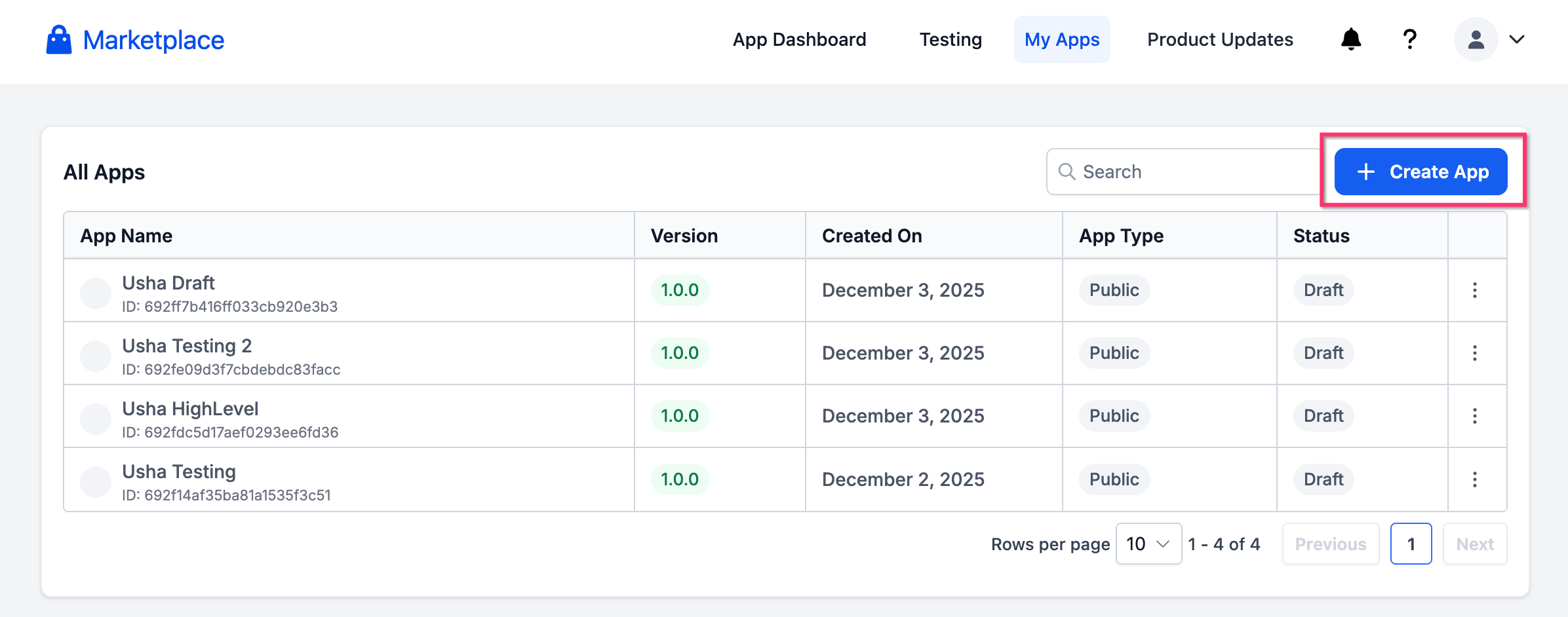
1. Go to your Marketplace (Developer Portal) and Click on "My Apps" to view all the existing applications. Click on Create App to create a new one.
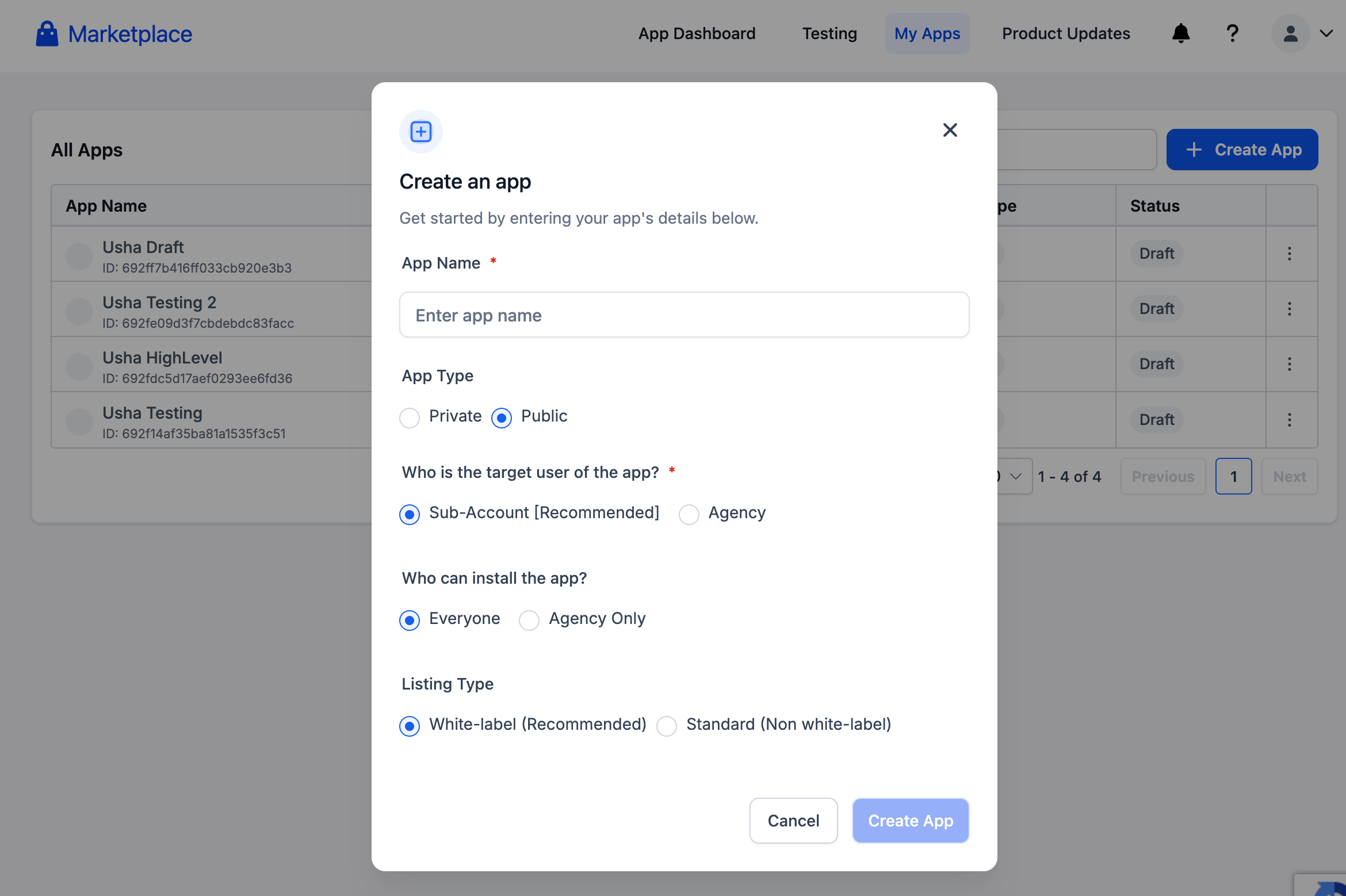
2. Complete all the basic application details and click on "Create App".
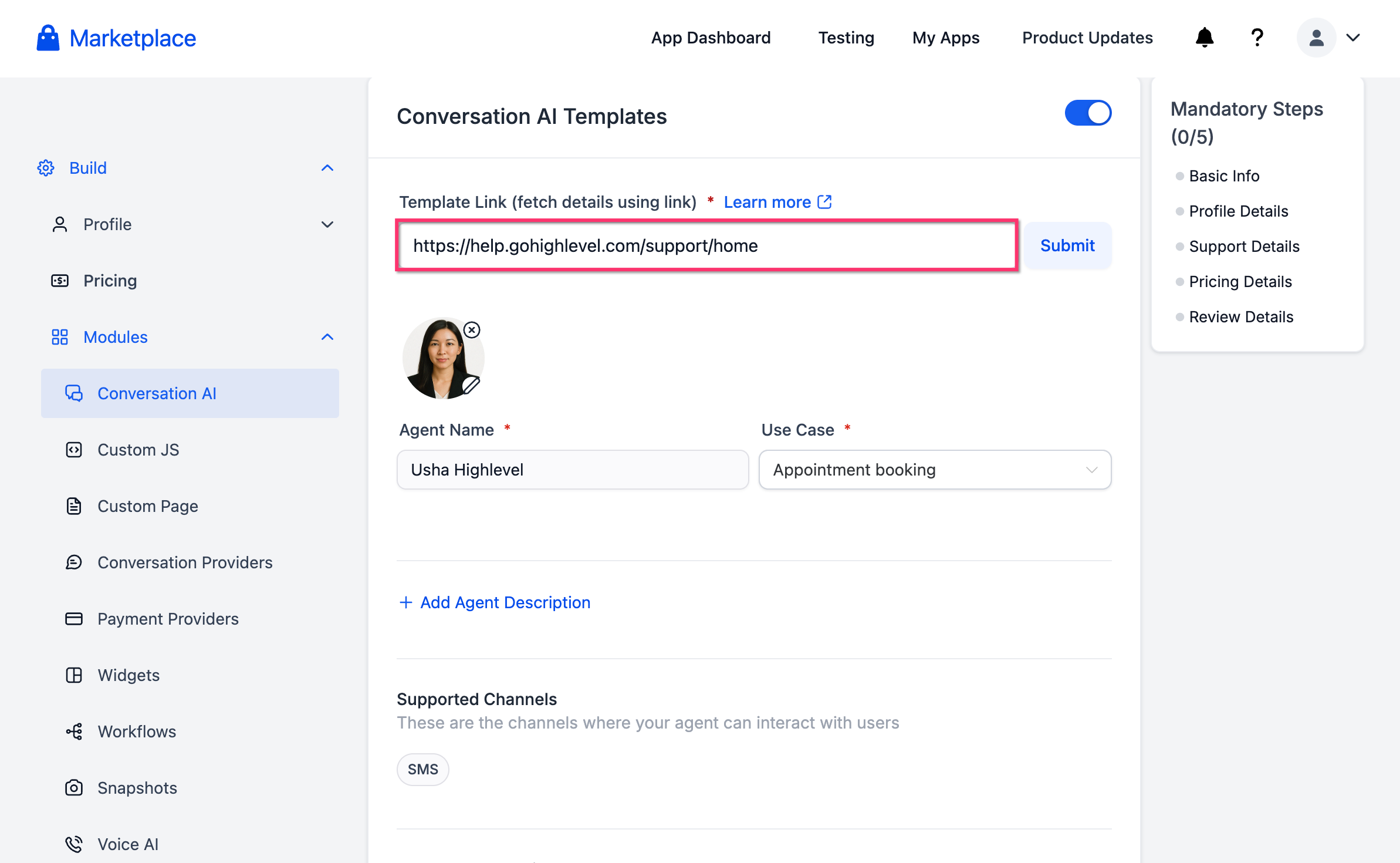
3. In the app builder, open Modules → Conversation AI. Paste the knowledge base link and scroll down to the Knowledge Base area.
4. Toggle Include Knowledge Base On (only available if a Knowledge Base is associated with the agent). Make sure the correct Knowledge Base is attached to the agent in AI Agent Studio. If none is attached, return to the agent, add the Knowledge Base, then come back to this screen.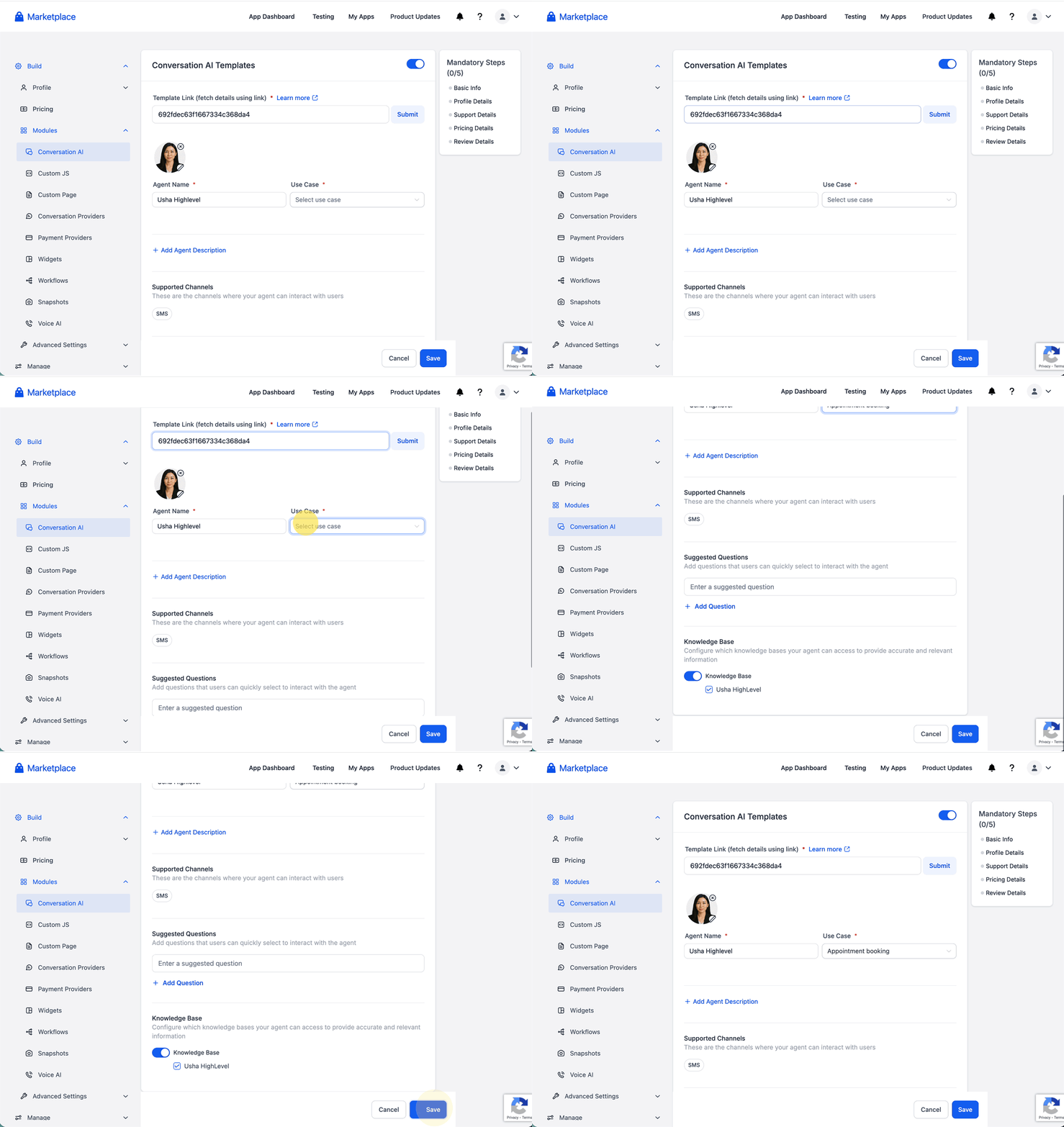
5. Review What’s Included, finish listing details (name, description, category, pricing/visibility), and click Submit for Review.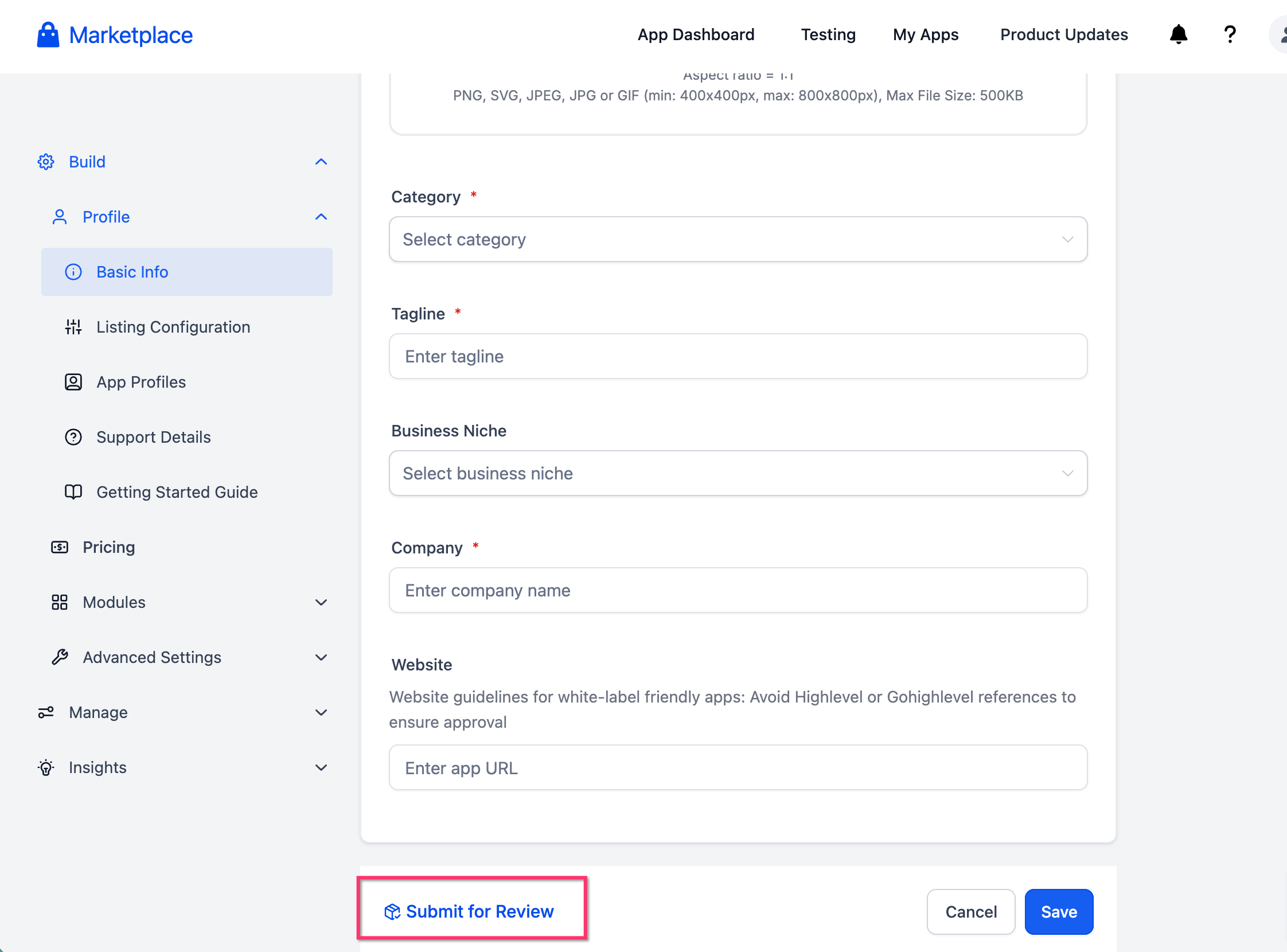
6. After approval, install the template in a test sub-account and verify the agent answers are grounded in the bundled Knowledge Base.
Best Practices for Agent Builders (Designing KBs for Templates)
A well‑structured template KB teaches agencies how to succeed while remaining easy to swap with real data.
- Organize content into clear folders (e.g., “Getting Started,” “Product FAQs,” “Pricing Examples”).
- Use descriptive article titles that match likely user questions.
- Add placeholders for brand names, URLs, and pricing so agencies can spot and replace quickly.
- Favor concise, retrieval‑friendly writing—short paragraphs, headings, lists.
- Include a short “Start Here” article that links to key pieces.
- Remove proprietary or confidential material before publishing.
- Test the agent with only the bundled KB to ensure quality out‑of‑the‑box answers.
Bundle Scope & Behaviour
Know exactly what’s packaged, what gets copied to the installing account, and how that copy behaves over time.
- Copy Model: The bundled Knowledge Base content is copied into the installing agency account during template installation. Edits by the agency do not affect your original KB.
- What’s Included:
- Knowledge Base folders and articles (rich-text pages) attached to the agent.
- Supported file attachments (e.g., PDFs, images) that belong to included folders.
- Tables/CSV resources used for retrieval (if part of the KB).
- Trained links (web URLs) and their current indexed content.
- Knowledge Base folders and articles (rich-text pages) attached to the agent.
- What’s Not Included: Account-specific items that cannot be transferred (e.g., private integrations or credentials). Replace with placeholders in templates.
- Updates After Publish: Future changes you make to your original KB are not automatically synced to agencies that already installed the template. Release a new template version or provide a content update pack if you want agencies to receive revisions.
- Duplicate Protection: If an agency installs multiple templates with similarly named KB folders, the system creates separate copies to avoid collisions. Agencies can merge or rename post-install.
Frequently Asked Questions
Q: Is bundling a Knowledge Base required for AI Agent Marketplace templates?
No. Bundling a Knowledge Base is optional. Include one when the agent needs source content to answer accurately.
Q: What happens if I do not select Include for the Knowledge Base?
The template may install without that Knowledge Base. Buyers may need to create or attach their own Knowledge Base after installation.
Q: Can a template include more than one Knowledge Base?
Availability may depend on the template type, agent type, and publishing workflow. Review the template asset options during publishing.
Q: Should I remove client-specific information before bundling?
Yes. Remove private, sensitive, outdated, or client-specific content that should not be shared with buyers.
Q: Does bundling guarantee the agent will answer correctly?
No. The agent must be configured to use the Knowledge Base correctly, and the installed template should be tested before live use.
Q: Can buyers edit the bundled Knowledge Base after installation?
Buyers should review and customize the installed Knowledge Base to match their business, services, policies, and customer needs.
Q: Can Voice AI templates include Knowledge Bases?
Voice AI agents can use Knowledge Base integration when configured. Sellers and buyers should confirm the installed Voice AI agent is connected to the correct Knowledge Base and test responses.
Q: Can Agent Studio agents use a bundled Knowledge Base?
Yes, when the Agent Studio flow is configured with the Knowledge Base Tool and the installed Knowledge Base is selected correctly.
Q: What should buyers review after installing a template with a Knowledge Base?
Buyers should review Knowledge Base sources, agent connections, custom values, variables, workflows, calendars, and test responses before going live.
Q: How should sellers test bundled Knowledge Bases?
Sellers should install the template in a test sub-account, confirm the Knowledge Base installs correctly, verify the agent connection, and run test conversations that require Knowledge Base answers.