
Ask the Booker Location for Services (v2) lets businesses collect a customer’s service address directly during booking. This article explains how the feature works, when to use it, how to create an Ask the Booker location, how to assign it to staff availability, and what customers see when entering their address on the booking page.
TABLE OF CONTENTS
- What is Ask the Booker Location for Services (v2)?
- Key Benefits of Ask the Booker Location
- When to Use the Ask the Booker Location Feature
- How To Setup Ask the Booker Location for Services (v2)
- Frequently Asked Questions
- Related Articles
What is Ask the Booker Location for Services (v2)?
Ask the Booker Location is a Services v2 location type that lets the customer provide the service address while booking an appointment. This helps businesses collect appointment-specific location details when the service happens at the customer’s home, office, job site, or another address chosen by the booker.
An Ask the Booker location works like a bookable service location in Services v2, but instead of requiring a fixed business address, it prompts the customer to enter the address where the service should take place. The address entered by the customer is saved with the appointment and can be referenced in appointment details and booking-related communication.
This location type is best for businesses that offer mobile or on-site services, such as:
Mobile beauty or wellness services
Home repair or maintenance appointments
On-site consultations
Field service appointments
Customer-location installations or inspections
Key Benefits of Ask the Booker Location
Collect customer-provided service addresses: Customers enter the exact address where the appointment should take place during booking.
Support mobile and on-site services: Businesses can offer services at customer homes, offices, job sites, or other requested locations.
Reduce manual follow-up: The address is collected during booking, reducing the need to ask for it later by phone, email, or text.
Keep the booking flow consistent: Customers still select services, choose a time, review details, and confirm the appointment as usual.
Use location-based availability: Services, staff availability, and pricing continue to follow the configuration assigned to that location.
When to Use the Ask the Booker Location Feature
Ask the Booker locations are designed for appointments where the service address changes from customer to customer. Choosing this location type helps avoid creating multiple fixed locations for addresses that only apply to individual bookings.
Use an Ask the Booker location when:
The business travels to the customer for the appointment.
The customer decides where the service will take place.
The service address is different for each booking.
The business needs the address saved directly on the appointment.
A fixed business location does not apply to the service.
Examples of location names you may use include:
Enter Your Own Address
Customer Location
On-Site Appointment
Mobile Service Address
Service Address Provided by Customer
How To Setup Ask the Booker Location for Services (v2)
Proper setup ensures customers can select the Ask the Booker location, enter their address, and book with the correct staff availability. The location should be created first, then assigned to staff availability so it can appear as a bookable option.
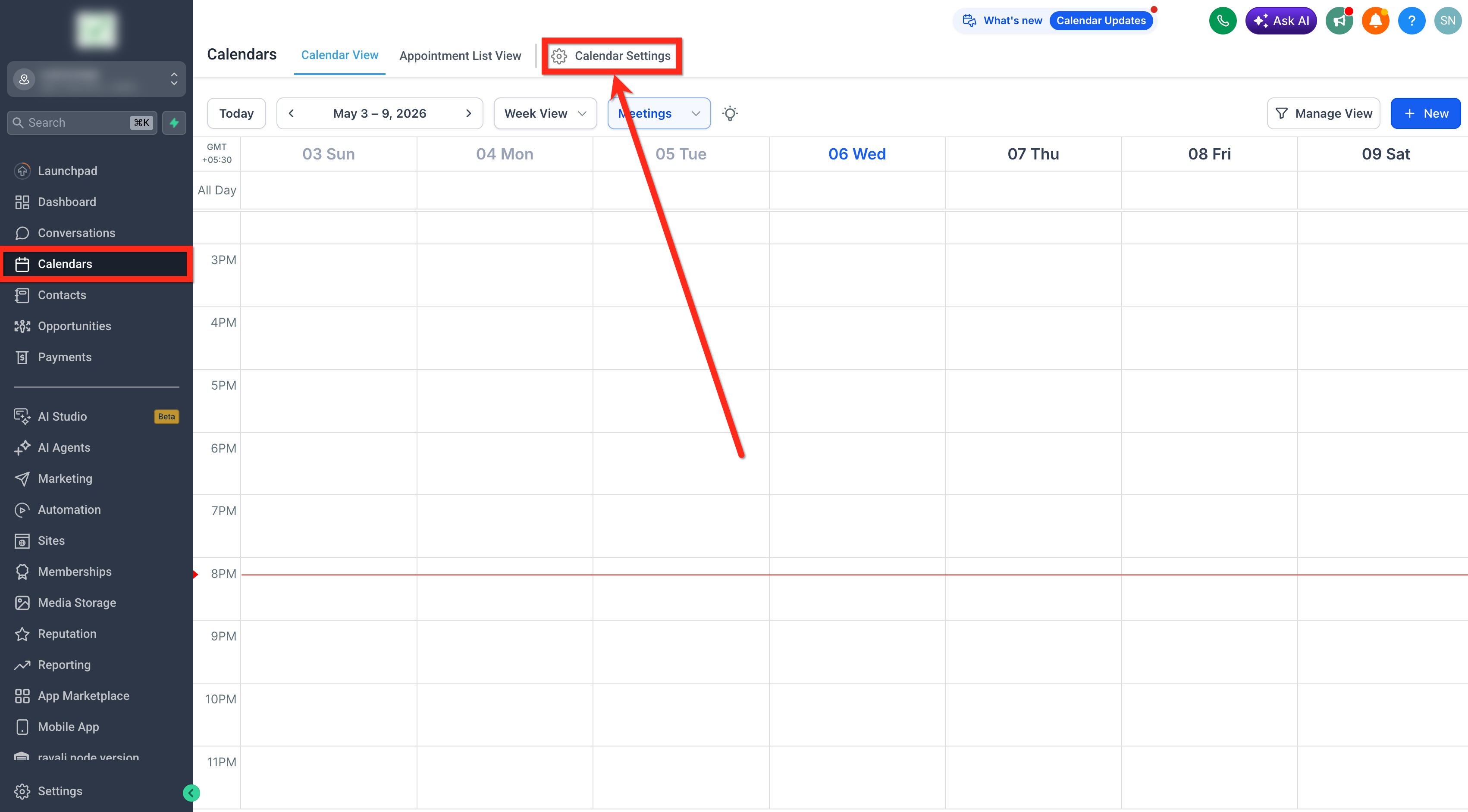
Navigate to Calendar > Calendar Settings.
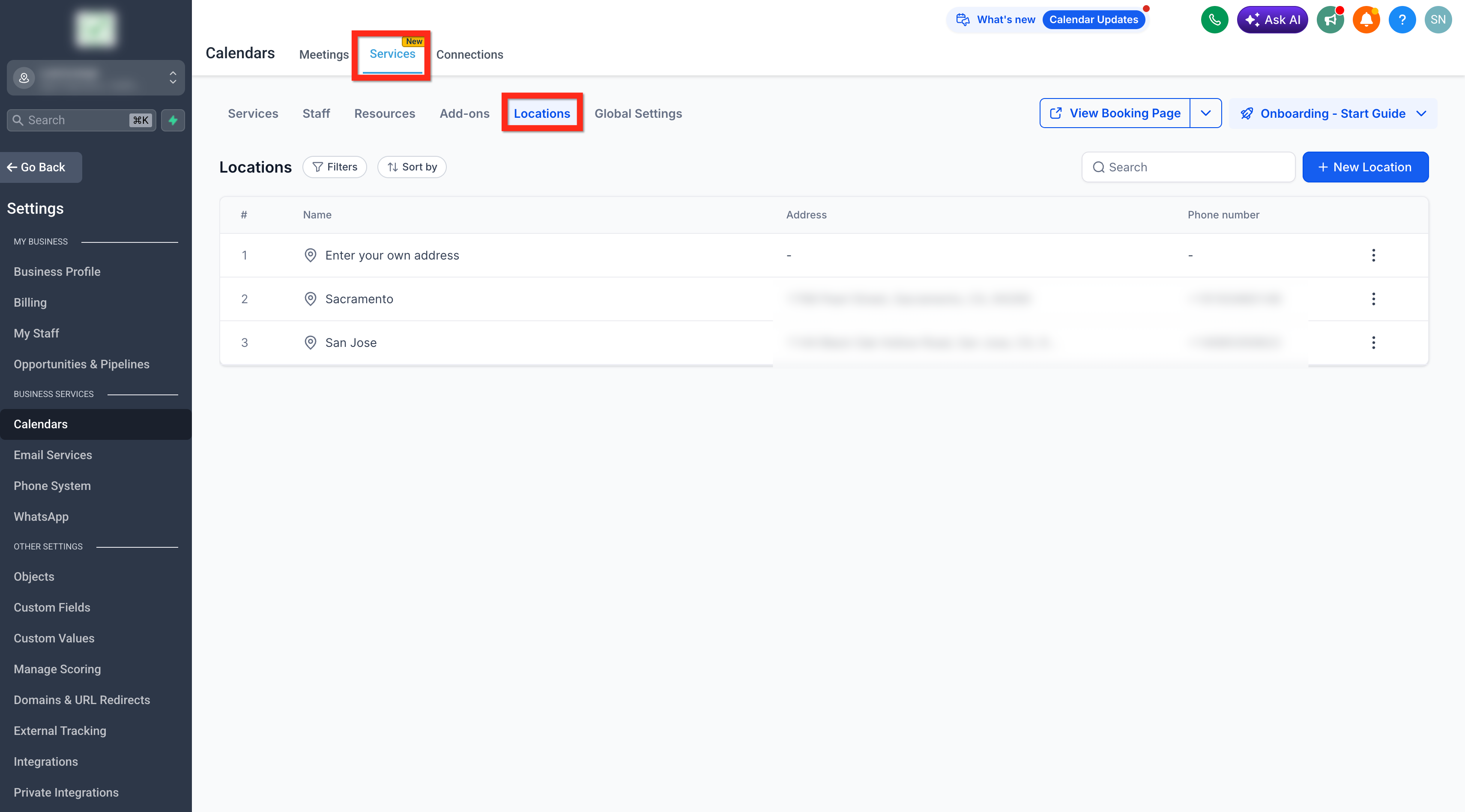
Click on Services > Locations tab.
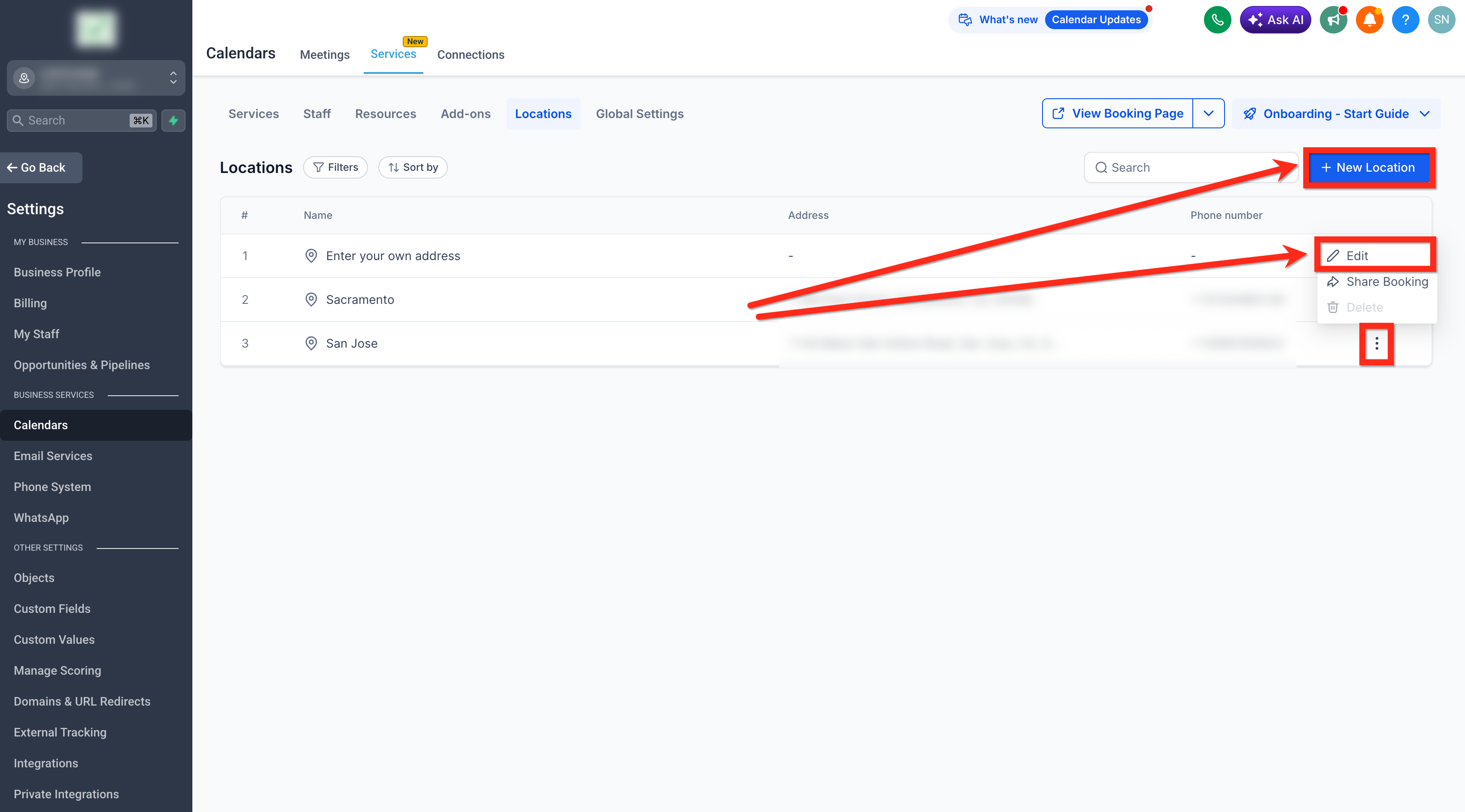
Click + New Location to add a new location or edit an existing location.
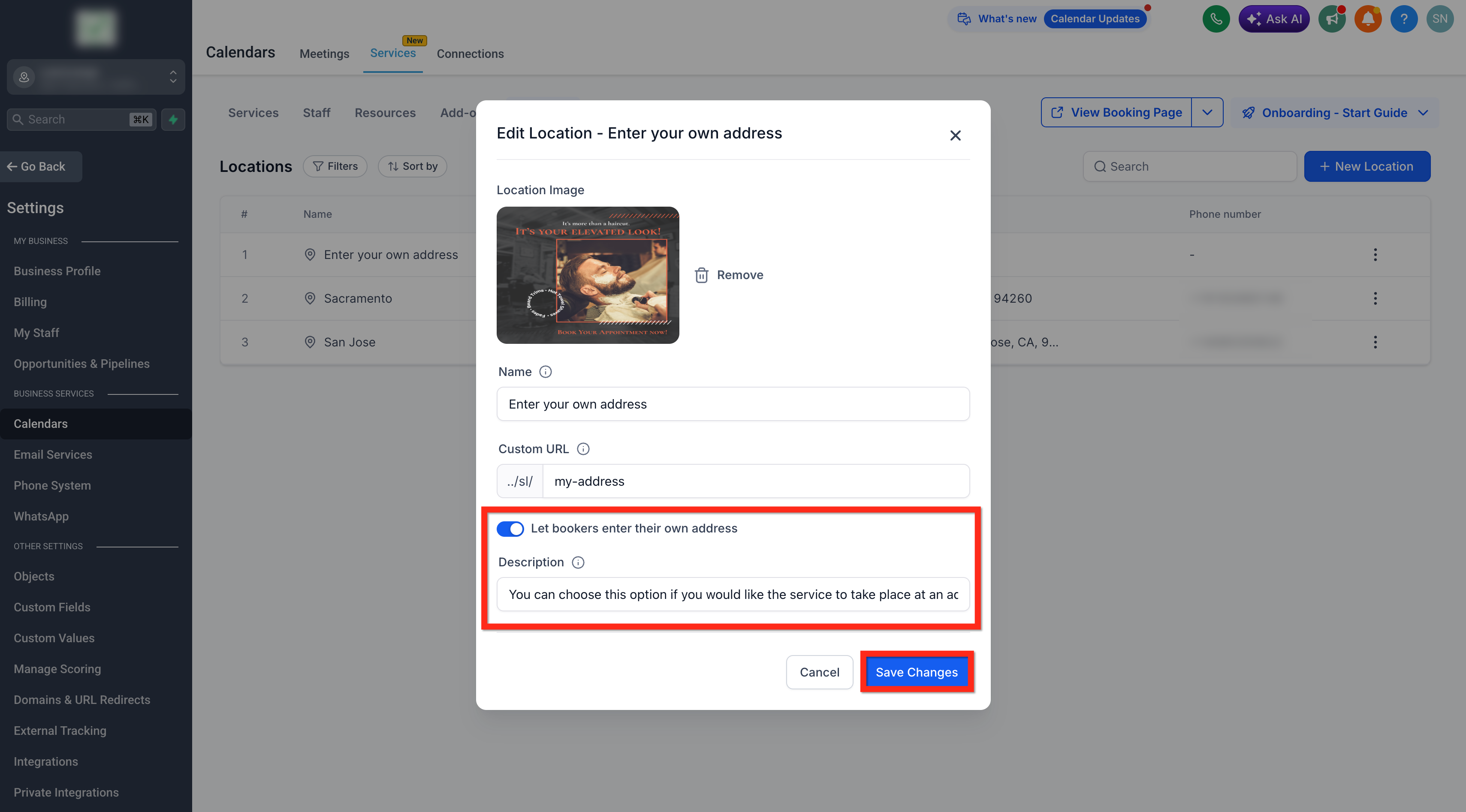
Enable Let bookers enter their own service address option.
Add a description that explains when customers should choose this option. (Recommended description example: “You can choose this option if you would like the service to take place at an address of your choice. You will be asked to enter the service address before confirming your appointment.”)
Click on Save Changes.
Assign the location in Staff Availability as needed. (Checkout our detailed article on Configuring Staff in Services)
Frequently Asked Questions
Q: Can I edit an existing location and turn it into an Ask the Booker location?
Yes, you can edit an existing location and enable Let bookers enter their own service address if that location should collect the customer’s address during booking.
Q: Will customers still choose a location before entering their address?
Yes. Customers select the Ask the Booker location during booking, then enter the service address before confirming the appointment.
Q: Is the customer-entered address saved with the appointment?
Yes. The address provided by the customer is saved with the appointment so the business can reference where the service will take place.
Q: Do I still need to assign the location to staff availability?
Yes. The Ask the Booker location should be assigned in staff availability so customers can book that staff member for the location.
Q: Does this change service pricing or duration?
No. Service pricing, duration, availability, and booking rules continue to follow the service and staff configuration.
Q: What should I name the location?
Use a customer-friendly name such as Enter Your Own Address, Customer Location, On-Site Appointment, or Mobile Service Address.
Q: Can this be used for fixed business locations?
Fixed business locations should usually be created as standard locations with a saved address. Ask the Booker locations are best when the customer provides the service address for each appointment.