
Add-ons are optional extras that can be attached to a service so customers can personalize their booking. They can be supplementary services or related products and may affect total time and price. This article covers what add-ons are and how to create, edit and assign add-ons to your services!
TABLE OF CONTENTS
What are Add-ons?
Add Ons allow users to enhance services by offering additional features or upsells, providing customers with options to customize their booking experience. These add ons can be supplementary services or products related to the main service. For example:
- A spa might offer an "Aromatherapy Upgrade" that can be added to a massage session.
- A personal trainer could offer "Nutritional Consultation" as an extra option to a workout plan.
- A photographer might include "Additional Edited Photos" as an add on to a photoshoot package.
These offerings can increase revenue and enhance customer satisfaction by giving clients more personalized service options during the booking process.
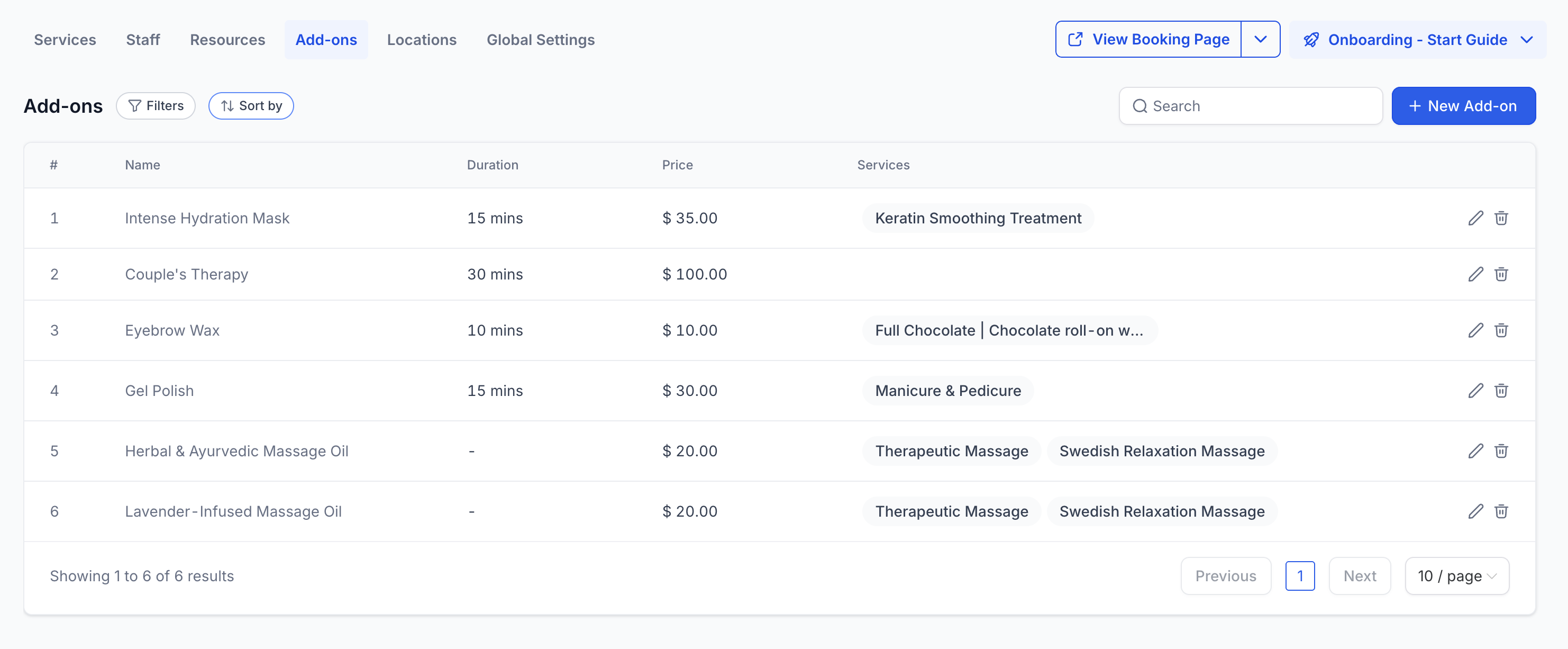
Key Benefits of Add-ons
Upsell Revenue: Offer upgrades at the moment of booking so more revenue is captured without extra follow-up
Personalized Bookings: Customers choose relevant extras, leading to services that fit their needs and expectations
Transparent Pricing at Checkout: Quantity-based pricing calculates the exact cost based on the services the customer selects
Service-Specific Relevance: Add-ons appear only on services they’re assigned to, keeping choices focused
Faster Setup Across Offerings: Create add-ons once and assign them wherever they apply, avoiding duplicate work.
Where to Create Add-ons
You can access add-ons in two places:
- From the Add-ons Tab: Centralized list of all add-ons across services
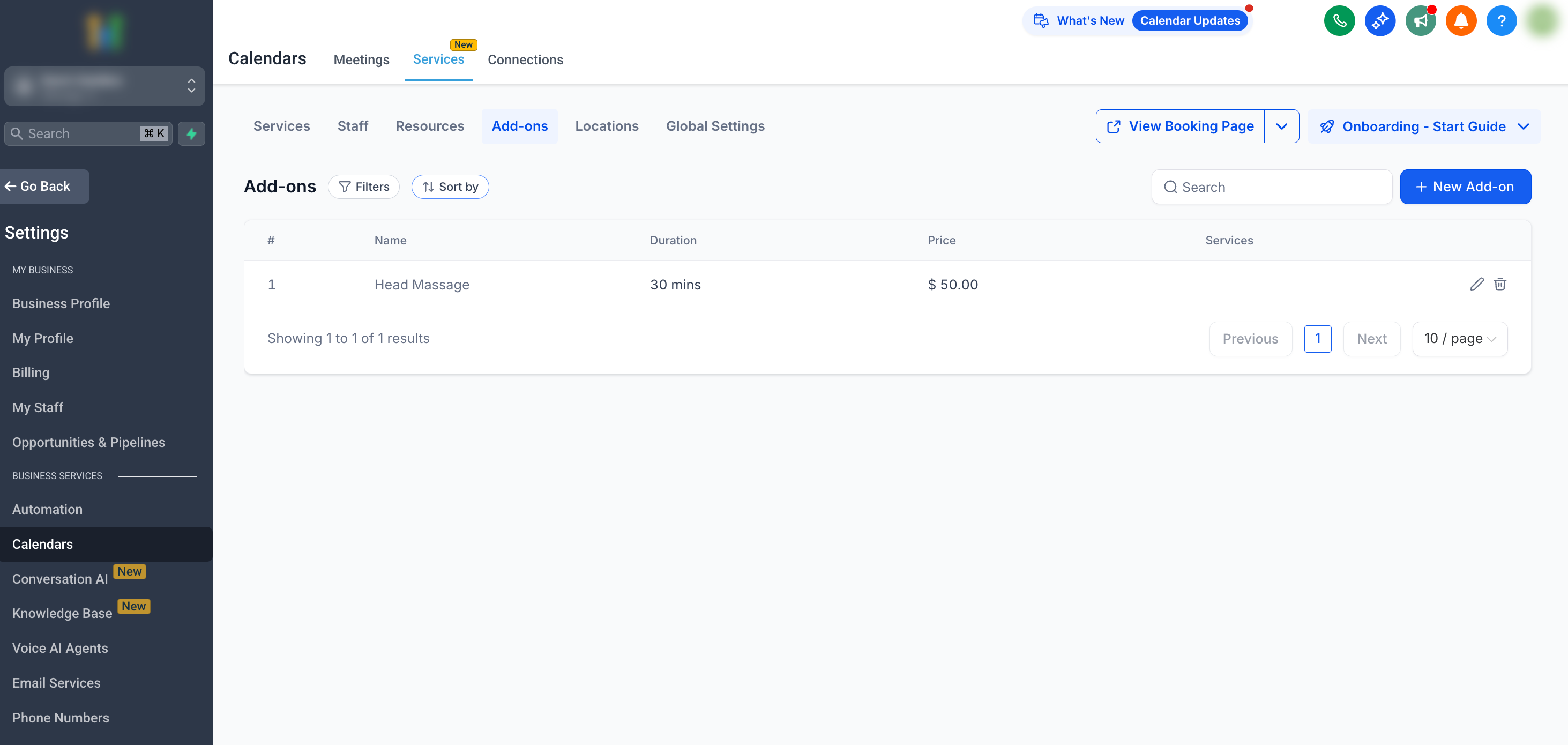
- Directly from a Service: Add-ons created here are automatically added to that specific service.
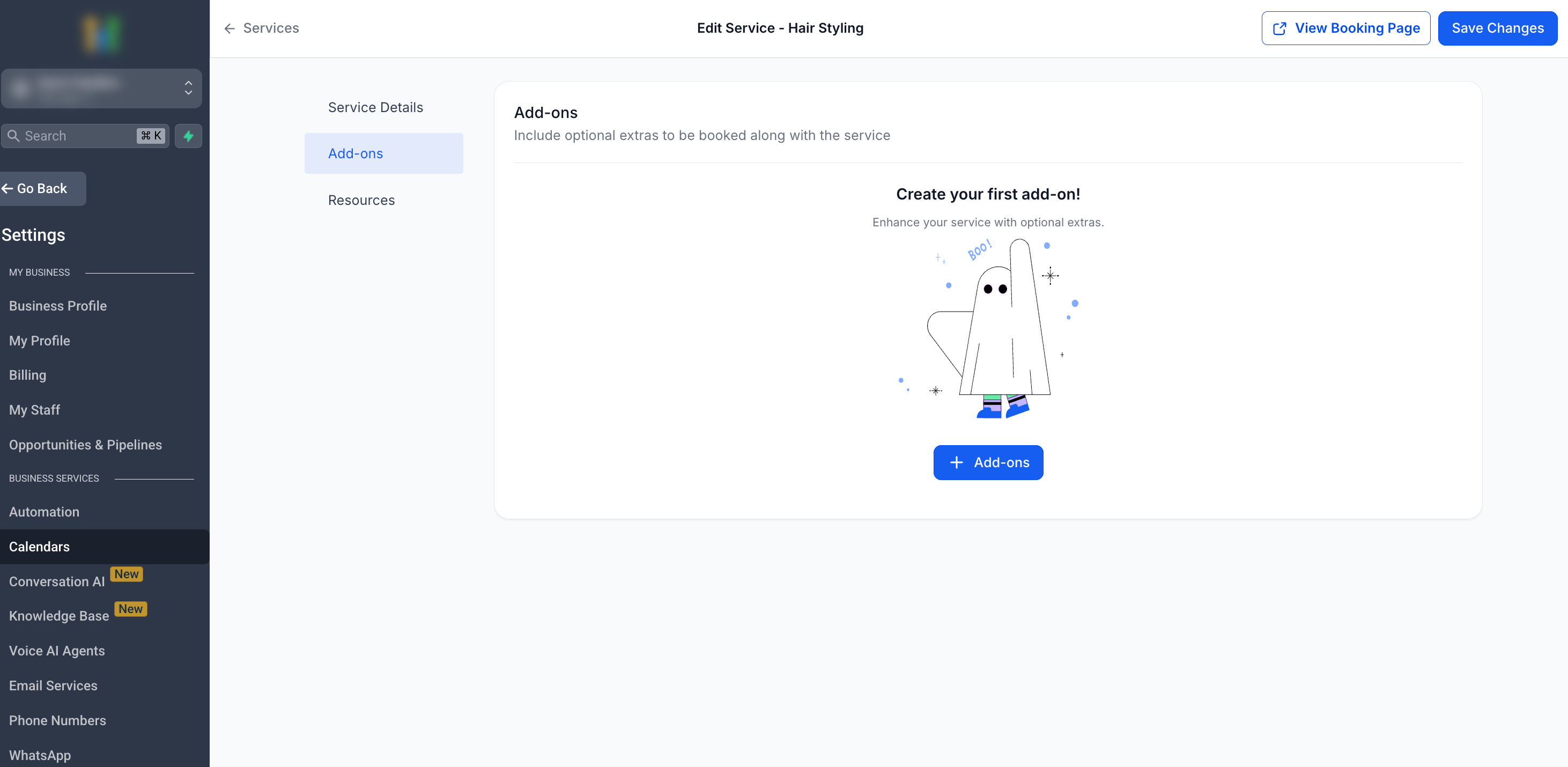
Assigning Add Ons to Services
Creating an add-on doesn’t make it available everywhere. Assign add-ons to each service where you want them to appear so customers see relevant options during booking.
Add-ons can be linked to one or more services
Add-ons will only appear on the booking page for the services they are linked to
Customers see the add-on as an optional extra during booking
Step 1: Open Service Editor
- Navigate to the Services Panel (Calendar > Calendar Settings > Services)
- Open the Service Editor for the service you would like to assign the add-on to (Three-dot (⋮) > Edit)
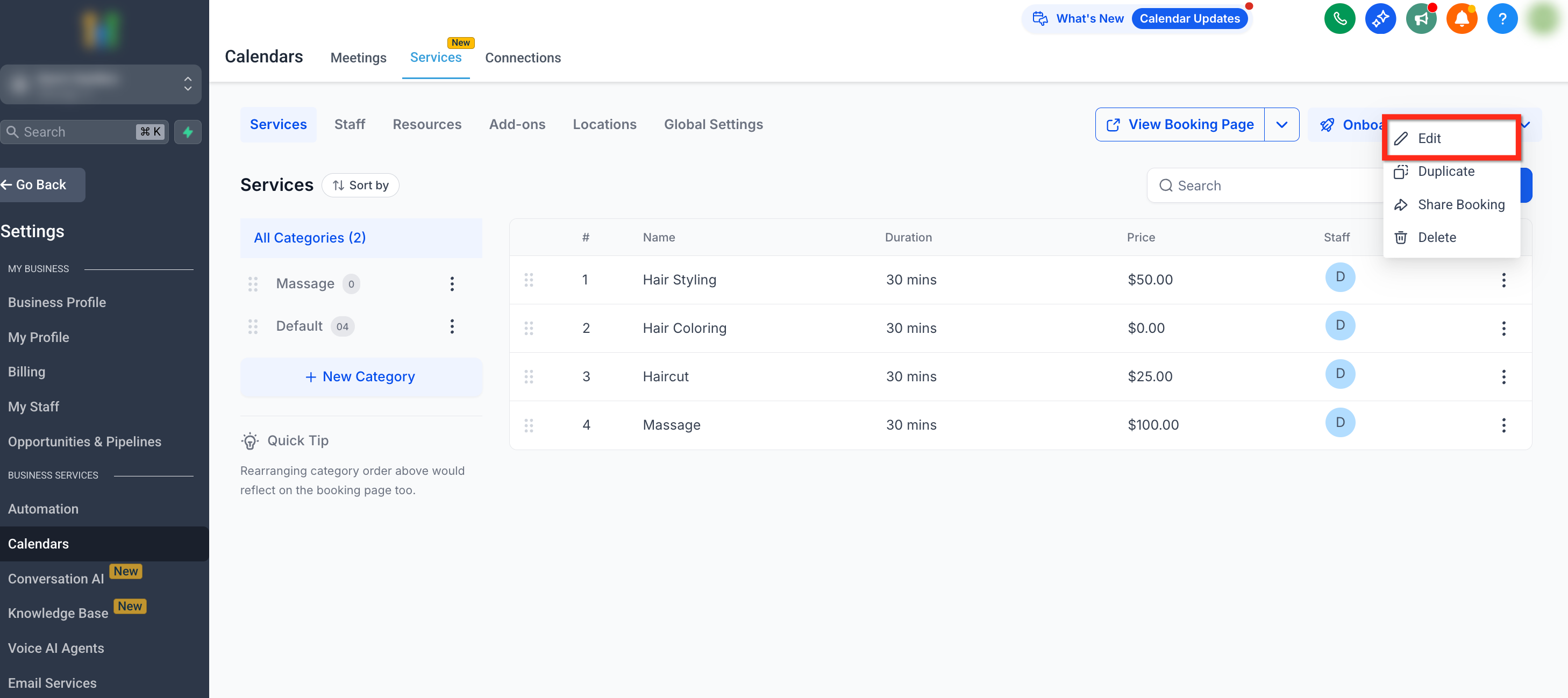
Step 2: Navigate to + Add-ons
- Navigate the Add-on tab on the secondary navigation bar on the left
- Click the + Add-ons button
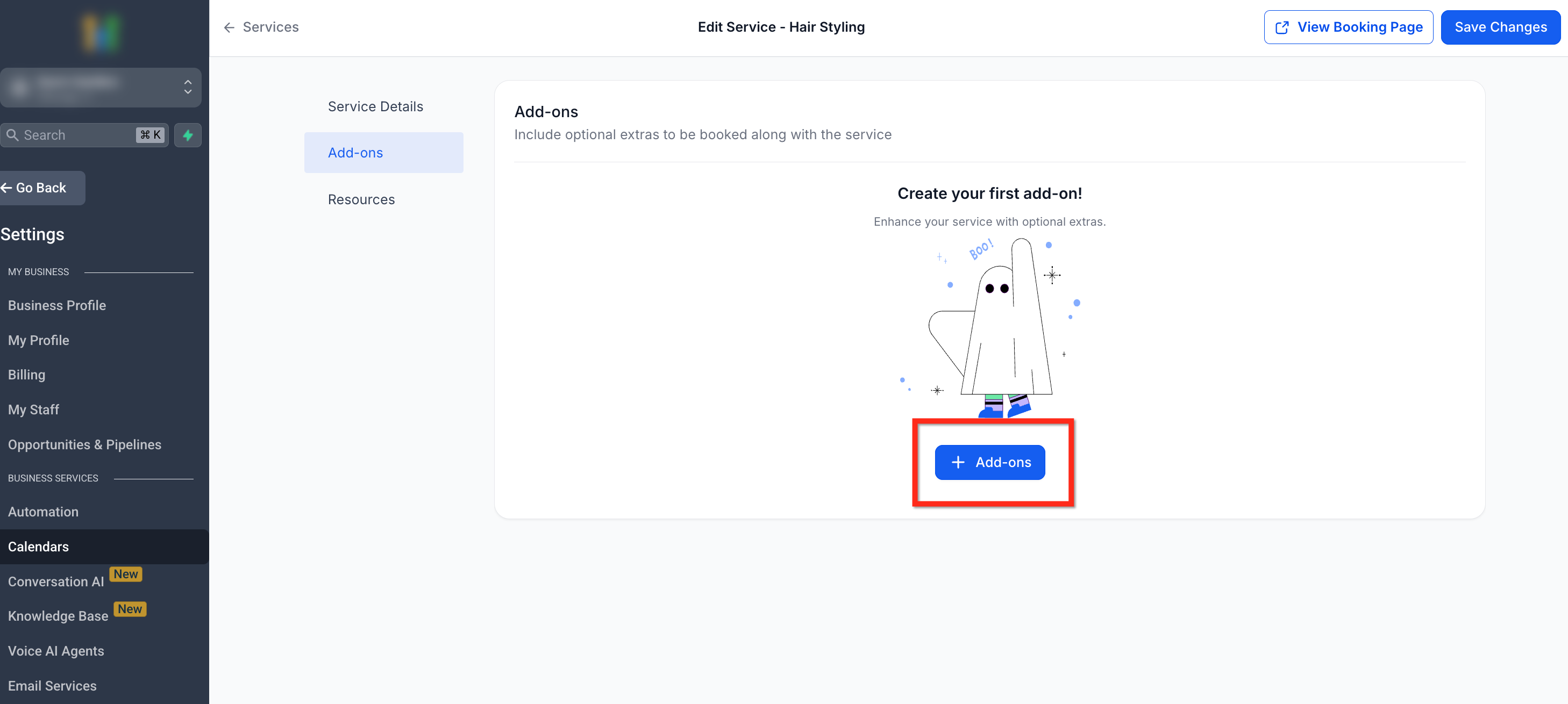
Step 3: Select Add-ons
- Select the Add-ons you would like to assign to this service or create a new add-on if needed
- Save your changes by clicking the Save button
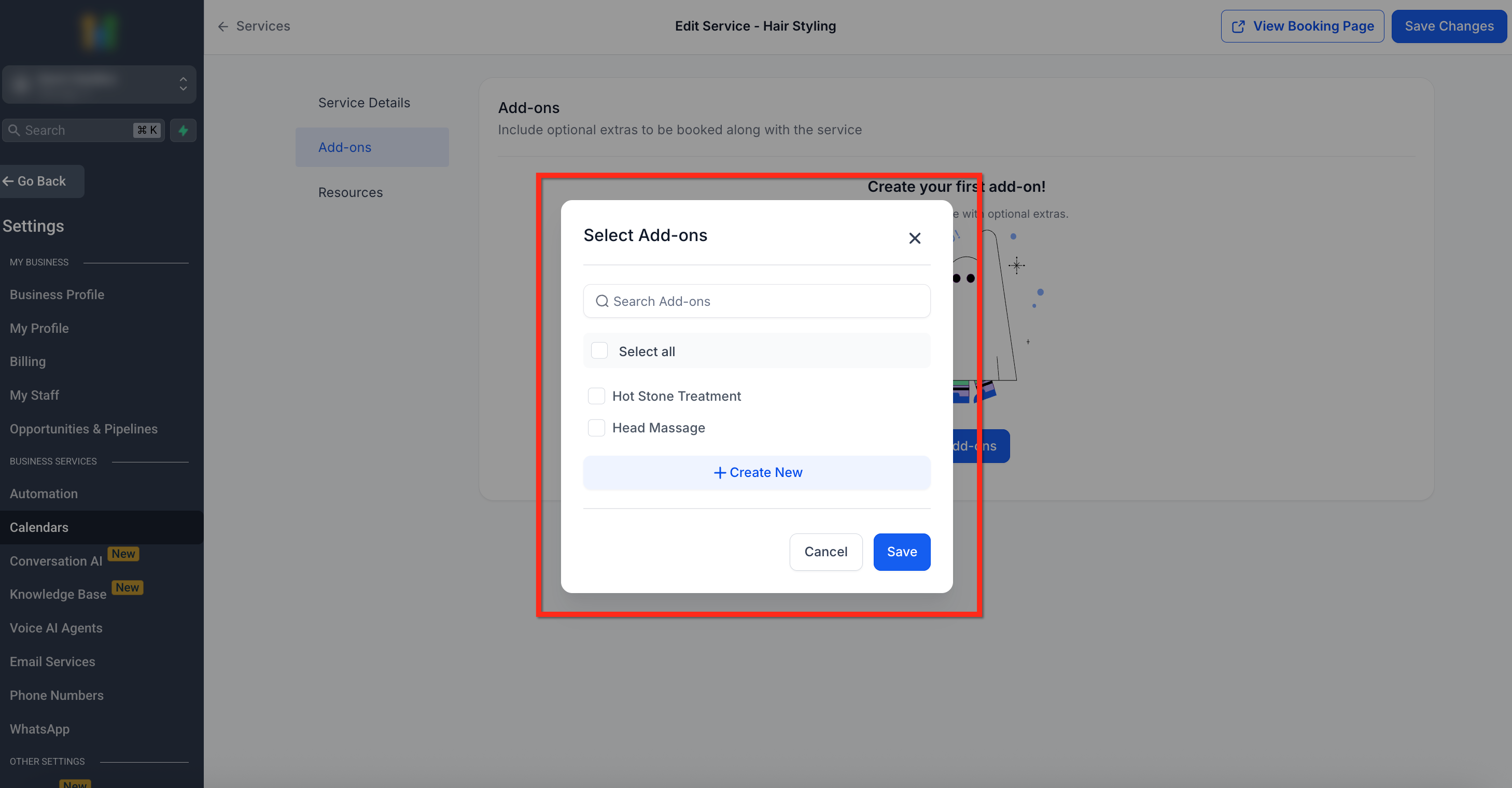
Editing or Deleting Add-ons
Keep your add-ons accurate by updating names, prices, and options, or remove items you no longer offer. Follow these steps to edit or delete existing add-ons:
Step 1: Open Add-Ons Page
- Navigate to the Services Panel (Calendar > Calendar Settings > Services)
- Click the Add-ons tab in the secondary navigation ribbon
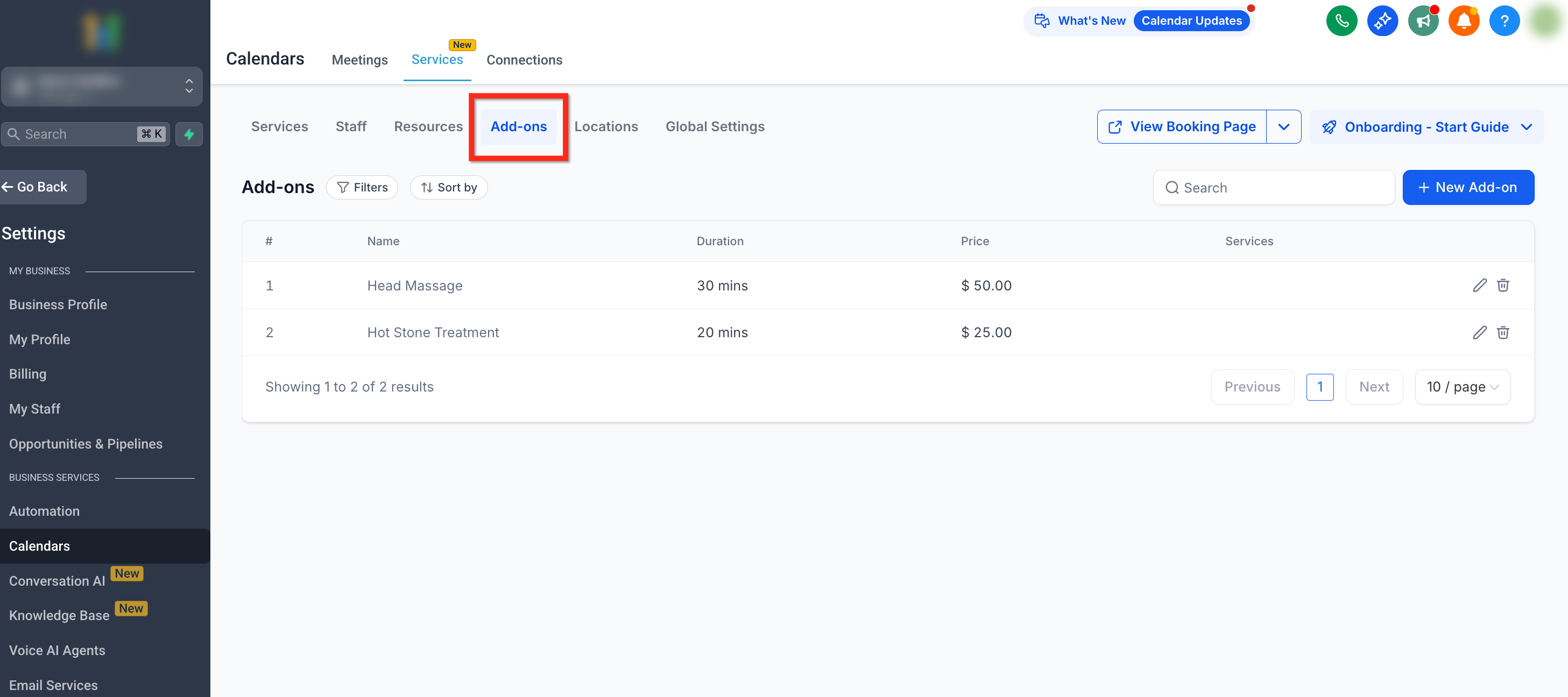
Step 2: Edit or Delete
- Here you’ll see a list of existing add-ons:
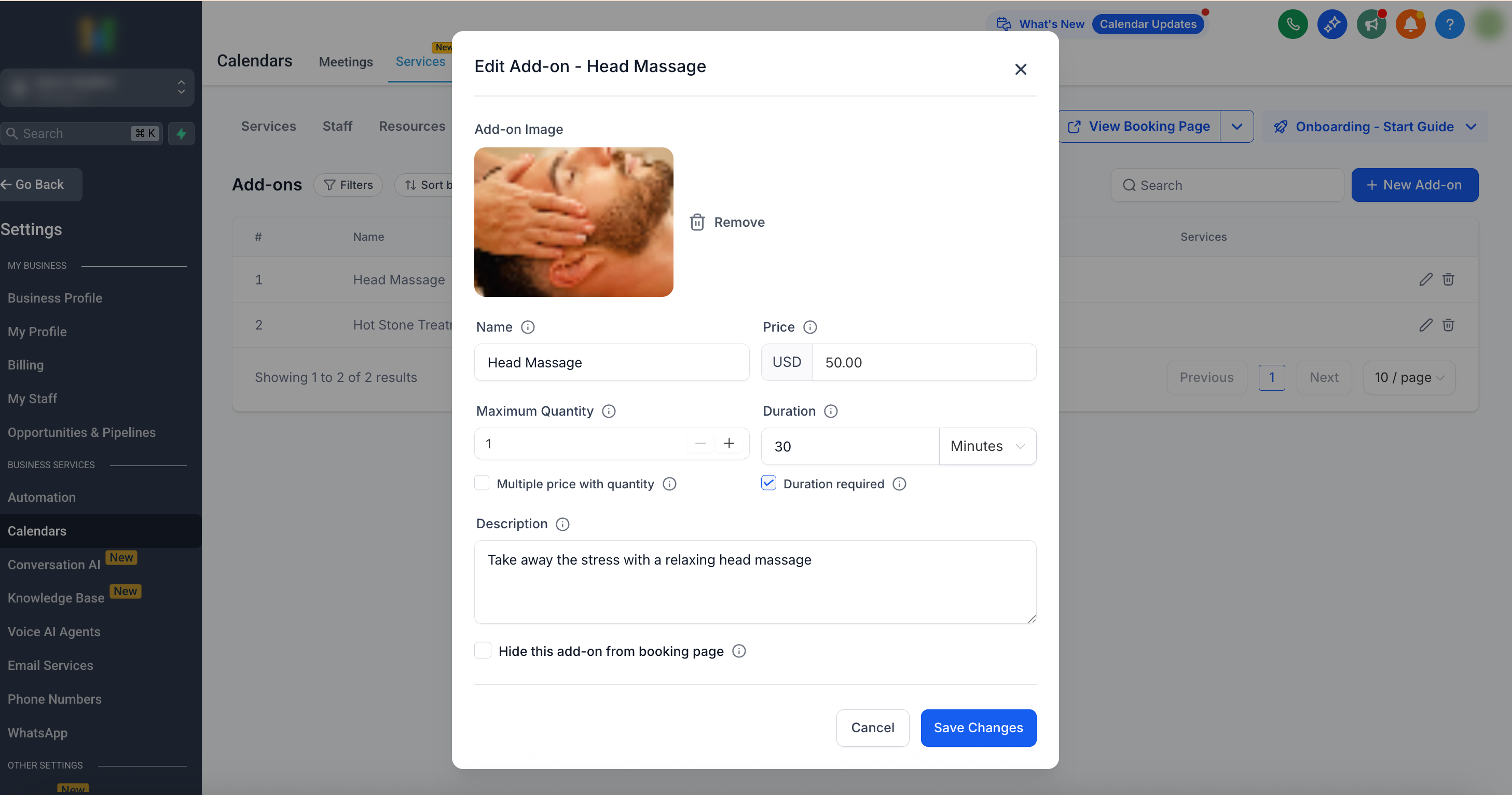
- Click Edit (pencil icon) button next to the add-on to open the editor
- Click Delete (Trash icon) to remove the add-on
- Click Edit (pencil icon) button next to the add-on to open the editor
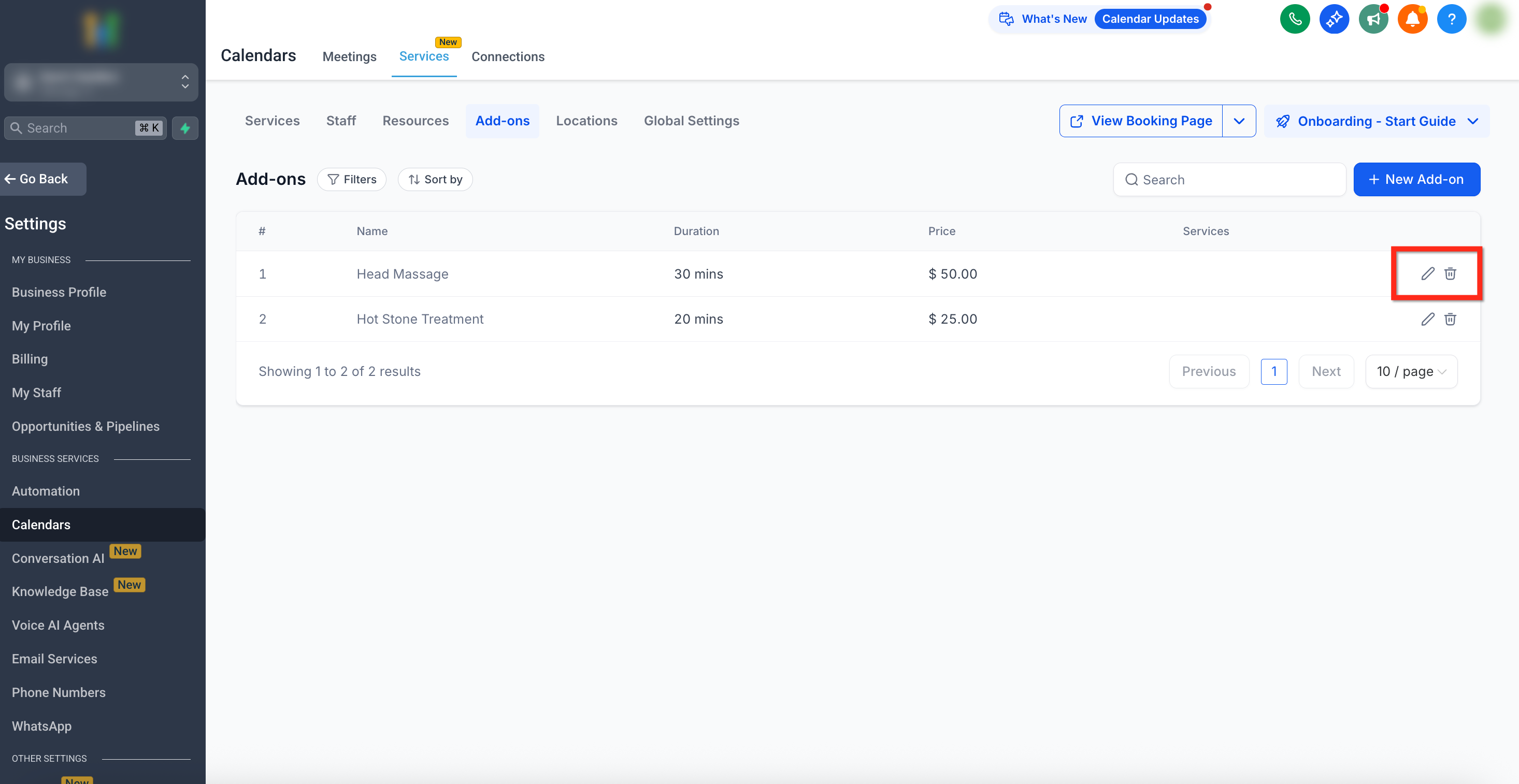
Step 3: Update Information
- If editing, make the needed updates to the information
- Click the blue Save Changes button to save the changes to your add-on
How to Create Add-ons
Proper setup ensures add-ons display with the right time, price, and visibility. Follow these steps to create a new add-on:
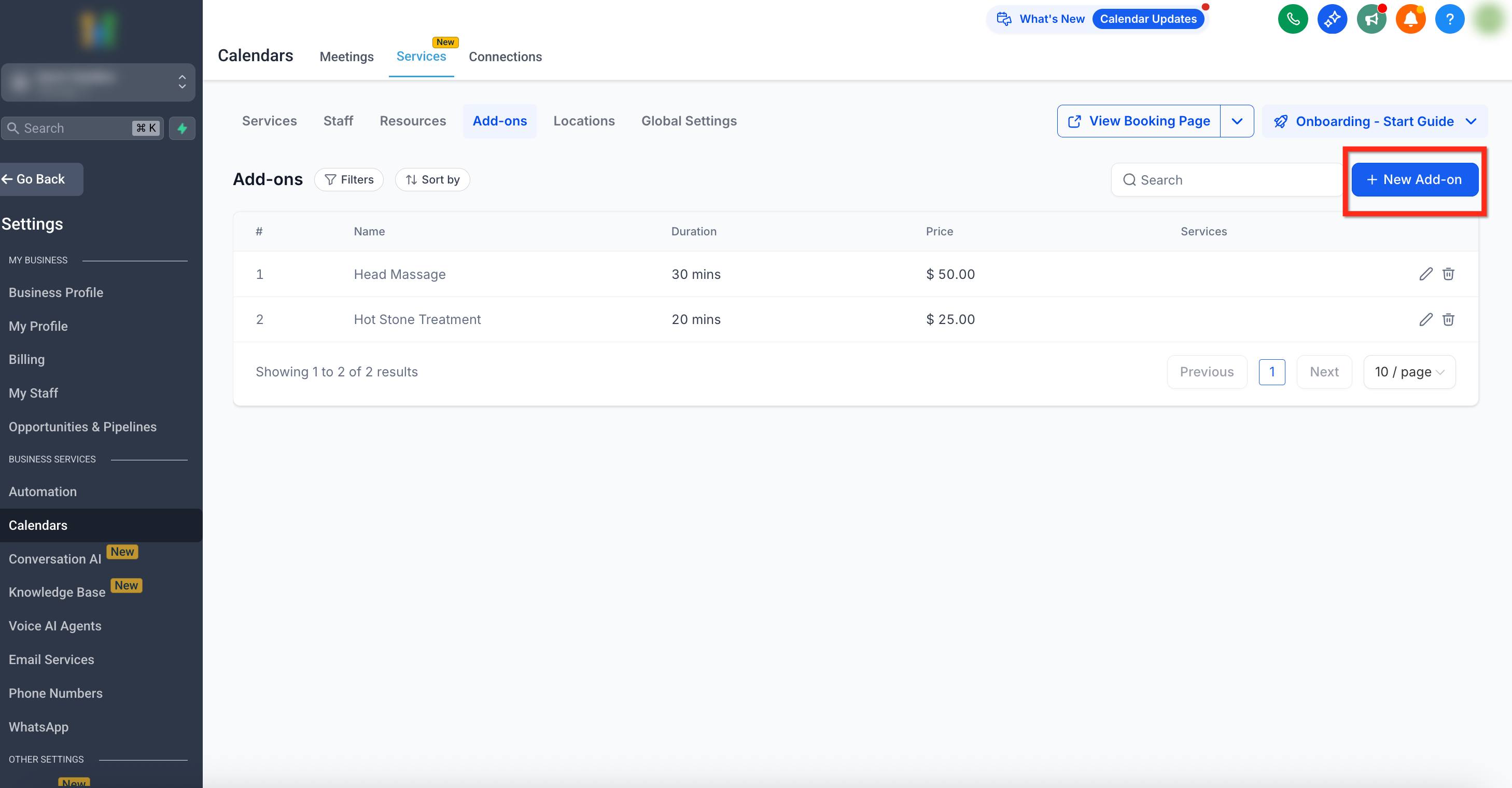
Step 1: Navigate to + New Add-on
- Navigate to the Services Panel (Calendar > Calendar Settings > Services)
- Open the Add-ons tab from the secondary navigation ribbon on the top
- Click the + New Add-on button in the upper right corner
Step 2: Fill in Add-on Details
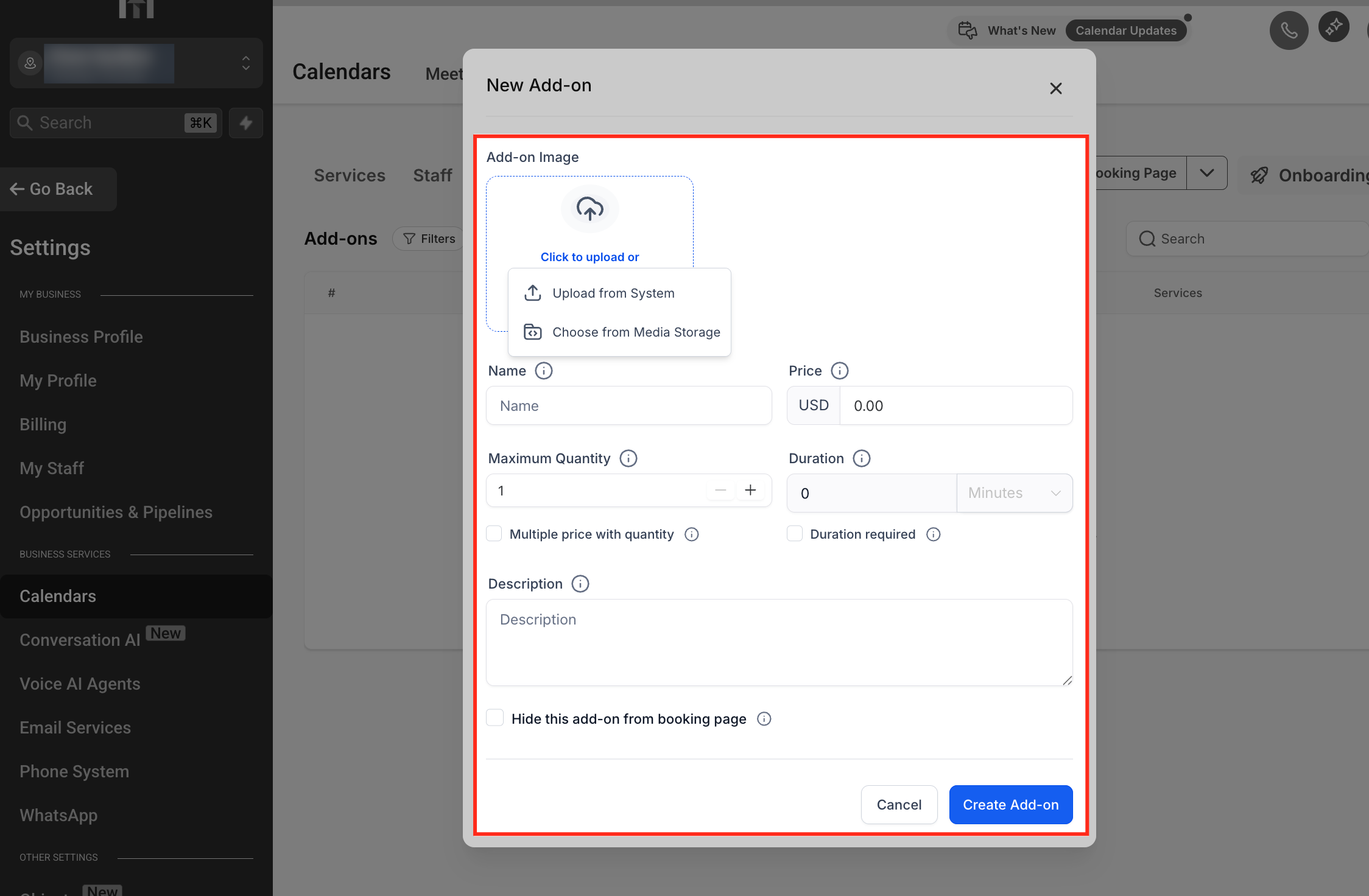
- Fill in the details for the add-on. These details include:
Add-on Image: Upload an image to represent the add-on visually. You can upload from your computer or from the Media Library.
Name: Enter a clear name (e.g., Lavender Massage Oil)
Price: Set the cost of the add-on
Duration: Check the box if your add-on has its own duration. When enabled, this duration will be included in the total service time for customers
Maximum Quantity: Define how many units can be selected per appointment
Multiple Price with Quantity: If enabled, price is multiplied by the number of units (e.g., $20 × 2 qty = $40)
Description: Add details to explain the value of the add-on
Hide from Booking Page: Keep the add-on internal, so only staff can apply it
- Once all details have been added, click the Create Add-on button to save
Best Practices
- Use clear names and images so customers instantly understand the add-on
- Limit maximum quantities when tied to physical stock (e.g., products, consumables)
- Bundle popular add-ons with services to increase upsell opportunities
- Use hidden add-ons for staff-only internal adjustments
Frequently Asked Questions
Q: Do add-ons automatically appear for all services?
No. Add-ons must be manually assigned to each service where you want them available.
Q: Will an add-on’s duration change the total service time?
Yes. When Duration is enabled for add-ons, that time is added on top of the service duration to calculate the new in the overall service time.